> ## Documentation Index
> Fetch the complete documentation index at: https://support.i.moneyforward.com/llms.txt
> Use this file to discover all available pages before exploring further.

# AppFollow

> Step-by-step guide for obtaining an AppFollow API key and connecting with administrator privileges. Detailed setup guide for Admina integration.

<Info>
  An account with administrator privileges is required for the integration.
</Info>

## Prerequisites

### How to Log In

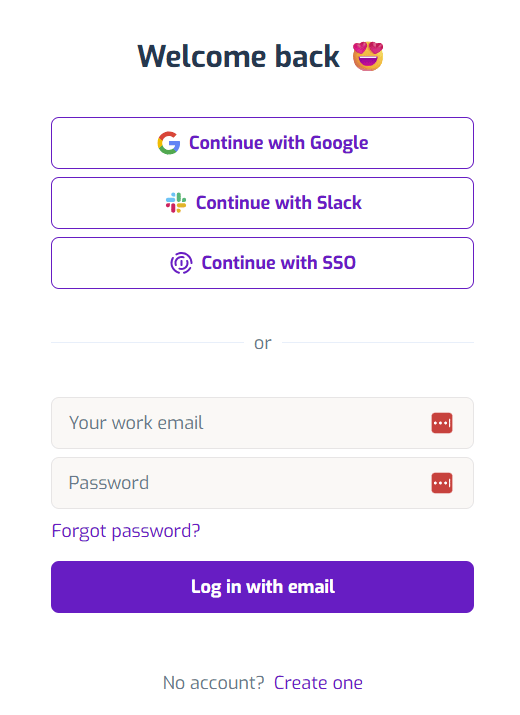
Go to the [AppFollow login page](https://watch.appfollow.io), enter your email address and password, and log in.
<img src="https://mintcdn.com/moneyforwardi/yRr9M1Mo9PbmsShv/images/integrations/7cfqtg86oq/2025-12-04-183655.png?fit=max&auto=format&n=yRr9M1Mo9PbmsShv&q=85&s=f8004f7a927646d3fd1b60f7261fe419" alt="AppFollow login screen" width="520" height="715" data-path="images/integrations/7cfqtg86oq/2025-12-04-183655.png" />

### How to Obtain the API Key

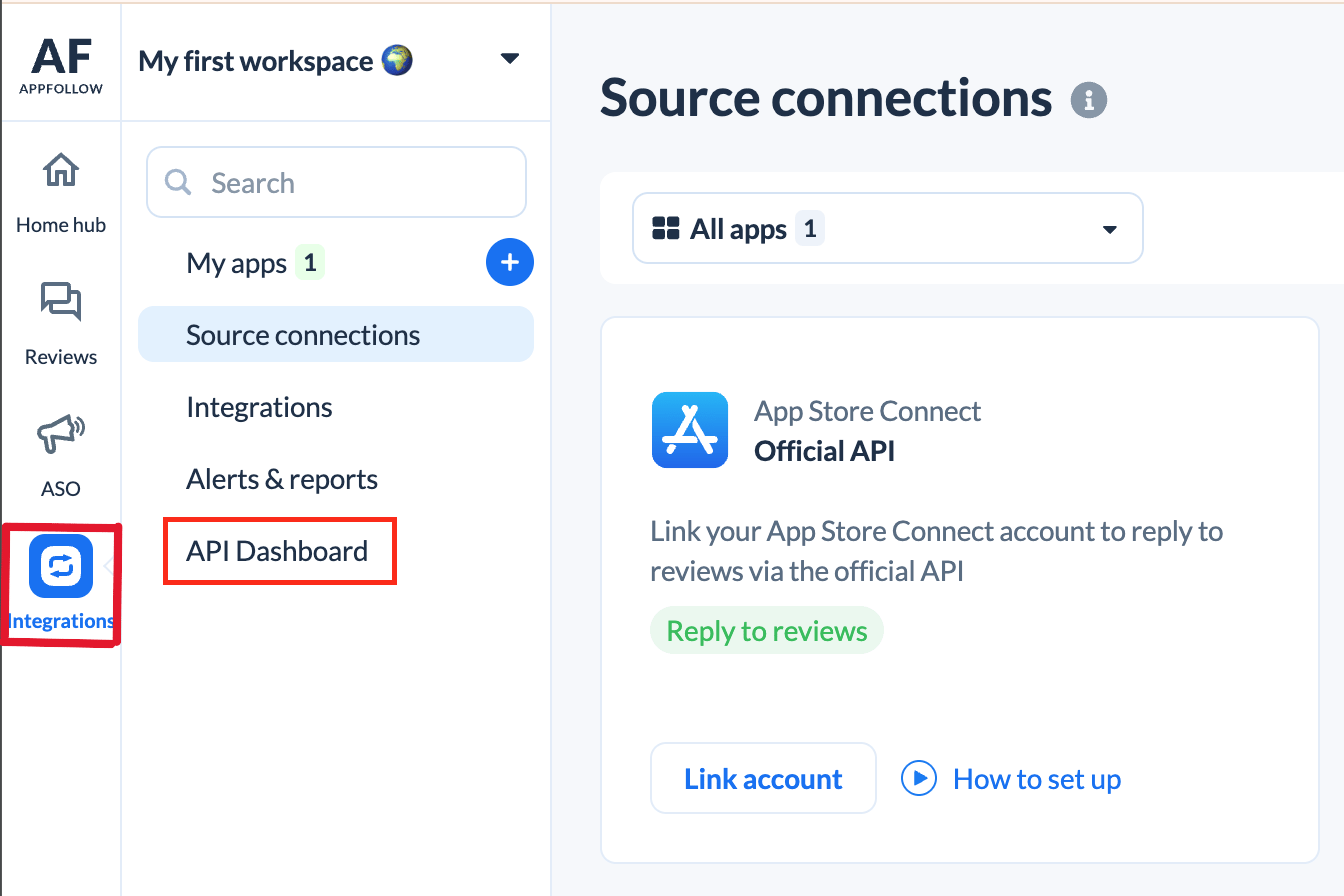
After logging in to AppFollow, click **Integrations > API Dashboard**.
<img src="https://mintcdn.com/moneyforwardi/yRr9M1Mo9PbmsShv/images/integrations/7cfqtg86oq/screenshot-2025-12-01-at-11-01-03.png?fit=max&auto=format&n=yRr9M1Mo9PbmsShv&q=85&s=7a192c29f2190597970d0f4592b3289a" alt="Integrations > API Dashboard" data-og-width="1344" width="1344" data-og-height="896" height="896" data-path="images/integrations/7cfqtg86oq/screenshot-2025-12-01-at-11-01-03.png" data-optimize="true" data-opv="3" srcset="https://mintcdn.com/moneyforwardi/yRr9M1Mo9PbmsShv/images/integrations/7cfqtg86oq/screenshot-2025-12-01-at-11-01-03.png?w=280&fit=max&auto=format&n=yRr9M1Mo9PbmsShv&q=85&s=aa2373929e9208d06e7fadd58cca4ac4 280w, https://mintcdn.com/moneyforwardi/yRr9M1Mo9PbmsShv/images/integrations/7cfqtg86oq/screenshot-2025-12-01-at-11-01-03.png?w=560&fit=max&auto=format&n=yRr9M1Mo9PbmsShv&q=85&s=b885b8965e961c335e75d53c43aadd87 560w, https://mintcdn.com/moneyforwardi/yRr9M1Mo9PbmsShv/images/integrations/7cfqtg86oq/screenshot-2025-12-01-at-11-01-03.png?w=840&fit=max&auto=format&n=yRr9M1Mo9PbmsShv&q=85&s=f05e15fb489f5bfd4e55de6e04c54775 840w, https://mintcdn.com/moneyforwardi/yRr9M1Mo9PbmsShv/images/integrations/7cfqtg86oq/screenshot-2025-12-01-at-11-01-03.png?w=1100&fit=max&auto=format&n=yRr9M1Mo9PbmsShv&q=85&s=640dbae7379bc70564a96f8faf4c9d7a 1100w, https://mintcdn.com/moneyforwardi/yRr9M1Mo9PbmsShv/images/integrations/7cfqtg86oq/screenshot-2025-12-01-at-11-01-03.png?w=1650&fit=max&auto=format&n=yRr9M1Mo9PbmsShv&q=85&s=a3371c388613516b146aafae59c3c33e 1650w, https://mintcdn.com/moneyforwardi/yRr9M1Mo9PbmsShv/images/integrations/7cfqtg86oq/screenshot-2025-12-01-at-11-01-03.png?w=2500&fit=max&auto=format&n=yRr9M1Mo9PbmsShv&q=85&s=80d1f191fee28131d283e758015807b4 2500w" />

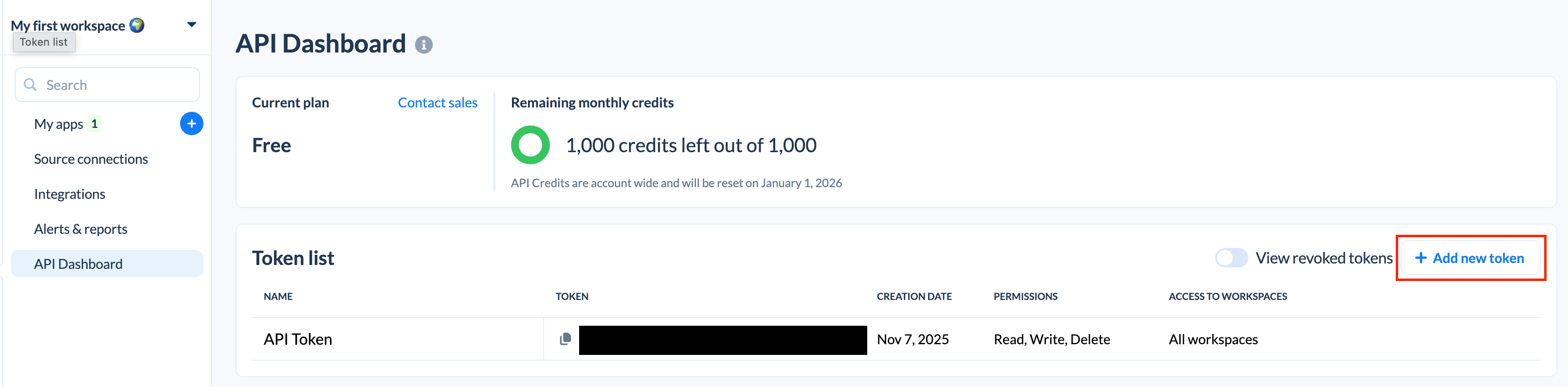
Click **Add new token**.

<img src="https://mintcdn.com/moneyforwardi/yRr9M1Mo9PbmsShv/images/integrations/7cfqtg86oq/screenshot-2025-12-01-at-11-02-01.png?fit=max&auto=format&n=yRr9M1Mo9PbmsShv&q=85&s=011274b08ca416c5d151def11447d0cd" alt="Add new token" width="3222" height="796" data-path="images/integrations/7cfqtg86oq/screenshot-2025-12-01-at-11-02-01.png" />

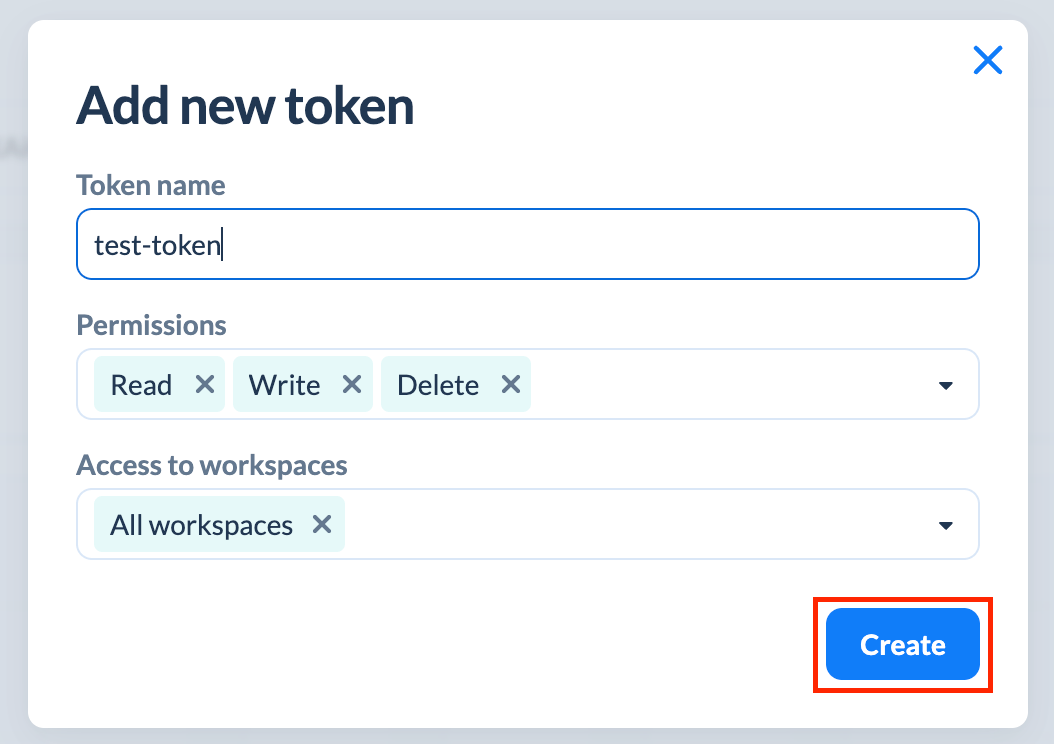
Fill in the following fields and click **Create**.

* Token name: Enter any token name
* Permissions: Select **Select all**
* Access to workspaces: Select **All workspaces**
<img src="https://mintcdn.com/moneyforwardi/yRr9M1Mo9PbmsShv/images/integrations/7cfqtg86oq/screenshot-2025-12-01-at-11-04-27.png?fit=max&auto=format&n=yRr9M1Mo9PbmsShv&q=85&s=ba4637e6a338d384992bea20bec11183" alt="Token creation screen" width="1054" height="744" data-path="images/integrations/7cfqtg86oq/screenshot-2025-12-01-at-11-04-27.png" />

Copy the generated **API key**.

## Integration Setup

In the MoneyForward Admina integration screen, search for **Appfollow**.

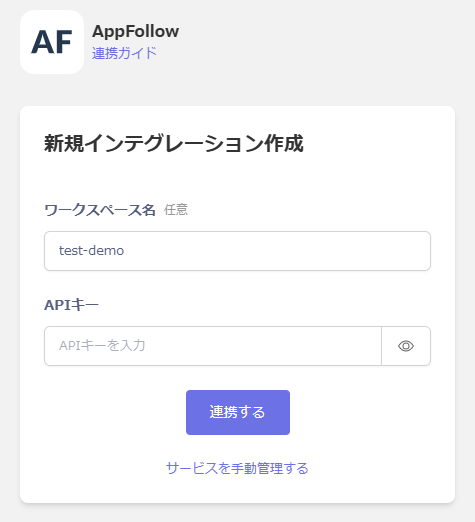
Enter any workspace name and the **API key** obtained in the previous step, then click **Connect**.
<img src="https://mintcdn.com/moneyforwardi/yRr9M1Mo9PbmsShv/images/integrations/7cfqtg86oq/2025-12-05-121748.png?fit=max&auto=format&n=yRr9M1Mo9PbmsShv&q=85&s=006cebd3898e8bcecf2917b268197315" alt="Admina integration screen" width="475" height="522" data-path="images/integrations/7cfqtg86oq/2025-12-05-121748.png" />

Once the integration is successful, registered user information will appear in the account list.

If the process does not complete successfully, click **Edit** in the status tab of the integration screen and try again.

If the issue persists, please contact us via chat.