> ## Documentation Index
> Fetch the complete documentation index at: https://support.i.moneyforward.com/llms.txt
> Use this file to discover all available pages before exploring further.
# Shortcut
> How to integrate with Shortcut. This explains the full process, from getting an API token through to completing the integration.
## Prerequisites
### Getting your API token
1. After logging in to Shortcut, select **Settings** from the avatar icon at the top right of the screen. Then select **API Tokens** under **My Account**.
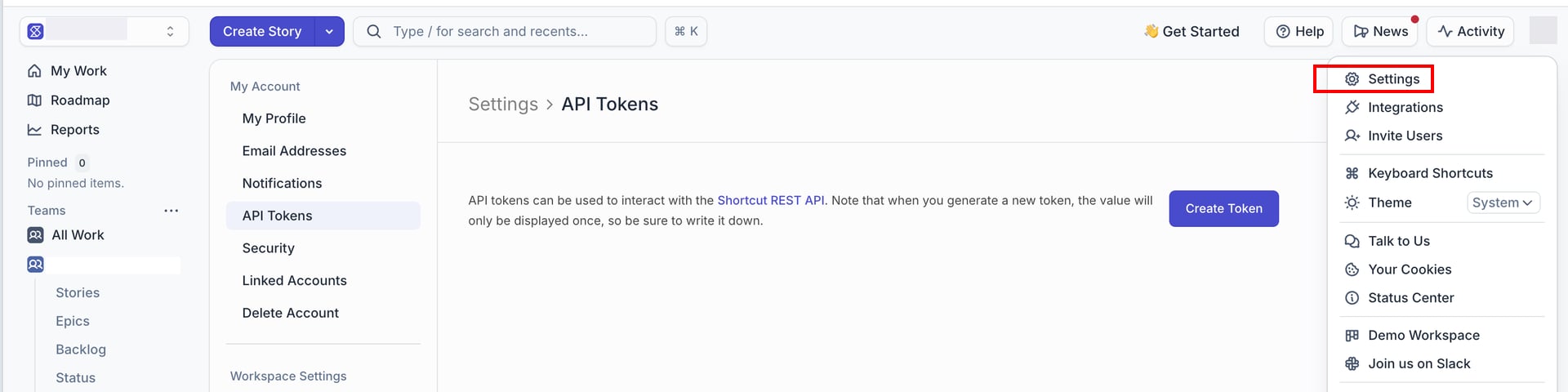 2. Click **Create Token**, enter any token name, check **Read** under **Permissions**, then click **Create Token**.
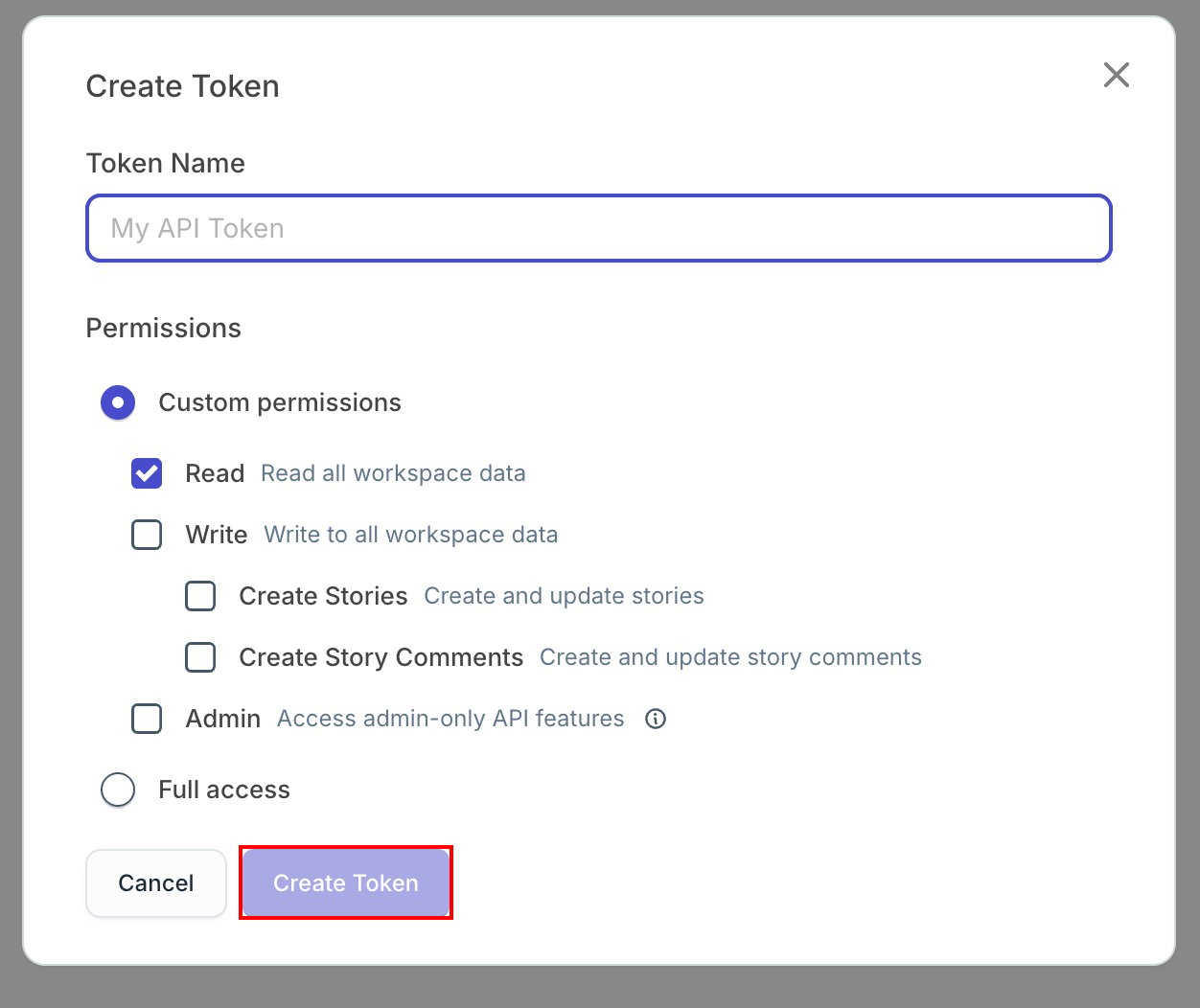 3. Copy and save the token shown. The token is shown only on this screen, so be sure to save it now.
## Setting up the integration
1. On the integration screen, search for **Shortcut**.
2. Enter the API key from the previous step, then click **Connect**.
3. Copy and save the token shown. The token is shown only on this screen, so be sure to save it now.
## Setting up the integration
1. On the integration screen, search for **Shortcut**.
2. Enter the API key from the previous step, then click **Connect**.
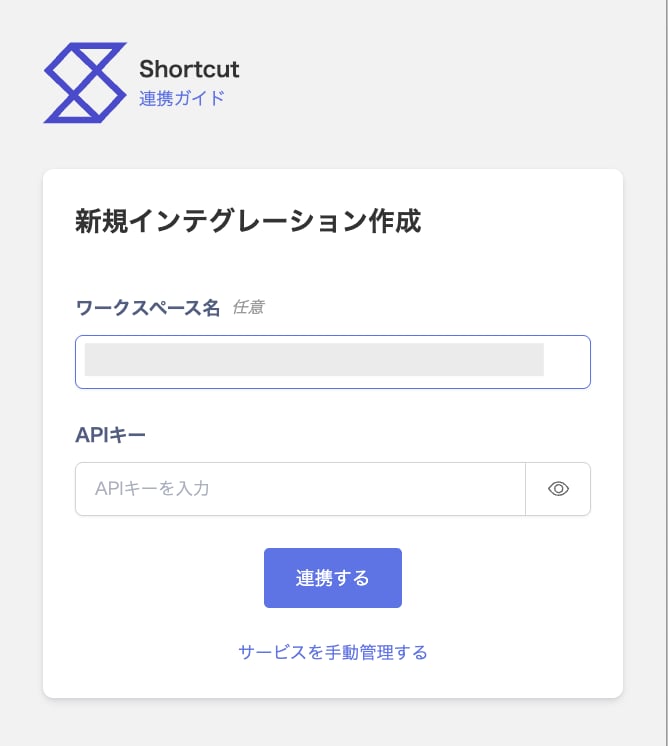 3. Once the integration with Shortcut succeeds, registered user information appears in the account list. If it doesn't complete successfully, first try the steps in [Troubleshooting failed SaaS integrations](/en/it-management/saas-management/93nahw45is-trouble). If that doesn't resolve it, check [Information to provide](/en/it-management/saas-management/93nahw45is-trouble#info-to-provide) and contact [support](/en/contact-support).