> ## Documentation Index
> Fetch the complete documentation index at: https://support.i.moneyforward.com/llms.txt
> Use this file to discover all available pages before exploring further.
# Exment
> How to integrate with Exment. This section describes a series of steps from administrator login to Exment from Admina by Money Forward to the integration method.
## Supported Features
Account Deletion
## Advance Preparation
### How to Login to Exment
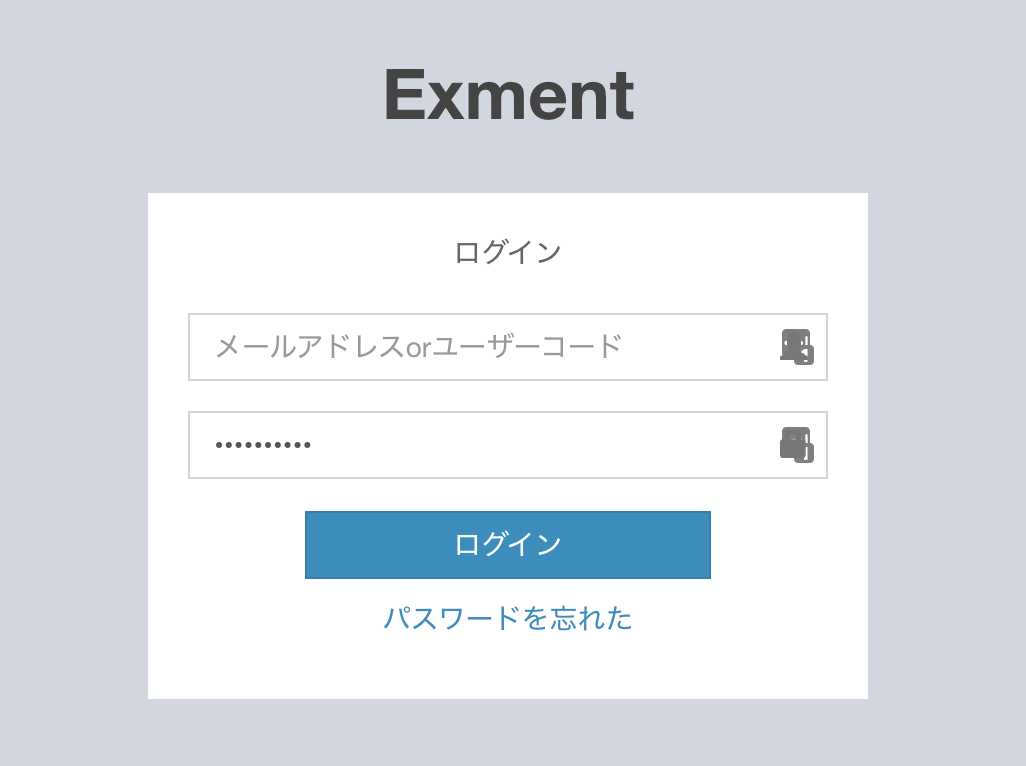
Enter your email address (or user code) and password on the Exment login page to log in.
 ### Getting Workspace Key
After Exment login, a portion of the URL will be saved as a workspace key.
https\://`{workspacekey}`.exment.net
### Getting Workspace Key
After Exment login, a portion of the URL will be saved as a workspace key.
https\://`{workspacekey}`.exment.net
 ### Enable API Settings
To use the API with Exment, please refer to the following document to activate the API.
[Exment Documentation: API Settings](https://exment.net/docs/#/api?id=change-system-settings)
### Getting Client ID and Client Secret
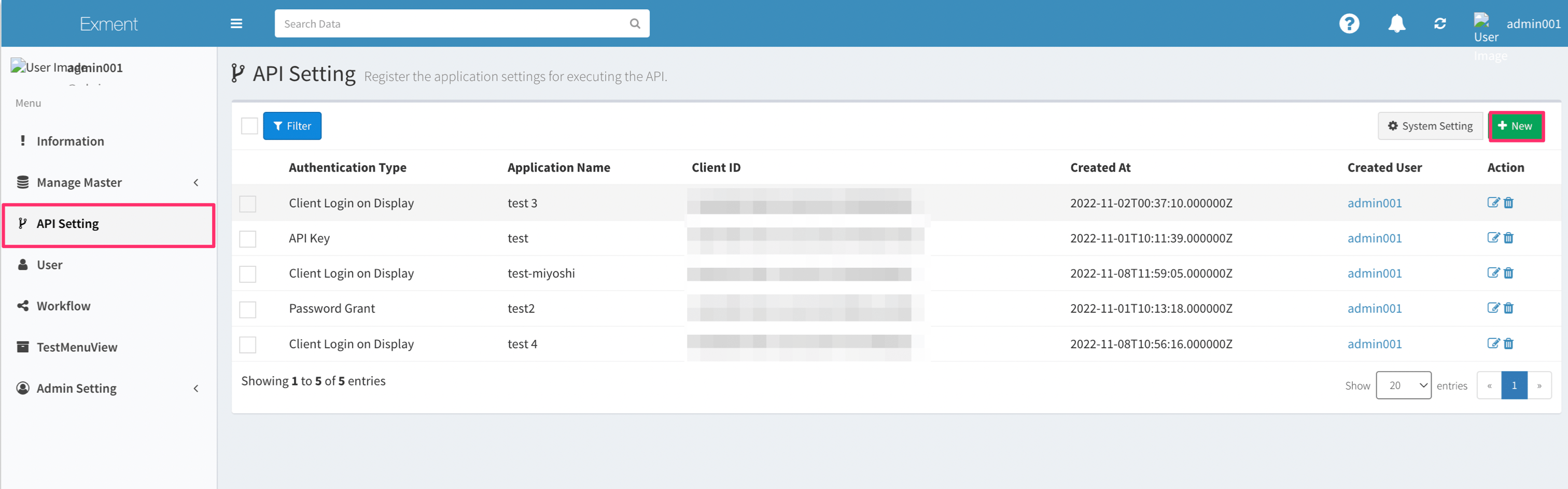
Go to API Settings on the Admin screen. Click the "New" button in the upper right corner.
### Enable API Settings
To use the API with Exment, please refer to the following document to activate the API.
[Exment Documentation: API Settings](https://exment.net/docs/#/api?id=change-system-settings)
### Getting Client ID and Client Secret
Go to API Settings on the Admin screen. Click the "New" button in the upper right corner.
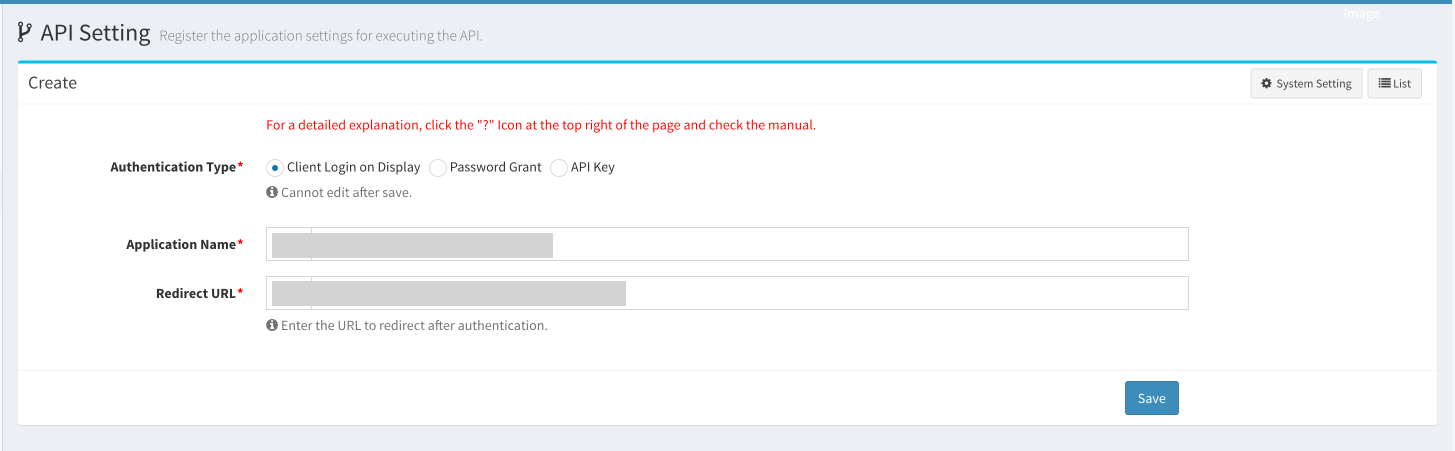
 Create an API key. Enter the following information and click **Save**.
* Authentication Type: `Client Login on Display`
* Application Name: `Moneyforward IT Management Cloud`
* Redirect URL: `https://itmc.i.moneyforward.com/oauth/callback`
Create an API key. Enter the following information and click **Save**.
* Authentication Type: `Client Login on Display`
* Application Name: `Moneyforward IT Management Cloud`
* Redirect URL: `https://itmc.i.moneyforward.com/oauth/callback`
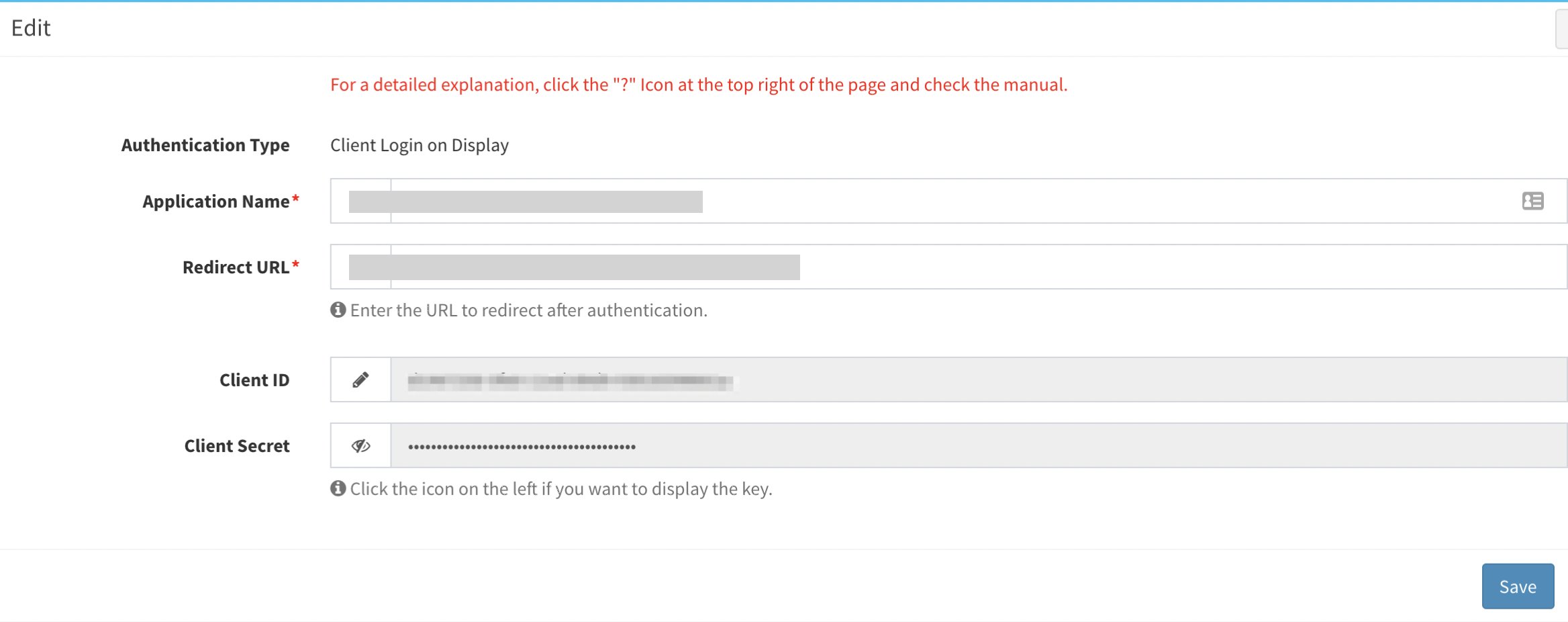
 The Client ID and Client secret will be displayed. Copy and save each of them. (Copying is possible even after the screen is closed.)
 ## Integration Setup
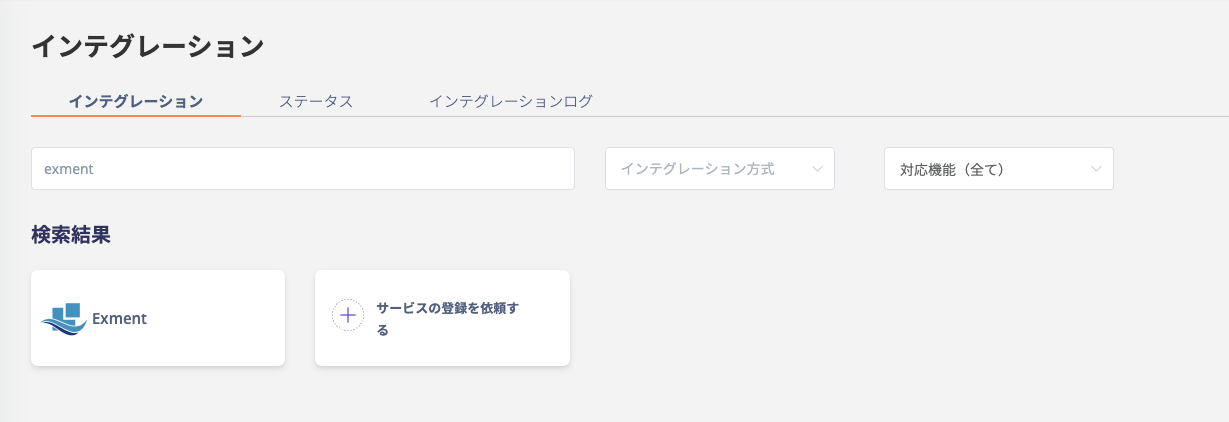
Search for **Exment** in the Admina Integration menu.
## Integration Setup
Search for **Exment** in the Admina Integration menu.
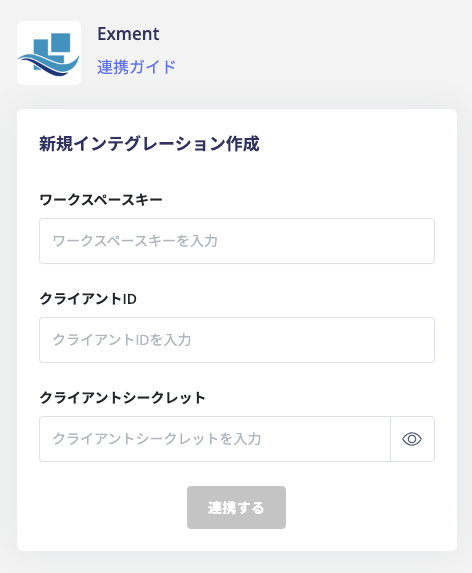
 Enter the **workspace key, client ID, and client secret** obtained in the previous step, and click **Integrate**.
 If the integration with Exment is successful, the registered user information will appear in the account list.
If the integration does not complete successfully, please edit the information from the status tab on the integration screen and try the integration again.
If the problem persists, please contact us via chat.
For an overview of Exment integration, please see the [integration page](http://admina.moneyforward.com/en/integrations/exment).
If the integration with Exment is successful, the registered user information will appear in the account list.
If the integration does not complete successfully, please edit the information from the status tab on the integration screen and try the integration again.
If the problem persists, please contact us via chat.
For an overview of Exment integration, please see the [integration page](http://admina.moneyforward.com/en/integrations/exment).