> ## Documentation Index
> Fetch the complete documentation index at: https://support.i.moneyforward.com/llms.txt
> Use this file to discover all available pages before exploring further.
# Microsoft 365
> Instructions for integrating with Microsoft 365.
## Supported Features
Employee Master Sync Account Deactivation Account Deletion Account Creation
## Prerequisites
An administrator account is required for the integration.\
Plans that can retrieve LastActivity are Microsoft 365 Business Premium, Microsoft 365 E3, and Microsoft 365 E5.
## Integration Setup
1. In the MoneyForward Admina integration screen, search for **Microsoft 365**.
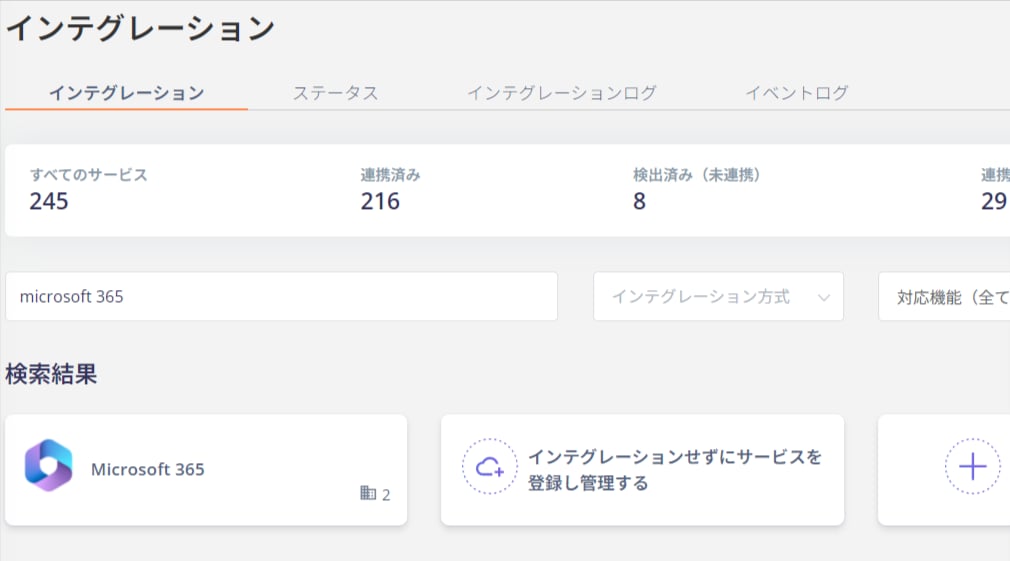 2. Select one of the following from the dropdown menu and click **Connect**.
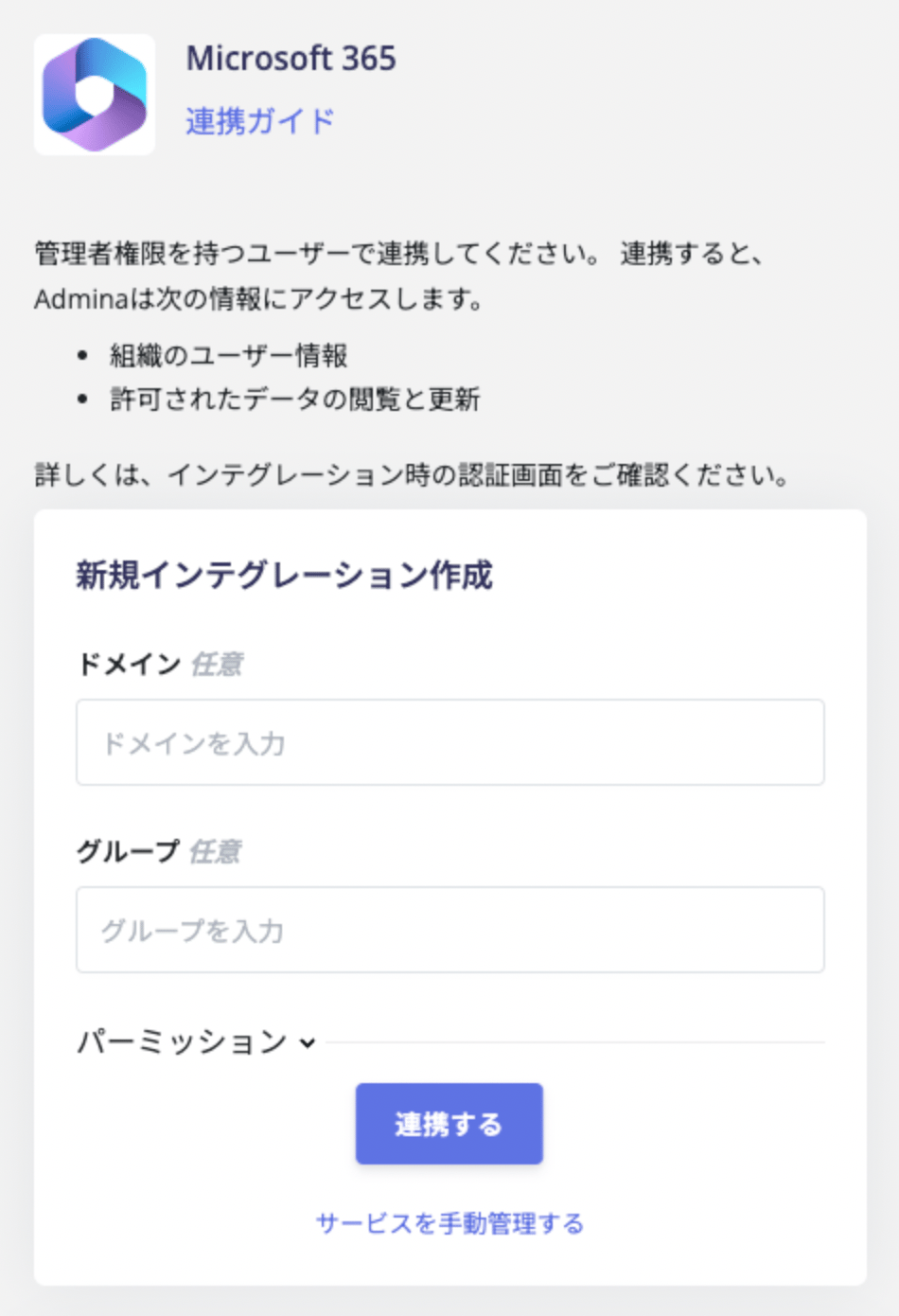 * **Read and Write (Recommended)**: Supports account deactivation for [deprovisioning service accounts in Admina](/en/it-management/retired/zw9trbb1wm-deprovisioning) and account creation via [provisioning](/en/it-management/saas-management/f9i1kx9ylf-provisioning).
* **Read Only**: Allows read-only access to accounts.
**Connect with a specific group**\
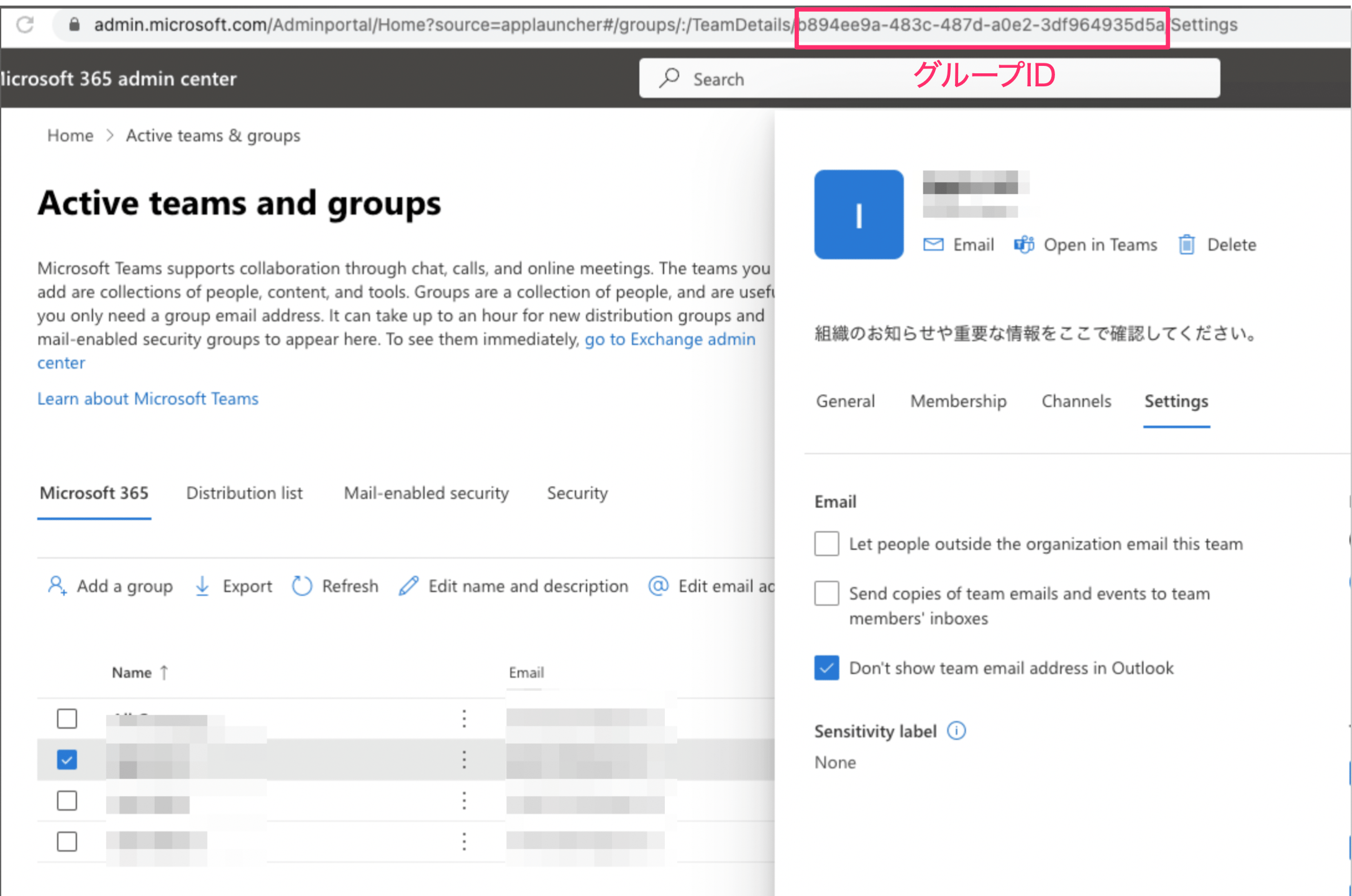
You can connect by specifying a particular group. Obtain the Object ID from EntraID and enter it in the group field.\
To specify multiple groups, separate Group IDs with a `,` comma (no space between the comma and the Group ID).\
The Group ID appears as part of the URL when you select a group.
* **Read and Write (Recommended)**: Supports account deactivation for [deprovisioning service accounts in Admina](/en/it-management/retired/zw9trbb1wm-deprovisioning) and account creation via [provisioning](/en/it-management/saas-management/f9i1kx9ylf-provisioning).
* **Read Only**: Allows read-only access to accounts.
**Connect with a specific group**\
You can connect by specifying a particular group. Obtain the Object ID from EntraID and enter it in the group field.\
To specify multiple groups, separate Group IDs with a `,` comma (no space between the comma and the Group ID).\
The Group ID appears as part of the URL when you select a group.
 **Connect with a specific domain**\
Entering a domain allows you to sync only accounts under that domain (e.g., sync only accounts from i.moneyforward.com). Accounts outside the specified domain will not be retrieved, so use this for verification or temporary purposes. To sync all domains, leave the field **blank** and click **Connect**.
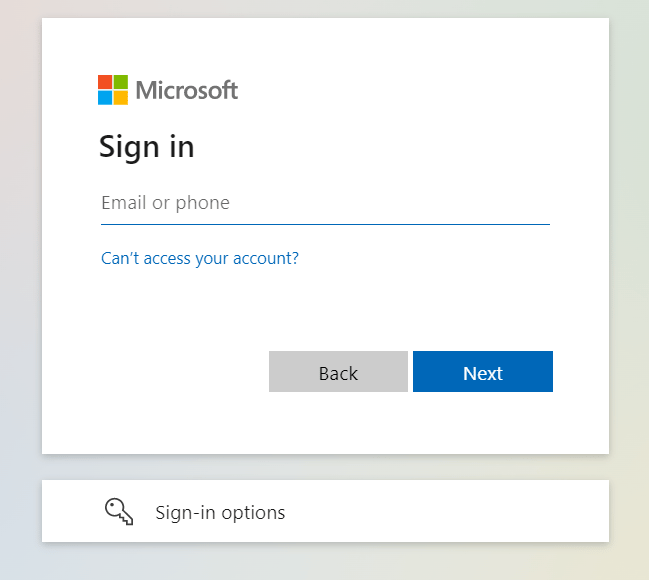
3. You will be redirected to the Microsoft login screen. Enter your administrator email address and password to sign in.
**Connect with a specific domain**\
Entering a domain allows you to sync only accounts under that domain (e.g., sync only accounts from i.moneyforward.com). Accounts outside the specified domain will not be retrieved, so use this for verification or temporary purposes. To sync all domains, leave the field **blank** and click **Connect**.
3. You will be redirected to the Microsoft login screen. Enter your administrator email address and password to sign in.
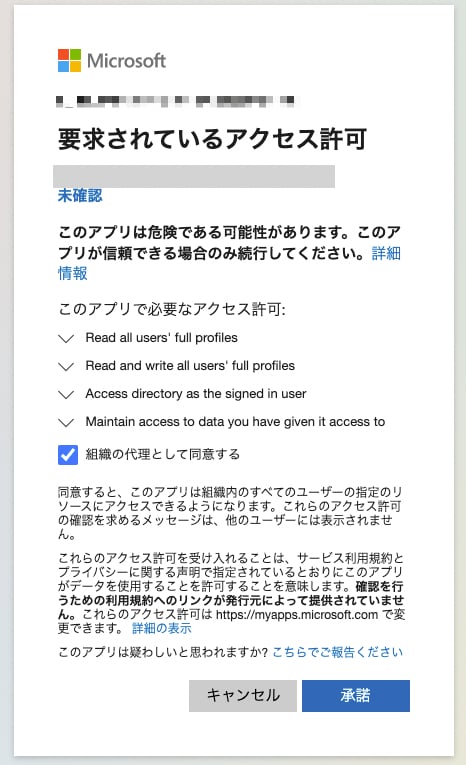
 4. The following permission confirmation screen will appear. Review the content and click **Accept**.
 Once the integration with Microsoft 365 is successful, registered user information will appear in the account list.
If the process does not complete successfully, go to the Status tab on the integration screen, click **Edit**, and try connecting again.
If the issue persists, please contact us via chat.
For an overview of the Microsoft 365 integration, see the [integration page](http://admina.moneyforward.com/en/integrations/microsoft-365).
Once the integration with Microsoft 365 is successful, registered user information will appear in the account list.
If the process does not complete successfully, go to the Status tab on the integration screen, click **Edit**, and try connecting again.
If the issue persists, please contact us via chat.
For an overview of the Microsoft 365 integration, see the [integration page](http://admina.moneyforward.com/en/integrations/microsoft-365).