> ## Documentation Index
> Fetch the complete documentation index at: https://support.i.moneyforward.com/llms.txt
> Use this file to discover all available pages before exploring further.
# 0. Manage Information on the Directory Screen
> A dedicated directory for IT departments to manage identity information.
A dedicated directory for IT departments to manage identity information.
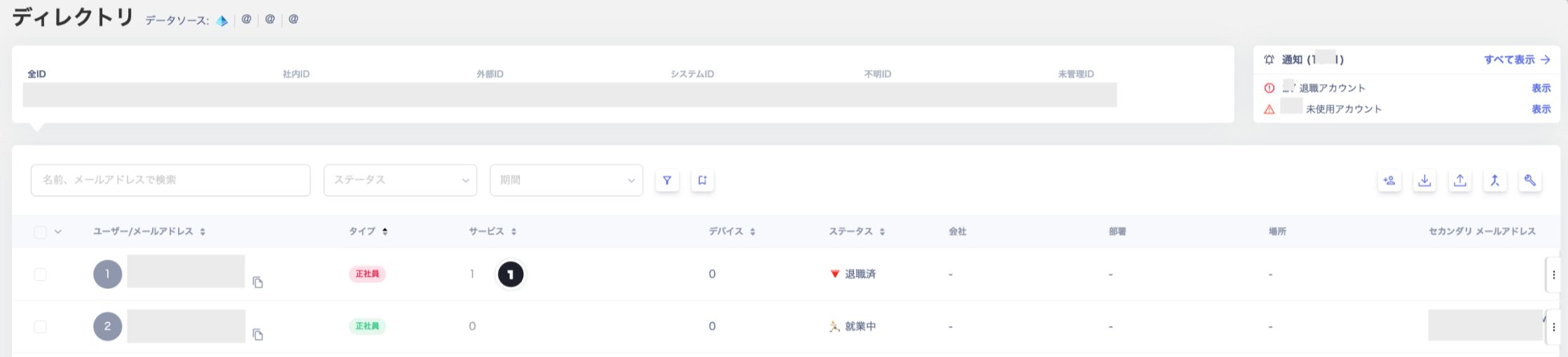
#### Viewing People
Objects registered in the directory are called People.
For People operations, see [Add, Edit, and Delete People](/en/it-management/directory/xzgyim8kpj-admina-directory-rdy-ruu).
 #### User Information
Click a People entry to add or edit each field. The default fields are listed in the table below.
#### User Information
Click a People entry to add or edit each field. The default fields are listed in the table below.
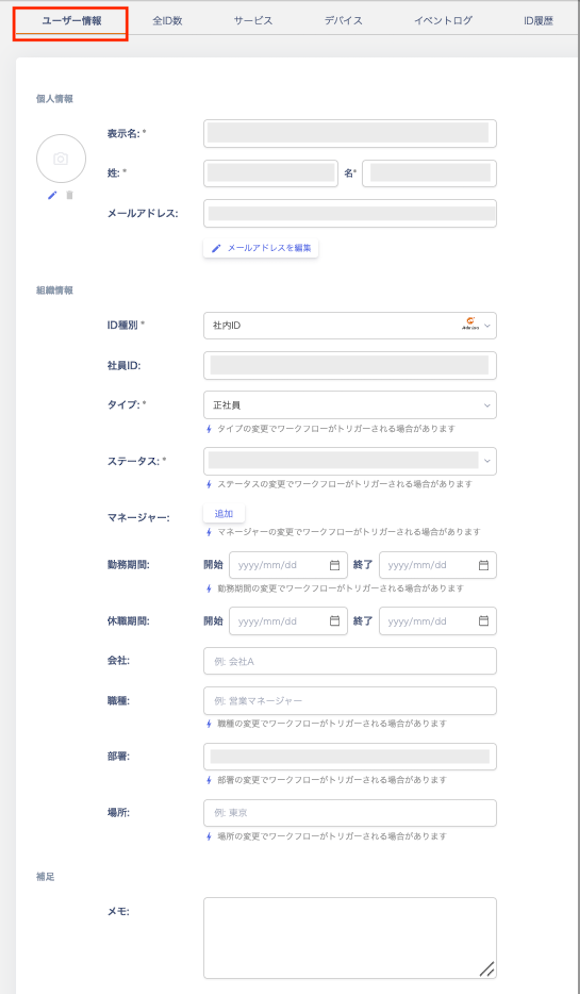 | **Field** | **Description** |
| -------------------------------- | ----------------------------------------------------------------------------------------------------------------------------------------- |
| Display name (required) | Enter the display name. (Example: Taro Kimura) |
| Last name | Enter the last name. (Example: Kimura) |
| First name | Enter the first name. (Example: Taro) |
| Primary email address (required) | Enter the primary email address. |
| Secondary email address | Enter the secondary email address. |
| ID type (required) | The following ID types are available: Internal ID / External ID / System ID / Unknown ID / Unmanaged ID. |
| Employee ID | Enter the employee number. |
| Type (required) | Select a type such as full-time employee or contractor. The available options depend on the email address domain. |
| Status (required) | Select from the following statuses: Draft / Pre-hire / Active / On leave / Terminated / Archived / Unmonitored (Type: Unmanaged ID only). |
| Manager | Select the person's manager from the directory list. |
| Employment period | Enter the start and end dates of employment. |
| Leave period | Enter the dates of the leave of absence. |
| Company | Enter the company name. You can also manage affiliations with group companies. |
| Job title | Enter the job title or role. (Example: Sales Manager) |
| Department | Enter the department name. (Example: Sales Department) |
| Location | Enter the location. (Example: Tokyo HQ, Osaka Branch) |
| Notes | Enter any additional information not covered by the fields above. |
#### Customizing Fields
You can customize fields and toggle their visibility. For details, see [\[Directory\] Customize Managed Fields](/en/it-management/directory/gqqdb2621q-edit-uid).
| **Field** | **Description** |
| -------------------------------- | ----------------------------------------------------------------------------------------------------------------------------------------- |
| Display name (required) | Enter the display name. (Example: Taro Kimura) |
| Last name | Enter the last name. (Example: Kimura) |
| First name | Enter the first name. (Example: Taro) |
| Primary email address (required) | Enter the primary email address. |
| Secondary email address | Enter the secondary email address. |
| ID type (required) | The following ID types are available: Internal ID / External ID / System ID / Unknown ID / Unmanaged ID. |
| Employee ID | Enter the employee number. |
| Type (required) | Select a type such as full-time employee or contractor. The available options depend on the email address domain. |
| Status (required) | Select from the following statuses: Draft / Pre-hire / Active / On leave / Terminated / Archived / Unmonitored (Type: Unmanaged ID only). |
| Manager | Select the person's manager from the directory list. |
| Employment period | Enter the start and end dates of employment. |
| Leave period | Enter the dates of the leave of absence. |
| Company | Enter the company name. You can also manage affiliations with group companies. |
| Job title | Enter the job title or role. (Example: Sales Manager) |
| Department | Enter the department name. (Example: Sales Department) |
| Location | Enter the location. (Example: Tokyo HQ, Osaka Branch) |
| Notes | Enter any additional information not covered by the fields above. |
#### Customizing Fields
You can customize fields and toggle their visibility. For details, see [\[Directory\] Customize Managed Fields](/en/it-management/directory/gqqdb2621q-edit-uid).
ID Type
The ID type is determined by the organization's registered domain and the email address of the user information.
Example: If the People's primary email address uses your company's domain, some external ID types are unavailable. This includes types such as `Collaborator`.
**\[ID Type List]**
| | |
| ---------------- | ----------------------------------------------------------------------------------------------------------------------------------------------------------------------------------------------------------------------------------------------------------------------------------------------------------------------------------- |
| **Internal ID** | IDs that match your company's domain (Settings > Organization domain information). You can change Internal IDs to System IDs or Unmanaged IDs. |
| **External ID** | IDs from outside your company, such as guests or collaborators. You can change External IDs to System IDs or Unmanaged IDs. |
| **System ID** | IDs tied to a system, such as group email addresses. You can change System IDs to Unmanaged IDs or Internal IDs. |
| **Unknown ID** | IDs that have no email address and do not match any category. You can change Unknown IDs to System IDs or Unmanaged IDs. |
| **Unmanaged ID** | IDs discovered through cloud service integrations that are not registered in the employee master. You can change Unmanaged IDs to System IDs or Internal IDs. When an account is added to the employee master, it is automatically registered as an Internal ID. Set the status to "Unmonitored" for IDs you do not need to manage. |
Example: Cases where a System ID is registered
**When integrating with Google Workspace**
The directory finds group email addresses (mailing lists) in Google Workspace and registers them as System IDs. Even IDs registered as Internal IDs are automatically changed to System IDs.
**When integrating with Microsoft Entra ID**
The directory registers group email addresses and meeting rooms from Microsoft Entra ID as System IDs. Similar email addresses are also registered this way. (Email addresses without a mailbox are registered as System IDs.)
Type
The available type combinations for each ID type are shown in the table below.
| ***Type / ID Type*** | ***Internal ID*** | ***External ID*** | ***System ID*** | ***Unknown ID*** | ***Unmanaged ID*** |
| -------------------- | ----------------- | ----------------- | --------------- | ---------------- | ------------------ |
| Executive | ◯ | - | - | - | - |
| Full-time employee | ◯ (default) | - | - | - | - |
| Contract employee | ◯ | - | - | - | - |
| Temporary employee | ◯ | - | - | - | - |
| Part-time employee | ◯ | ◯ | - | - | - |
| Seconded employee | ◯ | - | - | - | - |
| Contracted worker | ◯ | ◯ | - | - | - |
| Collaborator | - | ◯ (default) | - | - | - |
| Group address | - | - | ◯ (default) | - | - |
| Shared address | ◯ | - | ◯ | - | - |
| Test address | ◯ | - | ◯ | - | - |
| Other | ◯ | ◯ | ◯ | - | - |
| Unknown | - | - | - | ◯ (default) | - |
| Unmanaged | - | - | - | - | ◯ (default) |
Status
The "Terminated" and "On leave" statuses update automatically based on conditions configured in the employee master.
If the employee master shows "Terminated" or "On leave," synchronization updates the directory status to match.
Example: Deleted in Google Workspace → Synced → Directory status automatically updated from "Active" to "Terminated"
Even if you manually change the status to "Terminated" in the directory, synchronization can revert this. If the employee master shows "Active," the status updates back to **"Active"**.
#### Total ID Count
You can view the list of email addresses (IDs) linked to a People entry. For merging, see [**How to Link (Merge)**](/en/it-management/saas-management/d97dy5z2l7-merge).
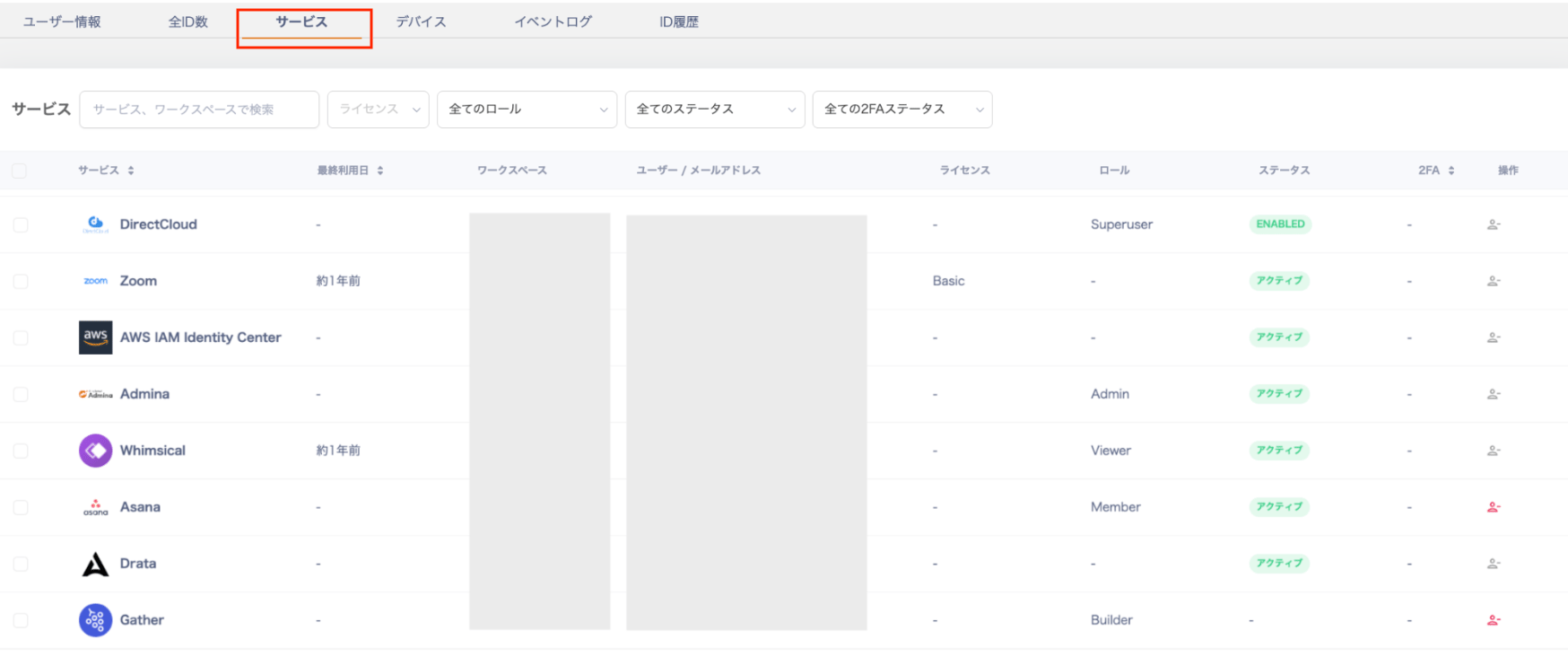
 #### Services
You can view the list of SaaS applications linked to a People entry.
#### Services
You can view the list of SaaS applications linked to a People entry.
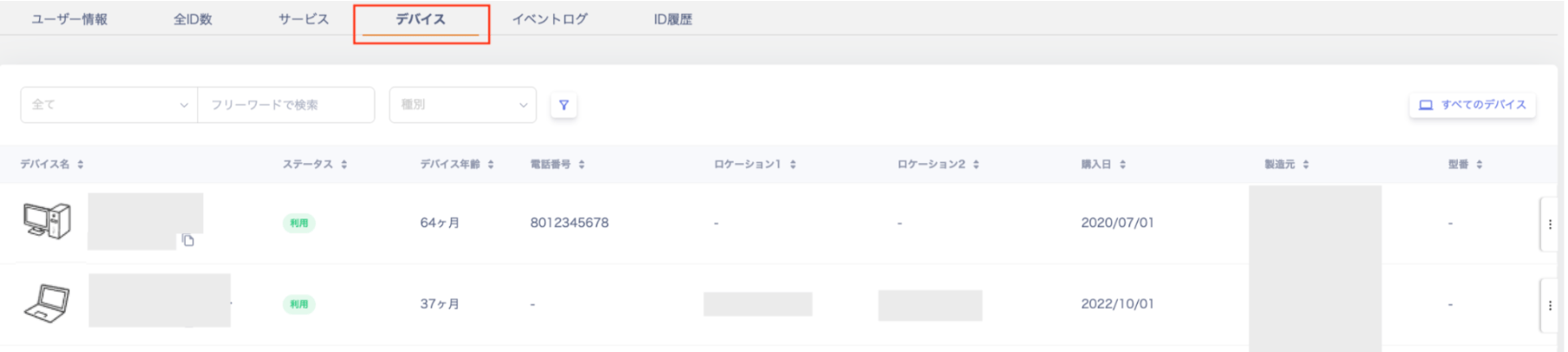
 #### Devices
You can view the list of devices linked to a People entry.
#### Devices
You can view the list of devices linked to a People entry.
 #### Event Log
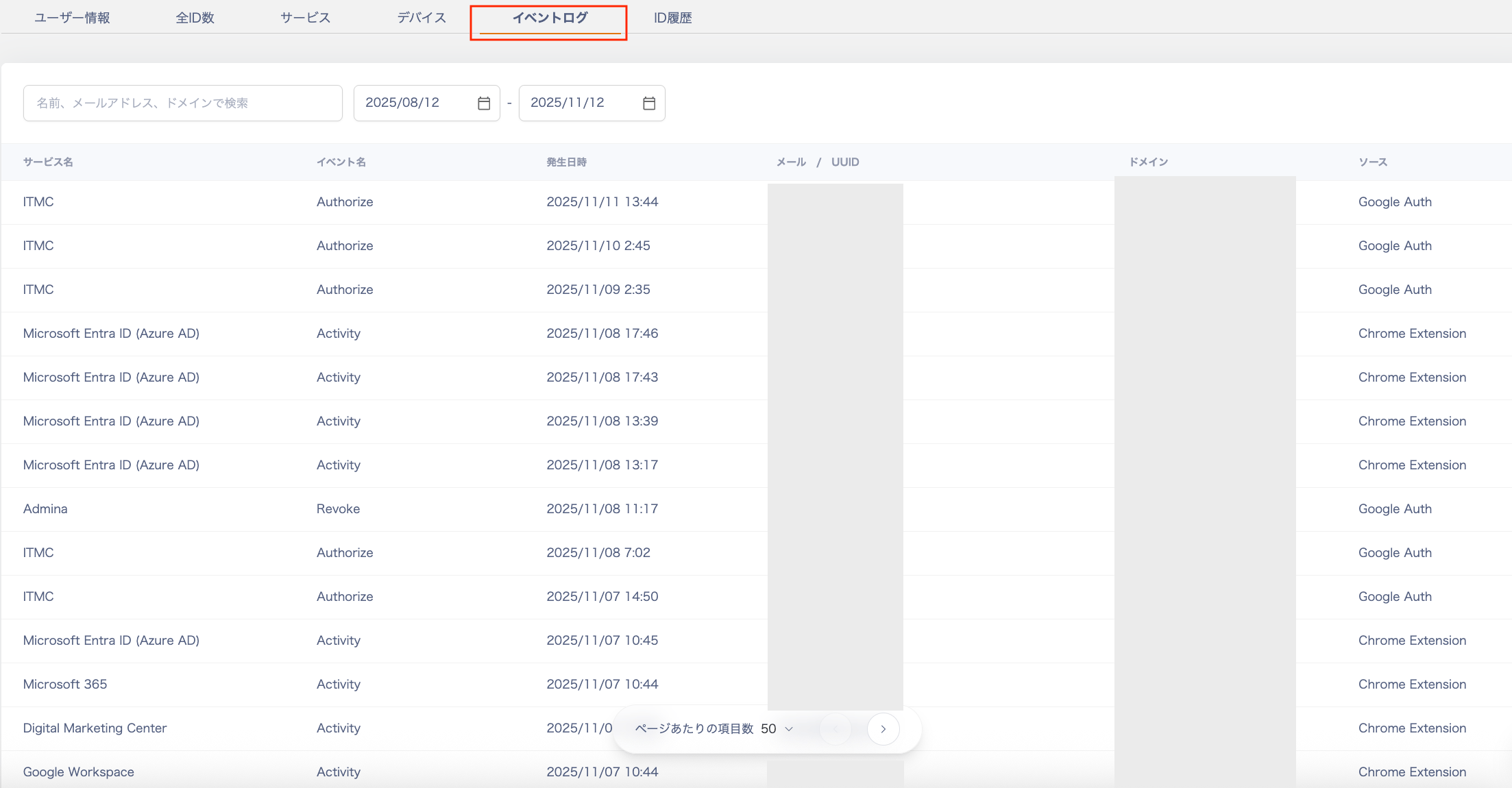
You can view the event log (activity log) for each People entry.
For event logs, also see [3. Check SaaS Usage with Event Logs](/en/it-management/shadow-it/oepl0j5y5g-eventlog).
You can search the event log by name, email address, domain, or service name.
#### Event Log
You can view the event log (activity log) for each People entry.
For event logs, also see [3. Check SaaS Usage with Event Logs](/en/it-management/shadow-it/oepl0j5y5g-eventlog).
You can search the event log by name, email address, domain, or service name.
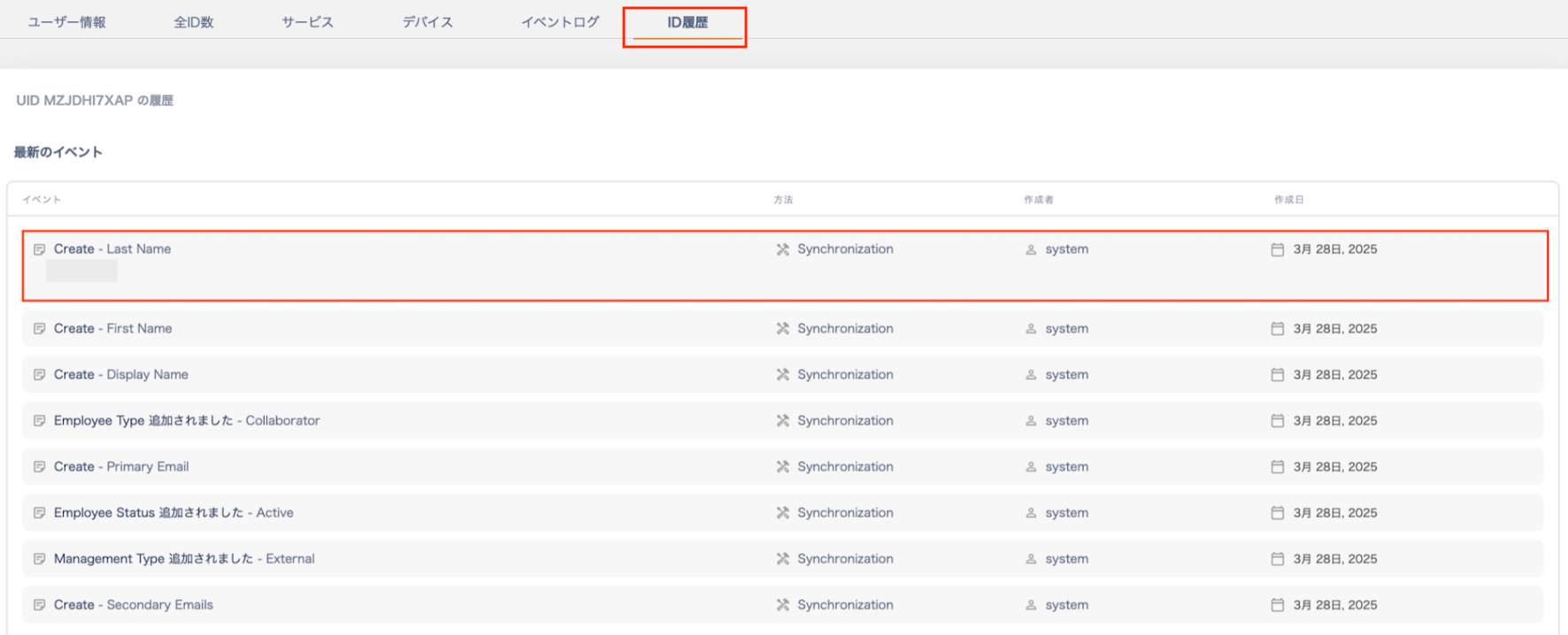
 #### ID History
You can view the ID history (log) for a People entry.
#### ID History
You can view the ID history (log) for a People entry.