> ## Documentation Index
> Fetch the complete documentation index at: https://support.i.moneyforward.com/llms.txt
> Use this file to discover all available pages before exploring further.
# About Cancellation
> Explains what happens to your organization data when you cancel our service and delete your organization.
#### About Cancellation
This explains how to cancel our service. **All acquired data is deleted when you cancel. Please be aware of this.**
The following information is deleted.
・Customer organization information
・Integration with "our service"
・Credential information registered at the time of integration
・Information obtained through integration
・Employee master information
・Device information
・Spend information
Cancellation does not affect the integrated services. However, the following information in the integrated services is not deleted. You must delete it yourself on each service.
・Connection authentication for "our service" (for OAuth integration)
・API keys issued for "our service" (for API integration)
・Browser extensions installed for our service
We provide a list of your current integrations in the email we send after cancellation.
You can use this information as a reference after cancellation.
Cancellation Implementation
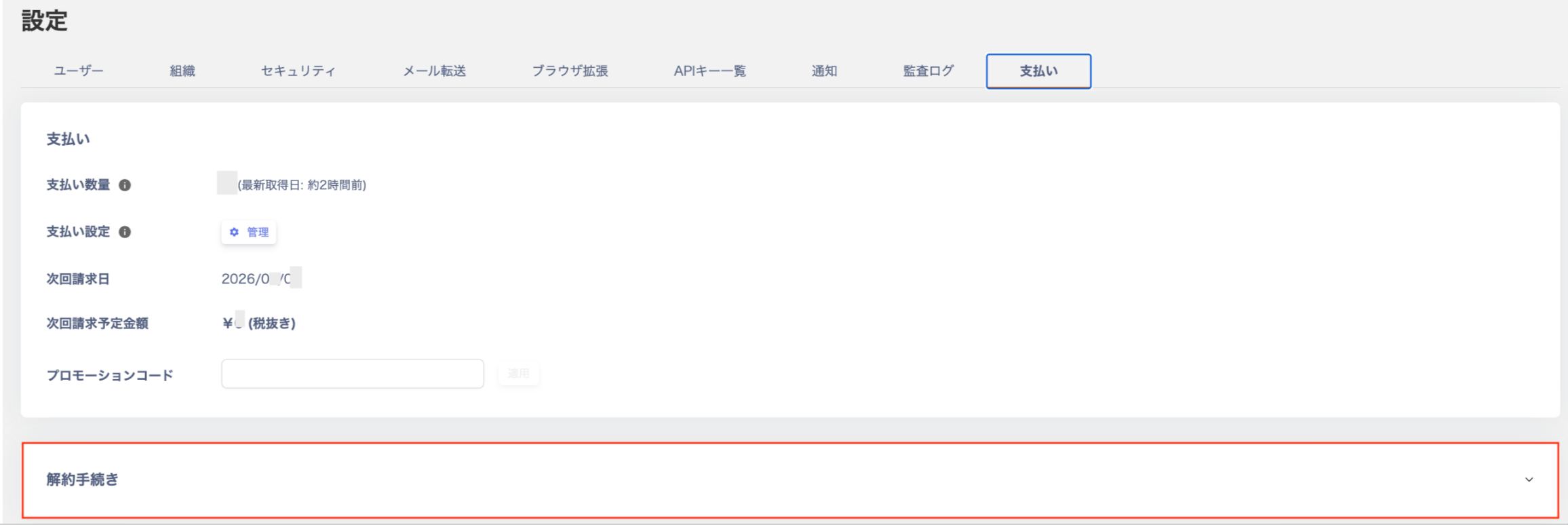
1. Log in to our service and go to `Settings > Billing`.
2. Click `Unsubscribe`.
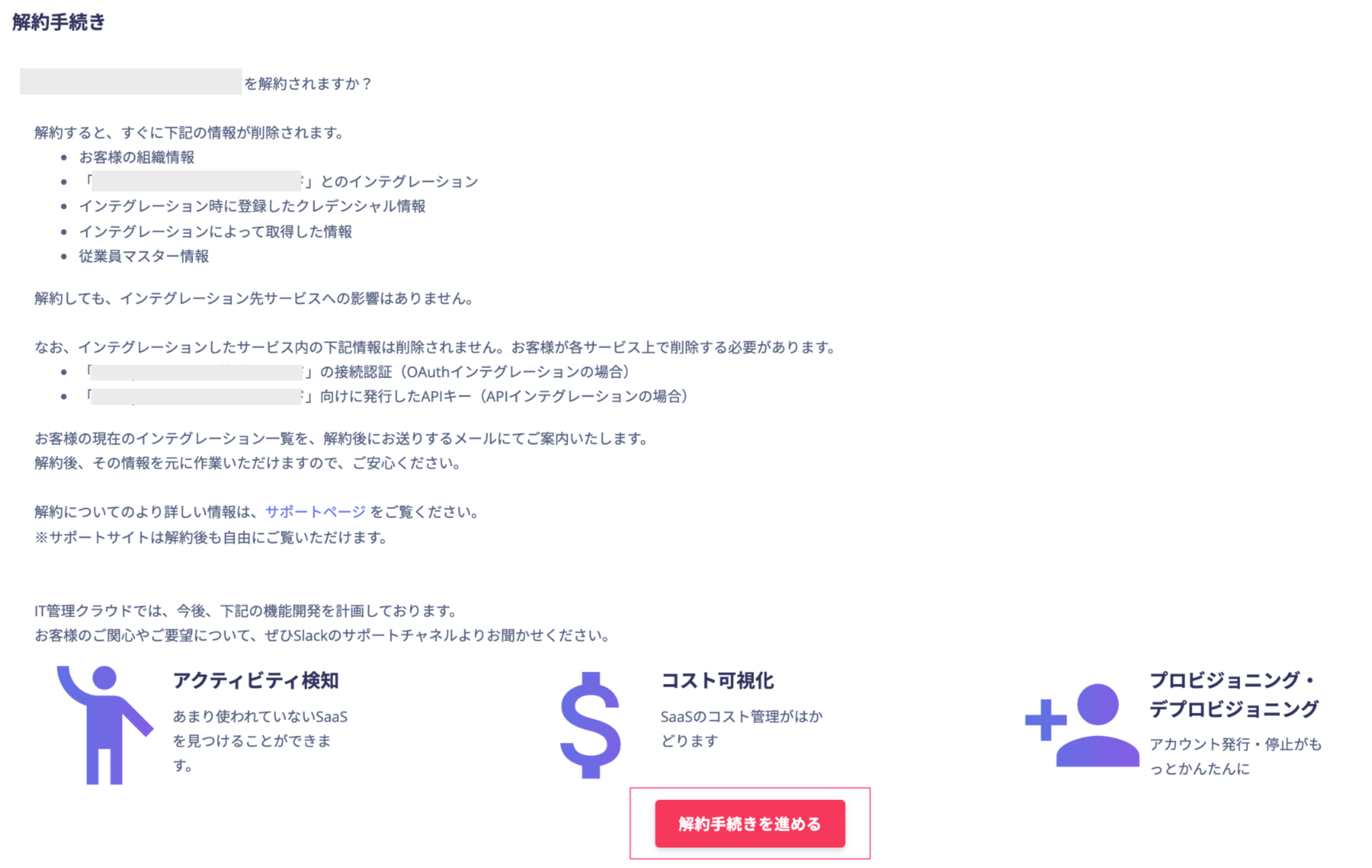
 3. Click `Proceed with cancellation`.
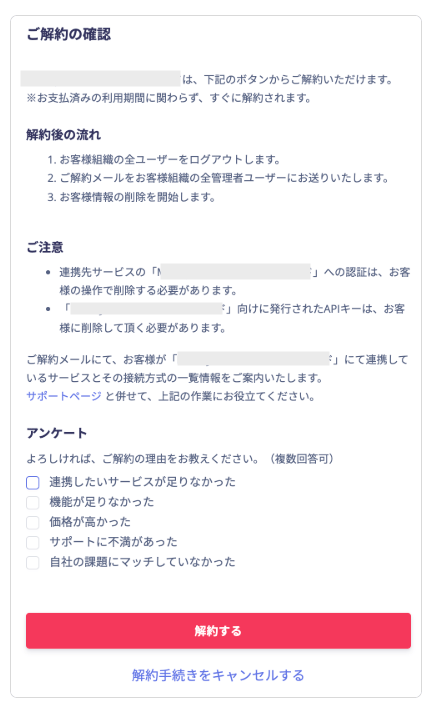
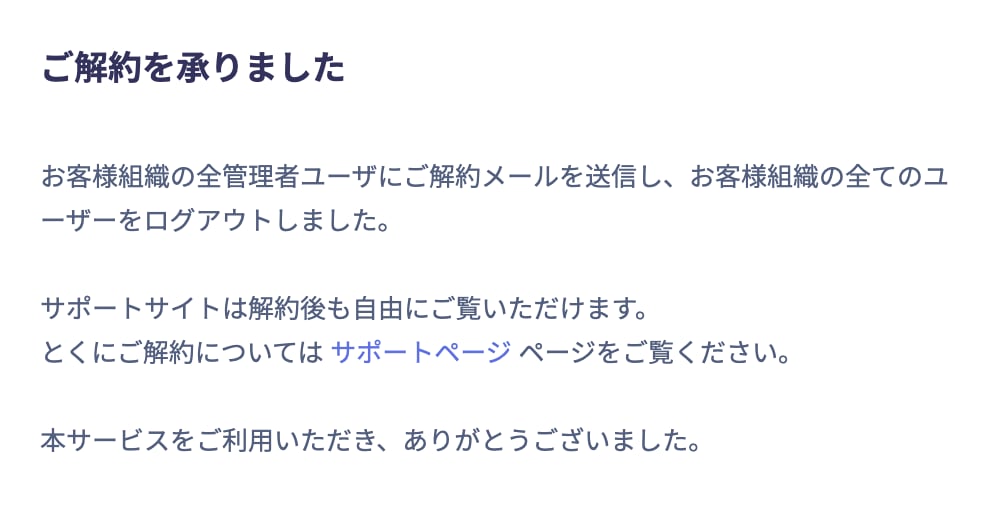
 4. Click `Cancel Subscription` to complete the cancellation.
 #### Flow After Cancellation
1. All users in your organization are logged out.
2. A cancellation email is sent to all administrator users in your organization.
3. Deletion of your information begins.
#### Caution
* You must delete the authentication for "our service" on the connected service yourself.
* You must delete API keys issued for "our service" yourself.
* You must delete browser extensions you installed yourself.
・If you cannot log in to our service or otherwise cannot perform the steps on this page yourself, contact us through the chat box in the lower right corner and state that you want to delete our service. If you contact us by email, write to [itmc-support@i.moneyforward.com](mailto:itmc-support@i.moneyforward.com). We contact you after we complete the deletion.
・If you have only one organization, deleting that organization also deletes your Money Forward ID.
・If you have multiple organizations, you must delete all of them to delete your Money Forward ID.
Thank you for using our service.
#### Flow After Cancellation
1. All users in your organization are logged out.
2. A cancellation email is sent to all administrator users in your organization.
3. Deletion of your information begins.
#### Caution
* You must delete the authentication for "our service" on the connected service yourself.
* You must delete API keys issued for "our service" yourself.
* You must delete browser extensions you installed yourself.
・If you cannot log in to our service or otherwise cannot perform the steps on this page yourself, contact us through the chat box in the lower right corner and state that you want to delete our service. If you contact us by email, write to [itmc-support@i.moneyforward.com](mailto:itmc-support@i.moneyforward.com). We contact you after we complete the deletion.
・If you have only one organization, deleting that organization also deletes your Money Forward ID.
・If you have multiple organizations, you must delete all of them to delete your Money Forward ID.
Thank you for using our service.