> ## Documentation Index
> Fetch the complete documentation index at: https://support.i.moneyforward.com/llms.txt
> Use this file to discover all available pages before exploring further.

# Front

> Front との連携手順です。

<Info>
  連携には管理者権限のアカウントが必要です。
</Info>

## 事前準備

### ログイン方法

[Front ログインページ](https://app.frontapp.com/signin)にて、メールアドレス・パスワードを入力し、ログインします。
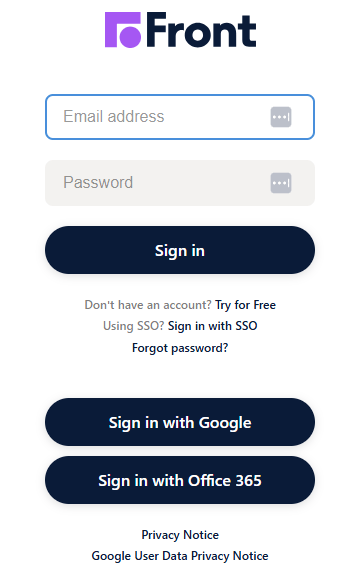
<img src="https://mintcdn.com/moneyforwardi/2X9GAnSJtqQ-r-rv/images/integrations/2r1x818kde/2026-03-30-140628.png?fit=max&auto=format&n=2X9GAnSJtqQ-r-rv&q=85&s=711744a79350db72a953410dd2fa099b" alt="Front ログイン画面" width="360" height="572" data-path="images/integrations/2r1x818kde/2026-03-30-140628.png" />

### API キーの確認方法

Front ログイン後、**Settings** > **Company** > **Developers** をクリックします。
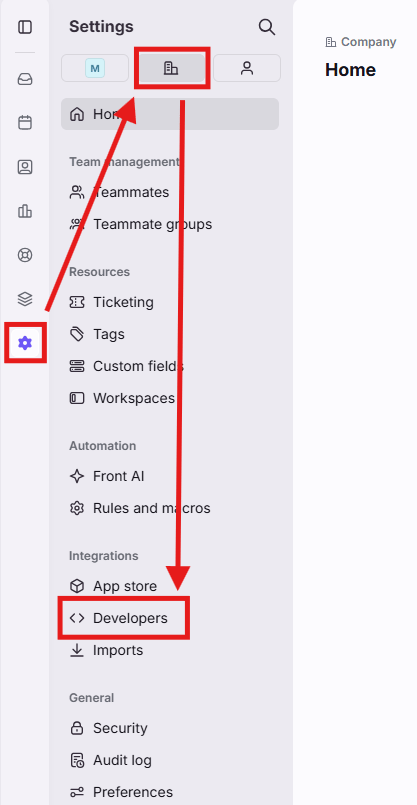
<img src="https://mintcdn.com/moneyforwardi/2X9GAnSJtqQ-r-rv/images/integrations/2r1x818kde/2026-03-30-154514.png?fit=max&auto=format&n=2X9GAnSJtqQ-r-rv&q=85&s=8eda9f5063c60ddc1750be823894c7d5" alt="Settings > Company > Developers" data-og-width="417" width="417" data-og-height="805" height="805" data-path="images/integrations/2r1x818kde/2026-03-30-154514.png" data-optimize="true" data-opv="3" srcset="https://mintcdn.com/moneyforwardi/2X9GAnSJtqQ-r-rv/images/integrations/2r1x818kde/2026-03-30-154514.png?w=280&fit=max&auto=format&n=2X9GAnSJtqQ-r-rv&q=85&s=da862258e849ccbebc45295673870b78 280w, https://mintcdn.com/moneyforwardi/2X9GAnSJtqQ-r-rv/images/integrations/2r1x818kde/2026-03-30-154514.png?w=560&fit=max&auto=format&n=2X9GAnSJtqQ-r-rv&q=85&s=51c0f5e8952fdd80df3f9d3507b78c87 560w, https://mintcdn.com/moneyforwardi/2X9GAnSJtqQ-r-rv/images/integrations/2r1x818kde/2026-03-30-154514.png?w=840&fit=max&auto=format&n=2X9GAnSJtqQ-r-rv&q=85&s=ab13acba240727290b79dc0bf88b8e8e 840w, https://mintcdn.com/moneyforwardi/2X9GAnSJtqQ-r-rv/images/integrations/2r1x818kde/2026-03-30-154514.png?w=1100&fit=max&auto=format&n=2X9GAnSJtqQ-r-rv&q=85&s=df9e60506b279cc597213bdf1f406e29 1100w, https://mintcdn.com/moneyforwardi/2X9GAnSJtqQ-r-rv/images/integrations/2r1x818kde/2026-03-30-154514.png?w=1650&fit=max&auto=format&n=2X9GAnSJtqQ-r-rv&q=85&s=a8182c650a86a14f9f5630a826089e40 1650w, https://mintcdn.com/moneyforwardi/2X9GAnSJtqQ-r-rv/images/integrations/2r1x818kde/2026-03-30-154514.png?w=2500&fit=max&auto=format&n=2X9GAnSJtqQ-r-rv&q=85&s=3158fb661918058e88eb050993675bda 2500w" />

**API tokens** > **Create API token** をクリックします。

<img src="https://mintcdn.com/moneyforwardi/2X9GAnSJtqQ-r-rv/images/integrations/2r1x818kde/2026-03-30-173736.png?fit=max&auto=format&n=2X9GAnSJtqQ-r-rv&q=85&s=b5a03aedeb89e0ae540e0bd1d5e0fbe7" alt="API tokens > Create API token" data-og-width="1572" width="1572" data-og-height="198" height="198" data-path="images/integrations/2r1x818kde/2026-03-30-173736.png" data-optimize="true" data-opv="3" srcset="https://mintcdn.com/moneyforwardi/2X9GAnSJtqQ-r-rv/images/integrations/2r1x818kde/2026-03-30-173736.png?w=280&fit=max&auto=format&n=2X9GAnSJtqQ-r-rv&q=85&s=99d9b8cb58a108810e099fb2ae9c326f 280w, https://mintcdn.com/moneyforwardi/2X9GAnSJtqQ-r-rv/images/integrations/2r1x818kde/2026-03-30-173736.png?w=560&fit=max&auto=format&n=2X9GAnSJtqQ-r-rv&q=85&s=9d4daf79d7c946f24458fa035b966358 560w, https://mintcdn.com/moneyforwardi/2X9GAnSJtqQ-r-rv/images/integrations/2r1x818kde/2026-03-30-173736.png?w=840&fit=max&auto=format&n=2X9GAnSJtqQ-r-rv&q=85&s=79d467369370ab078f2f932c6565e381 840w, https://mintcdn.com/moneyforwardi/2X9GAnSJtqQ-r-rv/images/integrations/2r1x818kde/2026-03-30-173736.png?w=1100&fit=max&auto=format&n=2X9GAnSJtqQ-r-rv&q=85&s=8bb9ed64cb68baa37e131762bb6e6062 1100w, https://mintcdn.com/moneyforwardi/2X9GAnSJtqQ-r-rv/images/integrations/2r1x818kde/2026-03-30-173736.png?w=1650&fit=max&auto=format&n=2X9GAnSJtqQ-r-rv&q=85&s=587b5e0dfe39663135c97705f9931e7b 1650w, https://mintcdn.com/moneyforwardi/2X9GAnSJtqQ-r-rv/images/integrations/2r1x818kde/2026-03-30-173736.png?w=2500&fit=max&auto=format&n=2X9GAnSJtqQ-r-rv&q=85&s=5c8351fbd4ff47278cab01eb5b9bc5b6 2500w" />

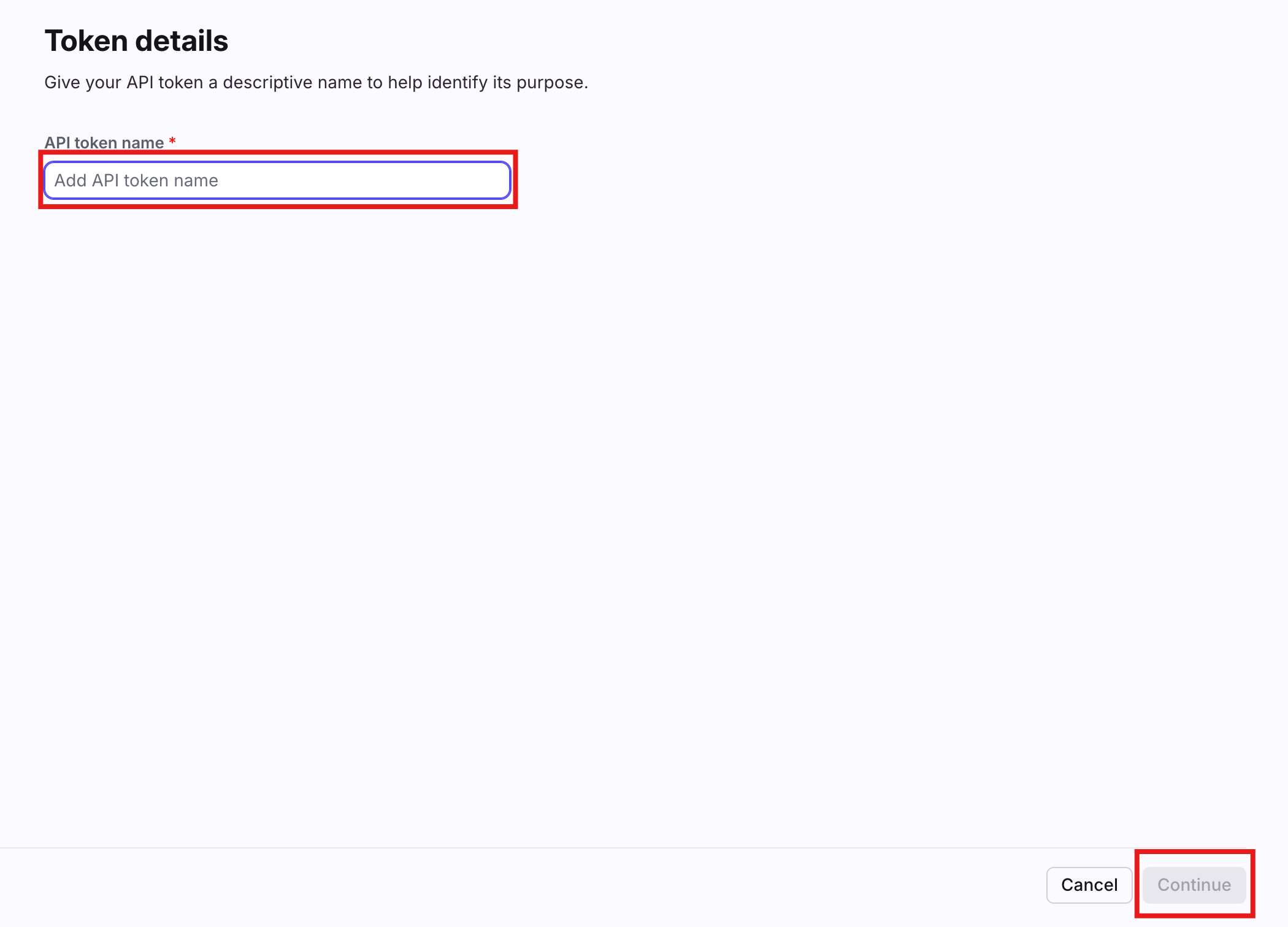
トークン名を入力し、**Continue** をクリックします。

<img src="https://mintcdn.com/moneyforwardi/2X9GAnSJtqQ-r-rv/images/integrations/2r1x818kde/screenshot-2026-02-17-at-16-48-01.png?fit=max&auto=format&n=2X9GAnSJtqQ-r-rv&q=85&s=c2edc7c60700e0ddd505ca0499383c98" alt="トークン名入力画面" width="2100" height="1512" data-path="images/integrations/2r1x818kde/screenshot-2026-02-17-at-16-48-01.png" />

Feature access で **Access resources** を選択します。
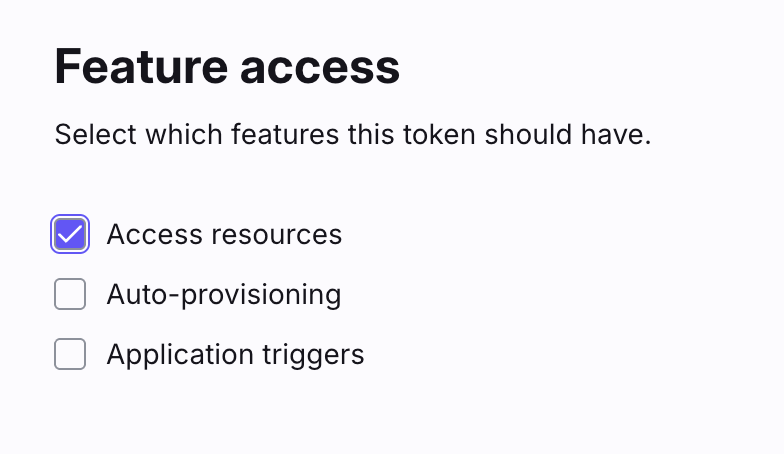
<img src="https://mintcdn.com/moneyforwardi/2X9GAnSJtqQ-r-rv/images/integrations/2r1x818kde/screenshot-2026-02-17-at-16-48-25.png?fit=max&auto=format&n=2X9GAnSJtqQ-r-rv&q=85&s=f68cdc2a0634d17b9dbbde408943e92d" alt="Feature access で Access resources を選択" width="784" height="454" data-path="images/integrations/2r1x818kde/screenshot-2026-02-17-at-16-48-25.png" />

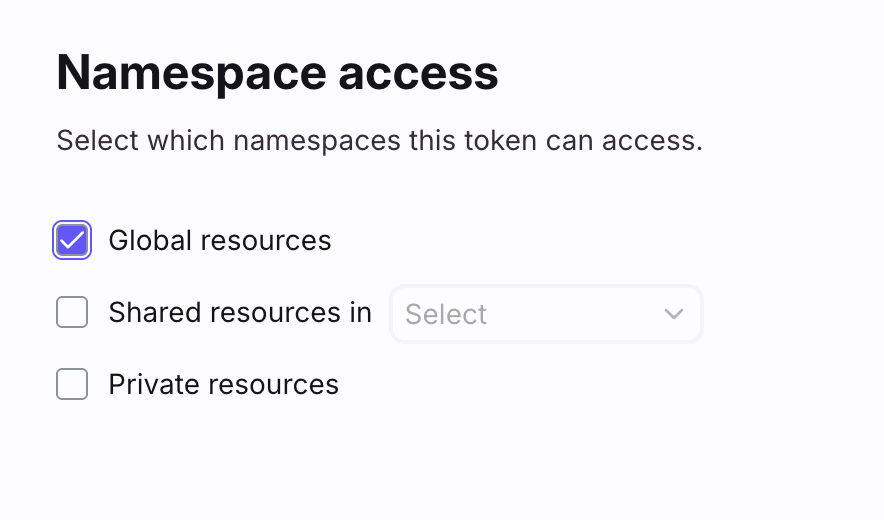
Namespace access で **Global resources** を選択します。
<img src="https://mintcdn.com/moneyforwardi/2X9GAnSJtqQ-r-rv/images/integrations/2r1x818kde/screenshot-2026-02-17-at-16-49-51.png?fit=max&auto=format&n=2X9GAnSJtqQ-r-rv&q=85&s=422aac15c9ae46123039014cecb95c9b" alt="Namespace access で Global resources を選択" width="884" height="520" data-path="images/integrations/2r1x818kde/screenshot-2026-02-17-at-16-49-51.png" />

teammates の権限で **Read** を選択し、**Create** をクリックします。

<img src="https://mintcdn.com/moneyforwardi/2X9GAnSJtqQ-r-rv/images/integrations/2r1x818kde/image-2026-03-30-t-180417-402.png?fit=max&auto=format&n=2X9GAnSJtqQ-r-rv&q=85&s=b669b0d54bab4739bf44d34ea38d2977" alt="teammates の権限で Read を選択" width="2044" height="364" data-path="images/integrations/2r1x818kde/image-2026-03-30-t-180417-402.png" />

作成された **API キー**をコピーします。

## インテグレーションのセットアップ

マネーフォワード Admina のインテグレーション画面にて、**Front** で検索します。

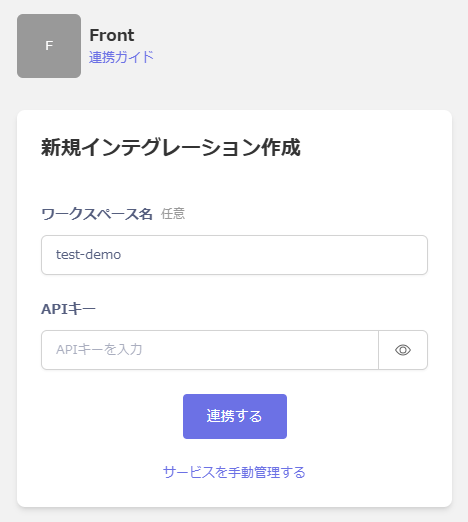
任意のワークスペース名、前の手順で取得した **API キー**を入力し、**連携する**をクリックします。
<img src="https://mintcdn.com/moneyforwardi/2X9GAnSJtqQ-r-rv/images/integrations/2r1x818kde/2026-03-30-182047.png?fit=max&auto=format&n=2X9GAnSJtqQ-r-rv&q=85&s=7b6008e61d08d75ed85d270ff7a3e68f" alt="Admina 側での連携設定画面" width="468" height="522" data-path="images/integrations/2r1x818kde/2026-03-30-182047.png" />

連携に成功すると、アカウント一覧に登録済みのユーザー情報が表示されます。

正常に完了しない場合は、インテグレーション画面のステータスタブから**編集**し、再度連携をお試しください。

解決しない場合はチャットにてお問い合わせください。