> ## Documentation Index
> Fetch the complete documentation index at: https://support.i.moneyforward.com/llms.txt
> Use this file to discover all available pages before exploring further.
# Cloudflare
> Cloudflareとの連携の手順です。
## サポートする機能
アカウント削除 アカウント作成
## 事前準備
### Cloudflareへのログイン方法
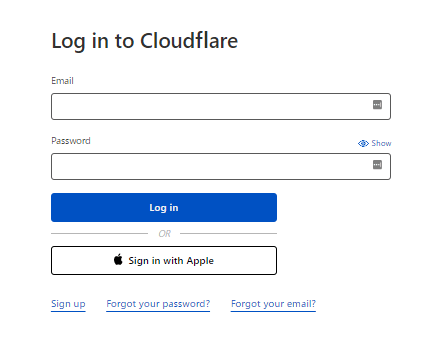
[Cloudflareログインページ](https://dash.cloudflare.com/login)にて、メールアドレス・パスワードを入力しログインします。
 ### ワークスペースキーの取得方法
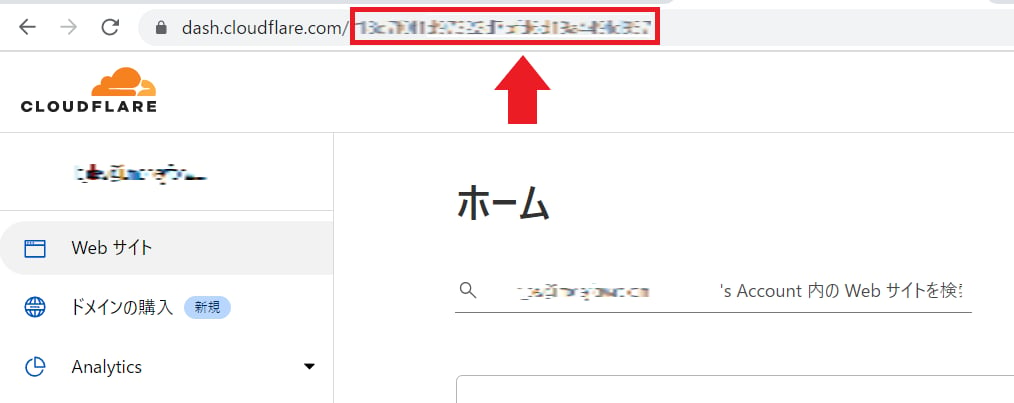
**Cloudflare** にログイン後、**URLの一部がワークスペースキー**となるので、保存しておきます。
`https://dash.cloudflare.com/`**`ワークスペースキー`**
### ワークスペースキーの取得方法
**Cloudflare** にログイン後、**URLの一部がワークスペースキー**となるので、保存しておきます。
`https://dash.cloudflare.com/`**`ワークスペースキー`**
 ### アクセスキーの取得方法
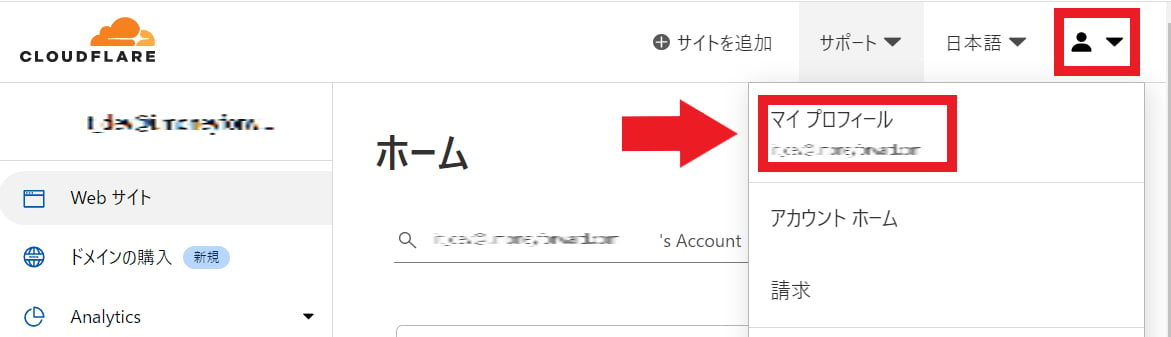
右上の人物アイコンより**マイプロフィール**をクリックします。
### アクセスキーの取得方法
右上の人物アイコンより**マイプロフィール**をクリックします。
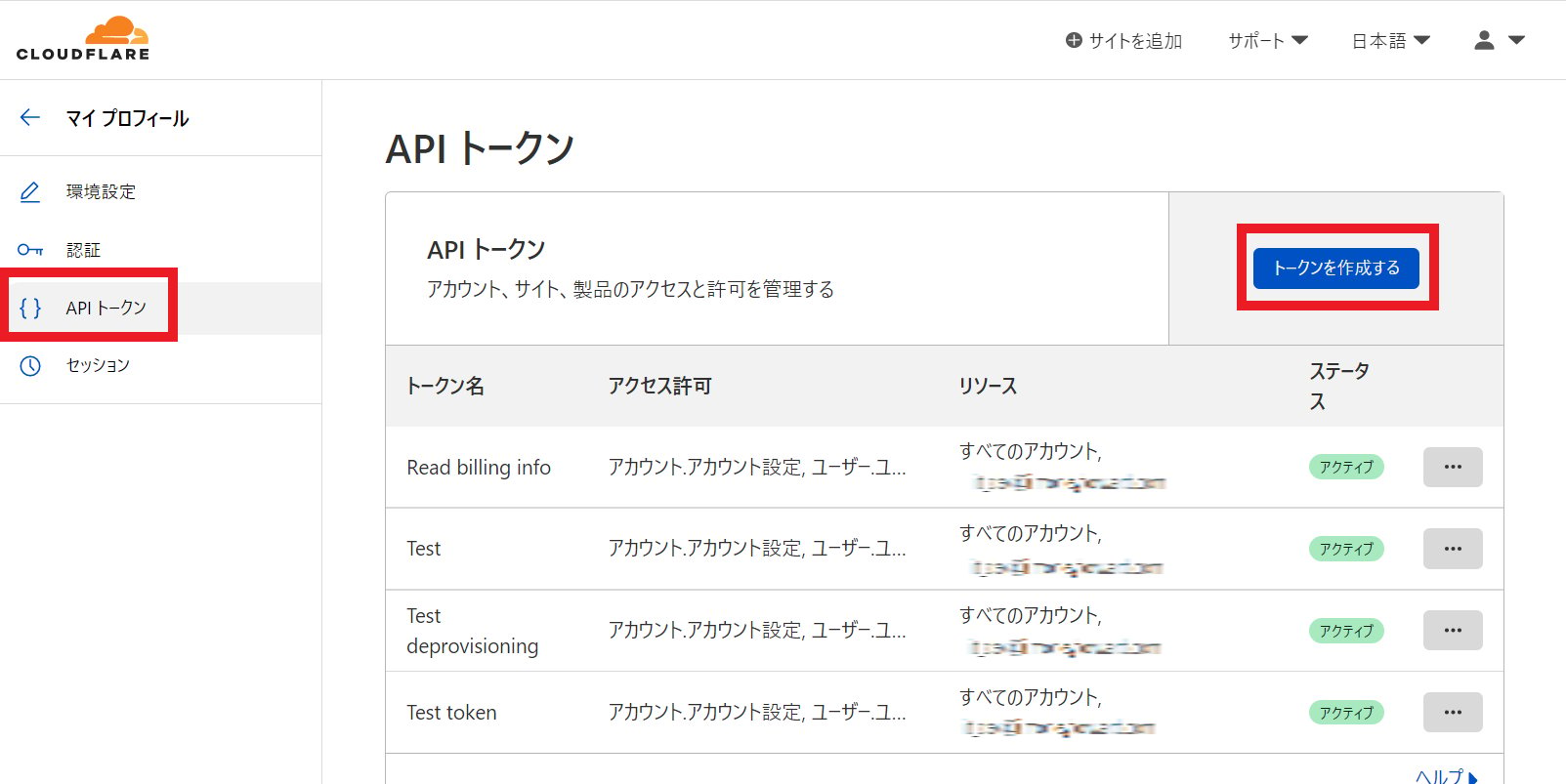
 ページ右側のメニューより**API トークン**を選択し、**トークンを作成する**をクリックします。
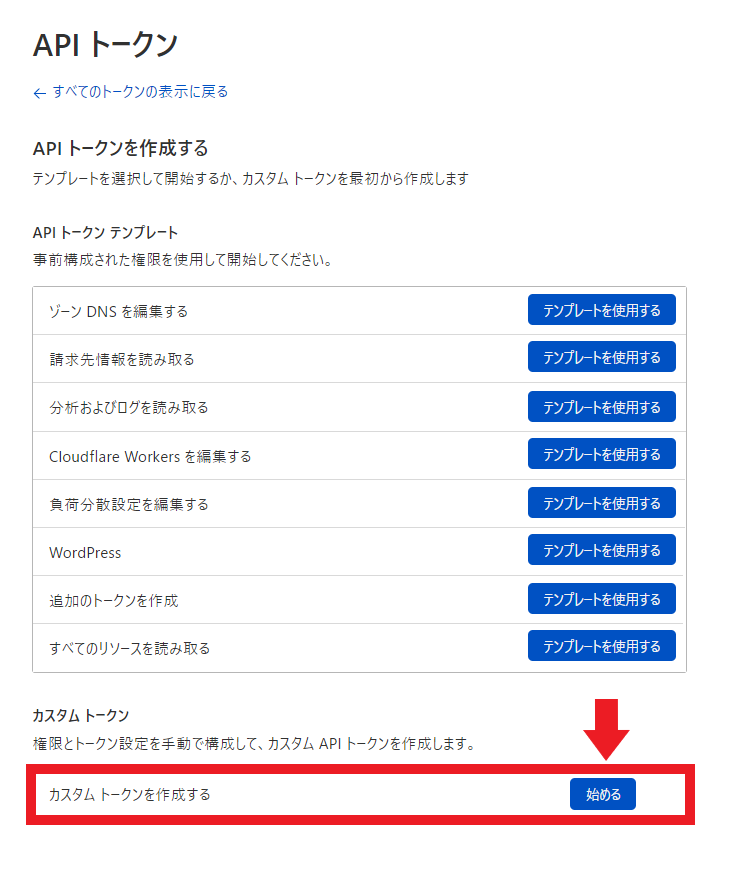
 次の画面にて **Custom Token**を作成しますので、**Get started**をクリックします。
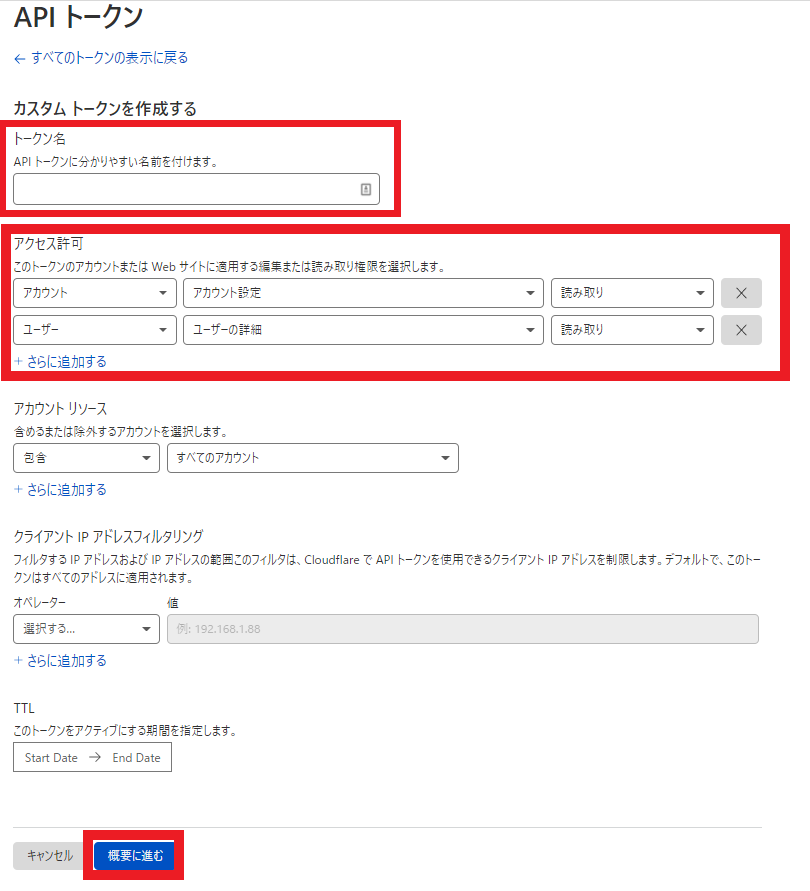
 次の画面にて、**トークン名に任意の名前**(会社名など)を入力し、**アクセス許可には下記2つ追加**し、**概要に進む**をクリックします。
| 項目 | 設定値 | 権限 |
| ----- | ------- | --------- |
| アカウント | アカウント設定 | 読み取り(\*1) |
| ユーザー | ユーザーの詳細 | 読み取り(\*1) |
(\*1) アカウント削除機能を利用する場合は、\*\*edit(編集)\*\*を選択してください
[Adminaでサービスのアカウントを削除/停止する](/it-management/retired/zw9trbb1wm-deprovisioning)
次の画面にて、**トークン名に任意の名前**(会社名など)を入力し、**アクセス許可には下記2つ追加**し、**概要に進む**をクリックします。
| 項目 | 設定値 | 権限 |
| ----- | ------- | --------- |
| アカウント | アカウント設定 | 読み取り(\*1) |
| ユーザー | ユーザーの詳細 | 読み取り(\*1) |
(\*1) アカウント削除機能を利用する場合は、\*\*edit(編集)\*\*を選択してください
[Adminaでサービスのアカウントを削除/停止する](/it-management/retired/zw9trbb1wm-deprovisioning)
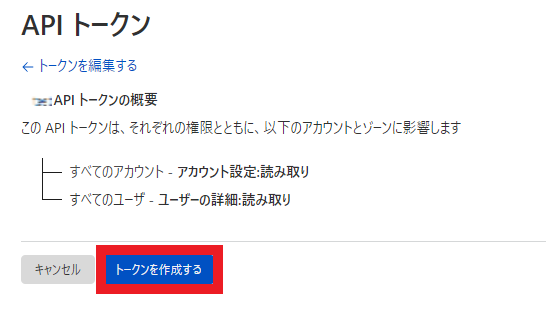
 作成するトークンの概要を確認し、**トークンを作成する**をクリックします。
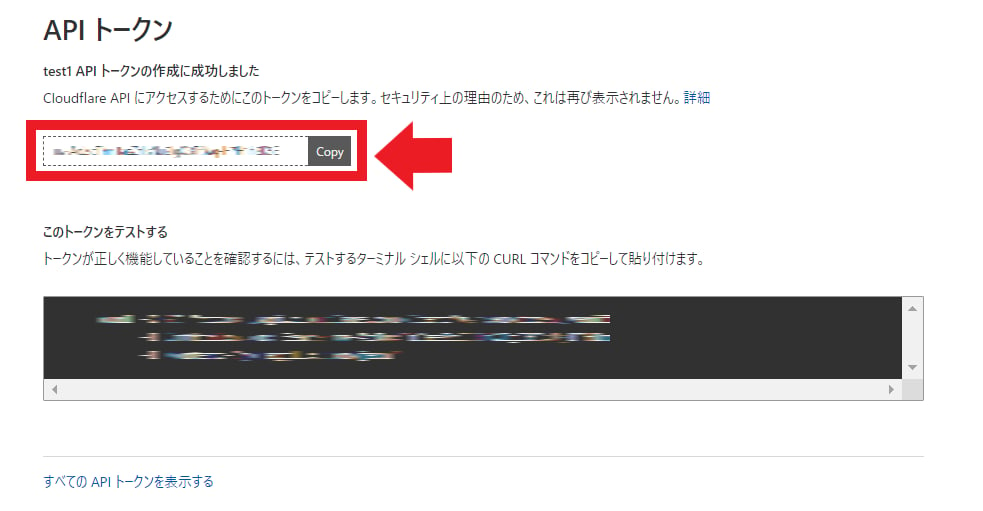
 **API トークン**が作成されます。こちらが**アクセスキー**となりますので、保存しておきます。
**この**アクセスキー**は一回しか表示されないので、必ず保存して下さい。**
**API トークン**が作成されます。こちらが**アクセスキー**となりますので、保存しておきます。
**この**アクセスキー**は一回しか表示されないので、必ず保存して下さい。**
 ## インテグレーションのセットアップ
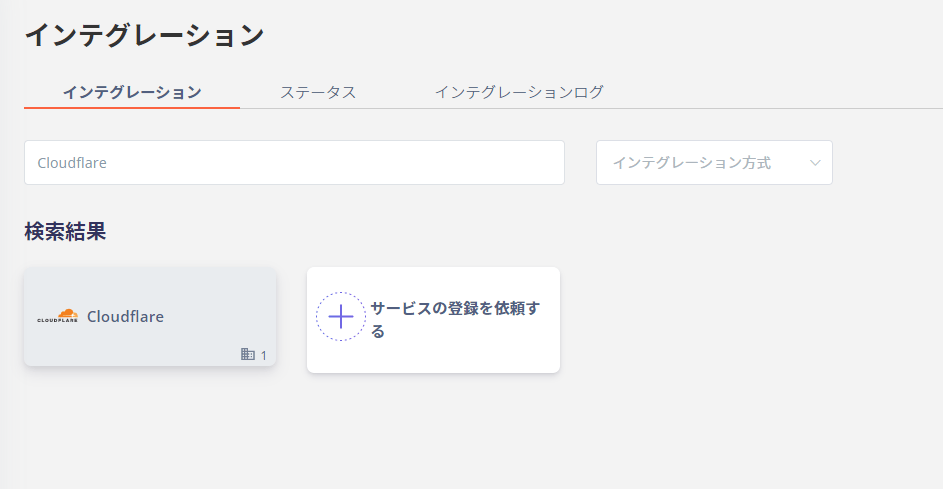
マネーフォワード Adminaのインテグレーション画面にて、**Cloudflare** で検索します。
## インテグレーションのセットアップ
マネーフォワード Adminaのインテグレーション画面にて、**Cloudflare** で検索します。
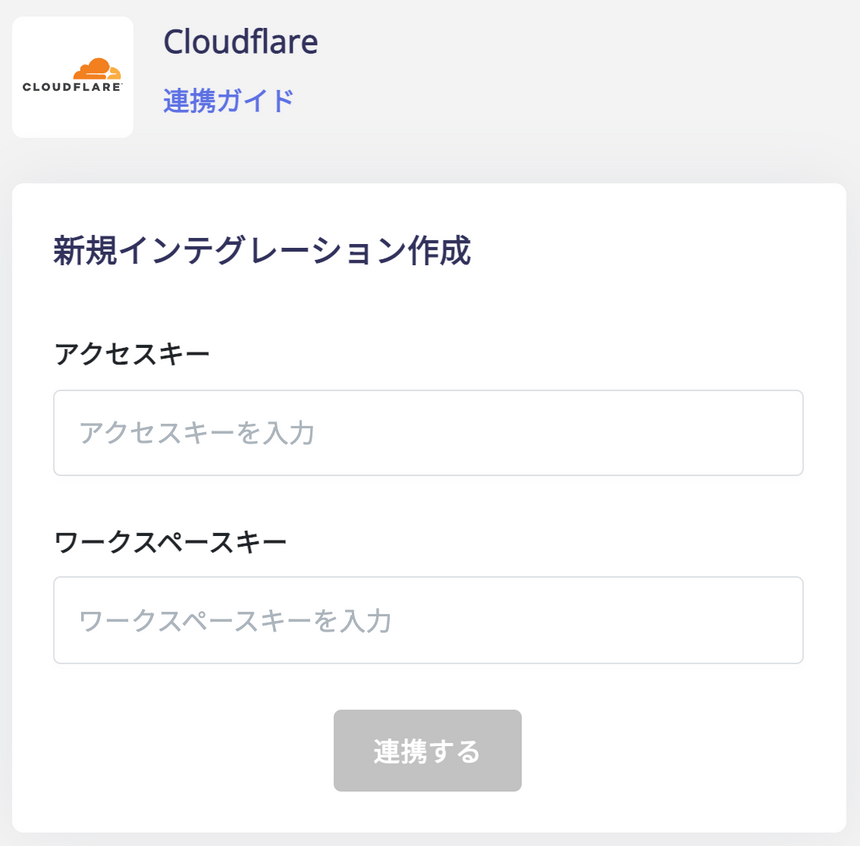
 前の手順で取得した**アクセスキー** と **ワークスペースキー**を入力し、**連携する**をクリックします。
 Cloudflareとの連携に成功すると、アカウント一覧に登録済みのユーザー情報が表示されます。
正常に完了しない場合は、インテグレーション画面のステータスタブから**編集**し、再度連携をお試しください。
解決しない場合はチャットにてお問い合わせください🙏
Cloudflareの連携概要については[連携ページ](http://admina.moneyforward.com/jp/integrations/cloudflare)をご覧ください。
Cloudflareとの連携に成功すると、アカウント一覧に登録済みのユーザー情報が表示されます。
正常に完了しない場合は、インテグレーション画面のステータスタブから**編集**し、再度連携をお試しください。
解決しない場合はチャットにてお問い合わせください🙏
Cloudflareの連携概要については[連携ページ](http://admina.moneyforward.com/jp/integrations/cloudflare)をご覧ください。