> ## Documentation Index
> Fetch the complete documentation index at: https://support.i.moneyforward.com/llms.txt
> Use this file to discover all available pages before exploring further.

# Mackerel

> Mackerelとの連携方法です。

## サポートする機能

<Badge color="blue">アカウント作成</Badge> <Badge color="blue">アカウント削除</Badge>

## 事前準備

### Mackerelへのログイン方法

[Mackerelログインページ](https://mackerel.io/signin)にて、メールアドレス・パスワードを入力しログインします。
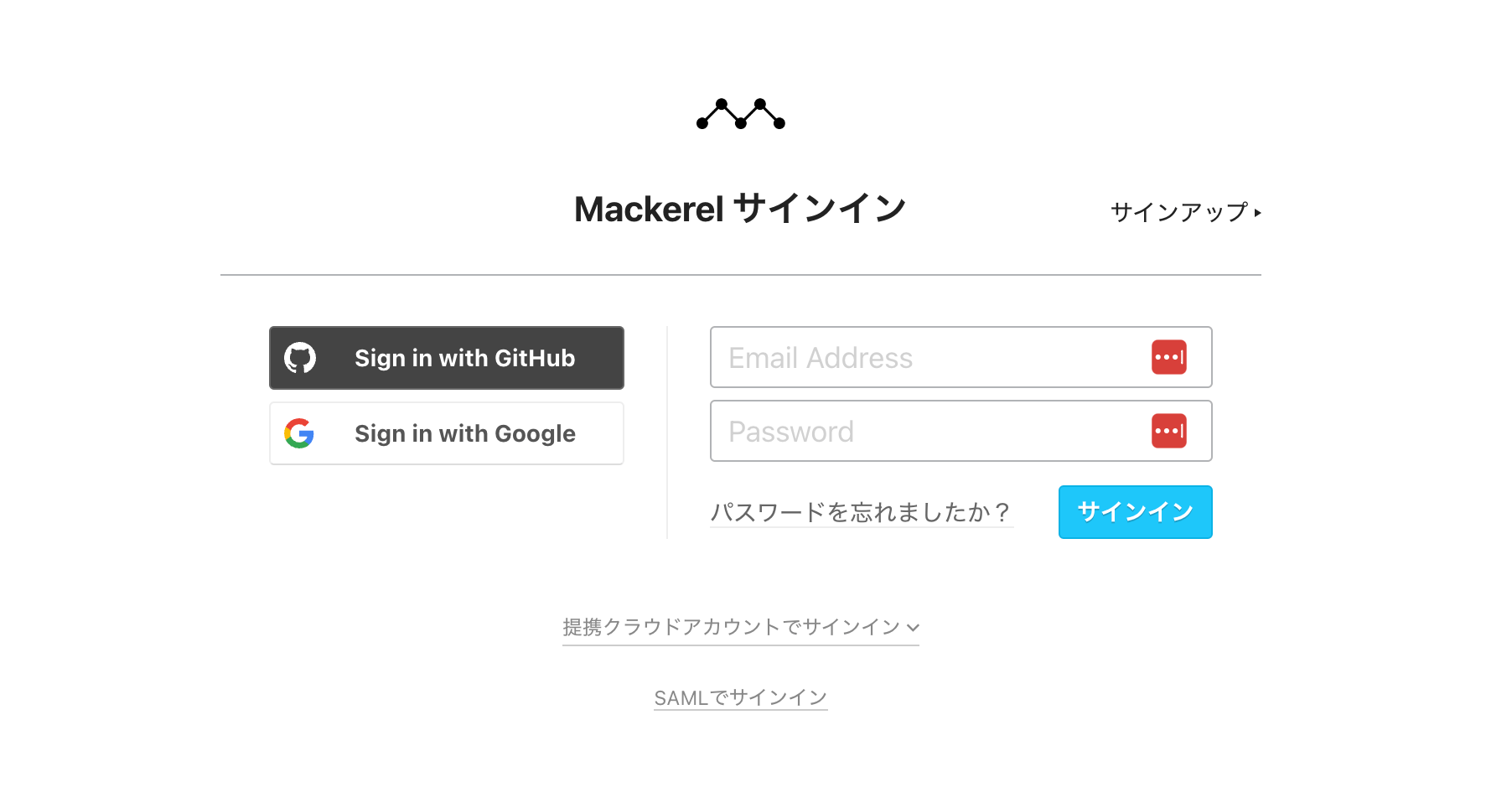
<img src="https://mintcdn.com/moneyforwardi/AFMlQ41Uc_D7oAe6/images/integrations/9nme3w3ep7/1725930323939-image.png?fit=max&auto=format&n=AFMlQ41Uc_D7oAe6&q=85&s=d2dfc34a28de76225079af33d0c06e4a" alt="Mackerelログインページ" width="1804" height="964" data-path="images/integrations/9nme3w3ep7/1725930323939-image.png" />

### APIキーの確認方法

Mackerelにログインし、左の上の組織名をクリックし、**API キー**タブに移動します。

**新しいAPIキーを追加** をクリックします。
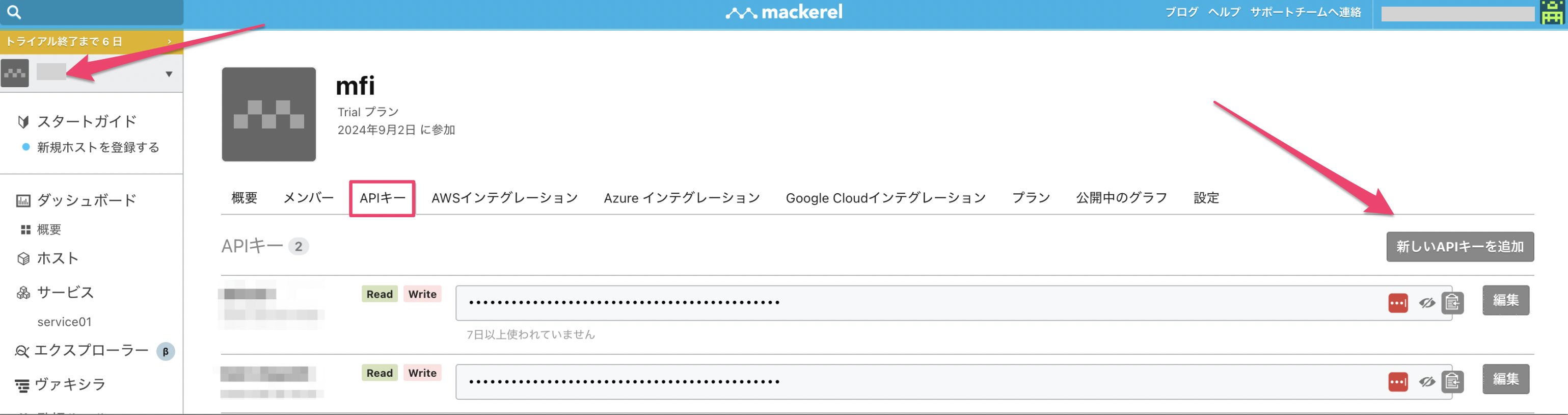
<img src="https://mintcdn.com/moneyforwardi/AFMlQ41Uc_D7oAe6/images/integrations/9nme3w3ep7/1725930640256-image.png?fit=max&auto=format&n=AFMlQ41Uc_D7oAe6&q=85&s=bdea51fb00ee709b0b2048509836b5ac" alt="APIキー追加画面" width="3078" height="814" data-path="images/integrations/9nme3w3ep7/1725930640256-image.png" />

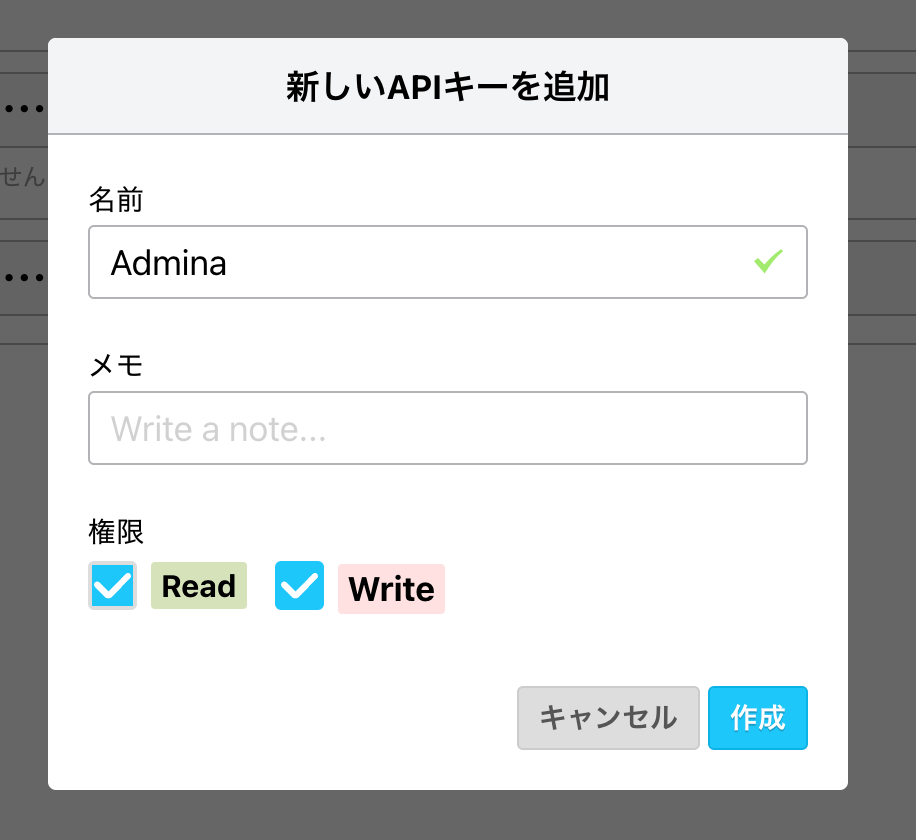
任意のAPIキーの名前を入力し、**作成**をクリックします。

<img src="https://mintcdn.com/moneyforwardi/AFMlQ41Uc_D7oAe6/images/integrations/9nme3w3ep7/1725930711375-image.png?fit=max&auto=format&n=AFMlQ41Uc_D7oAe6&q=85&s=4e4b0aa31cb17b35e6419e03dfa50d23" alt="APIキー作成" width="916" height="840" data-path="images/integrations/9nme3w3ep7/1725930711375-image.png" />

目のアイコンをクリックするとAPIキーが表示されます。表示された値をコピーしておきます。

<img src="https://mintcdn.com/moneyforwardi/AFMlQ41Uc_D7oAe6/images/integrations/9nme3w3ep7/1725930796480-image.png?fit=max&auto=format&n=AFMlQ41Uc_D7oAe6&q=85&s=d3393733924e3b397432778358812e76" alt="APIキー表示" width="2898" height="286" data-path="images/integrations/9nme3w3ep7/1725930796480-image.png" />

## インテグレーションのセットアップ

インテグレーション画面にて、**Mackerel**で検索します。
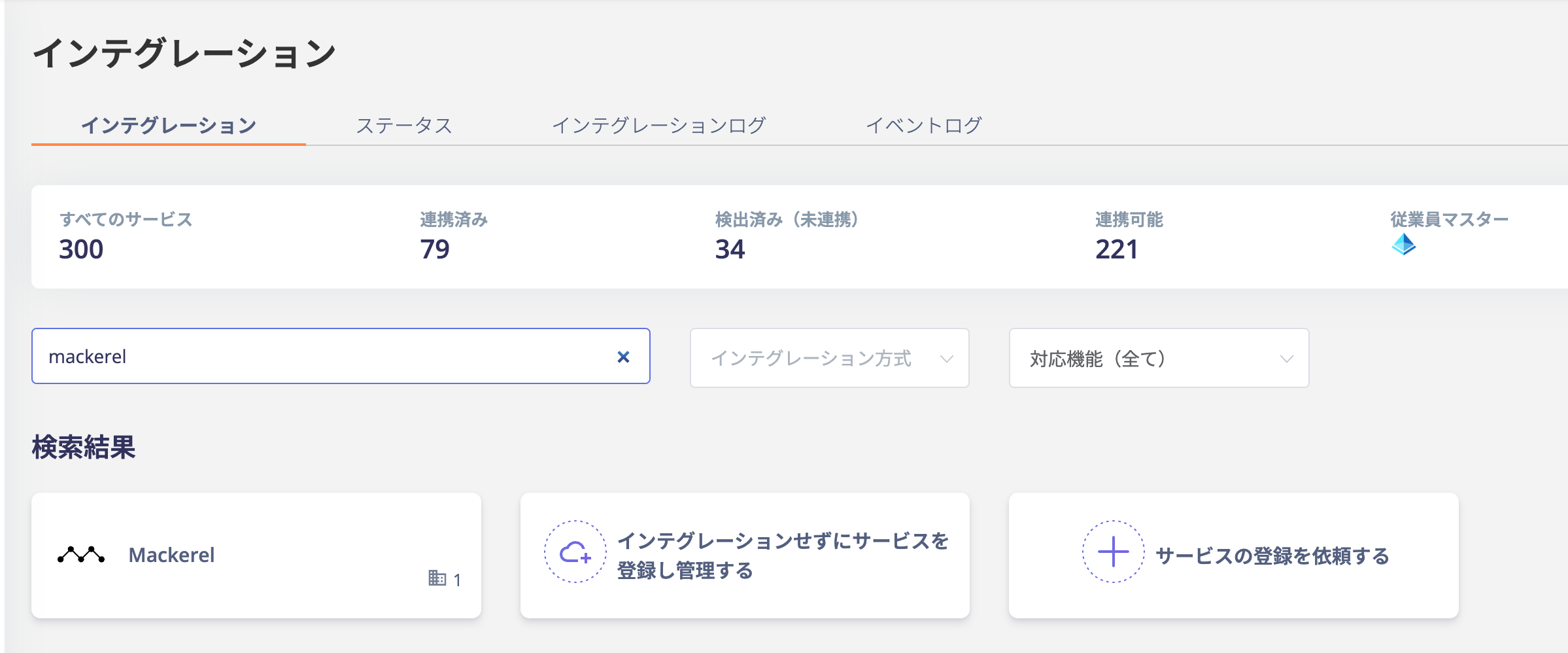
<img src="https://mintcdn.com/moneyforwardi/AFMlQ41Uc_D7oAe6/images/integrations/9nme3w3ep7/1725959488670-image.png?fit=max&auto=format&n=AFMlQ41Uc_D7oAe6&q=85&s=e75650f8b8da9b0bfa59efca3efc98d9" alt="Admina インテグレーション検索" width="2398" height="998" data-path="images/integrations/9nme3w3ep7/1725959488670-image.png" />

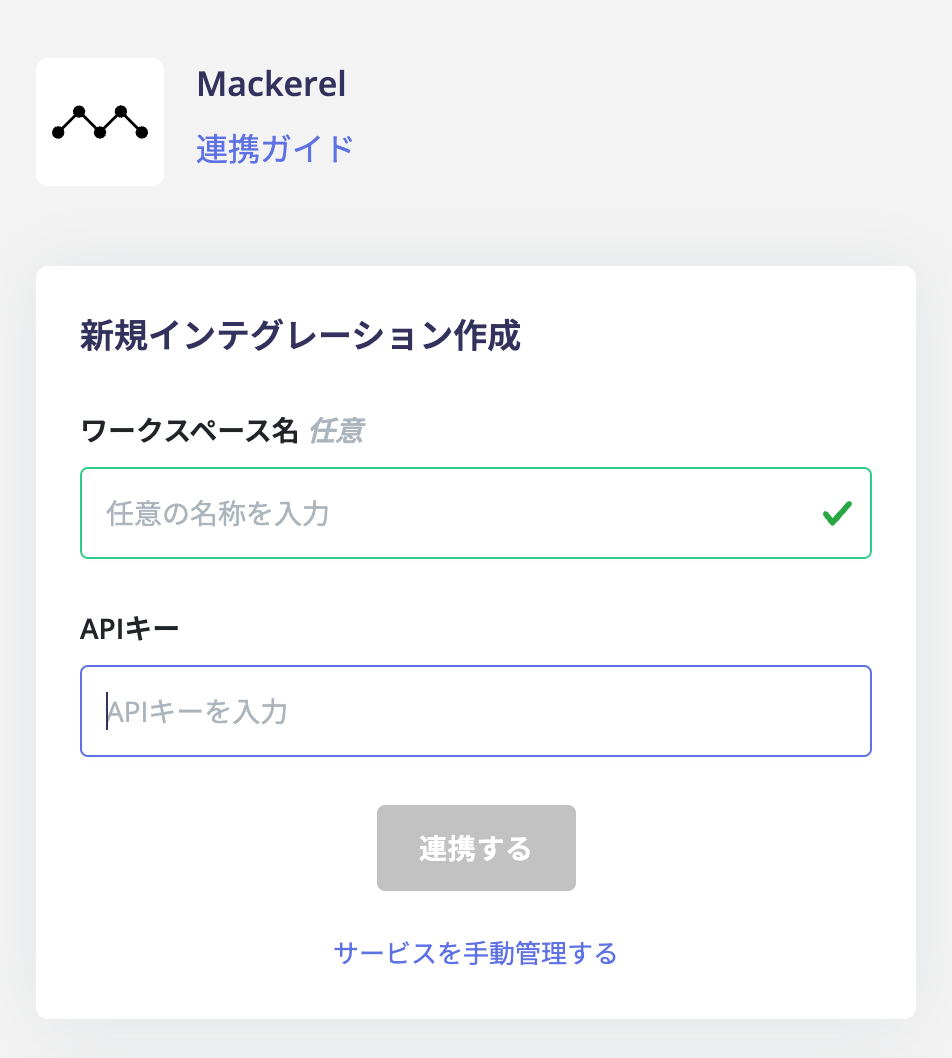
前の手順で取得したAPIキーを入力し、**連携する**をクリックします。

<img src="https://mintcdn.com/moneyforwardi/AFMlQ41Uc_D7oAe6/images/integrations/9nme3w3ep7/1725959517888-image.png?fit=max&auto=format&n=AFMlQ41Uc_D7oAe6&q=85&s=8191c43d1fe2c6a4311b80b36c735d4a" alt="APIキー入力画面" width="952" height="1058" data-path="images/integrations/9nme3w3ep7/1725959517888-image.png" />

連携に成功すると、アカウント一覧に登録済みのユーザー情報が表示されます。

正常に完了しない場合は、インテグレーション画面のステータスタブから**編集**し、再度連携をお試しください。

解決しない場合はチャットにてお問い合わせください。