> ## Documentation Index
> Fetch the complete documentation index at: https://support.i.moneyforward.com/llms.txt
> Use this file to discover all available pages before exploring further.
# NinjaOne RMM
> NinjaOne RMMとの連携方法です。マネーフォワードAdminaからNinjaOne RMMへの、管理者のログインから、連携方法まで一連の手順を解説します。
## 事前準備
### NinjaOne RMMへのログイン方法
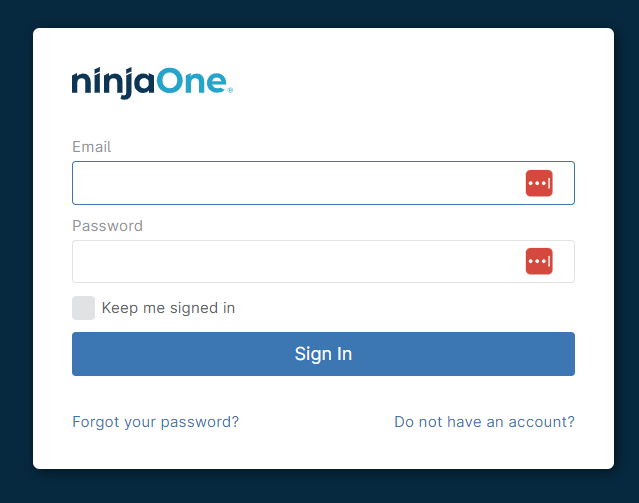
[NinjaOne RMMログインページ](https://app.ninjarmm.com/auth/#/login)にて、メールアドレス・パスワードを入力しログインします。
 ### クライアントIDとクライアントシークレットの取得方法
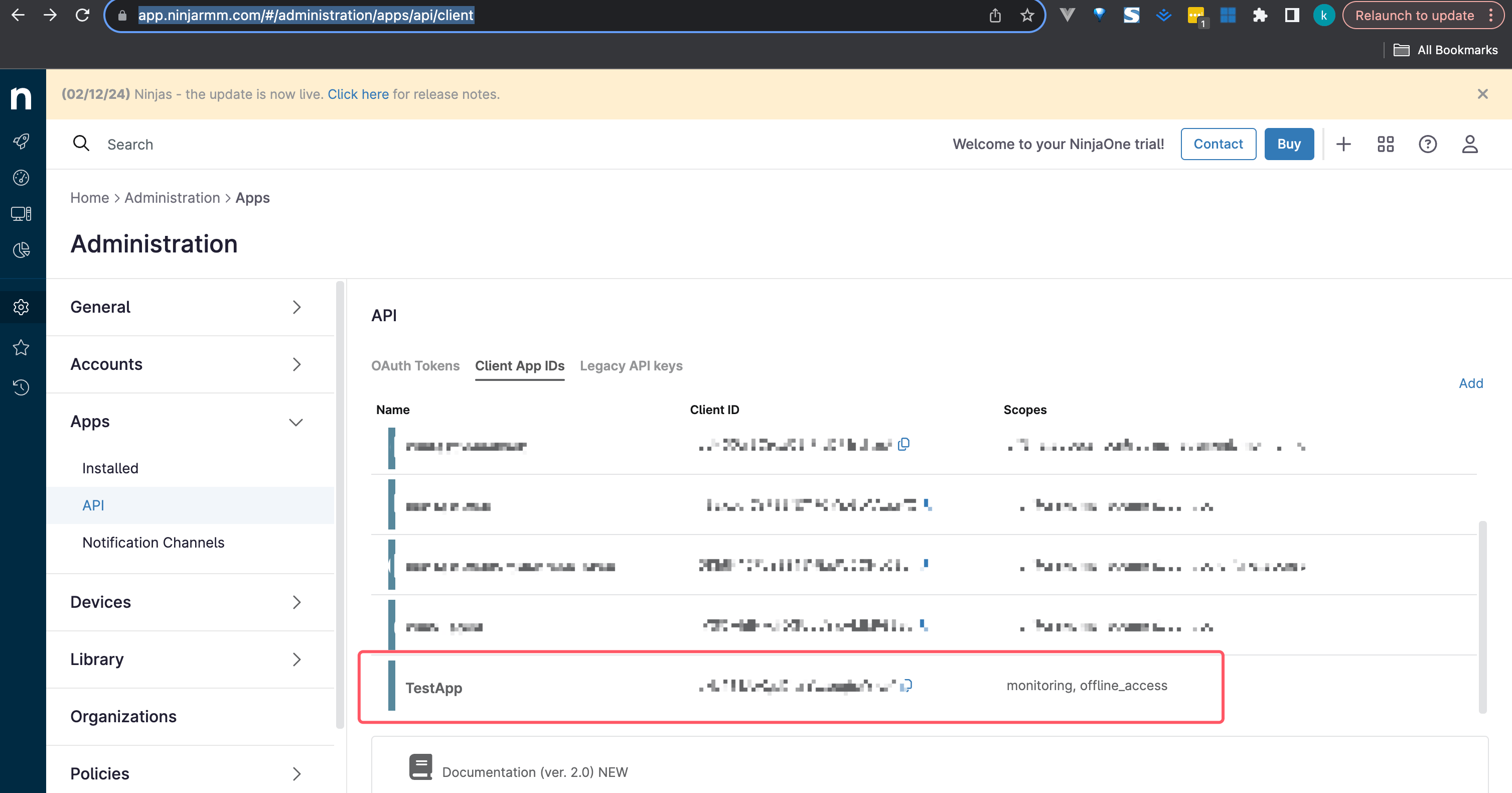
NinjaOne RMMにログイン後、サイドメニューの\*\*⚙AdministrationからAPP>API>Client App IDs\*\*のタブに進みます。
### クライアントIDとクライアントシークレットの取得方法
NinjaOne RMMにログイン後、サイドメニューの\*\*⚙AdministrationからAPP>API>Client App IDs\*\*のタブに進みます。
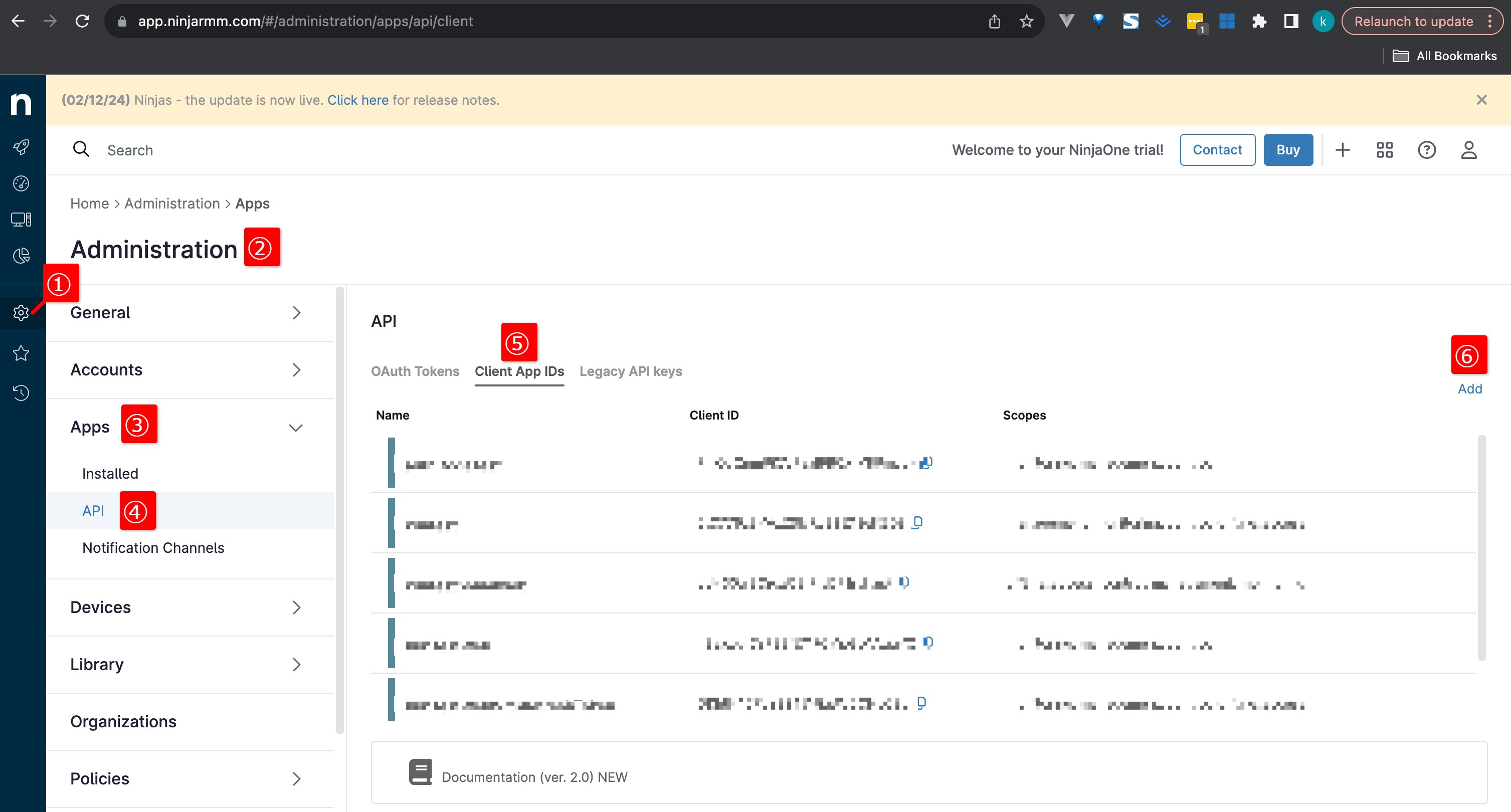 **Addをクリック**しAppを生成します。
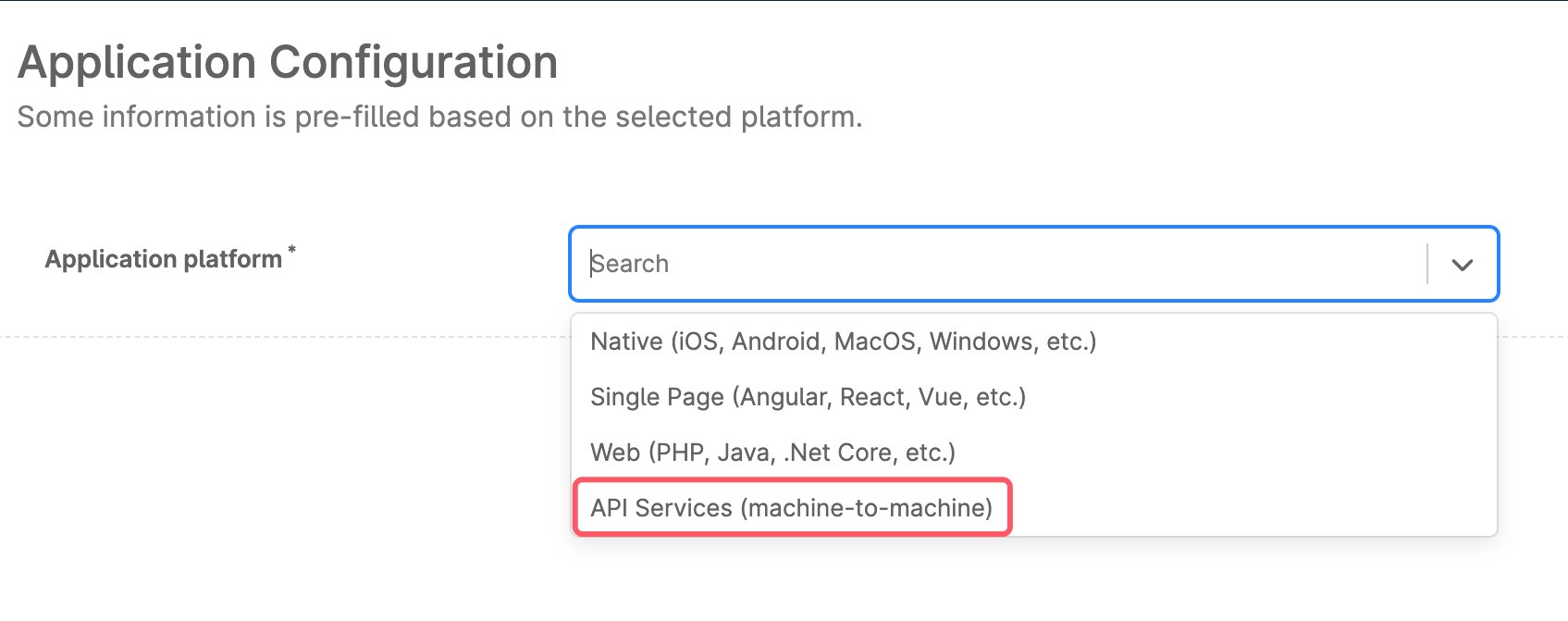
Application platformは、`API Services(machine-to-machine)` を選択します。
**Addをクリック**しAppを生成します。
Application platformは、`API Services(machine-to-machine)` を選択します。
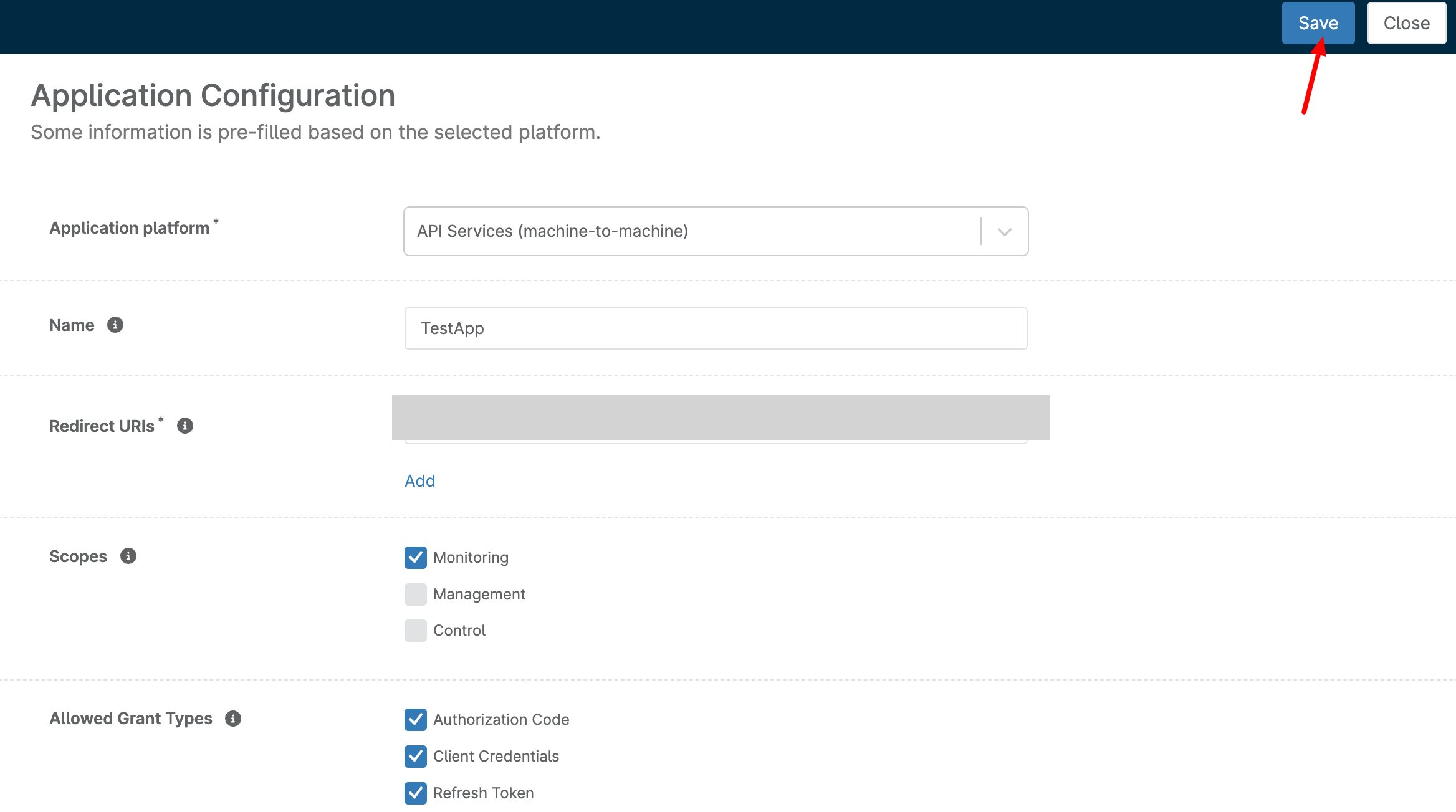
 以下の内容を入力・選択し、**Save**をクリックします。
**NAME** 任意の名称(部署名、用途など)
**Redirect URLs** `https://itmc.i.moneyforward.com/oauth/callback`
**Scopes** `Monitoring`
**Allowed Grant Type** `Authorization Code` / `Client Credentials` / `Refresh Token`
以下の内容を入力・選択し、**Save**をクリックします。
**NAME** 任意の名称(部署名、用途など)
**Redirect URLs** `https://itmc.i.moneyforward.com/oauth/callback`
**Scopes** `Monitoring`
**Allowed Grant Type** `Authorization Code` / `Client Credentials` / `Refresh Token`
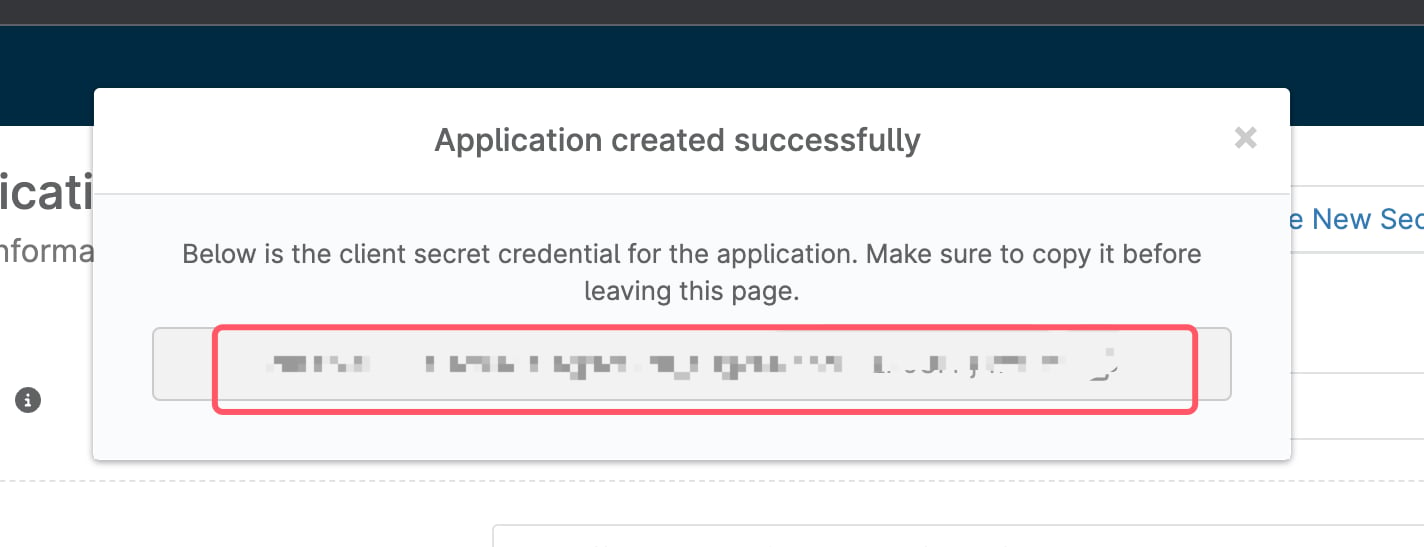
 Saveすると、連携に使用する**クライアントシークレット**が表示されるので、コピー・保存します。
※クライアントシークレットは再表示されないので、ご注意ください。
Saveすると、連携に使用する**クライアントシークレット**が表示されるので、コピー・保存します。
※クライアントシークレットは再表示されないので、ご注意ください。
 APIのページに戻ります。Client App IDsの一覧に先ほど生成したAPIが表示され、**Client ID**を確認できます。
これが、連携に使用する**クライアントID**となるのでコピー・保存します。
APIのページに戻ります。Client App IDsの一覧に先ほど生成したAPIが表示され、**Client ID**を確認できます。
これが、連携に使用する**クライアントID**となるのでコピー・保存します。
 ## インテグレーションのセットアップ
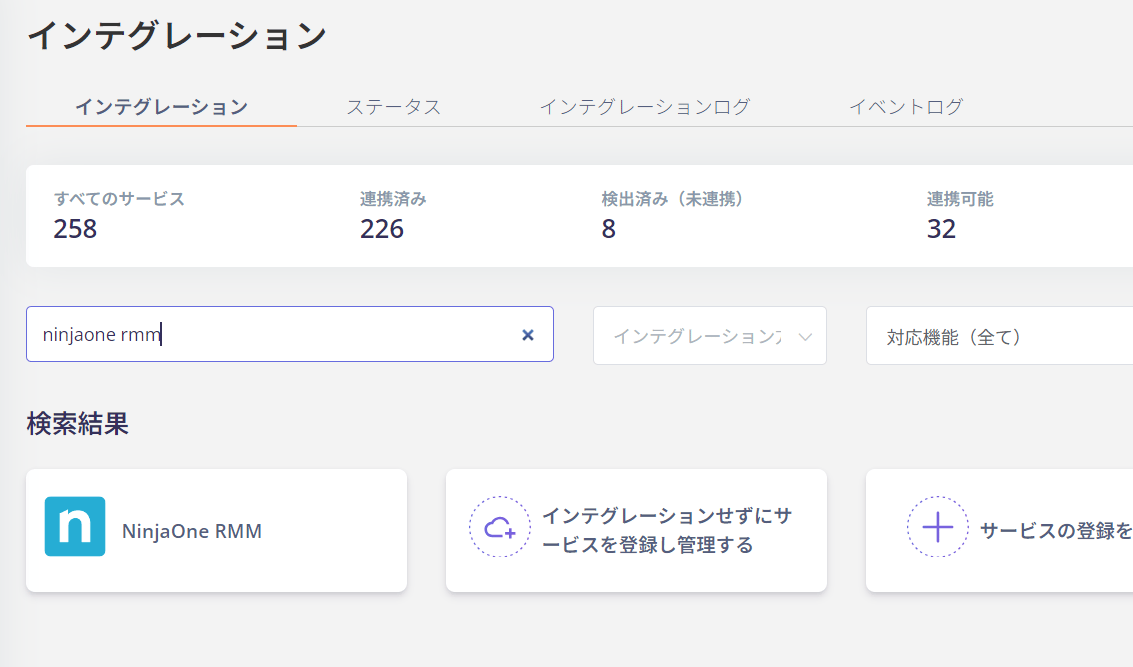
インテグレーション画面にて、**NinjaOne RMM**で検索します。
## インテグレーションのセットアップ
インテグレーション画面にて、**NinjaOne RMM**で検索します。
 任意の**ワークスペース名**(部署名や用途など)と **Base URL** を入力し、前の手順で取得した**クライアントIDとクライアントシークレット**を入力し、**連携する**をクリックします。
Base URLは、以下のいずれかを入力してください。
* `https://app.ninjarmm.com`
* `https://eu.ninjarmm.com`
* `https://oc.ninjarmm.com`
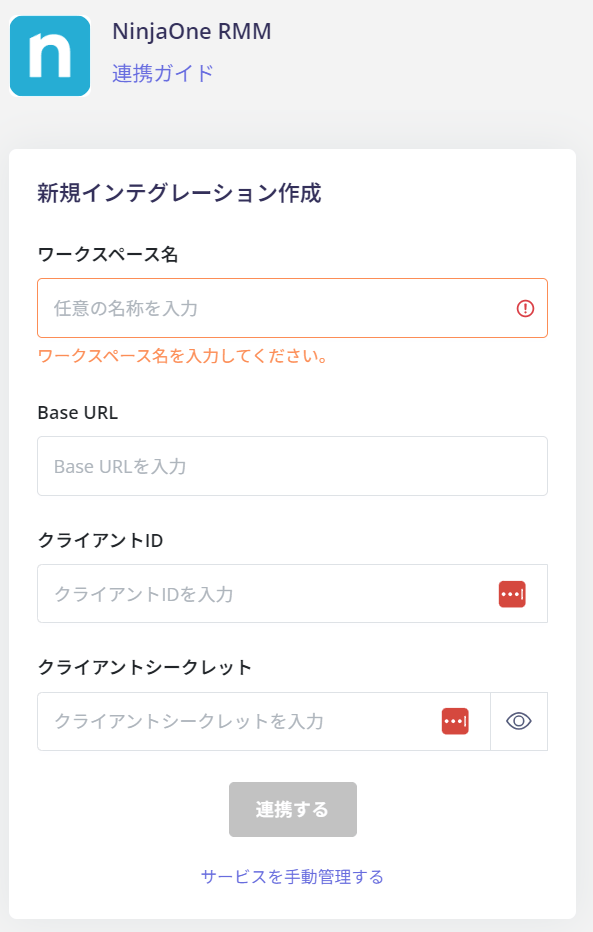
任意の**ワークスペース名**(部署名や用途など)と **Base URL** を入力し、前の手順で取得した**クライアントIDとクライアントシークレット**を入力し、**連携する**をクリックします。
Base URLは、以下のいずれかを入力してください。
* `https://app.ninjarmm.com`
* `https://eu.ninjarmm.com`
* `https://oc.ninjarmm.com`
 NinjaOne RMMとの連携に成功すると、アカウント一覧に登録済みのユーザー情報が表示されます。
正常に完了しない場合は、インテグレーション画面のステータスタブから**編集**し、再度連携をお試しください。
解決しない場合はチャットにてお問い合わせください。
NinjaOne RMMの連携概要については[連携ページ](https://admina.moneyforward.com/jp/integrations/ninjaone-rmm)をご覧ください。
NinjaOne RMMとの連携に成功すると、アカウント一覧に登録済みのユーザー情報が表示されます。
正常に完了しない場合は、インテグレーション画面のステータスタブから**編集**し、再度連携をお試しください。
解決しない場合はチャットにてお問い合わせください。
NinjaOne RMMの連携概要については[連携ページ](https://admina.moneyforward.com/jp/integrations/ninjaone-rmm)をご覧ください。