> ## Documentation Index
> Fetch the complete documentation index at: https://support.i.moneyforward.com/llms.txt
> Use this file to discover all available pages before exploring further.
# Freshdesk
> Freshdeskとの連携の手順です。
## サポートする機能
アカウント削除 アカウント作成
## 事前準備
### Freshdeskへのログイン方法
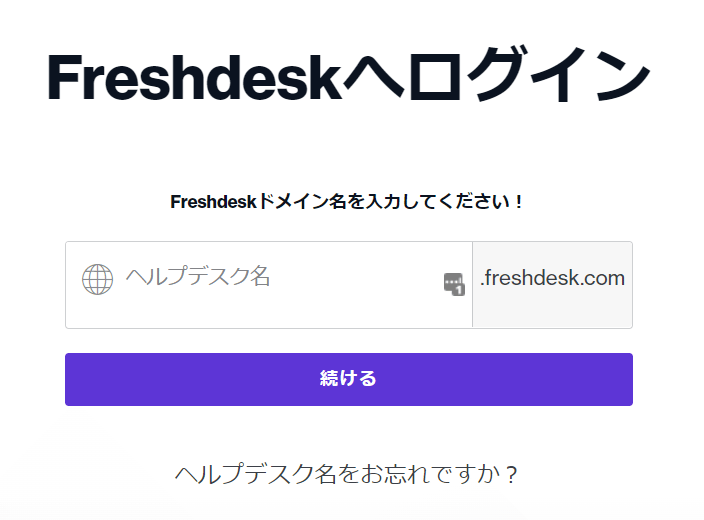
[Freshdeskのログインページ](https://freshdesk.com/jp/login/)にて、Freshdeskドメイン名を入力しログインします。
 ### ワークスペースキーの取得方法
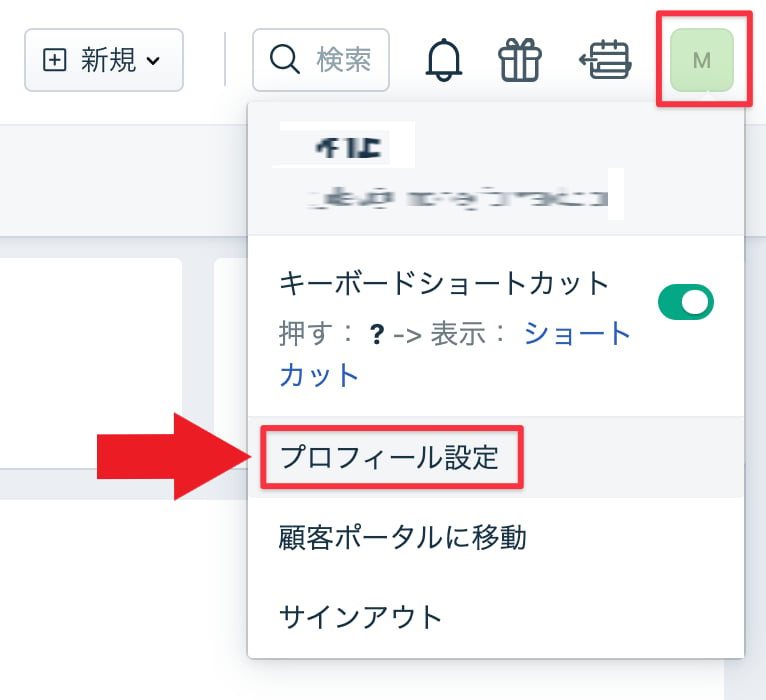
Freshdeskにログイン後、右上にある**自分のプロフィール画像>プロフィール設定**をクリックします。
### ワークスペースキーの取得方法
Freshdeskにログイン後、右上にある**自分のプロフィール画像>プロフィール設定**をクリックします。
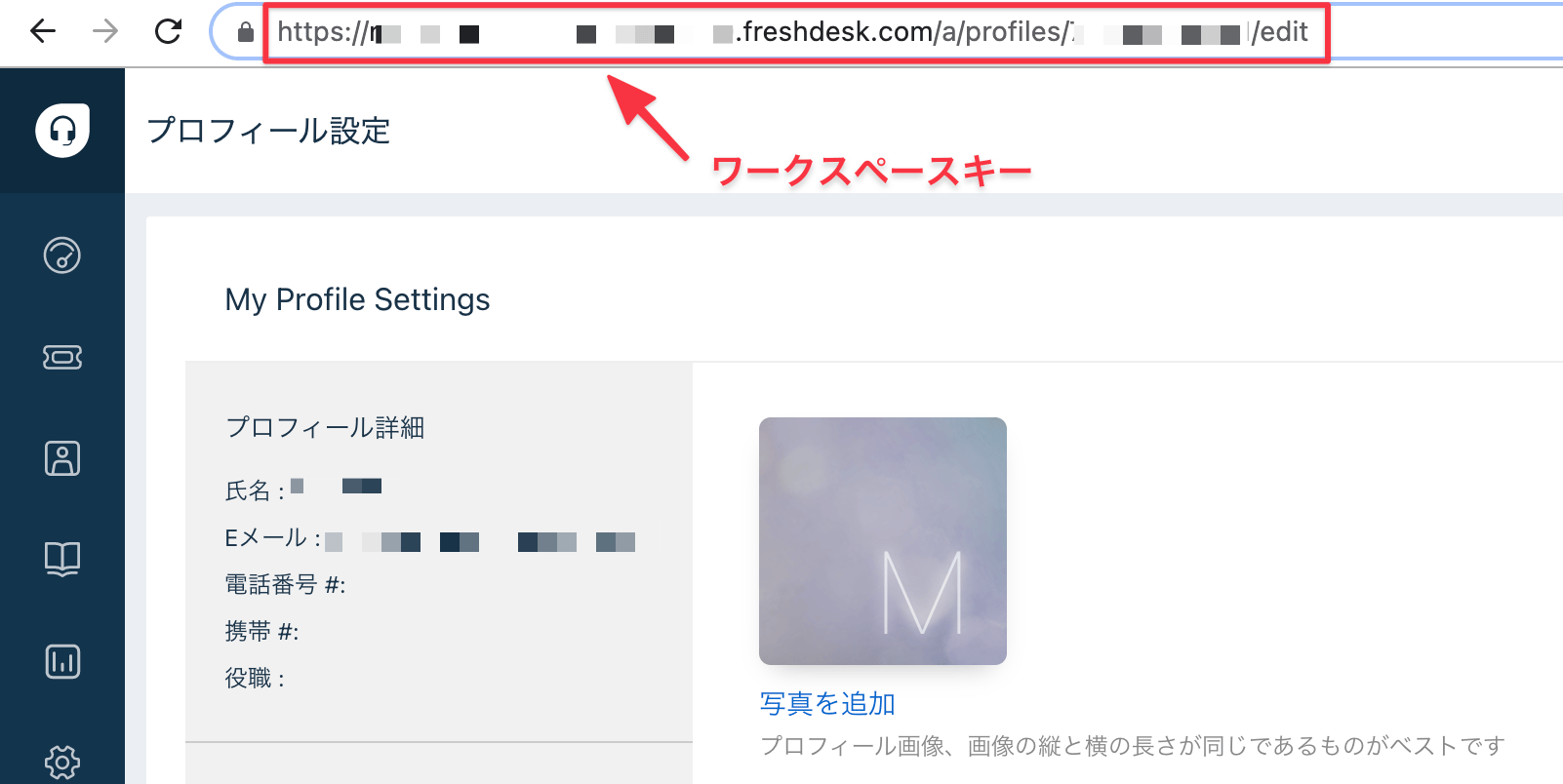
 **URLの一部がワークスペースキー**となるので、保存しておきます。
https\://**`{ワークスペースキー}`**.freshdesk.com/a/profiles/.../edit
**URLの一部がワークスペースキー**となるので、保存しておきます。
https\://**`{ワークスペースキー}`**.freshdesk.com/a/profiles/.../edit
 ### アクセスキーの取得方法
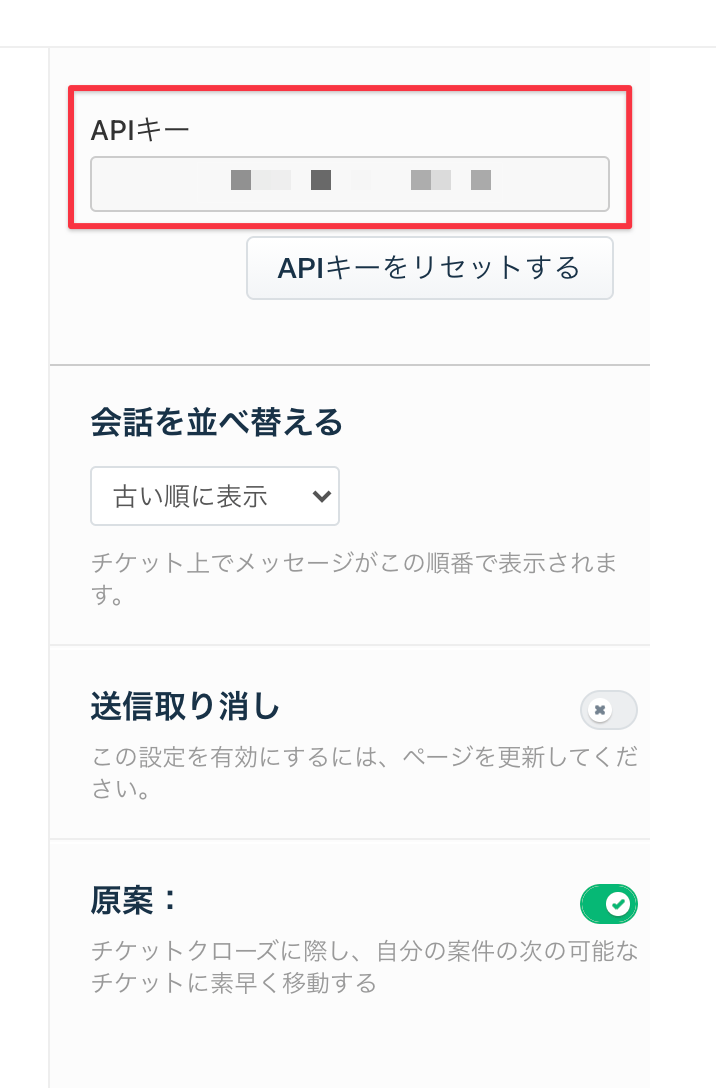
**プロフィール設定**ページの右側に**APIキー**が表示されています。
**APIキーがアクセスキー**となるので、保存します。
### アクセスキーの取得方法
**プロフィール設定**ページの右側に**APIキー**が表示されています。
**APIキーがアクセスキー**となるので、保存します。
 ## インテグレーションのセットアップ
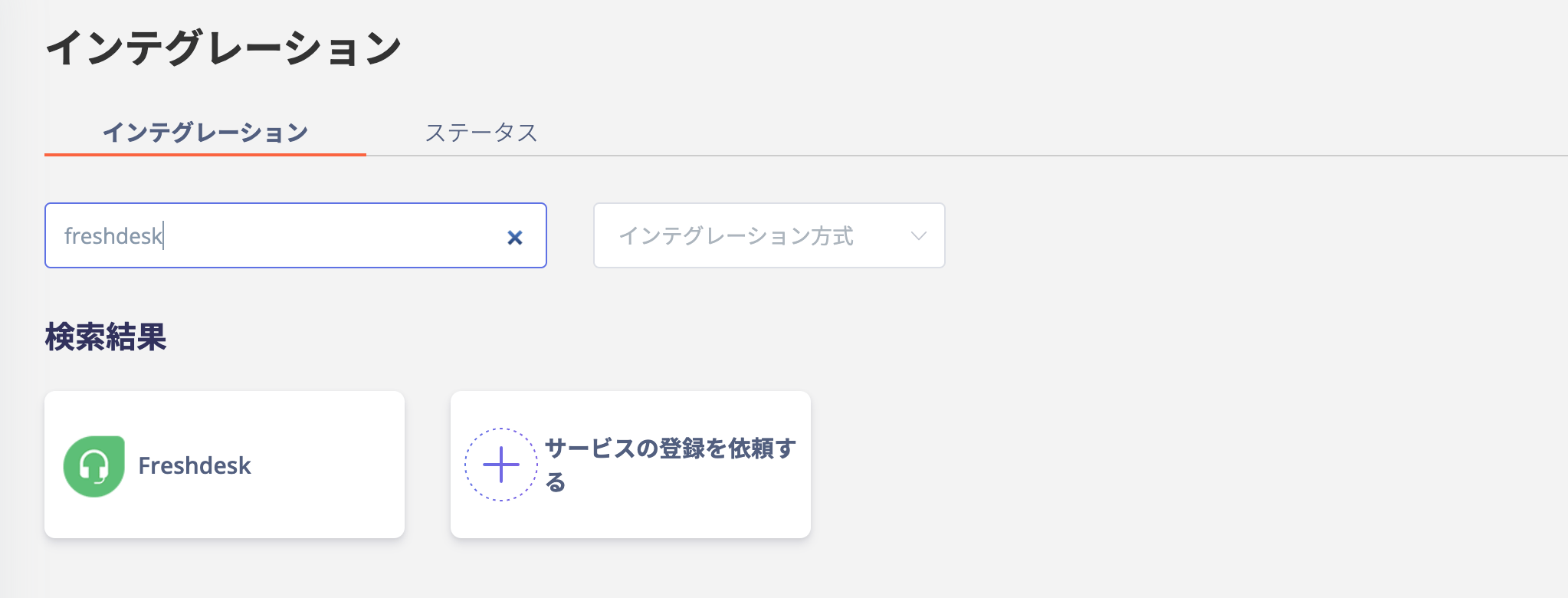
インテグレーション画面にて、**Freshdesk**で検索します。
## インテグレーションのセットアップ
インテグレーション画面にて、**Freshdesk**で検索します。
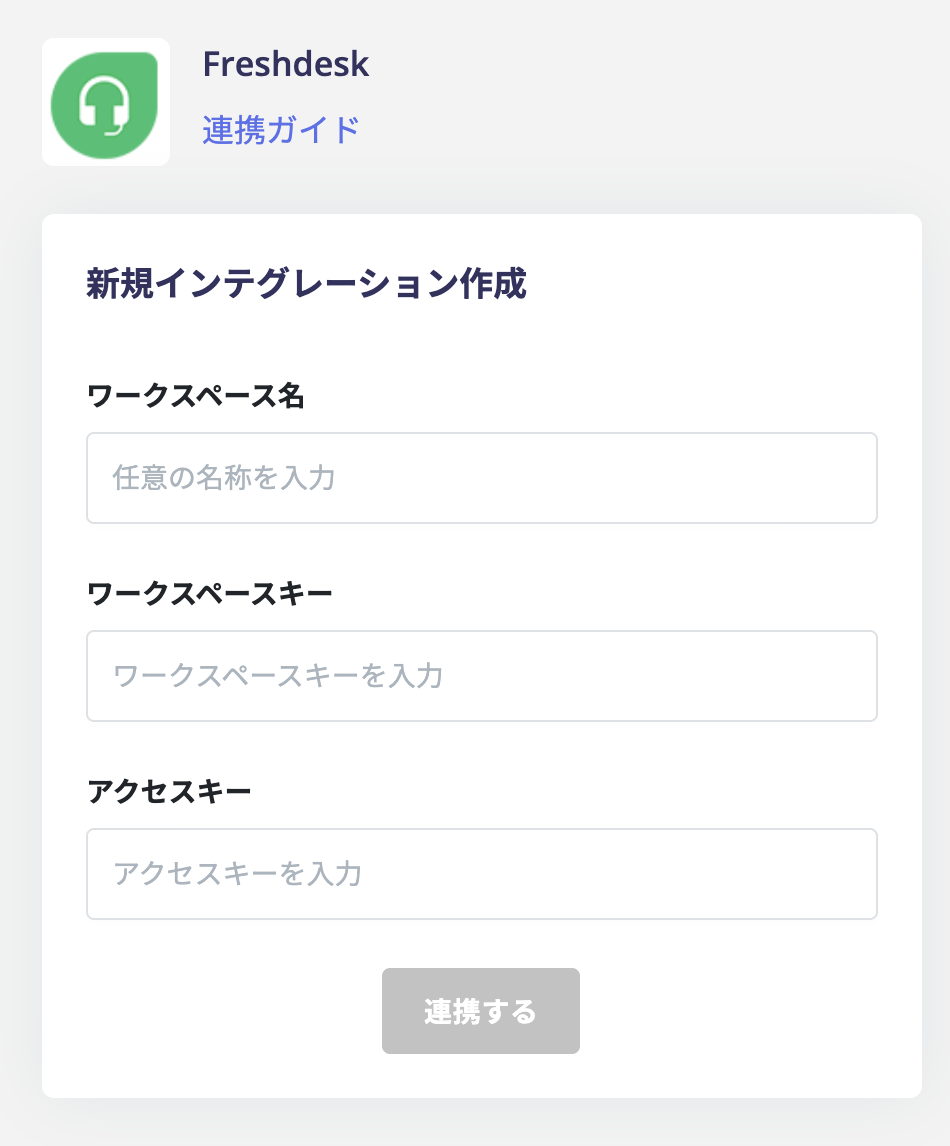
 **ワークスペース名は任意の文字列(会社名など)**、前の手順で取得した**ワークスペースキー、アクセスキー**を入力し、**連携する**をクリックします。
 Freshdeskとの連携に成功すると、アカウント一覧に登録済みのユーザー情報が表示されます。
正常に完了しない場合は、インテグレーション画面のステータスタブから**編集**し、再度連携をお試しください。
解決しない場合はチャットにてお問い合わせください🙏
Freshdeskの連携概要については[連携ページ](https://admina.moneyforward.com/jp/integrations/freshdesk)をご覧ください。
Freshdeskとの連携に成功すると、アカウント一覧に登録済みのユーザー情報が表示されます。
正常に完了しない場合は、インテグレーション画面のステータスタブから**編集**し、再度連携をお試しください。
解決しない場合はチャットにてお問い合わせください🙏
Freshdeskの連携概要については[連携ページ](https://admina.moneyforward.com/jp/integrations/freshdesk)をご覧ください。