> ## Documentation Index
> Fetch the complete documentation index at: https://support.i.moneyforward.com/llms.txt
> Use this file to discover all available pages before exploring further.

# Mail Dealer

> Mail Dealerとの連携方法です。

## サポートする機能

<Badge color="blue">アカウント削除</Badge> <Badge color="blue">アカウント無効化</Badge>

## Mail Dealerへのログイン方法

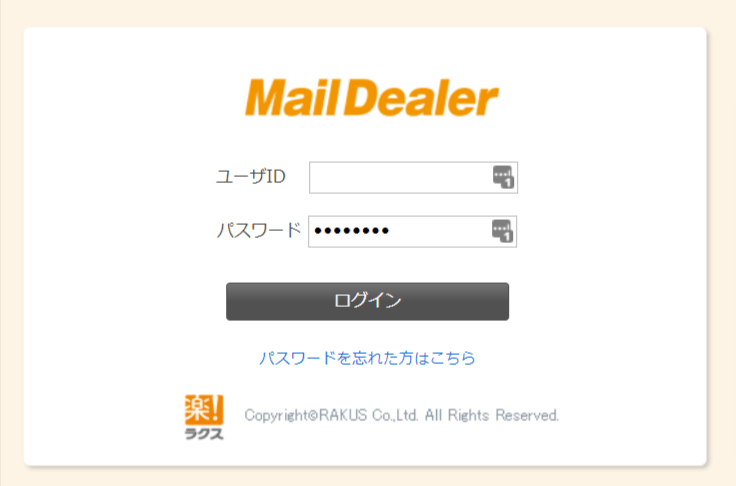
[Mail Dealerログインページ](https://mdblue.maildealer.jp/login.php)にて、メールアドレス・パスワードを入力しログインします。

<Info>
  連携にはGoogleやSSOなど外部認証アカウントはご利用いただけません。詳細は[［制限事項］Google 認証やSSOなど外部認証アカウントによる連携失敗](/it-management/faq/7gbneu0vz5-auth-error#authentication-error)をご覧ください。
</Info>

<img src="https://mintcdn.com/moneyforwardi/UxP4XsmkLgMFT8qv/images/integrations/p61sp98uvq/1658295317627-image.png?fit=max&auto=format&n=UxP4XsmkLgMFT8qv&q=85&s=109b47faa7942f6b3b096f07616efaaf" alt="Mail Dealer ログイン画面" width="871" height="591" data-path="images/integrations/p61sp98uvq/1658295317627-image.png" />

<img src="https://mintcdn.com/moneyforwardi/UxP4XsmkLgMFT8qv/images/integrations/p61sp98uvq/1660700178986-image.png?fit=max&auto=format&n=UxP4XsmkLgMFT8qv&q=85&s=9bb7dd2ea98d801c2cb1ce51a87270a0" alt="Mail Dealer ログインフォーム" width="736" height="486" data-path="images/integrations/p61sp98uvq/1660700178986-image.png" />

## 事前準備

### ワークスペースキーの取得

URLの一部がワークスペースキーになりますので、取得します。

https\://`{ワークスペースキー}`.maildealer.jp/

<img src="https://mintcdn.com/moneyforwardi/UxP4XsmkLgMFT8qv/images/integrations/p61sp98uvq/1661421968086-image.png?fit=max&auto=format&n=UxP4XsmkLgMFT8qv&q=85&s=be5c29a837b8e5aef077961b96de6e0a" alt="ワークスペースキーの確認" width="472" height="76" data-path="images/integrations/p61sp98uvq/1661421968086-image.png" />

## インテグレーションのセットアップ

インテグレーション画面にて、**Mail Dealer**で検索します。
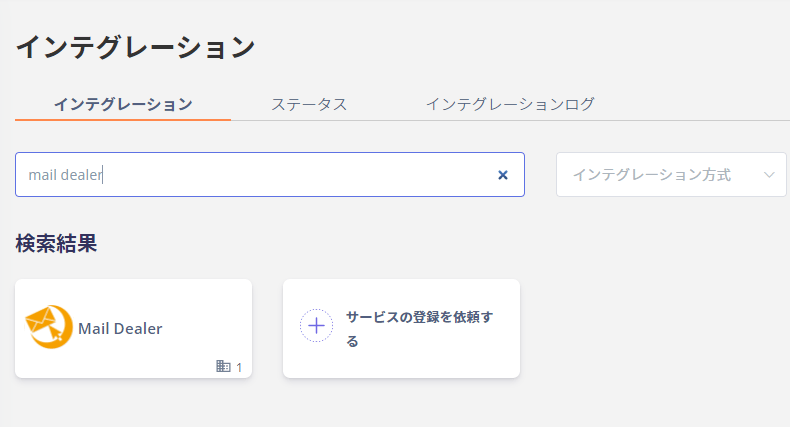
<img src="https://mintcdn.com/moneyforwardi/UxP4XsmkLgMFT8qv/images/integrations/p61sp98uvq/1660785142464-image.png?fit=max&auto=format&n=UxP4XsmkLgMFT8qv&q=85&s=7b58127f6be5a6b3298103145ca32a76" alt="インテグレーション検索" width="790" height="427" data-path="images/integrations/p61sp98uvq/1660785142464-image.png" />

取得した**ワークスペースキー**および、Mail Dealer ログイン用**メールアドレス・パスワード**を入力し、**連携する**をクリックします。
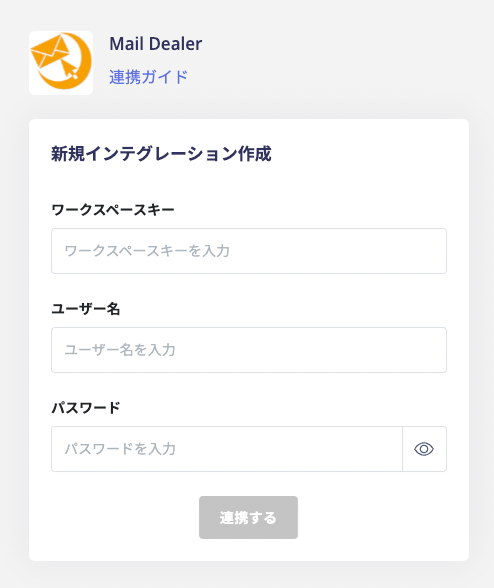
<img src="https://mintcdn.com/moneyforwardi/UxP4XsmkLgMFT8qv/images/integrations/p61sp98uvq/1661422014214-image.png?fit=max&auto=format&n=UxP4XsmkLgMFT8qv&q=85&s=6438d90e2022f2e2e1c0723a3a30118f" alt="Mail Dealer 連携設定" width="494" height="588" data-path="images/integrations/p61sp98uvq/1661422014214-image.png" />

Mail Dealerとの連携に成功すると、アカウント一覧に登録済みのユーザー情報が表示されます。

正常に完了しない場合は、インテグレーション画面のステータスタブから**編集**し、再度連携をお試しください。

解決しない場合はチャットにてお問い合わせください。