> ## Documentation Index
> Fetch the complete documentation index at: https://support.i.moneyforward.com/llms.txt
> Use this file to discover all available pages before exploring further.
# PingIdentity
> PingIdentityとの連携方法です。Applicationの作成から、Environment ID・Client ID・Client Secretの取得、連携方法まで一連の手順を解説します。
## 事前準備
### Environment ID・Client ID・Client Secretの取得方法
1. [PingOne Admin Console](https://console.pingone.com/)にログイン後、左側のナビゲーションメニューから**Applications**(アプリケーション)を選択し、\*\*+\*\*をクリックします。
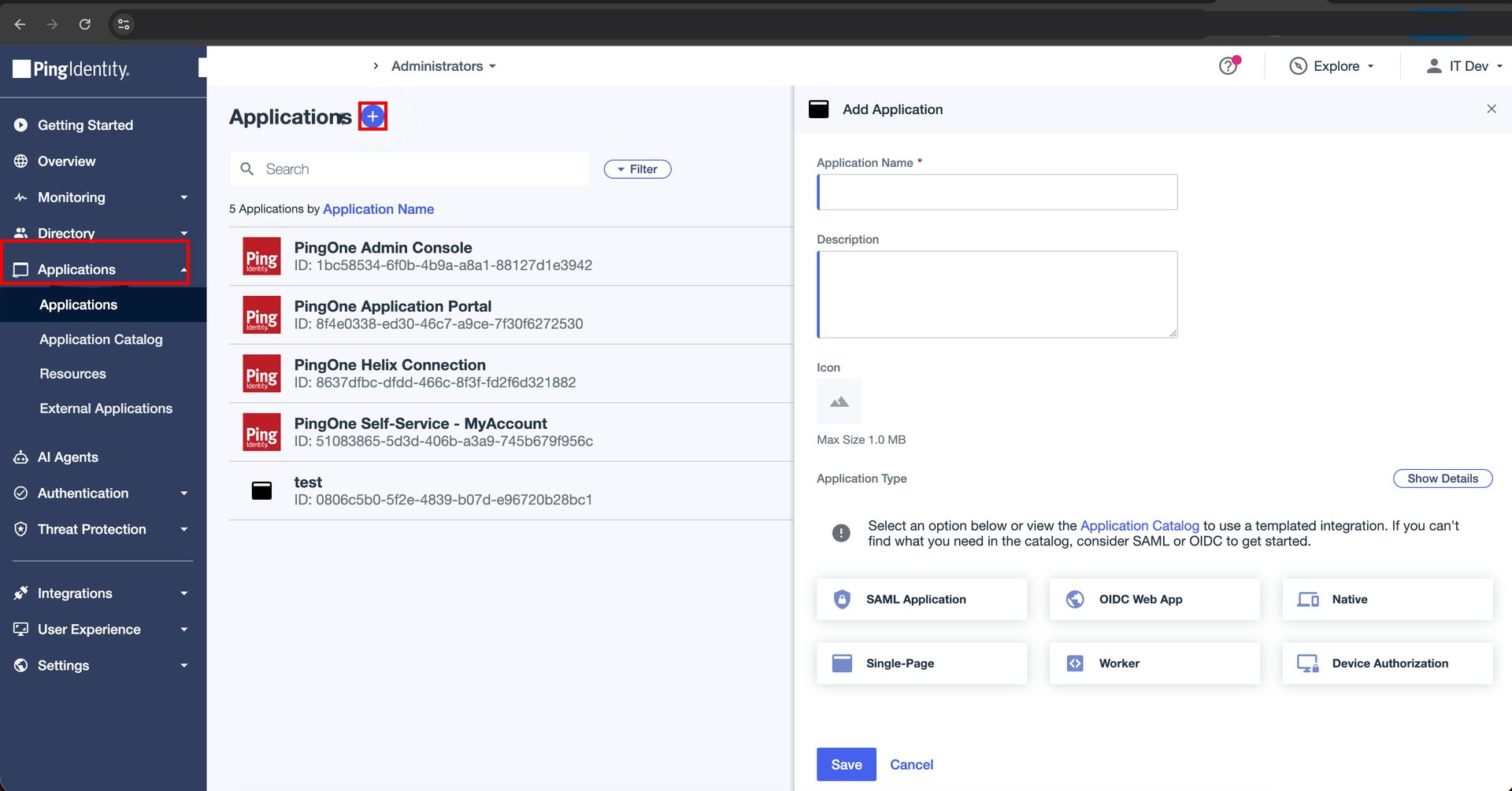 2. **Application Name**(アプリケーション名)を入力し、**Application Type**(アプリケーションタイプ)で**Worker**を選択して、**Save**(保存)をクリックします。
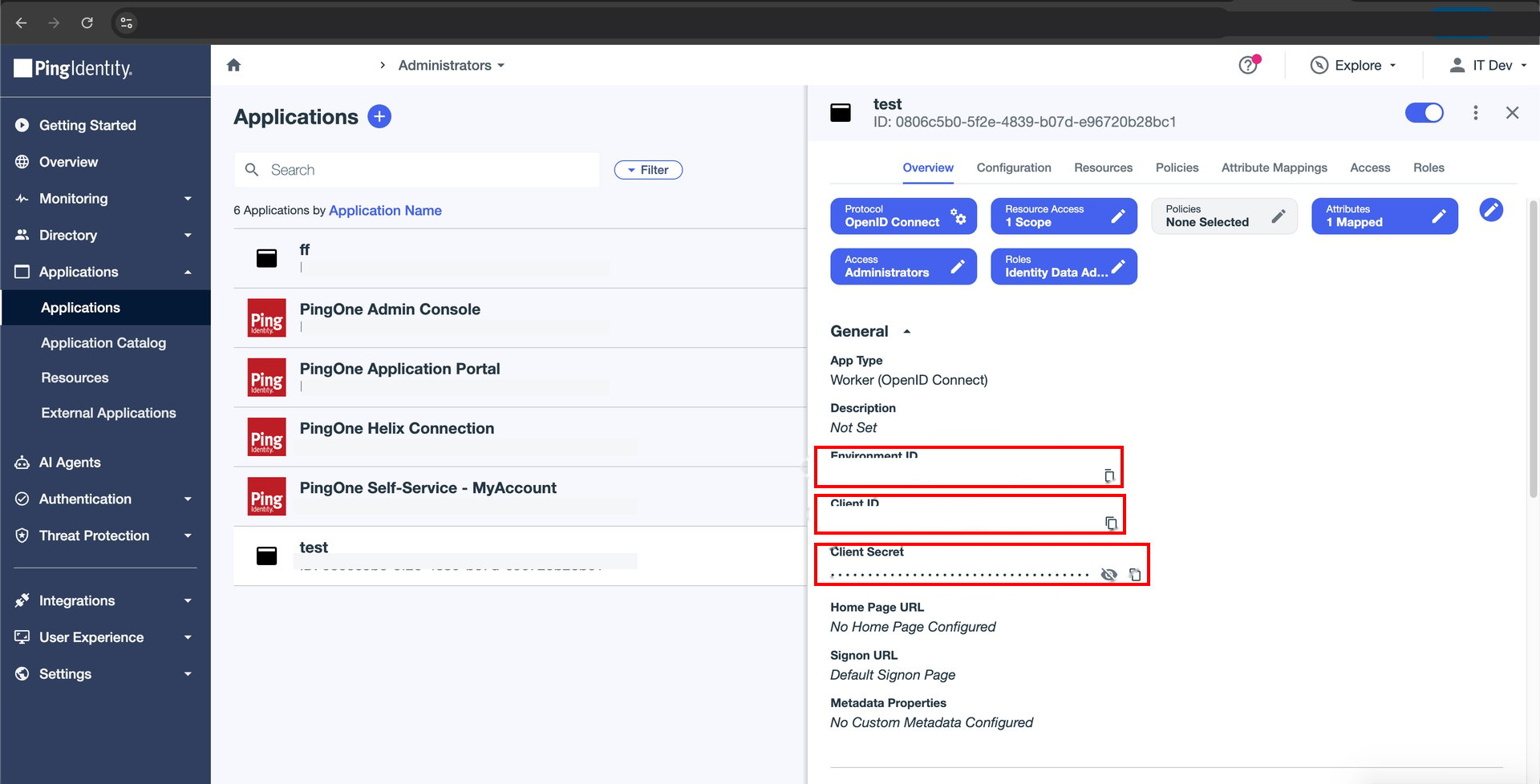
3. 作成したアプリケーションの詳細画面で、**Environment ID**・**Client ID**・**Client Secret**を確認します。
2. **Application Name**(アプリケーション名)を入力し、**Application Type**(アプリケーションタイプ)で**Worker**を選択して、**Save**(保存)をクリックします。
3. 作成したアプリケーションの詳細画面で、**Environment ID**・**Client ID**・**Client Secret**を確認します。
 ## インテグレーションのセットアップ
1. インテグレーション画面にて**PingIdentity**を検索します。
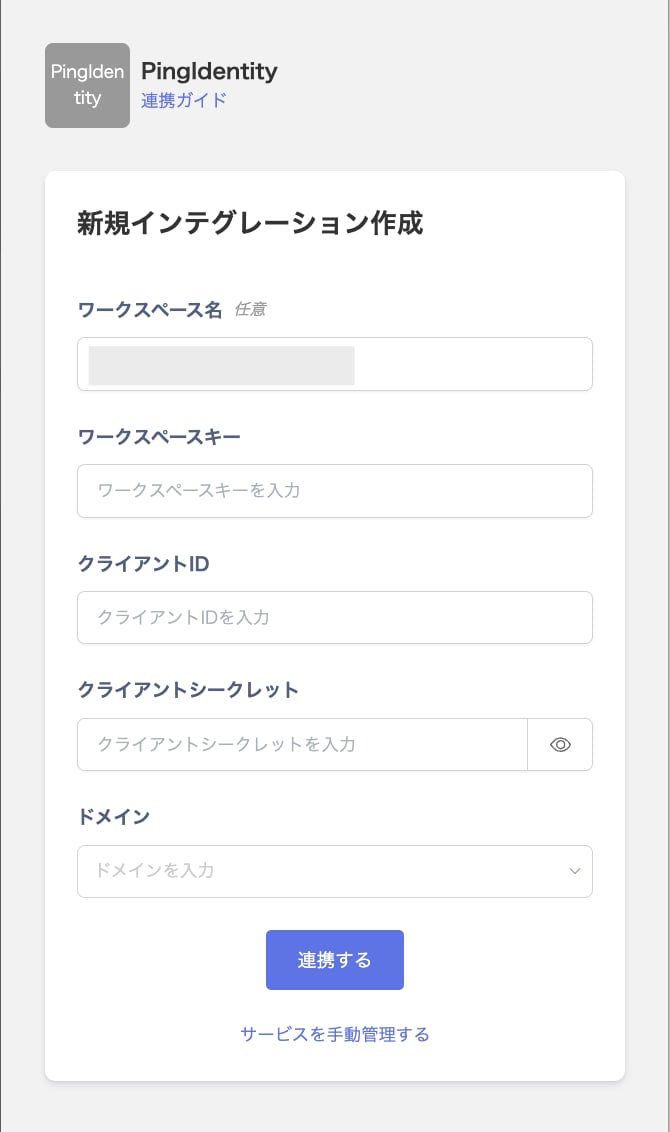
2. 任意の**ワークスペース名**を入力し、前の手順で取得した**Environment ID**を**ワークスペースキー**に、**Client ID**を**クライアントID**に、**Client Secret**を**クライアントシークレット**に入力します。**ドメイン**は利用しているPingOneのリージョンに応じたものを選択し、**連携する**をクリックします。
## インテグレーションのセットアップ
1. インテグレーション画面にて**PingIdentity**を検索します。
2. 任意の**ワークスペース名**を入力し、前の手順で取得した**Environment ID**を**ワークスペースキー**に、**Client ID**を**クライアントID**に、**Client Secret**を**クライアントシークレット**に入力します。**ドメイン**は利用しているPingOneのリージョンに応じたものを選択し、**連携する**をクリックします。
 3. PingIdentityとの連携が成功すると、アカウント一覧に登録済みのユーザー情報が表示されます。正常に完了しない場合は、まず [SaaSとの連携に失敗する場合の対処法](/it-management/saas-management/93nahw45is-trouble) に記載のステップをお試しください。それでも解決しない場合は、[ご提供いただきたい情報](/it-management/saas-management/93nahw45is-trouble#info-to-provide) をご確認のうえ、[サポート窓口](/contact-support)までお問い合わせください。