> ## Documentation Index
> Fetch the complete documentation index at: https://support.i.moneyforward.com/llms.txt
> Use this file to discover all available pages before exploring further.
# バクラクシリーズ
> バクラクシリーズとの連携方法です。マネーフォワードAdminaからバクラクシリーズへの、管理者のログインから、連携方法まで一連の手順を解説します。
## サポートする機能
アカウント無効化 アカウント作成
## 事前準備
### バクラクシリーズとの連携方法
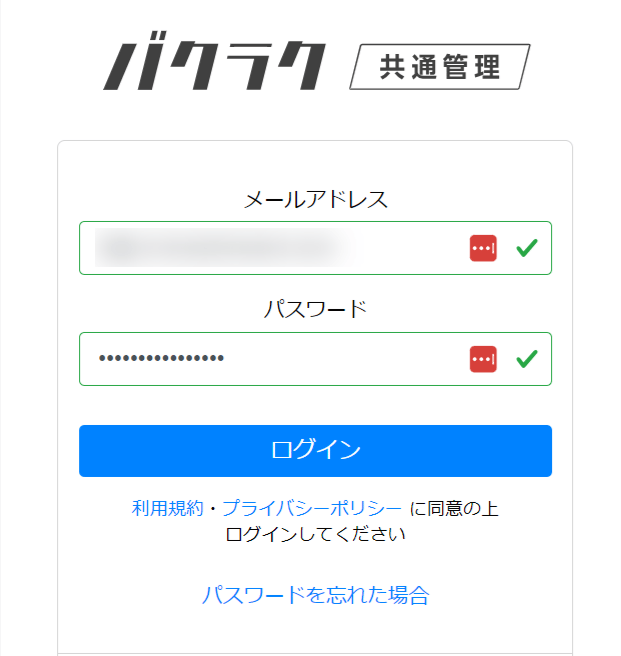
[バクラクのログインページ](https://id.layerx.jp/auth/sign_in)より**メールアドレス・パスワード**を入力しログインします。
 ### APIキーの発行
APIキーの発行には事前にLayerX社にお申し込みが必要となります。連携をご希望のお客様は、[【バクラク】SaaS管理ツール連携申込フォーム](https://docs.google.com/forms/d/e/1FAIpQLSct-ZVSsOHbNw1nO9J0nwoCTrXgA6slPGM-XuMLwx5Zl5WL2A/viewform)に記入の上お申し込みください。
1. バクラク共通管理にアクセスし、 設定 > API管理よりAPIキータブの\[**新規作成**]をクリックします。
詳細は[Bakuraku共通管理(外部サイト)](https://bakuraku-login.layerx.jp/hc/ja)をご参照ください。
### APIキーの発行
APIキーの発行には事前にLayerX社にお申し込みが必要となります。連携をご希望のお客様は、[【バクラク】SaaS管理ツール連携申込フォーム](https://docs.google.com/forms/d/e/1FAIpQLSct-ZVSsOHbNw1nO9J0nwoCTrXgA6slPGM-XuMLwx5Zl5WL2A/viewform)に記入の上お申し込みください。
1. バクラク共通管理にアクセスし、 設定 > API管理よりAPIキータブの\[**新規作成**]をクリックします。
詳細は[Bakuraku共通管理(外部サイト)](https://bakuraku-login.layerx.jp/hc/ja)をご参照ください。
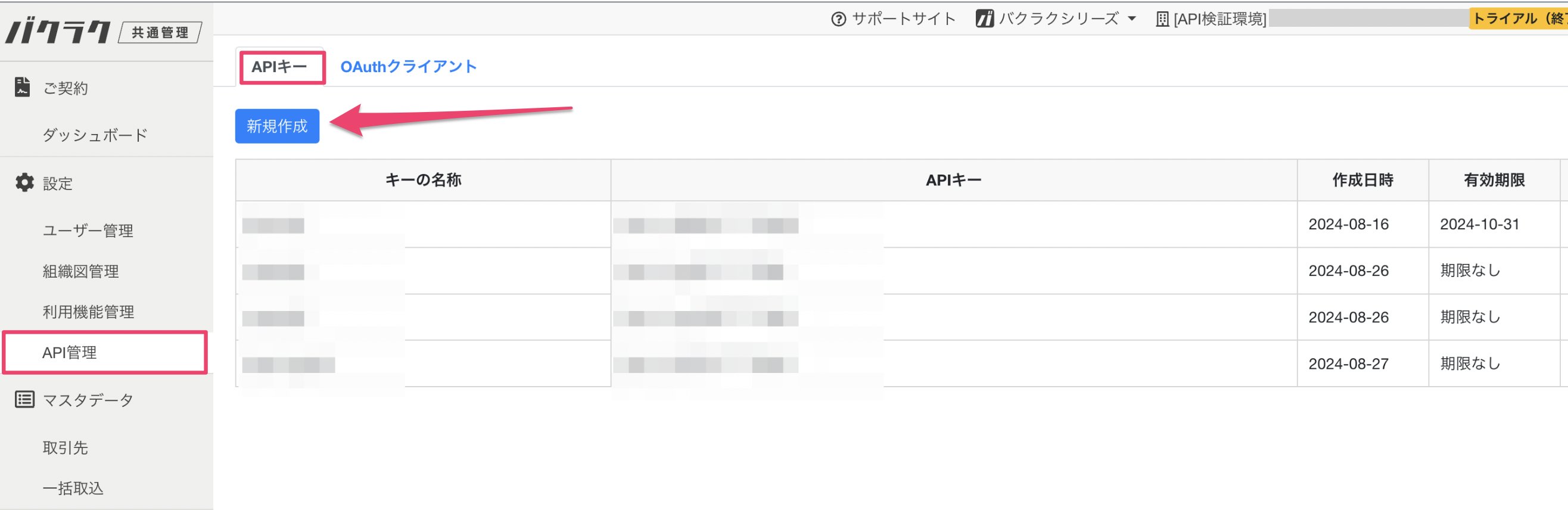 2. バクラク共通管理にアクセスし、 設定 > API管理よりAPIキータブの\[新規作成]をクリックします。
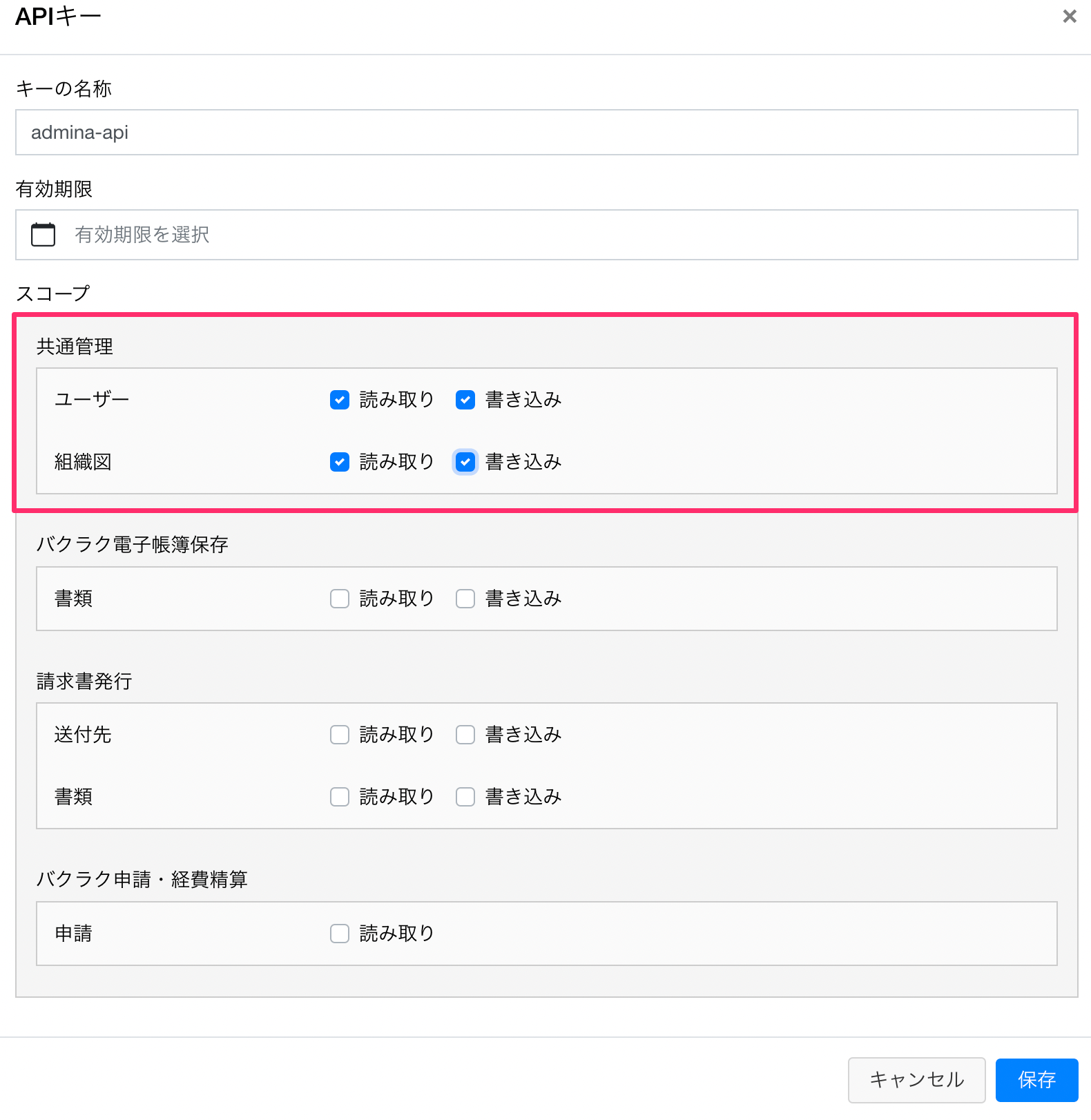
APIキーに任意の名称を入力し、スコープには以下のとおりチェックをいれて保存します。
* ユーザー:`読み取り`、`書き込み`
* 組織図:`読み取り`、`書き込み`
2. バクラク共通管理にアクセスし、 設定 > API管理よりAPIキータブの\[新規作成]をクリックします。
APIキーに任意の名称を入力し、スコープには以下のとおりチェックをいれて保存します。
* ユーザー:`読み取り`、`書き込み`
* 組織図:`読み取り`、`書き込み`
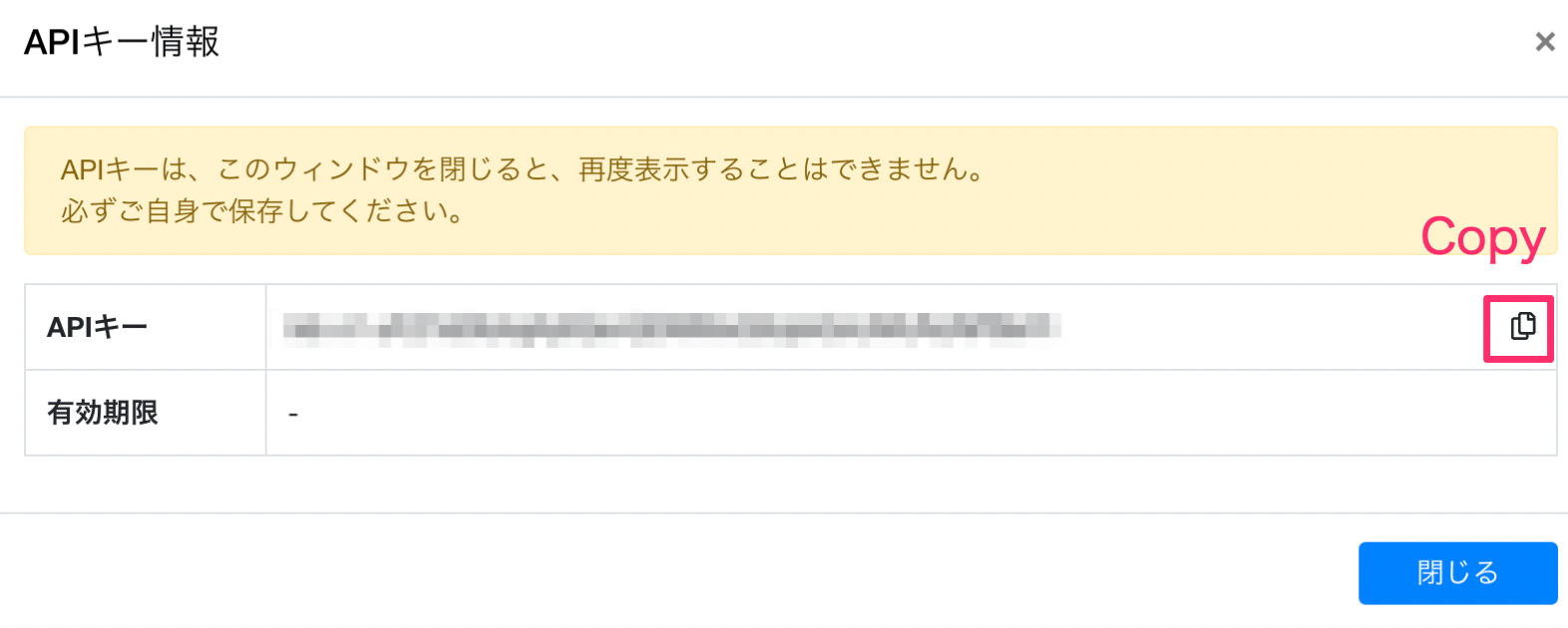
 3. APIキーが発行されますので、コピーして保存しておきます。Adminaの連携に必要なAPIキーの取得は以上です。
 ## インテグレーションのセットアップ
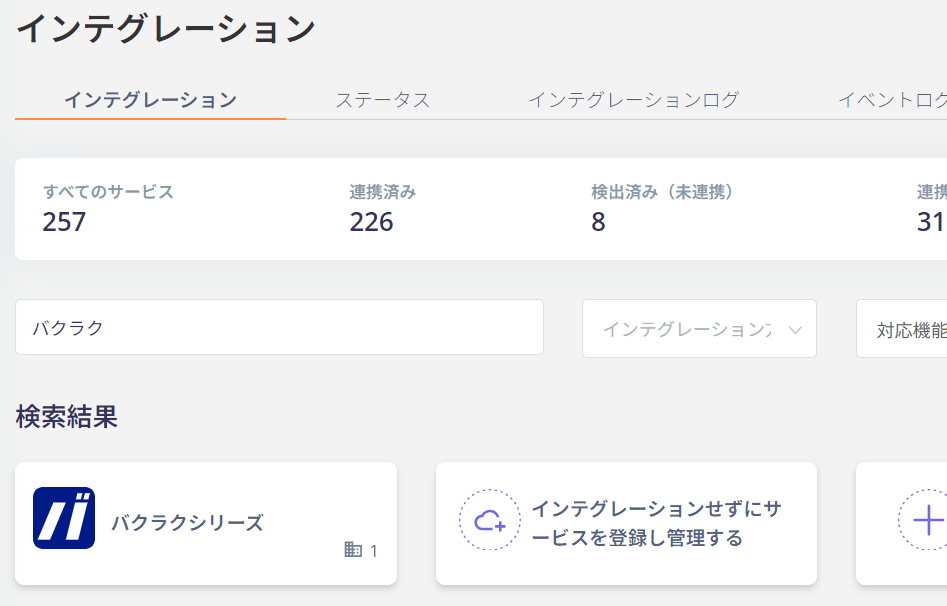
1. Adminaのインテグレーション > インテグレーションで「**バクラクシリーズ**」を検索します。
## インテグレーションのセットアップ
1. Adminaのインテグレーション > インテグレーションで「**バクラクシリーズ**」を検索します。
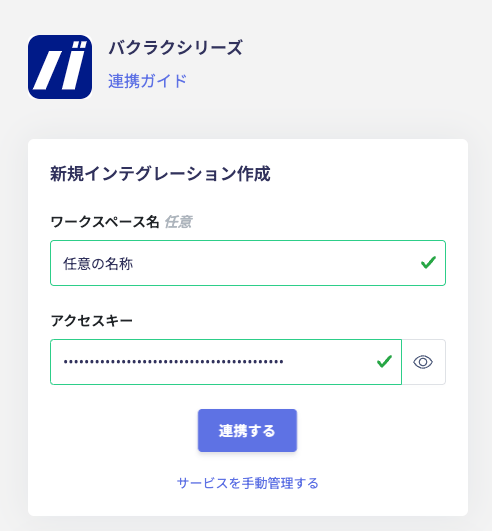
 2. 取得したAPIキーを入力し、\[連携する]をクリックします。
 3. バクラクシリーズとの連携に成功すると、アカウント一覧に登録済みのユーザー情報が表示されます。
正常に完了しない場合は、インテグレーション画面のステータスタブから**編集**し、再度連携をお試しください。
解決しない場合はチャットにてお問い合わせください。バクラクシリーズの連携概要については[連携ページ](https://admina.moneyforward.com/jp/integrations/bakuraku)をご覧ください。
## アカウントライフサイクル
以下のアカウントライフサイクルに対応しています。
* Provisioning(新規・追加登録)
* Deactivate(無効化)
バクラクの管理画面・Adminaのディレクトリで従業員ID (employeeCode)が未入力の場合はエラーとなります。Admina上でProvisioning/Deactivateを行われる場合は、従業員IDをご入力ください。
Adminaではディレクトリ > 対象者を選択 > ユーザー情報 > 社員ID(Employee ID)を設定してください。
3. バクラクシリーズとの連携に成功すると、アカウント一覧に登録済みのユーザー情報が表示されます。
正常に完了しない場合は、インテグレーション画面のステータスタブから**編集**し、再度連携をお試しください。
解決しない場合はチャットにてお問い合わせください。バクラクシリーズの連携概要については[連携ページ](https://admina.moneyforward.com/jp/integrations/bakuraku)をご覧ください。
## アカウントライフサイクル
以下のアカウントライフサイクルに対応しています。
* Provisioning(新規・追加登録)
* Deactivate(無効化)
バクラクの管理画面・Adminaのディレクトリで従業員ID (employeeCode)が未入力の場合はエラーとなります。Admina上でProvisioning/Deactivateを行われる場合は、従業員IDをご入力ください。
Adminaではディレクトリ > 対象者を選択 > ユーザー情報 > 社員ID(Employee ID)を設定してください。