> ## Documentation Index
> Fetch the complete documentation index at: https://support.i.moneyforward.com/llms.txt
> Use this file to discover all available pages before exploring further.

# ジンジャー（Jinjer）

> Jinjerとの連携方法です。

## サポートする機能

<Badge color="blue">従業員マスター連携</Badge> <Badge color="blue">アカウント作成</Badge> <Badge color="blue">アカウント無効化</Badge>

## 事前準備

### ログイン方法

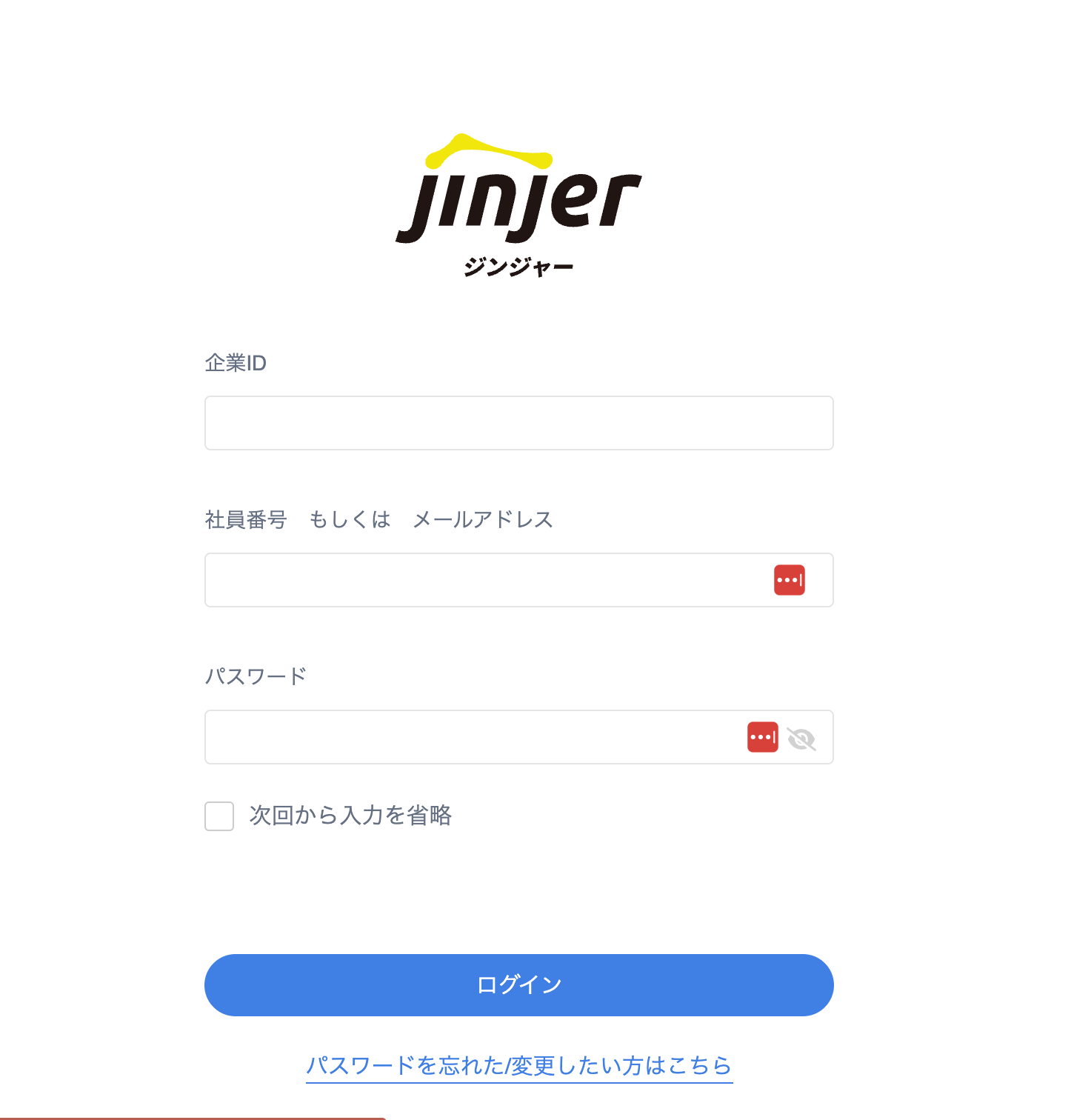
[ログインページ](https://jinji.jinjer.biz/auth/login)にて、企業ID・メールアドレス（or 社員番号）・パスワードを入力しログインします。

<img src="https://mintcdn.com/moneyforwardi/zAdY-Q72dgQYDZIE/images/integrations/zasbaln1b1/1733291006136-image.png?fit=max&auto=format&n=zAdY-Q72dgQYDZIE&q=85&s=f6d6fa68495278fb6c68706ebe67c30b" alt="ログインページ" width="1446" height="1512" data-path="images/integrations/zasbaln1b1/1733291006136-image.png" />

### APIキー、APIシークレットキーの確認方法

Jinjerにログイン後、**外部サービス連携** にアクセスします。
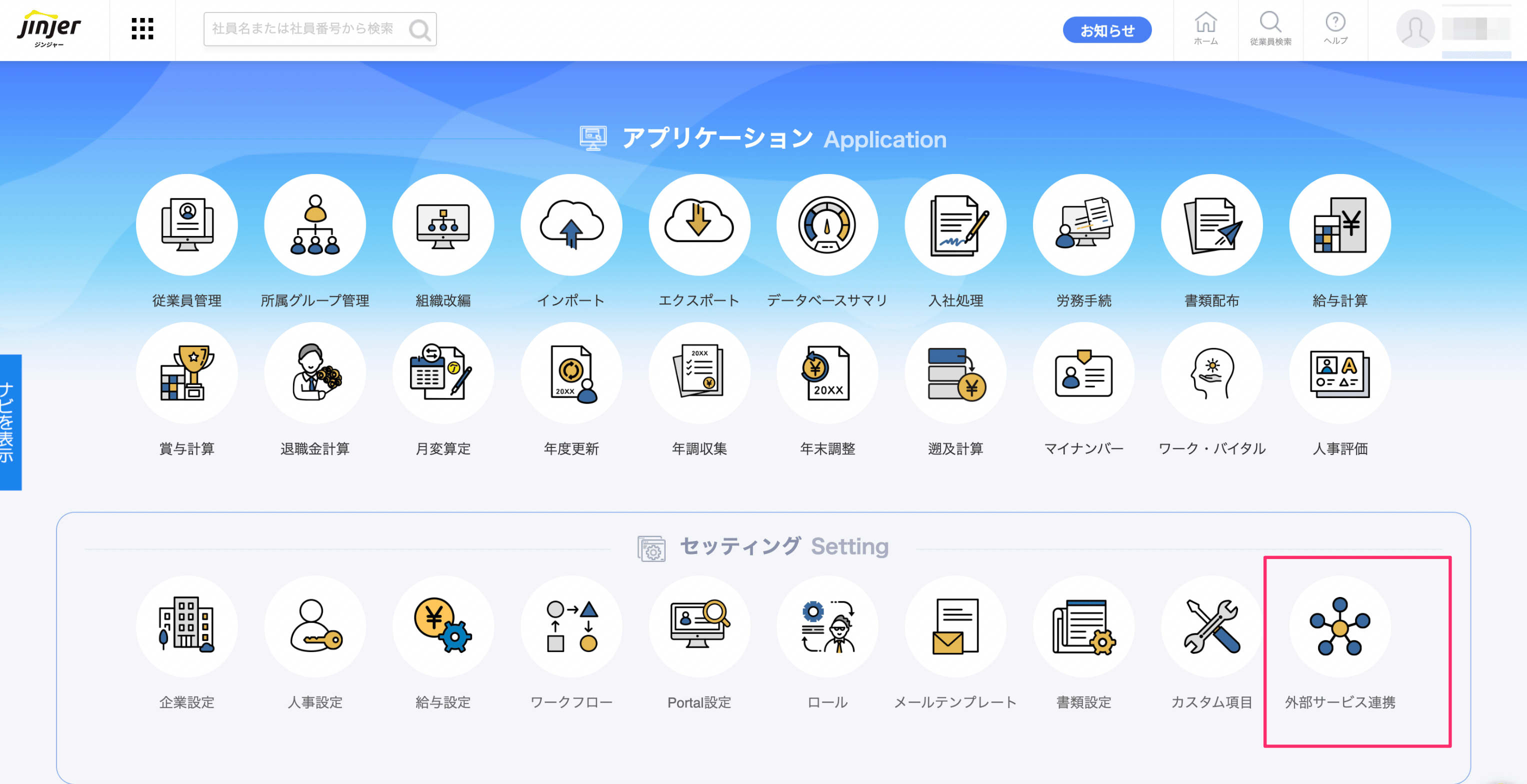
<img src="https://mintcdn.com/moneyforwardi/zAdY-Q72dgQYDZIE/images/integrations/zasbaln1b1/1733291118723-image.png?fit=max&auto=format&n=zAdY-Q72dgQYDZIE&q=85&s=291920d641a18caeb66e240c902e4929" alt="外部サービス連携" width="3054" height="1568" data-path="images/integrations/zasbaln1b1/1733291118723-image.png" />

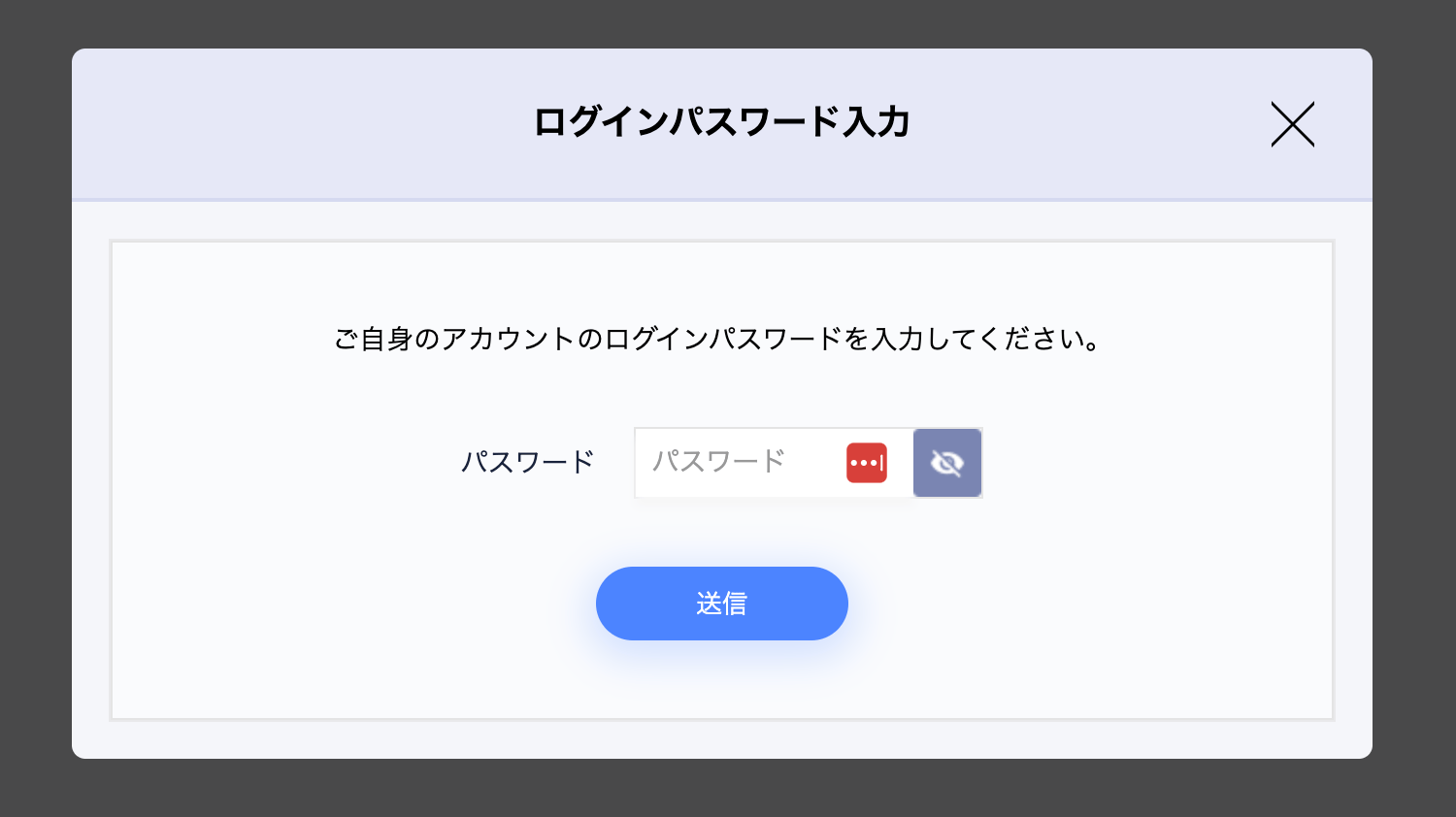
ログイン用のパスワードを入力します。

<img src="https://mintcdn.com/moneyforwardi/zAdY-Q72dgQYDZIE/images/integrations/zasbaln1b1/1733796548993-image.png?fit=max&auto=format&n=zAdY-Q72dgQYDZIE&q=85&s=36e05678725b75fd106adcba9b406814" alt="パスワード入力" width="1500" height="842" data-path="images/integrations/zasbaln1b1/1733796548993-image.png" />

APIキーとAPIシークレットキーが表示されるので、それぞれコピーしておきます。
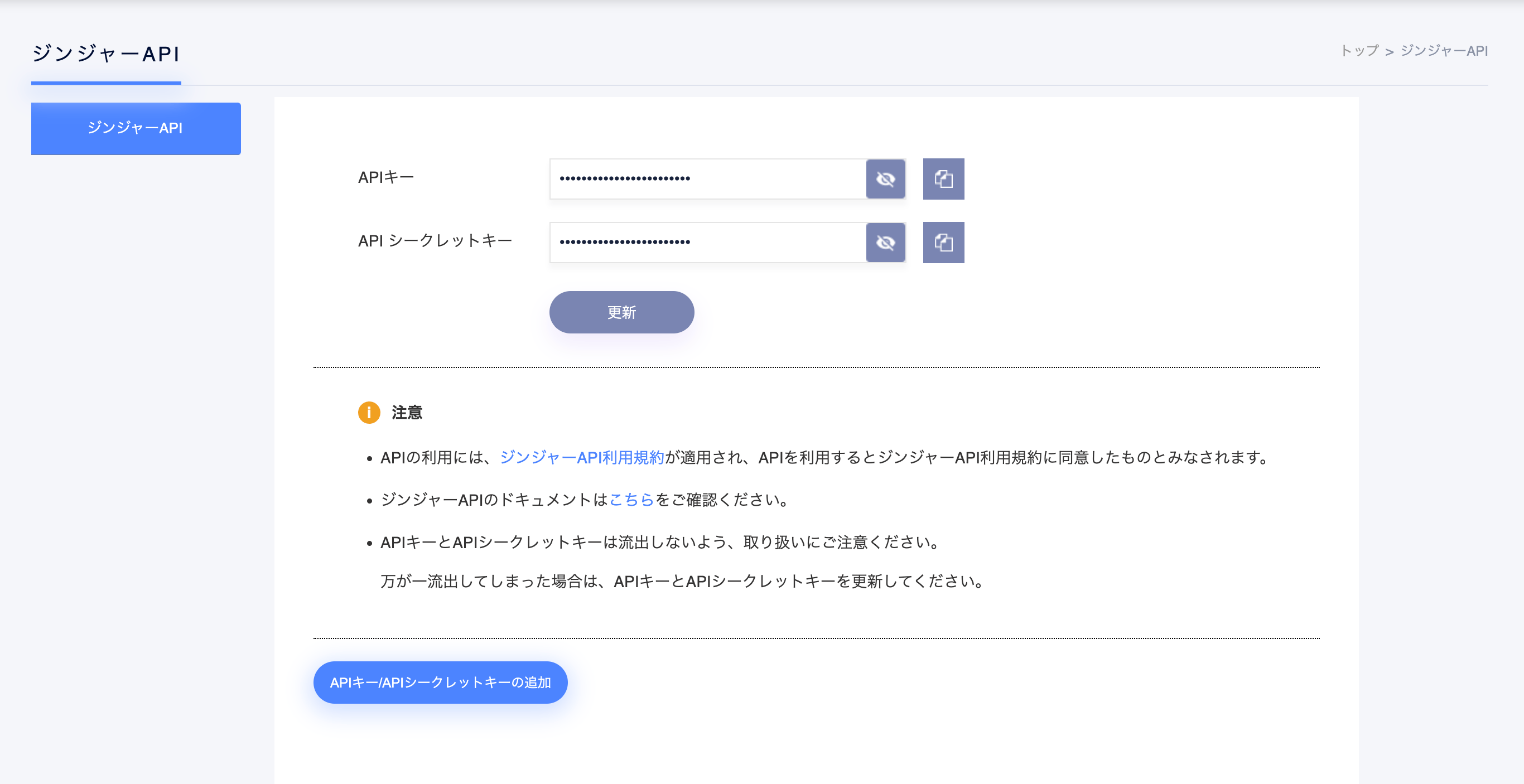
<img src="https://mintcdn.com/moneyforwardi/zAdY-Q72dgQYDZIE/images/integrations/zasbaln1b1/1733796609395-image.png?fit=max&auto=format&n=zAdY-Q72dgQYDZIE&q=85&s=a95942df239b02874f49c3e35ada9df5" alt="APIキーとシークレットキー" width="2732" height="1406" data-path="images/integrations/zasbaln1b1/1733796609395-image.png" />

## インテグレーションのセットアップ

インテグレーション画面にて、**Jinjer**で検索します。

前の手順で取得したAPIキーとAPIシークレットキーを入力します。
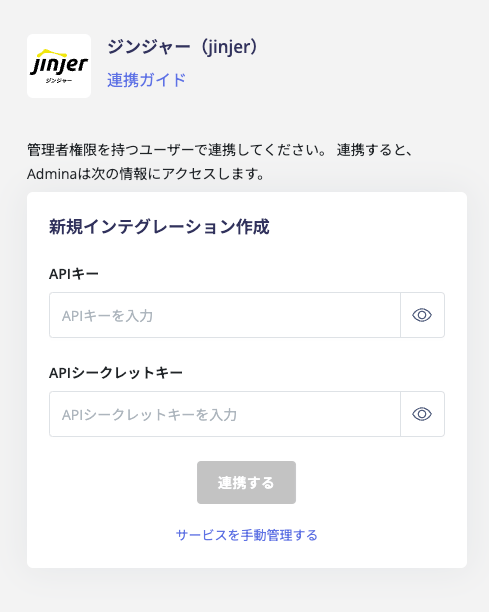
<img src="https://mintcdn.com/moneyforwardi/zAdY-Q72dgQYDZIE/images/integrations/zasbaln1b1/1733796684538-image.png?fit=max&auto=format&n=zAdY-Q72dgQYDZIE&q=85&s=43d0cf9eabe71896f6d5fa401f641be5" alt="連携設定" width="489" height="612" data-path="images/integrations/zasbaln1b1/1733796684538-image.png" />

連携に成功すると、アカウント一覧に登録済みのユーザー情報が表示されます。

正常に完了しない場合は、インテグレーション画面のステータスタブから**編集**し、再度連携をお試しください。

解決しない場合はチャットにてお問い合わせください。