> ## Documentation Index
> Fetch the complete documentation index at: https://support.i.moneyforward.com/llms.txt
> Use this file to discover all available pages before exploring further.

# セキュリオ

> Seculio との連携手順です。

## サポートする機能

<Badge color="blue">アカウント作成</Badge>

## 事前準備

### セキュリオへのログイン方法

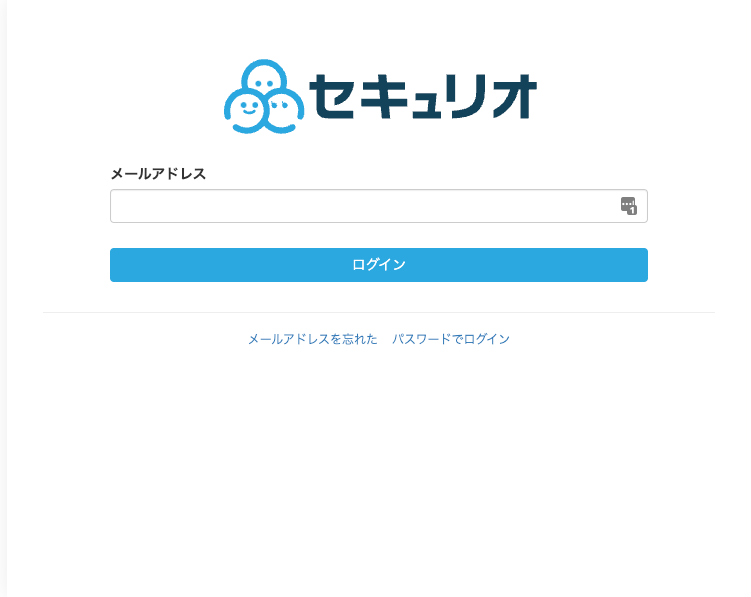
[セキュリオログインページ](https://seculio.com/login)にて、メールアドレス・パスワードを入力しログインします。
<img src="https://mintcdn.com/moneyforwardi/5aO90x6f2w9Vx4XQ/images/integrations/ze1evglfas/1689639462295.png?fit=max&auto=format&n=5aO90x6f2w9Vx4XQ&q=85&s=b966da2f1c239741080dc4b43eaaff14" alt="セキュリオログイン画面" width="751" height="597" data-path="images/integrations/ze1evglfas/1689639462295.png" />

### アクセスキーの取得方法

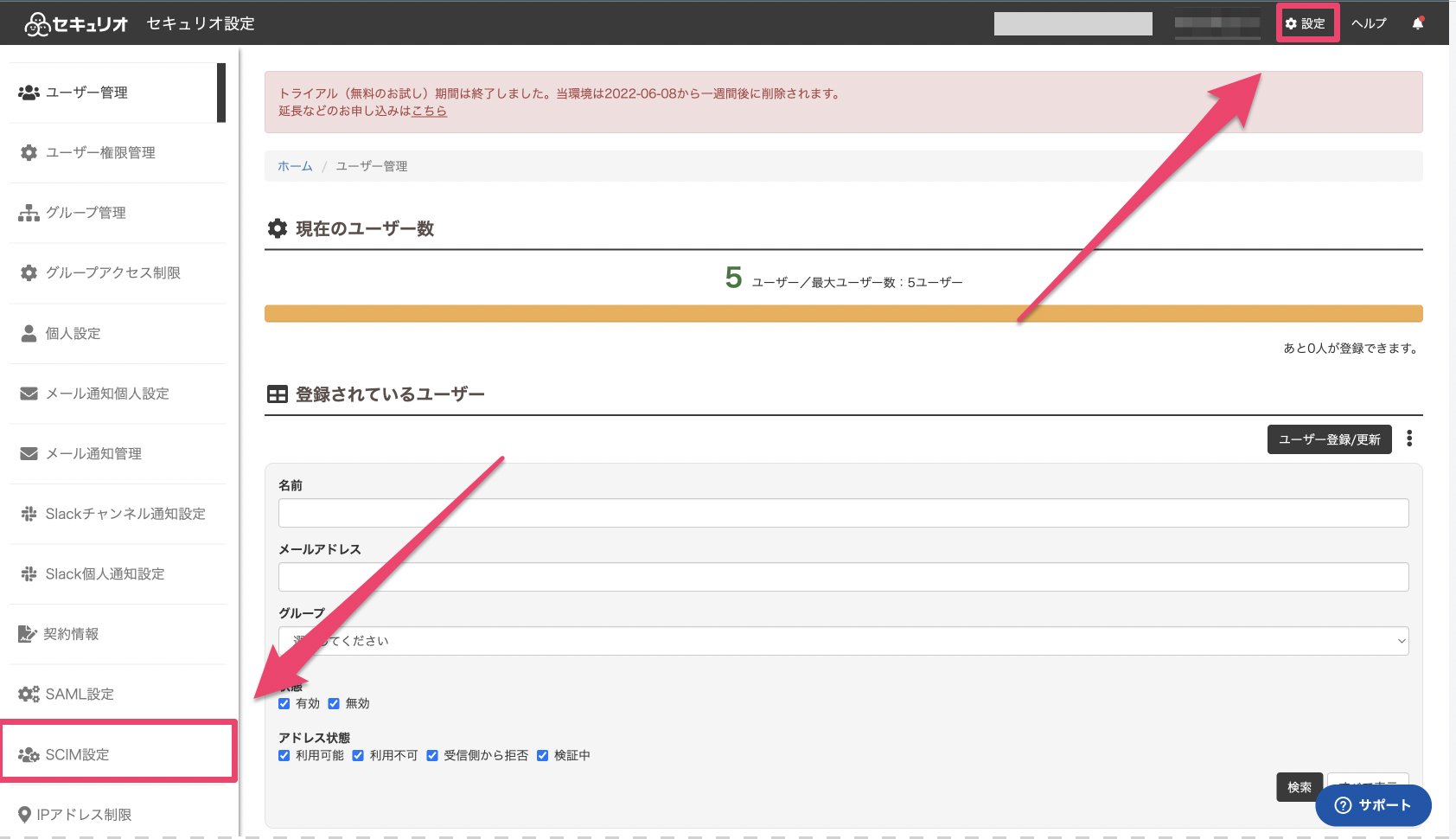
セキュリオにログイン後、画面右上に表示されている**設定**をクリックし、**SCIM設定**を選択します。
<img src="https://mintcdn.com/moneyforwardi/5aO90x6f2w9Vx4XQ/images/integrations/ze1evglfas/1690883576561.png?fit=max&auto=format&n=5aO90x6f2w9Vx4XQ&q=85&s=538d082c4a9f74a6857bbc0a84baf69c" alt="SCIM設定メニュー" width="1684" height="970" data-path="images/integrations/ze1evglfas/1690883576561.png" />

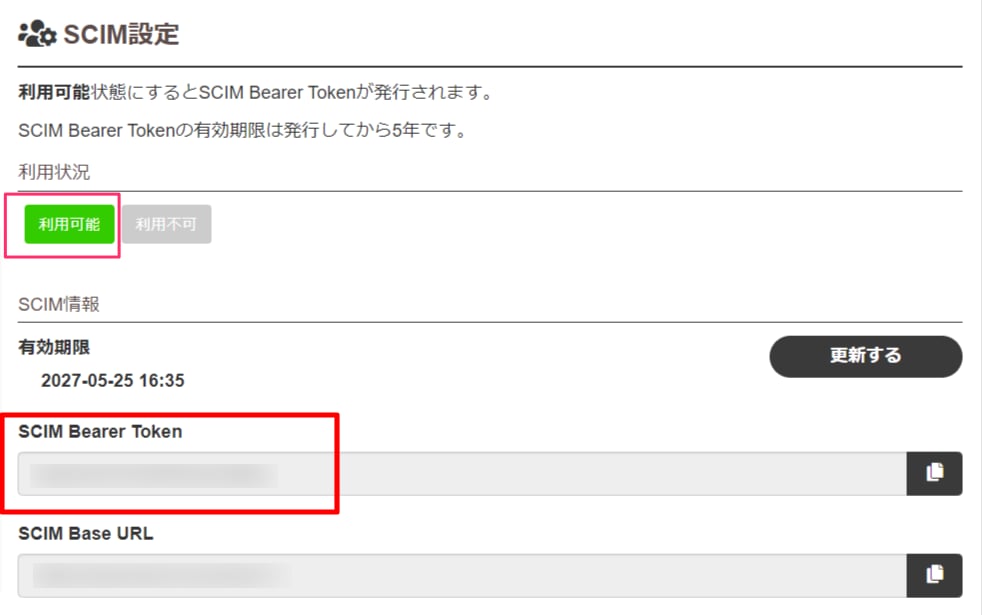
**\[利用可能]ボタン**をクリックします。

SCIM情報の**SCIM Bearer Tokenがアクセスキー**となるので、コピーします。
<img src="https://mintcdn.com/moneyforwardi/5aO90x6f2w9Vx4XQ/images/integrations/ze1evglfas/1654085525631.png?fit=max&auto=format&n=5aO90x6f2w9Vx4XQ&q=85&s=39e309f48c1b2734af92271a030fe112" alt="SCIM Bearer Token" width="982" height="615" data-path="images/integrations/ze1evglfas/1654085525631.png" />

## インテグレーションのセットアップ

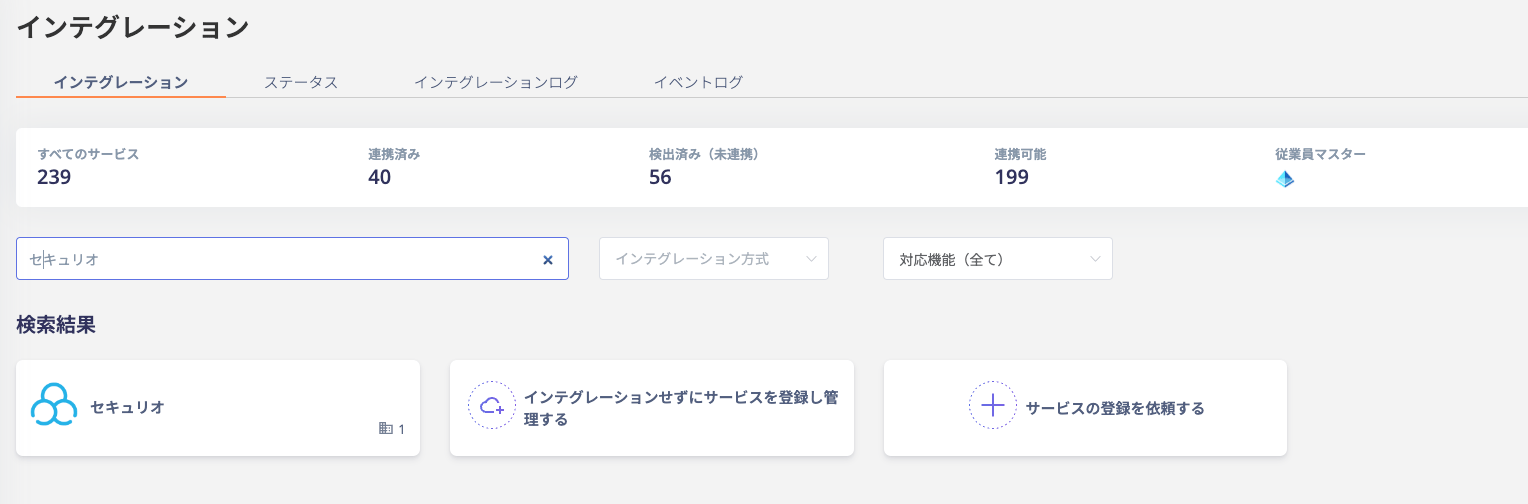
インテグレーション画面にて、**セキュリオ**で検索します。
<img src="https://mintcdn.com/moneyforwardi/5aO90x6f2w9Vx4XQ/images/integrations/ze1evglfas/1690883001538.png?fit=max&auto=format&n=5aO90x6f2w9Vx4XQ&q=85&s=87d187b158bcf6c3bd6fef1847ccfd33" alt="インテグレーション検索" width="1528" height="504" data-path="images/integrations/ze1evglfas/1690883001538.png" />

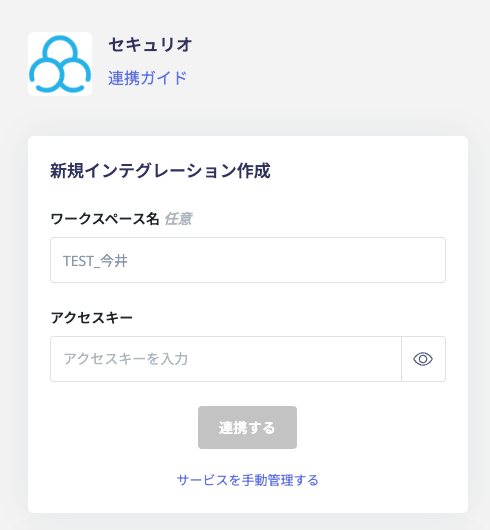
**ワークスペース名には任意の名称（会社名など）**、**前の手順で取得したアクセスキー**を入力し、**連携する**をクリックします。
<img src="https://mintcdn.com/moneyforwardi/5aO90x6f2w9Vx4XQ/images/integrations/ze1evglfas/1690883624492.png?fit=max&auto=format&n=5aO90x6f2w9Vx4XQ&q=85&s=8e407a4e35b2d2f364eb09c3bf2e39a6" alt="連携設定画面" width="490" height="530" data-path="images/integrations/ze1evglfas/1690883624492.png" />

セキュリオとの連携に成功すると、アカウント一覧に登録済みのユーザー情報が表示されます。

<Info>
  正常に完了しない場合は、インテグレーション画面のステータスタブから**編集**し、再度連携をお試しください。

  解決しない場合はチャットにてお問い合わせください。
</Info>
