> ## Documentation Index
> Fetch the complete documentation index at: https://support.i.moneyforward.com/llms.txt
> Use this file to discover all available pages before exploring further.
# マネーフォワードIDのログイン情報を変更する
> ログインパスワードを変更するにはマネーフォワードIDのパスワードを変更ください。
**マネーフォワードID**でログインできます。
マネーフォワードIDでのログインは[マネーフォワード IDでログインする場合](/it-management/tutorial/93a9bikaqq-user#moneyforward-id-login)をご確認ください。
#### マネーフォワードIDのログインパスワードを変更する
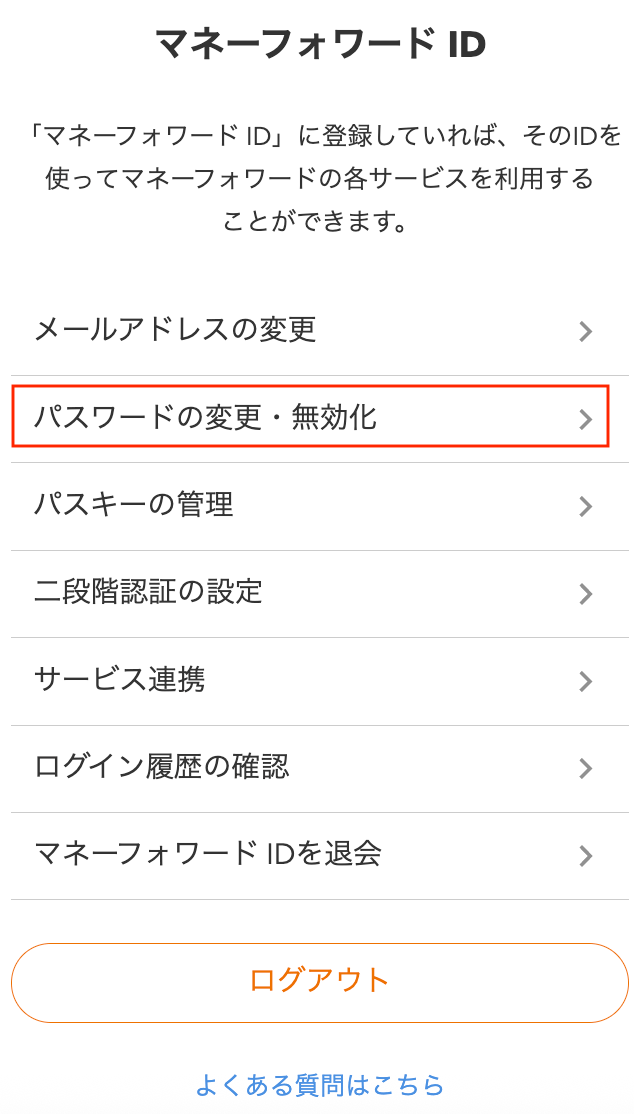
「[マネーフォワードID](https://id.moneyforward.com/me)」画面で\[パスワードの変更・無効化]をクリックします。
\[パスワードの変更・無効化]をクリック後のパスワードの変更手順は[パスワードの変更手順](https://biz.moneyforward.com/support/guide/a012.html)をご参照ください。
 #### マネーフォワードIDのメールアドレスを変更する
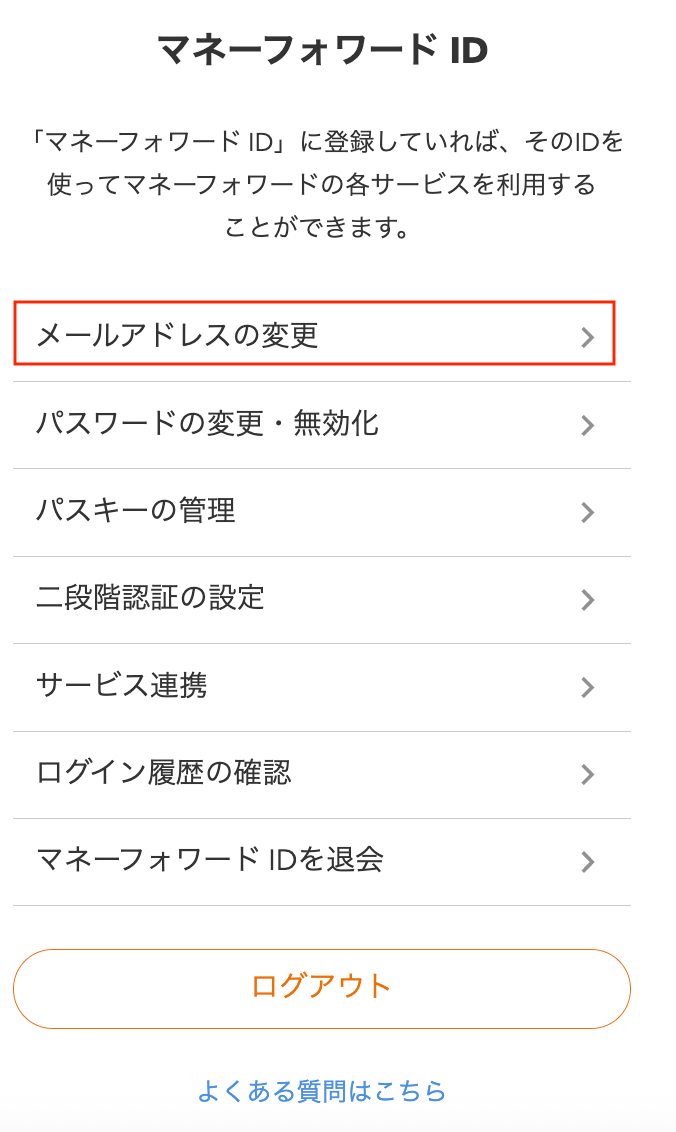
「[マネーフォワードID](https://id.moneyforward.com/me)」画面で\[メールアドレスの変更]をクリックします。
\[パスワードの変更・無効化]をクリック後のメールアドレスの変更手順は[メールアドレスの変更方法](https://biz.moneyforward.com/support/guide/a005.html)をご参照ください。
#### マネーフォワードIDのメールアドレスを変更する
「[マネーフォワードID](https://id.moneyforward.com/me)」画面で\[メールアドレスの変更]をクリックします。
\[パスワードの変更・無効化]をクリック後のメールアドレスの変更手順は[メールアドレスの変更方法](https://biz.moneyforward.com/support/guide/a005.html)をご参照ください。
 #### マネーフォワードIDのログインパスワードをリセットする
マネーフォワードIDのログインパスワードが不明な場合は、再設定が可能です。
再設定方法は[パスワードのリセット手順](https://biz.moneyforward.com/support/guide/a010.html) もご参照ください。
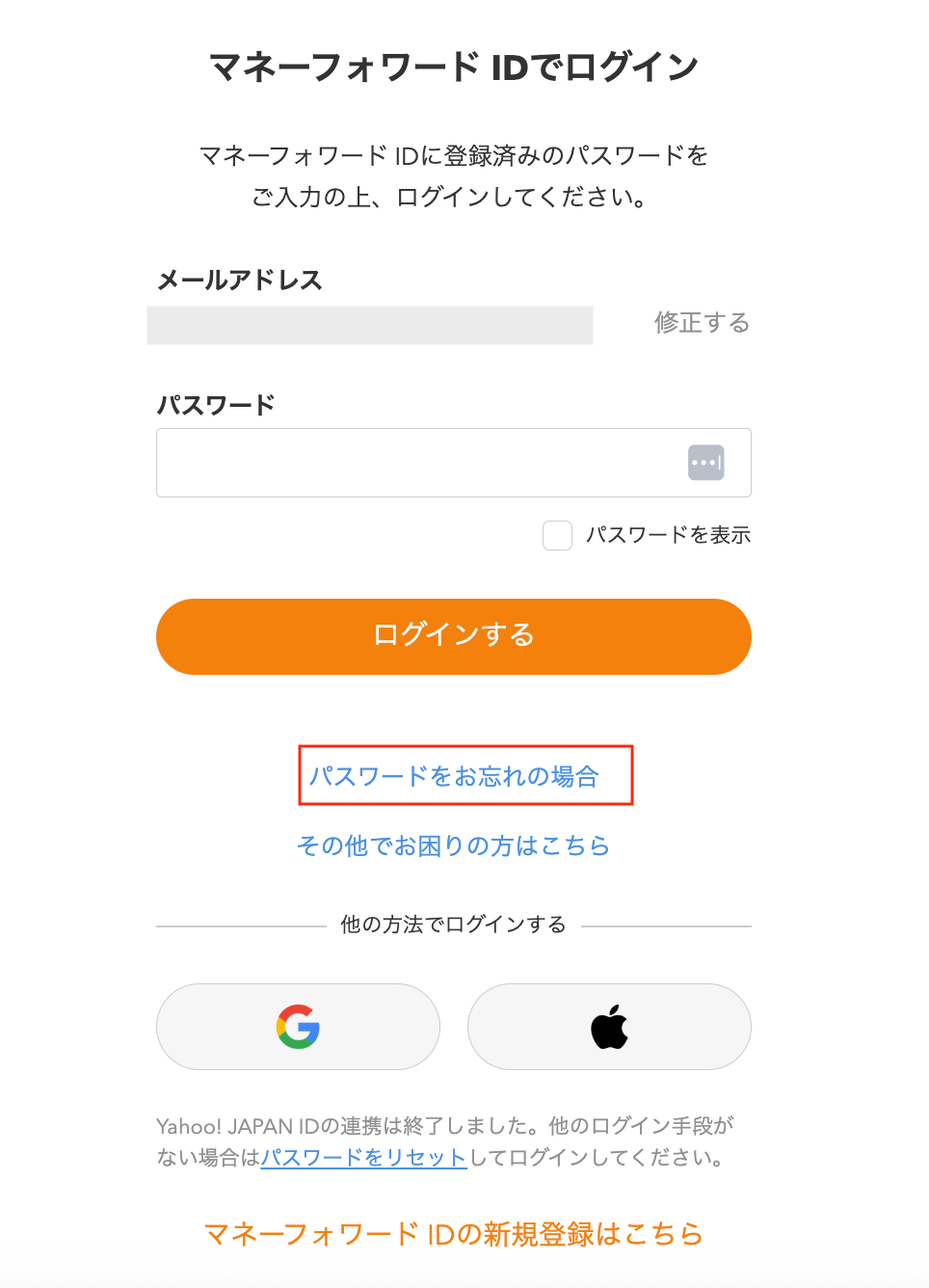
1. ログイン画面下部の「パスワードをお忘れの場合」をクリックします。
#### マネーフォワードIDのログインパスワードをリセットする
マネーフォワードIDのログインパスワードが不明な場合は、再設定が可能です。
再設定方法は[パスワードのリセット手順](https://biz.moneyforward.com/support/guide/a010.html) もご参照ください。
1. ログイン画面下部の「パスワードをお忘れの場合」をクリックします。
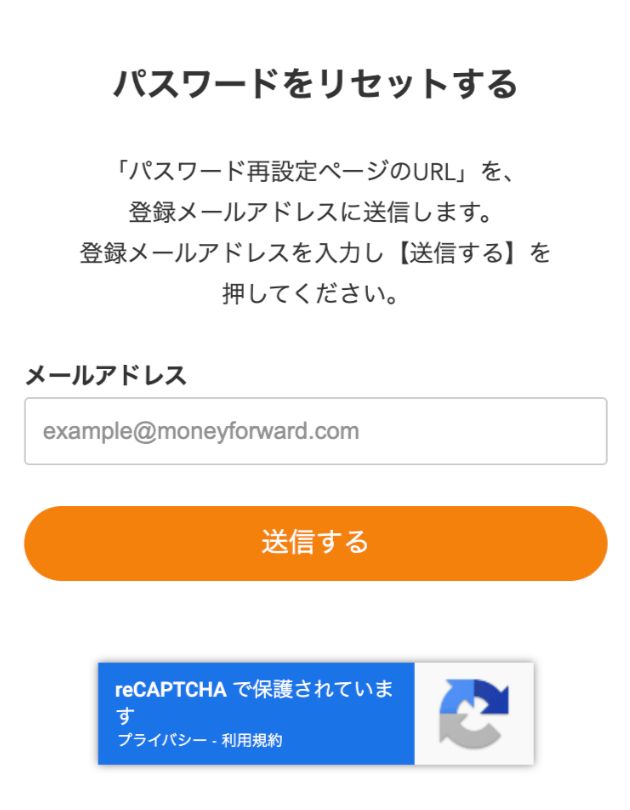
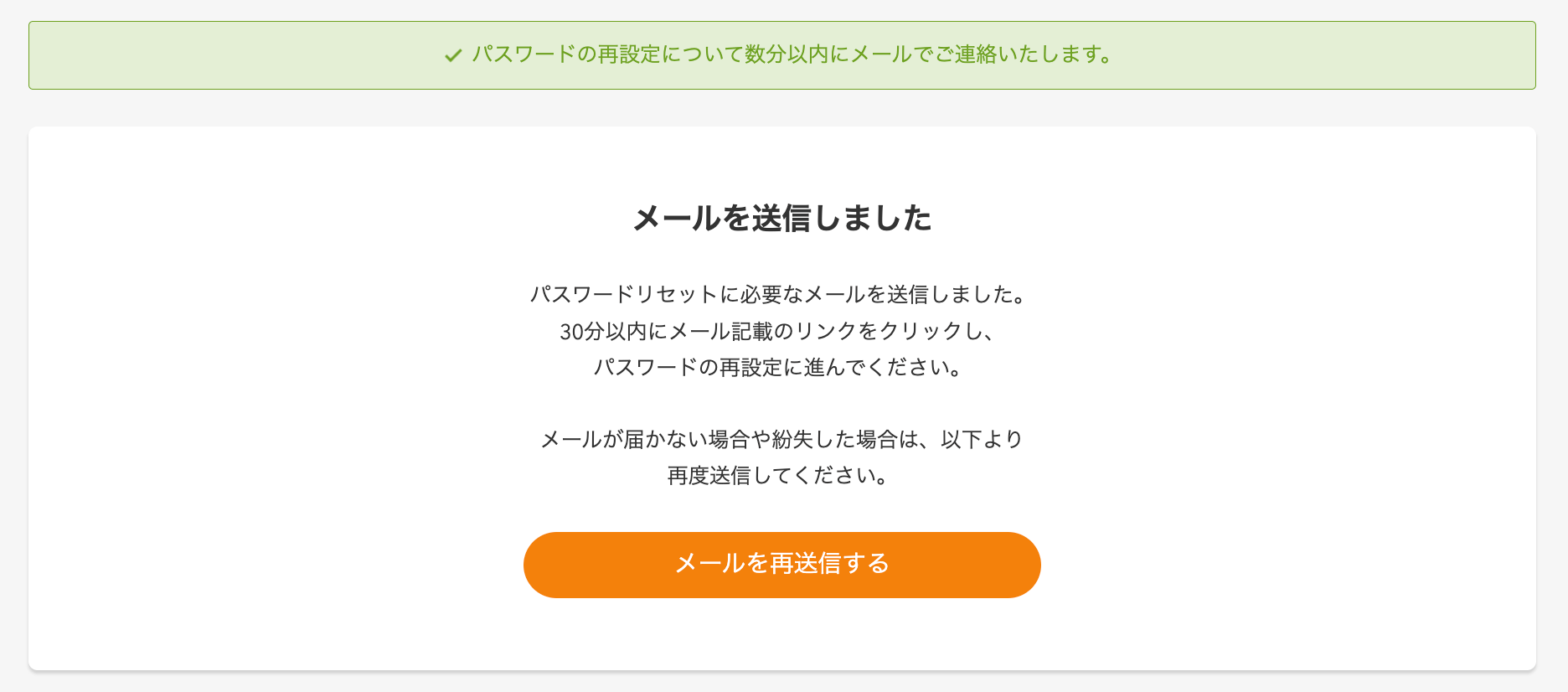
 2. メールアドレスを入力し「送信する」をクリックします。
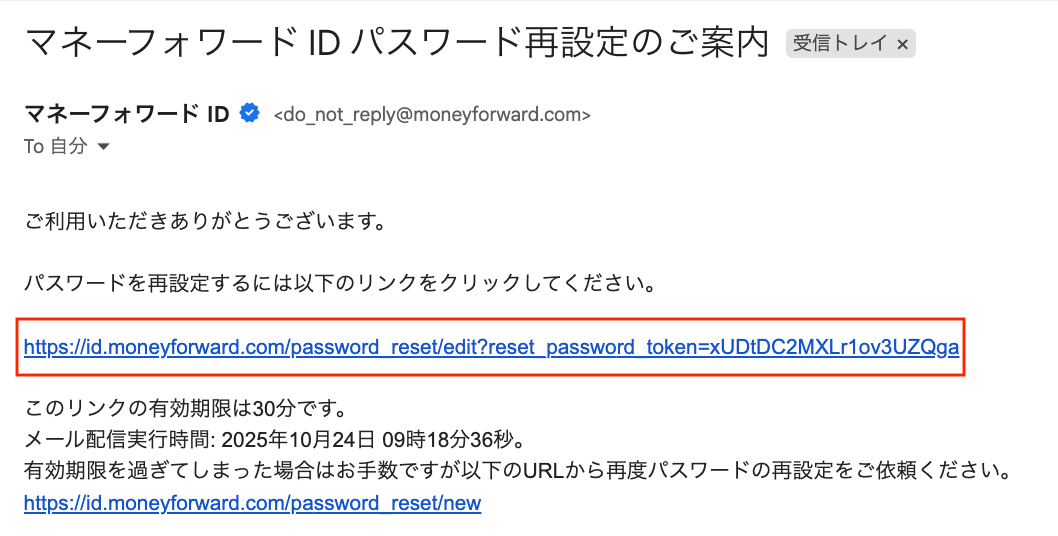
 3. 再設定用の以下のメールが送信されます。
送付元:[do\_not\_reply@moneyforward.com](mailto:do_not_reply@moneyforward.com)
件名 :マネーフォワード ID パスワード再設定のご案内
3. 再設定用の以下のメールが送信されます。
送付元:[do\_not\_reply@moneyforward.com](mailto:do_not_reply@moneyforward.com)
件名 :マネーフォワード ID パスワード再設定のご案内
 4. 受信したメール内のURLをクリックします。
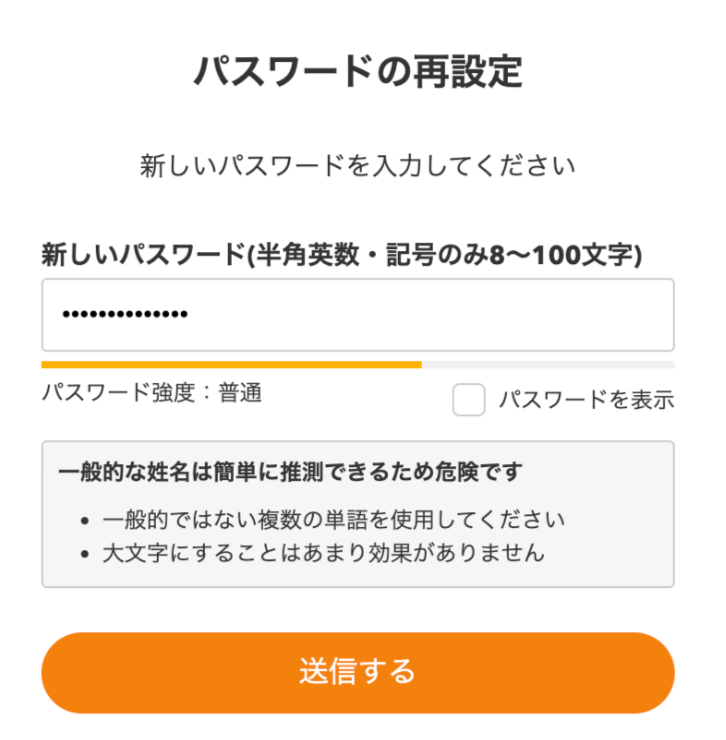
 5. 新しいパスワードを入力して「送信する」をクリックします。
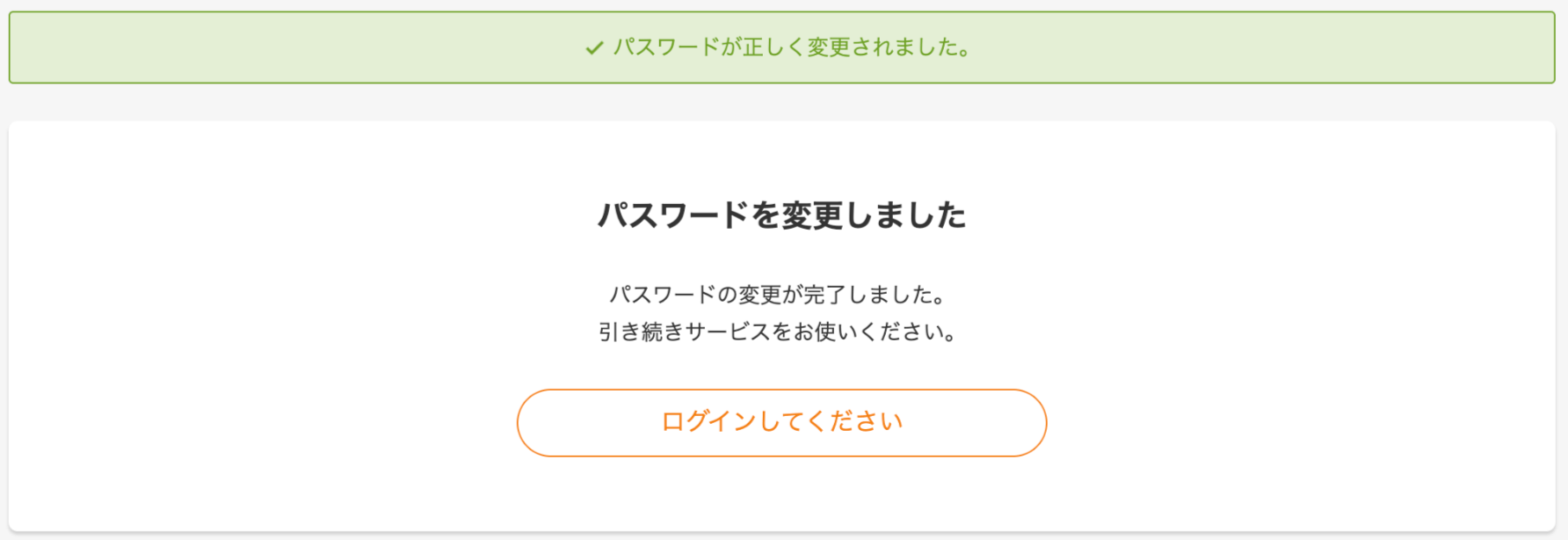
 6. パスワード変更が完了します。
 #### 関連記事
[二段階認証を使ってログインできますか?](/it-management/faq/hl8a9vau11-2-falogin)
#### 関連記事
[二段階認証を使ってログインできますか?](/it-management/faq/hl8a9vau11-2-falogin)