> ## Documentation Index
> Fetch the complete documentation index at: https://support.i.moneyforward.com/llms.txt
> Use this file to discover all available pages before exploring further.
# Atlassianで削除したユーザーが退職済で残る
> Atlassian側でユーザーを削除したが、退職者ユーザーとして判定したまま残る事象が発生します。
#### 概要
Atlassian側でユーザーを削除後、退職済と判定されたまま残る事象が発生します。
#### 詳細
退職済と判定される仕組みです。
1. Trelloにサインアップしたことがある、会社アドレスのユーザーが対象です。
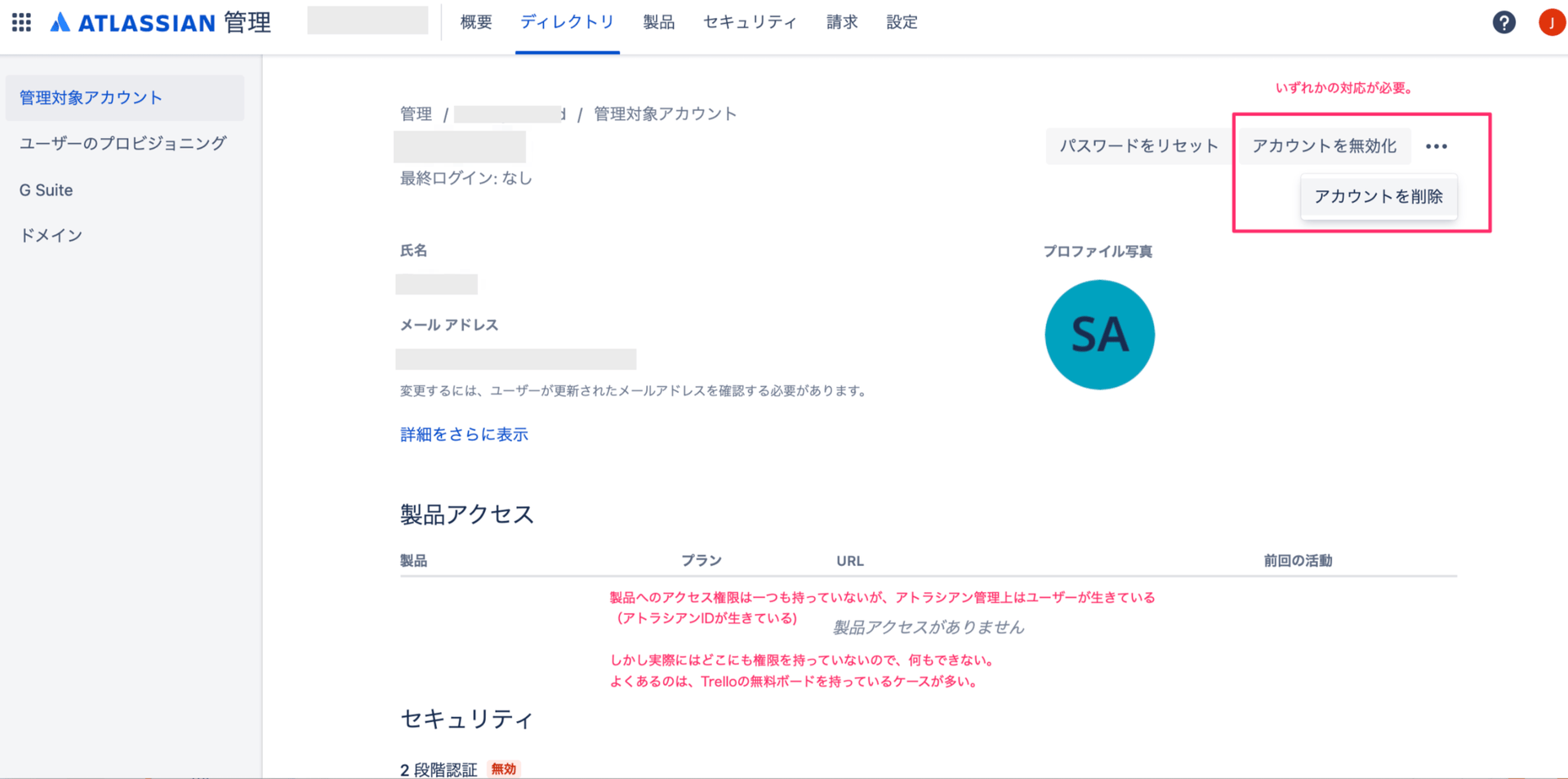
2. 退職済でAtlassianのアクセス権限・Trelloのアクセス権限を剥奪しても、多くの場合、個人ボードに情報が残っている状態です。ユーザーとボードの両方が残る場合、当サービス側でもユーザーが残っていると判定されます。
3. 組織の管理対象外のボードとTrelloIDが残っている状態ですが、実際は誰も使うことはできません。しかし、アカウントとしては残っている状態です。
#### 対処方法
1. [Atlassianの管理画面](https://admin.atlassian.com/)にアクセスします。
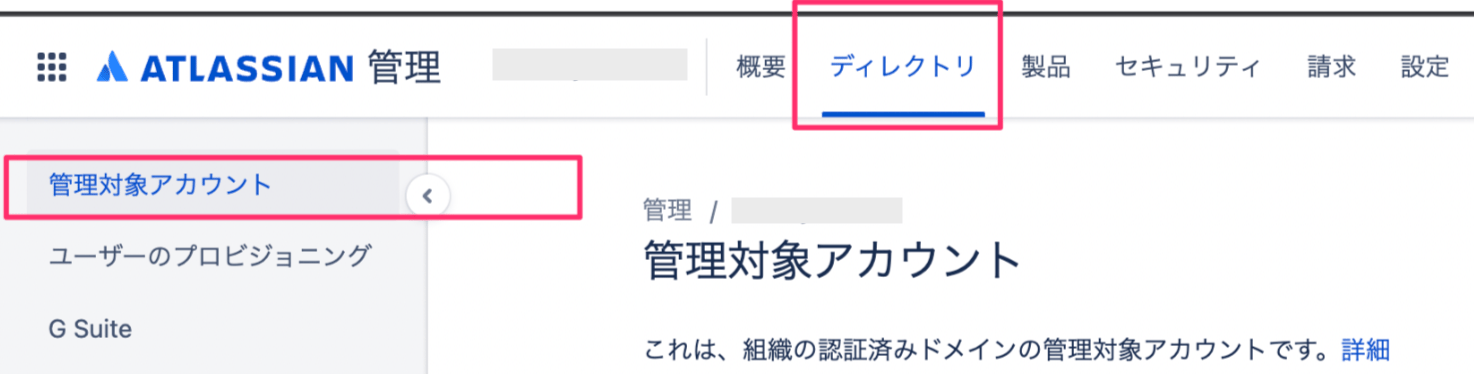
2. **ディレクトリ** > **管理対象アカウント** にアクセスします。
 3. 退職済ユーザーを検索し、**無効化** または **削除**を実施ください。