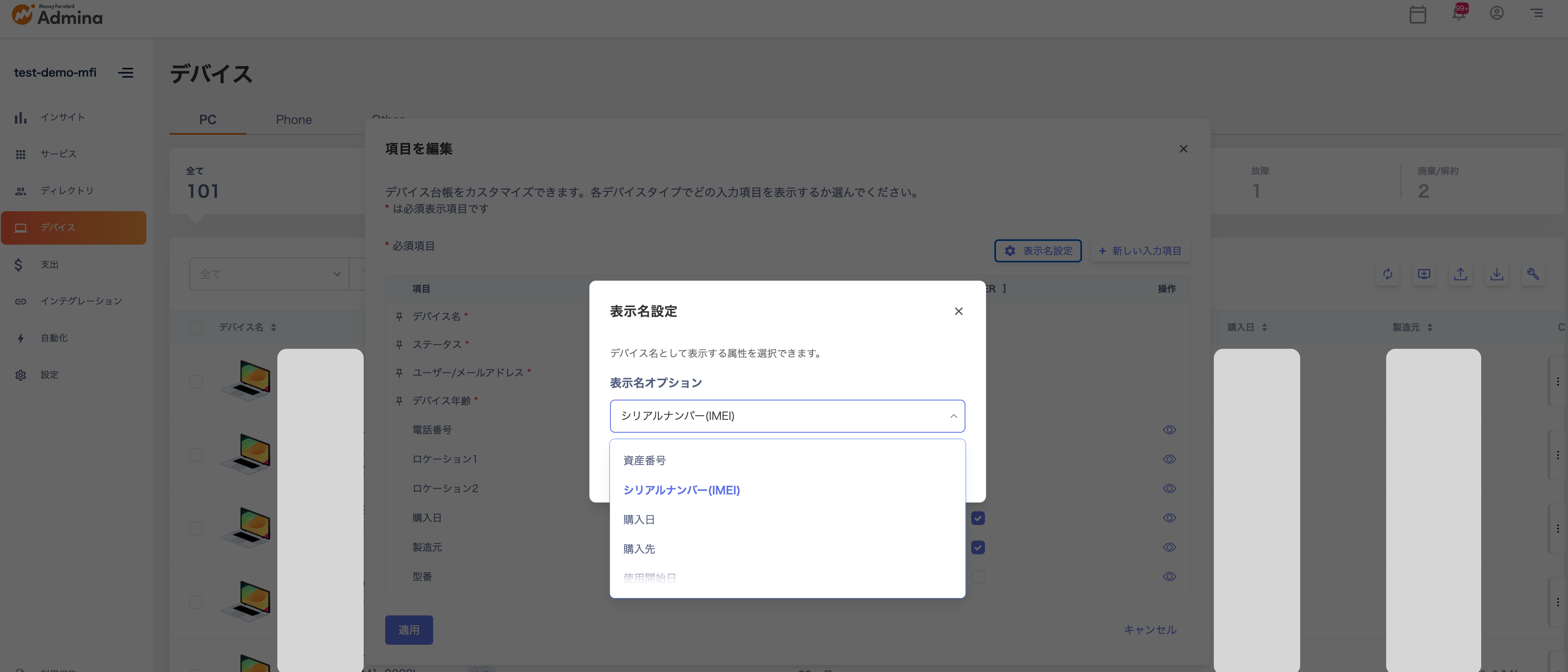
You can now customize the display name for devices. Choose from standard fields such as asset number or hostname, or select from custom fields for greater management flexibility.
Device Feature Update: Display Names Can Now Be CustomizedDevice names, which were previously fixed, can now be replaced with any information you choose.All standard fields such as asset number, hostname, and serial number are supported, and custom fields can also be selected, greatly improving management flexibility.This allows users to quickly view and search the data they need, making identification and management smoother.How to ConfigureGo to Devices → Edit Table → Display Name Settings, then select the field you want to use.Give the new device management experience a try.