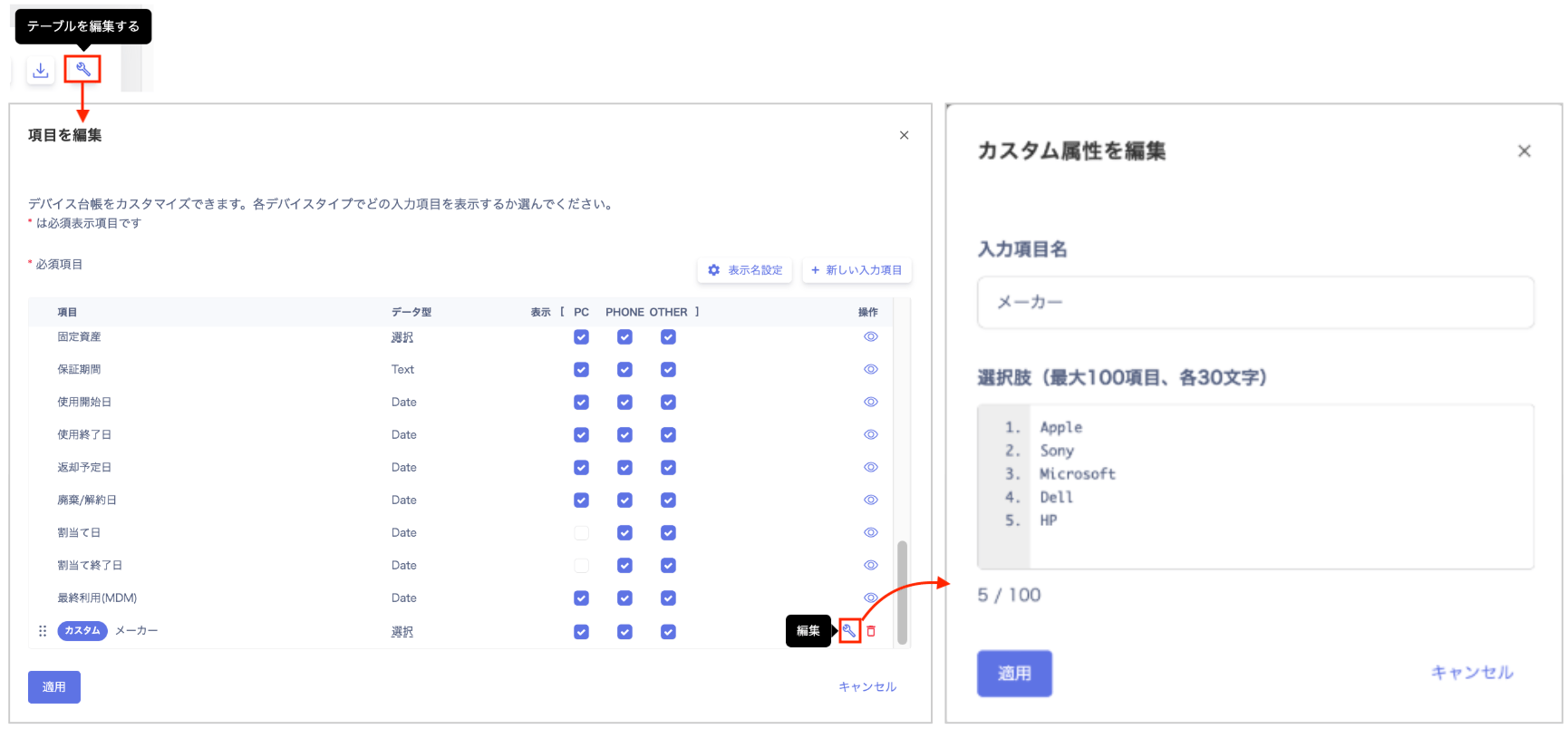
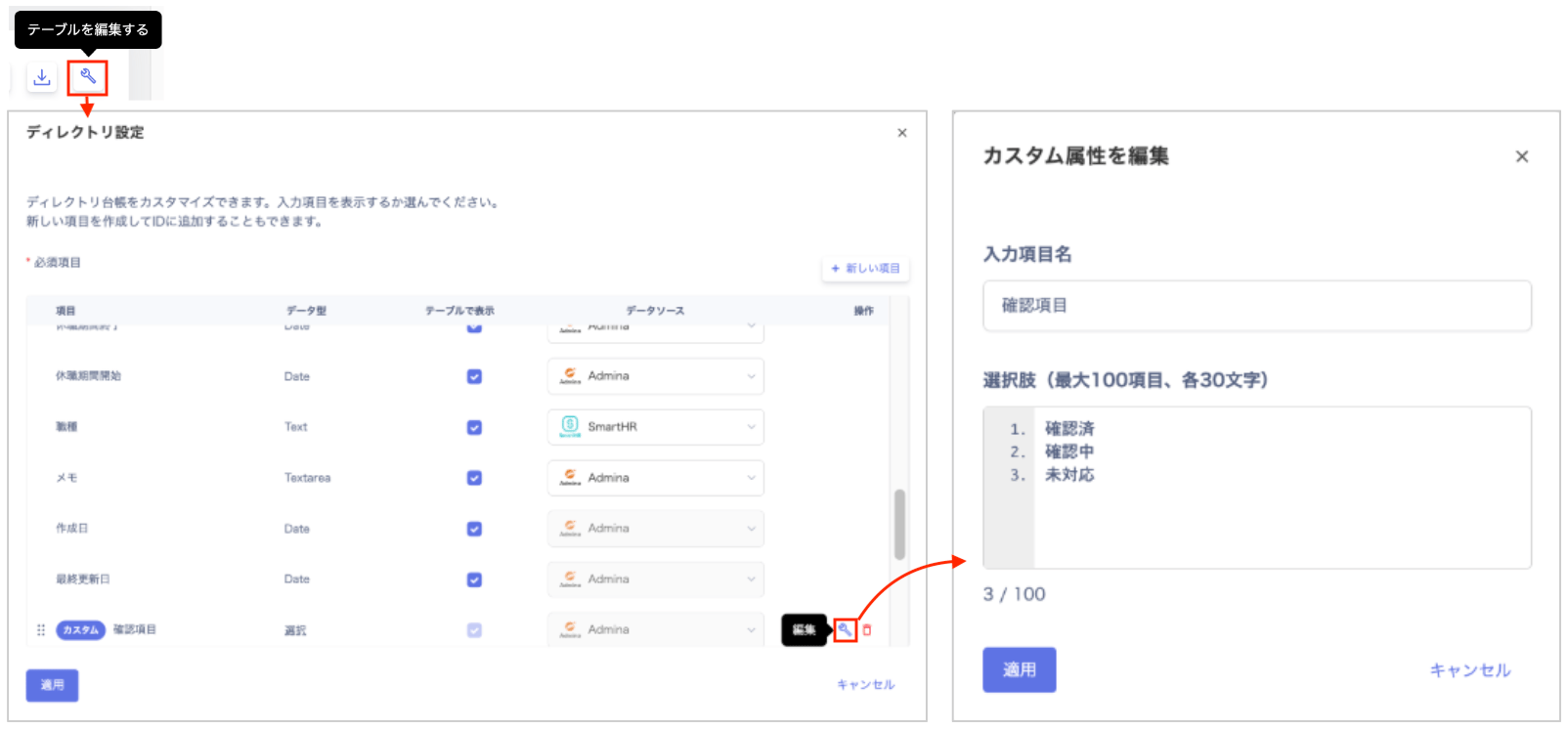
Custom fields of data type ‘Selection’ can now be edited. You can add, modify, and delete options even after operations have started.
Responding to requests to “add more options after creation” or “remove unnecessary items,” custom fields of data type “Selection” can now be edited.This allows for more flexible and efficient operations as your device and directory management evolves over time.
Flexible data management: Add, modify, or delete options as needed, even after operations have started.Error prevention and consistency: Keeping options up to date maintains data accuracy across the organization.Operational efficiency: No need to recreate fields from scratch when management scope expands.
You can easily edit from the settings screen for Devices or Directory.For Devices: Settings (Edit table) > “Edit Fields” screen > “Edit”For details, refer to Customize device management fields
Edit a custom field, and Customize device management fields
Delete a custom field.For Directory: Settings (Edit table) > “Edit Fields” > “Edit”For details, refer to Customize Directory fields
Edit a custom input field, and Customize Directory fields
Delete a custom input field.If you have any questions or requests, please feel free to reach out through the support
contact form.