

Prerequisites
- Your AI coding assistant is installed
- You have an Admina API key (How to get an API key)
- You have your organization ID
Set Environment Variables
Add the following to your shell configuration file (.bashrc, .zshrc, etc.).
You can also set these values directly in your MCP configuration file. Adjust the format to match your tool.
If you use Codex CLI, the process reads environment variables at startup. After updating
.zshrc, open a new terminal or run source ~/.zshrc before starting Codex. Changes do not apply to an already running process.Configure MCP Server
Add the configuration for your tool.- Claude Code
- Claude Cowork
- Cursor
- Codex
Add the following to your project’s The script in Make the script executable.
.mcp.json or user settings (~/.claude.json).Claude Code’s headers field does not expand environment variables. Use headersHelper to run a script for headers that need a dynamic value, such as Authorization. Static values, such as the organization ID, can go directly in headers.headersHelper must print a JSON object of headers to stdout.For project-specific settings, place
.mcp.json in your project root. For all projects, add it to ~/.claude.json.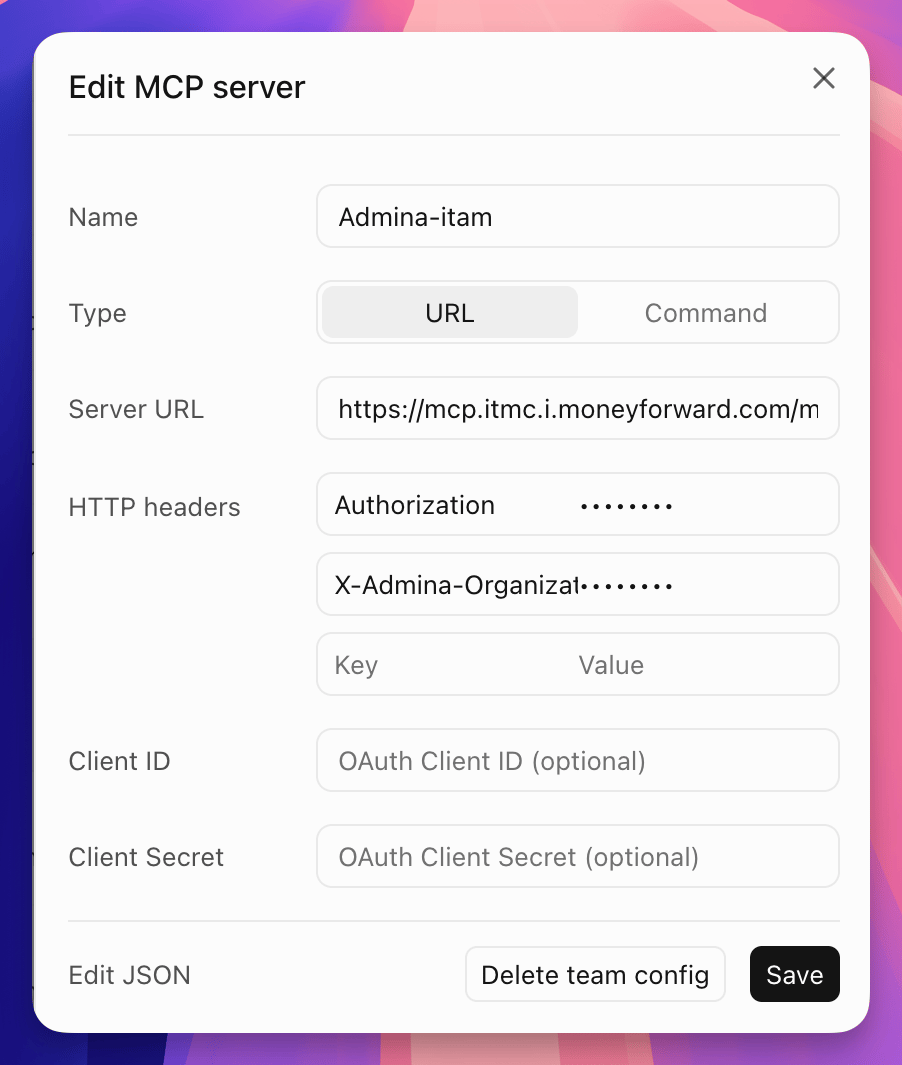
Verify the Connection
Start your tool and verify that Admina tools are available.With Codex CLI, you can also run
codex doctor to check your configuration. If the output shows mcp.config: ok, the MCP server configuration was loaded correctly.