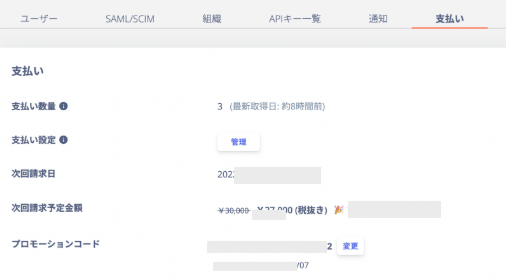
You can now apply promotion codes from the billing screen in the service. Applying a promotion code lets you receive various discounts on your regular usage fees.

What is a promotion code?

A promotion code is a string of alphanumeric characters. Promotion codes are distributed through email and other channels.

How to apply a promotion code

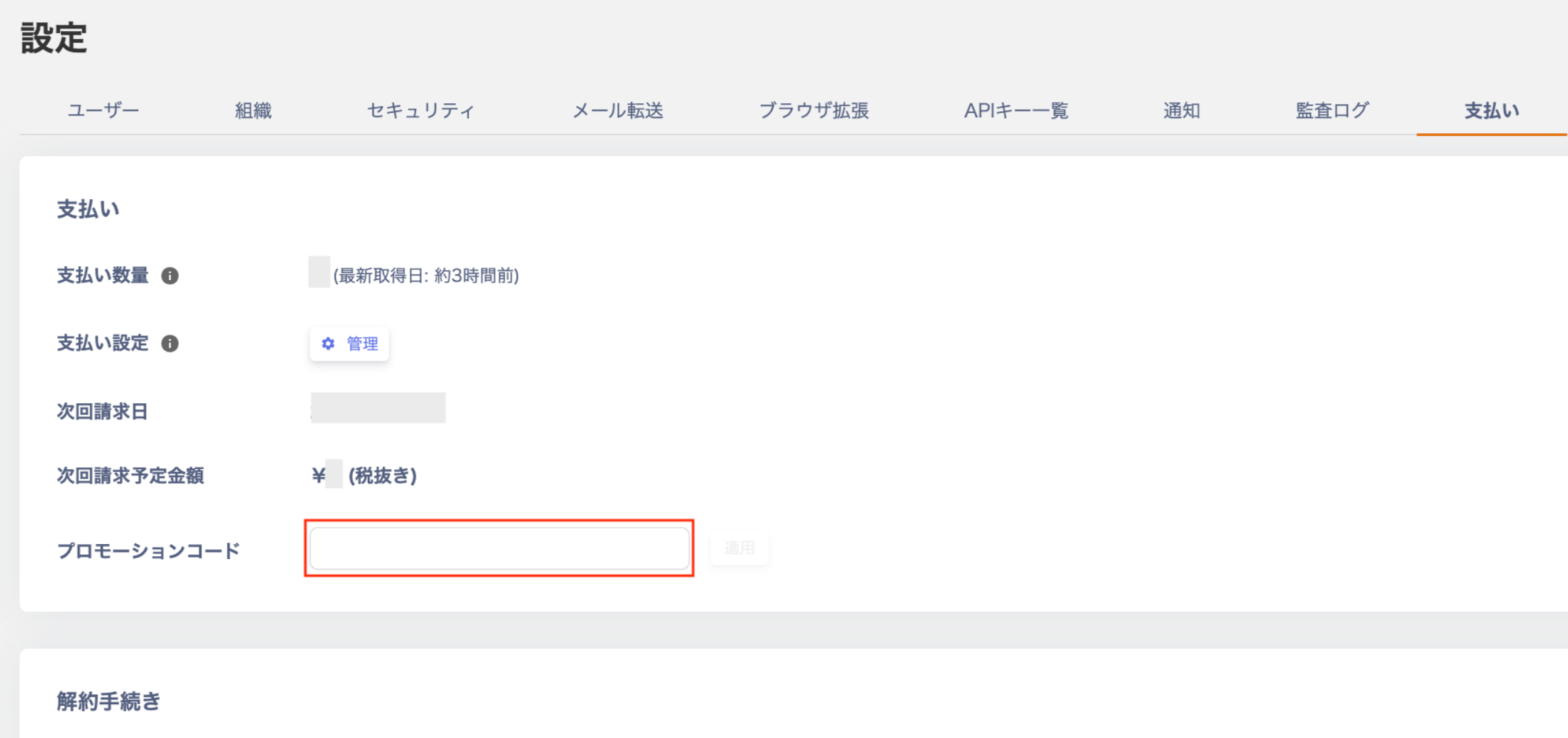
Log in and open the Settings > Billing screen. Billing tab in the settings screen showing the promotion code input field When you enter a valid promotion code, the screen displays it as shown below. Click Apply. Valid promotion code display *If you enter an invalid promotion code, the screen displays it as shown below. Check that you have entered the correct promotion code. Invalid promotion code display Once applied, the screen shows the applied details (total amount after discount and discount amount). Display after successful application

Notes

  • Setting up the Employee Master is required to enter a promotion code.
  • You can apply only one promotion code at a time. If you enter a new code, it overwrites the current one.
  • The discount amount is calculated before tax. Consumption tax applies separately to the discounted amount.
Last modified on July 13, 2026