What to do when invoice emails from Stripe, the billing system, are marked as spam and do not arrive, including how to allow the sender in Gmail so future emails reach your inbox.
Stripe, our billing system, sends these emails. Some recipients’ email systems mark them as spam, so the emails never arrive.If you are not receiving these emails, check the following.
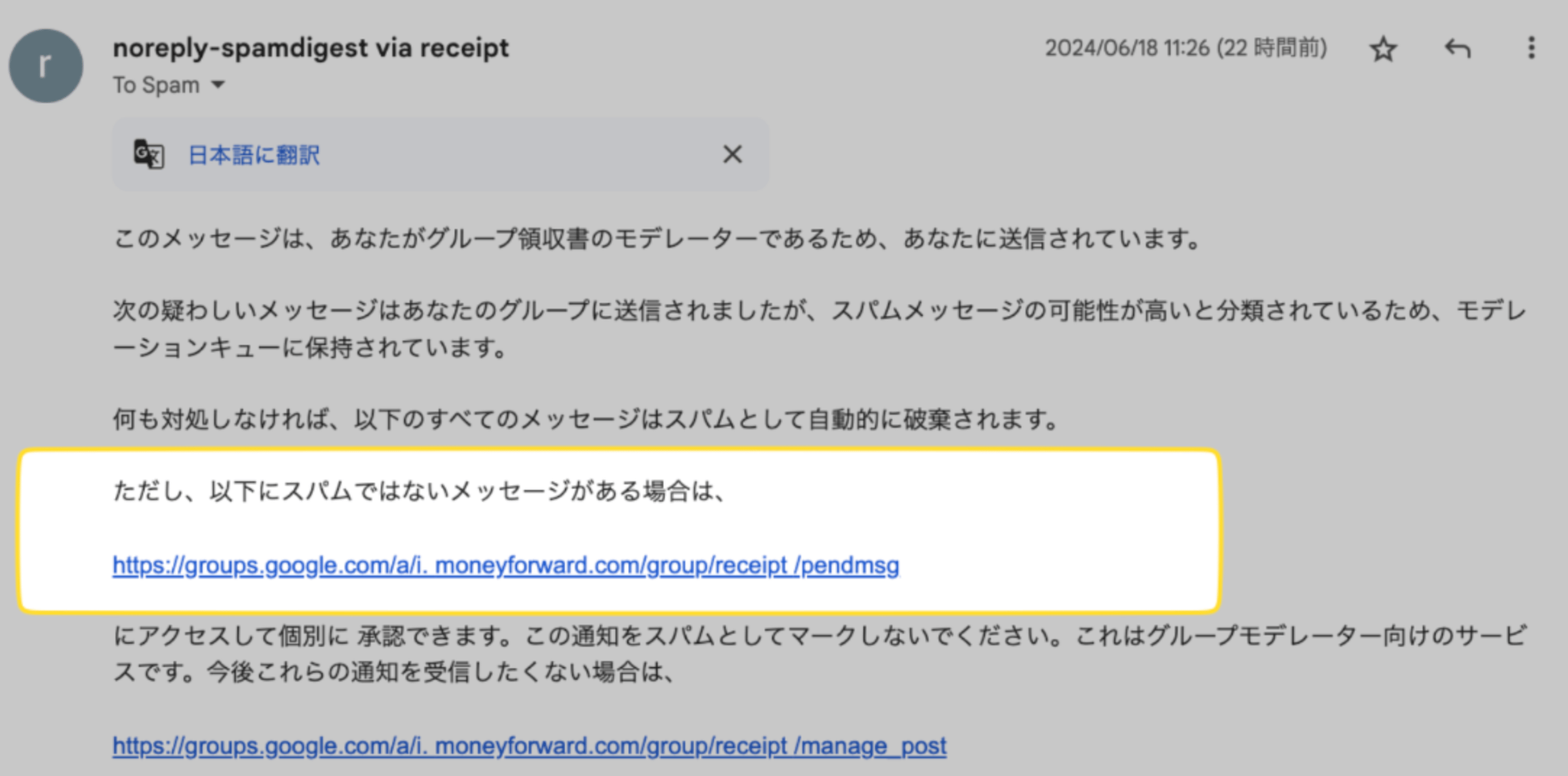
Check whether your email system received a message like the one shown below. The image below is an example of a spam-flagged email in Gmail.Use the link in the image above to allow the sender.
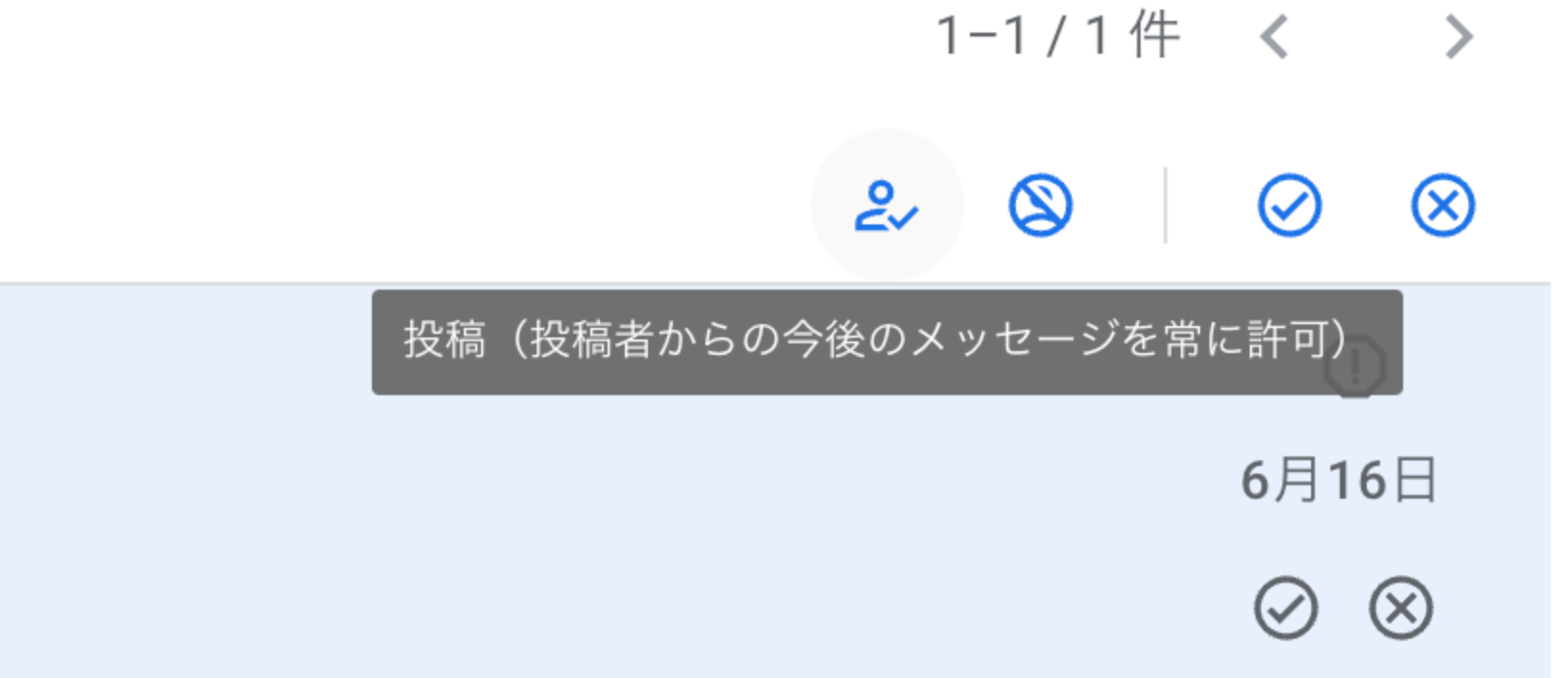
Select “Post (Always allow future messages from this sender)”. Future invoice emails will then reach your inbox instead of your spam folder.