

admina-tracker CLI tool manages agent lifecycle and checks operating status. It also diagnoses telemetry data.
Running commands
The method for runningadmina-tracker commands depends on your operating system and installation method:
- macOS:
/usr/local/binis included inPATHby default, so you can run the command directly in Terminal. - Windows:
- Standalone installer:
%LOCALAPPDATA%\AdminaTrackeris added to userPATHautomatically. You can runadmina-trackerdirectly in Command Prompt or PowerShell. - Microsoft Intune:
PATHis not set automatically. Run the command using the full binary path:Command Prompt:
- Standalone installer:
Common options
Lifecycle
Commands to start, stop, restart, and update the agent.daemon
Start the agent in the foreground.stop
Stop the running agent daemon.- macOS: Runs
launchctl bootoutto stop the LaunchAgent. - Windows: Stops the registered task or service, or terminates running user processes.
restart
Restart the agent daemon.- macOS: Reloads the LaunchAgent to restart the agent.
- Windows: Stops and restarts the process via registered task or service mechanisms.
update
Check for agent updates.version
Display agent version and build information.enroll
Manually trigger immediate enrollment with the server.Configuration
Commands to configure API connections and telemetry flags.configure
Configure API connection settings.config set
Set telemetry collection and transmission flags.<KEY>: Target flag key (telemetry_*). Only recognized flags can be set. Credentials are set withconfigure.<VALUE>:trueorfalse.
Diagnostics
Commands to check operating status and view stored database records.status
Show local diagnostic status.ApiKey, OrganizationID, and UserEmail. The row actually in effect is marked with **, which tells you which delivery method a value came from.
Two more items are shown alongside it.
Hostname is the machine name as the OS reports it, used as the source PC in the event log. On macOS it is the kernel host name (the value of sysctl kern.hostname). On Windows it is the DNS host name. In both cases it matches what the hostname command prints. It does not read the HOSTNAME or COMPUTERNAME environment variables. It cannot be overridden through configuration.
Proxy is shown as four rows:
env var— the environment variablesOS setting— the OS proxy configuration, read on Windows onlyeffective— the route actually usedNO_PROXY— the bypass list
diag
Show local diagnostic status and run real-time server connectivity and authentication checks.status is local-only, diag makes active network requests to verify:
- DNS resolution, TCP connection, and TLS handshake to the API endpoint
- Server authentication success and organization ID consistency using the resolved API key
- Time synchronization status between the device and server (clock skew detection)
Checks section. Each is marked PASS, WARN, FAIL, or SKIP, and the count of failures and warnings follows at the end. Any FAIL or WARN is followed by guidance on a line beginning with ->.
Clock skew is read from the server authentication response, so it is not checked when that authentication is
SKIP or FAIL.Connectivity reports on whether the TLS handshake completed. A server that answers with an HTTP error still answered, so the handshake completed and the check reports PASS.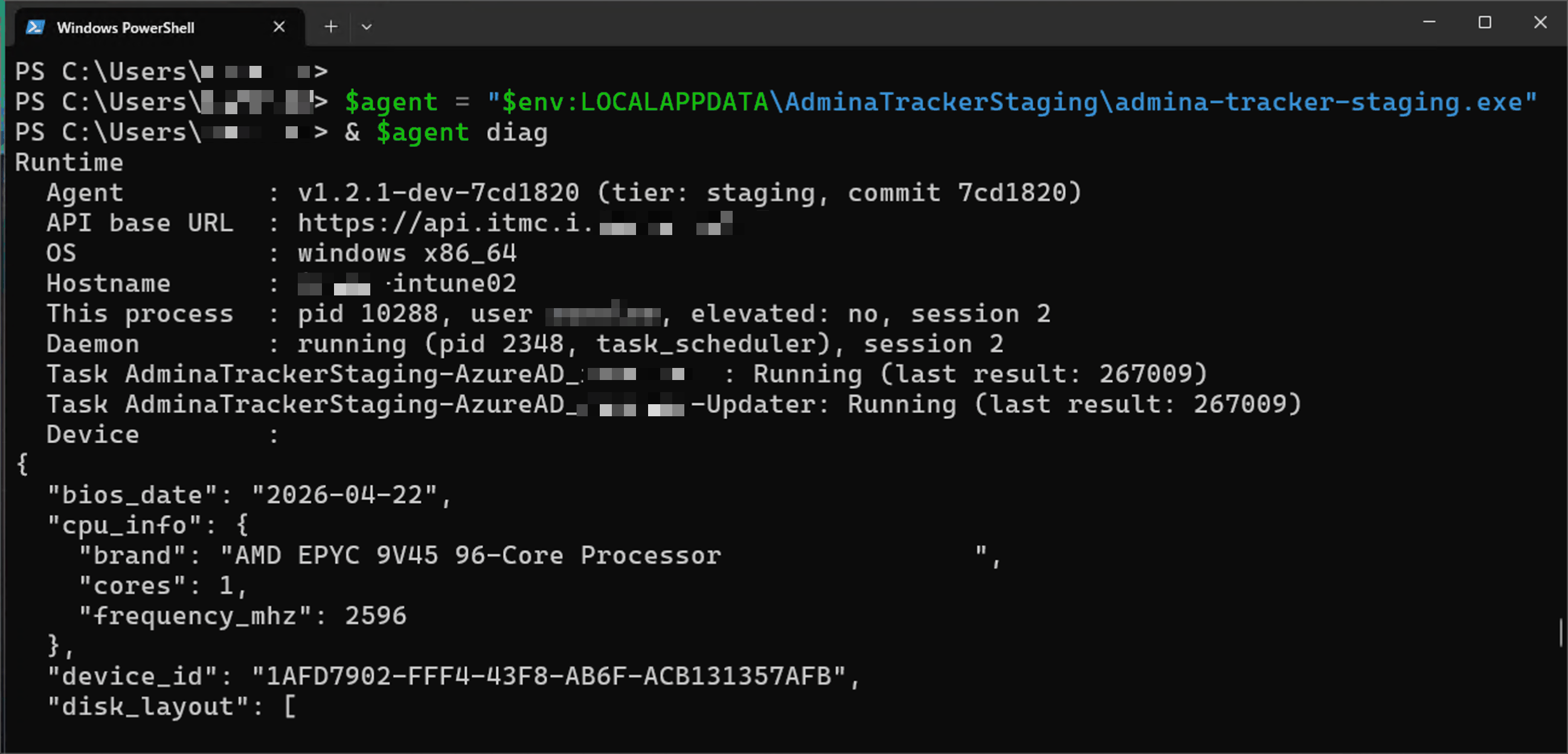
Running diag on Windows
config show
Output stored configuration values (api_key, organization_id, user_email) in JSON format.
--resolved: Shows values in effect across the resolution chain, including registry and plist settings.--reveal: Shows the API key unmasked in--resolvedoutput, where it is masked by default. Only takes effect together with--resolved.
data
Display records from a specified table in the local database. Runs in read-only mode while the daemon is active.<TABLE>: Target table name (service_usage,events,dynamic_state, orsystem_state). Cannot specifyconfig.
dynamic_state and system_state telemetry is disabled by default. Support is planned for future versions.flush
Immediately send unsent records stored in the database to the server.[TARGET]: Target table name (service_usage,events,dynamic_state, orsystem_state). If omitted, immediately flushes currently supported tables (service_usageandevents).