Problem
The following error may appear when connecting Google-related services.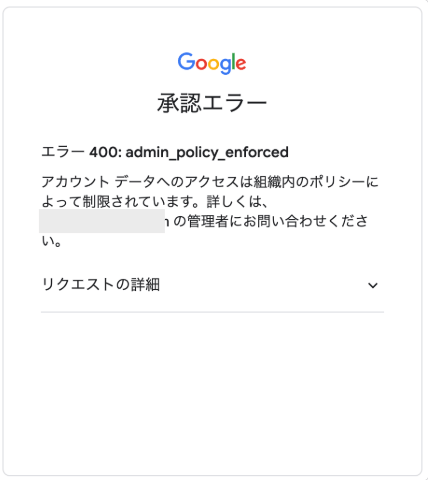
Possible Causes
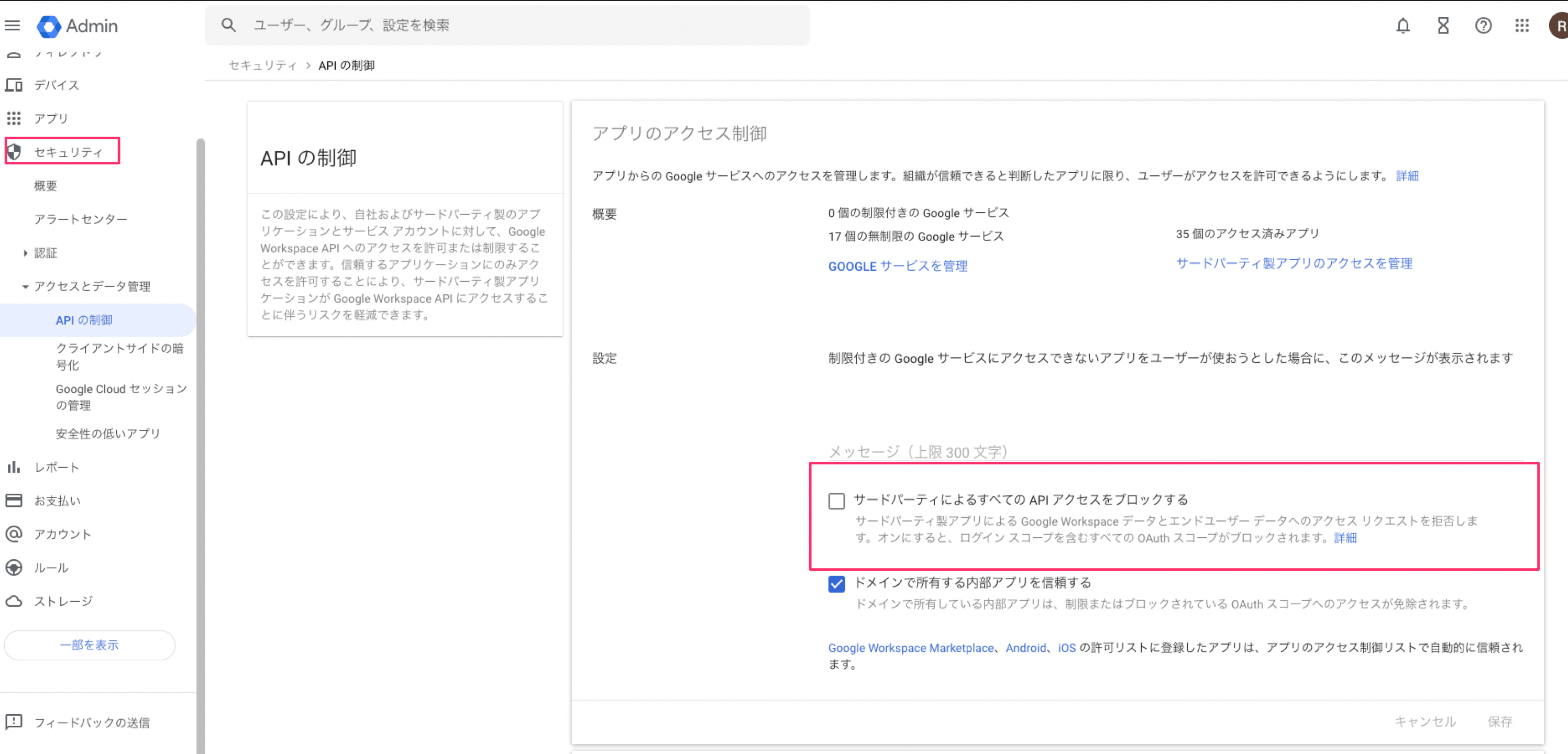
”Block all third-party API access” is turned on
Go toSecurity > Data access and control > API controls in the Google Workspace Admin Console. If Block all third-party API access is enabled there, the integration may fail.
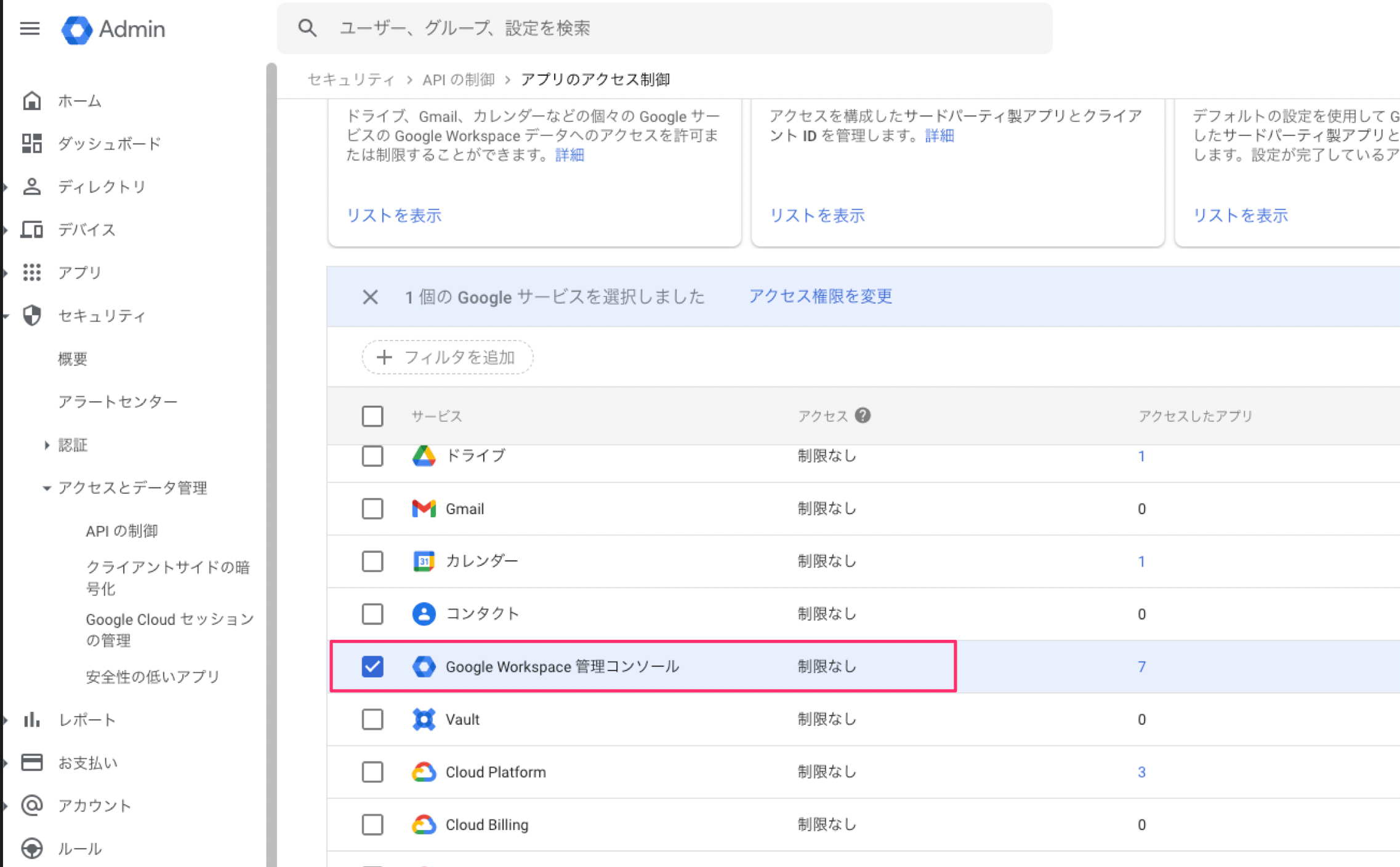
API access to Google Workspace Admin Console is set to Restricted
Go toSecurity > Data access and control > API controls > Manage Google services in the Google Workspace Admin Console:
https://admin.google.com/ac/owl/list?tab=services
If the access policy for Google Workspace Admin Console is set to Restricted, the integration may fail.
This service is explicitly blocked
Open the Google Workspace Admin Console and go toSecurity > Data access and control > API controls. Then select Manage third-party app access and search for the application below.
If its access status is Blocked or Restricted, the integration will fail.
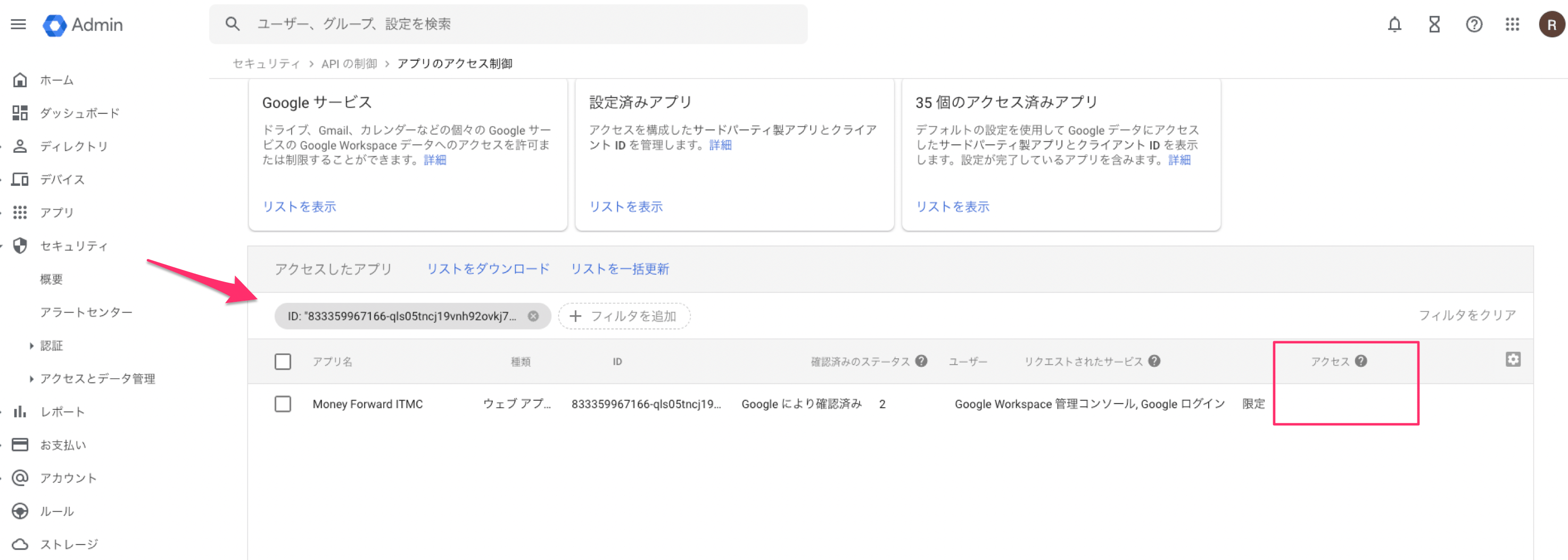
Resolution
Change the status fromBlock to Allow for each cause listed above.
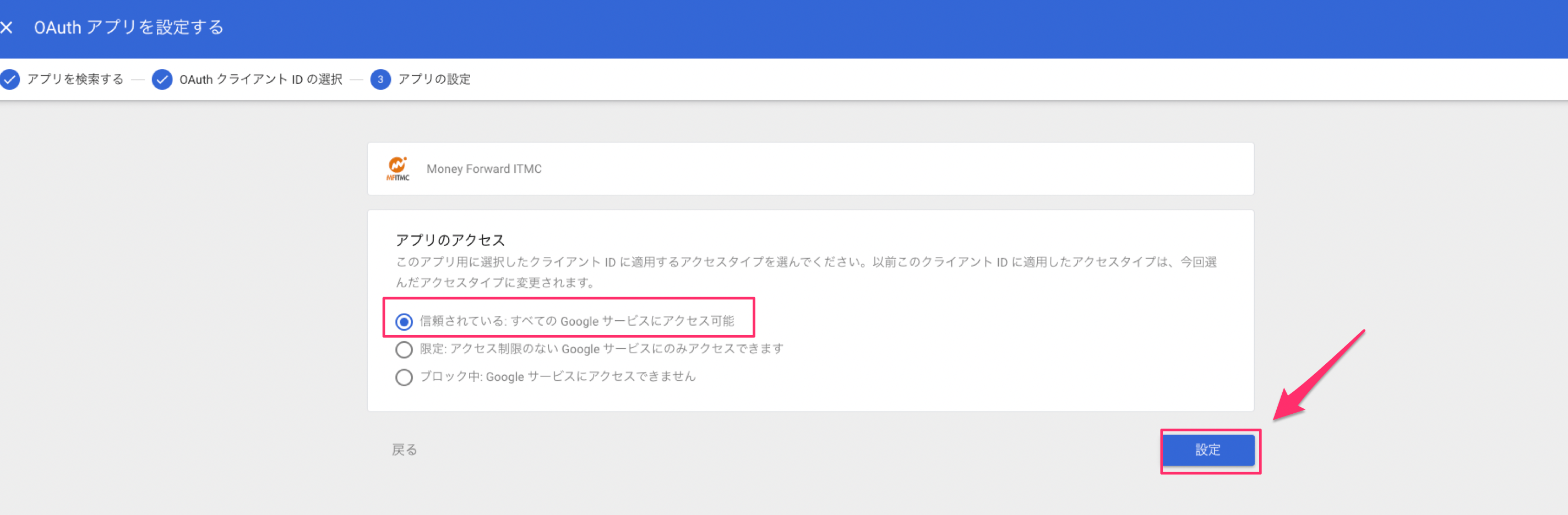
If your organization’s policy requires you to grant access only to this service, follow these steps.
- Open the Google Workspace Admin Console. Go to
Security>Data access and control>API controls> Manage third-party app access.
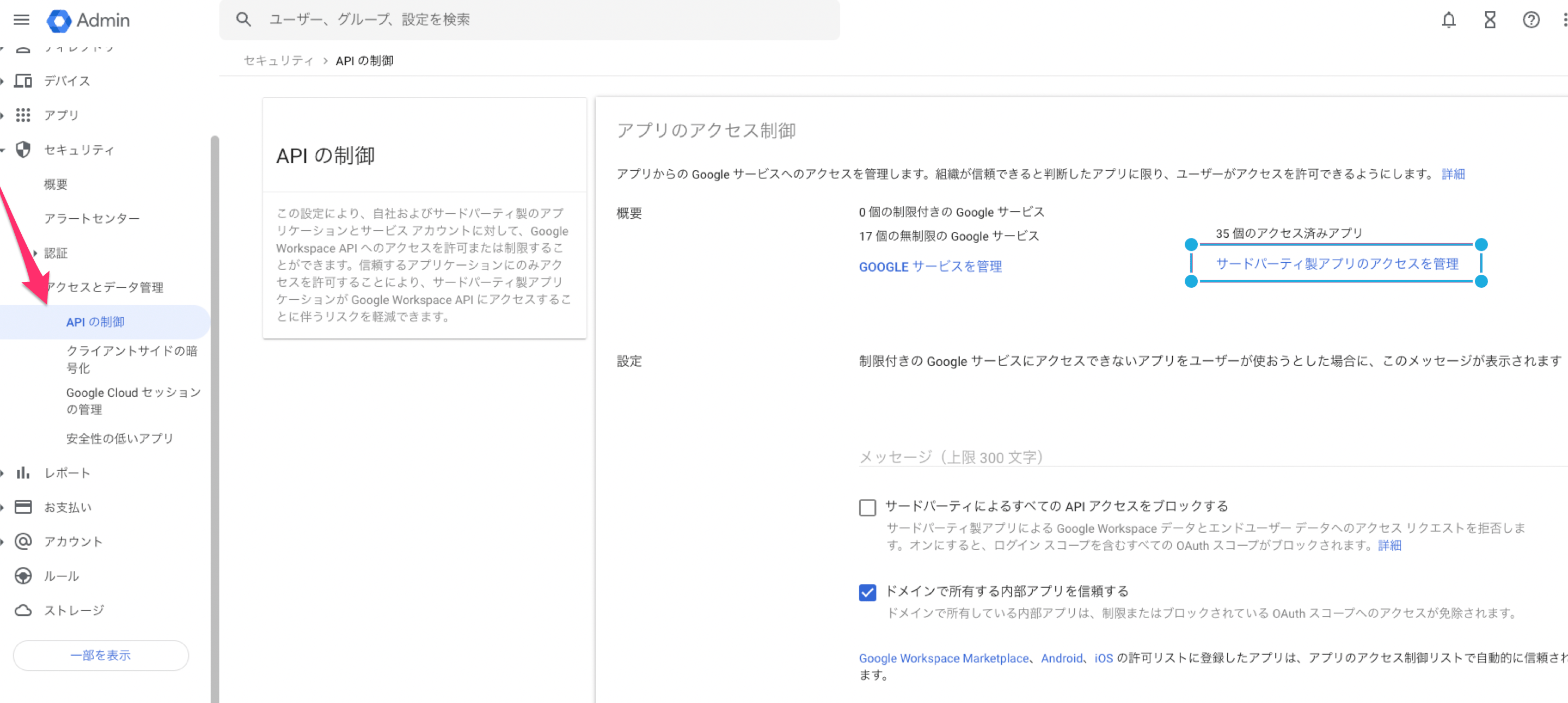
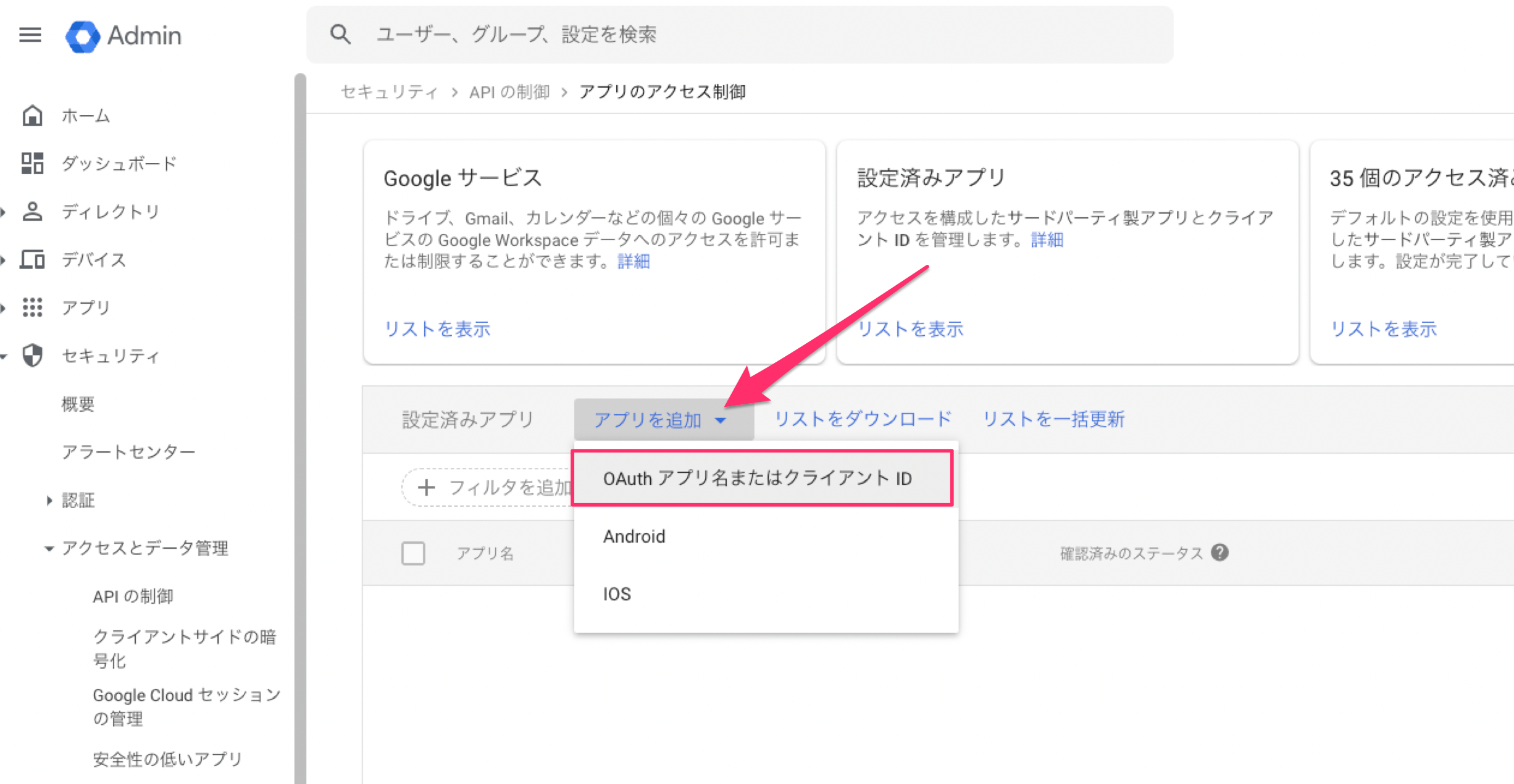
- Select
Add app>OAuth App Name or Client ID.
- Enter the client ID below in the search field and click the search button. Select
Money Forward ITMC.
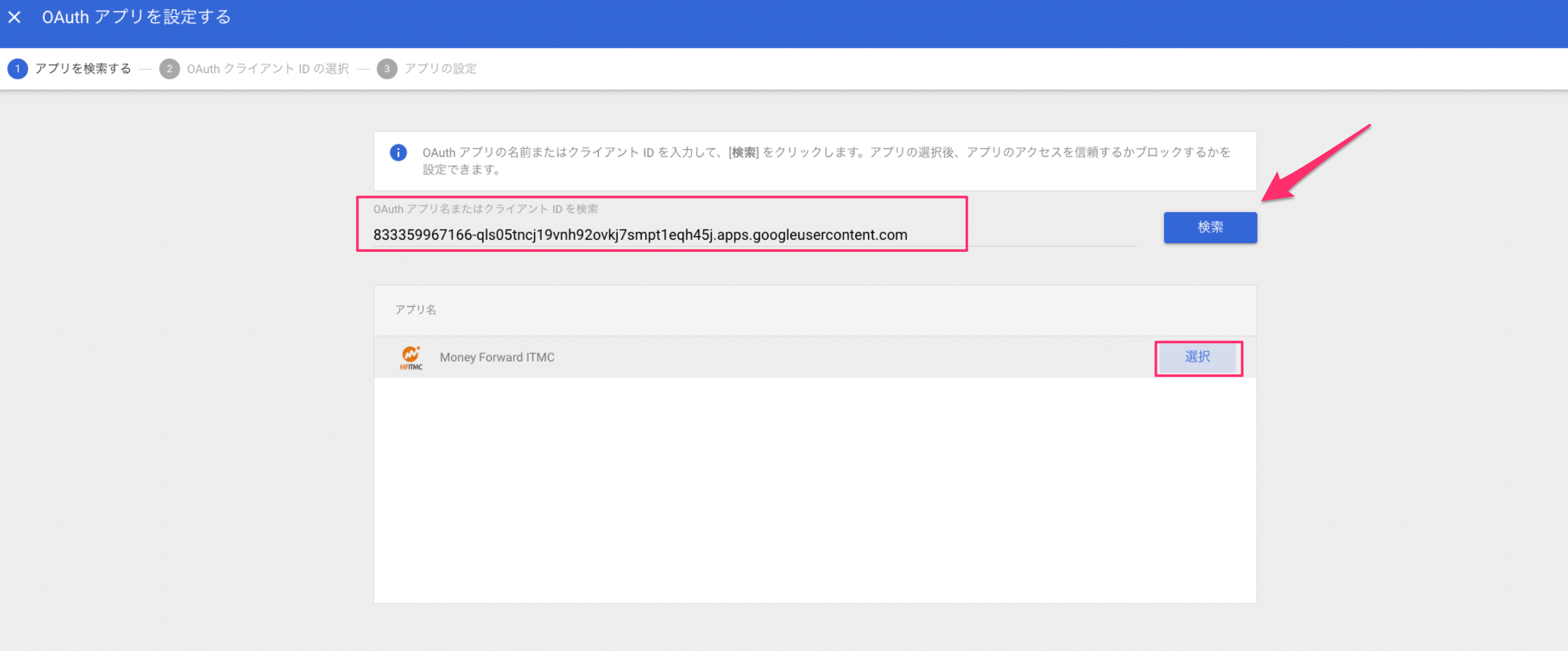
- Select the same client ID.
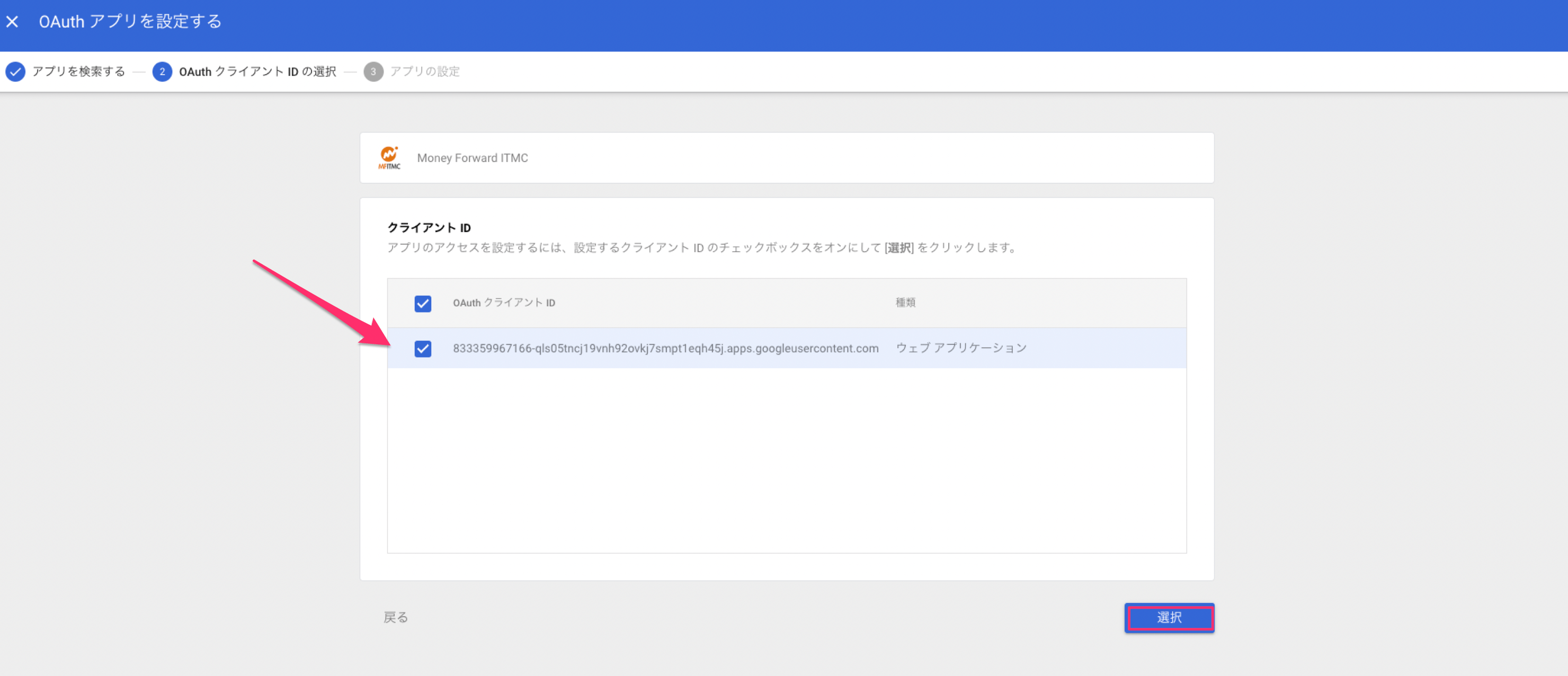
- Set the app access permission to
Trusted: Can access all Google services, then clickConfigure.