

This feature requires Admin permission or the Survey Manager role to operate, and Member permission or the Survey Viewer role to view.
See Configure login users and roles for details.
The “Device” target type requires the Device feature.
Screen Overview (Survey)
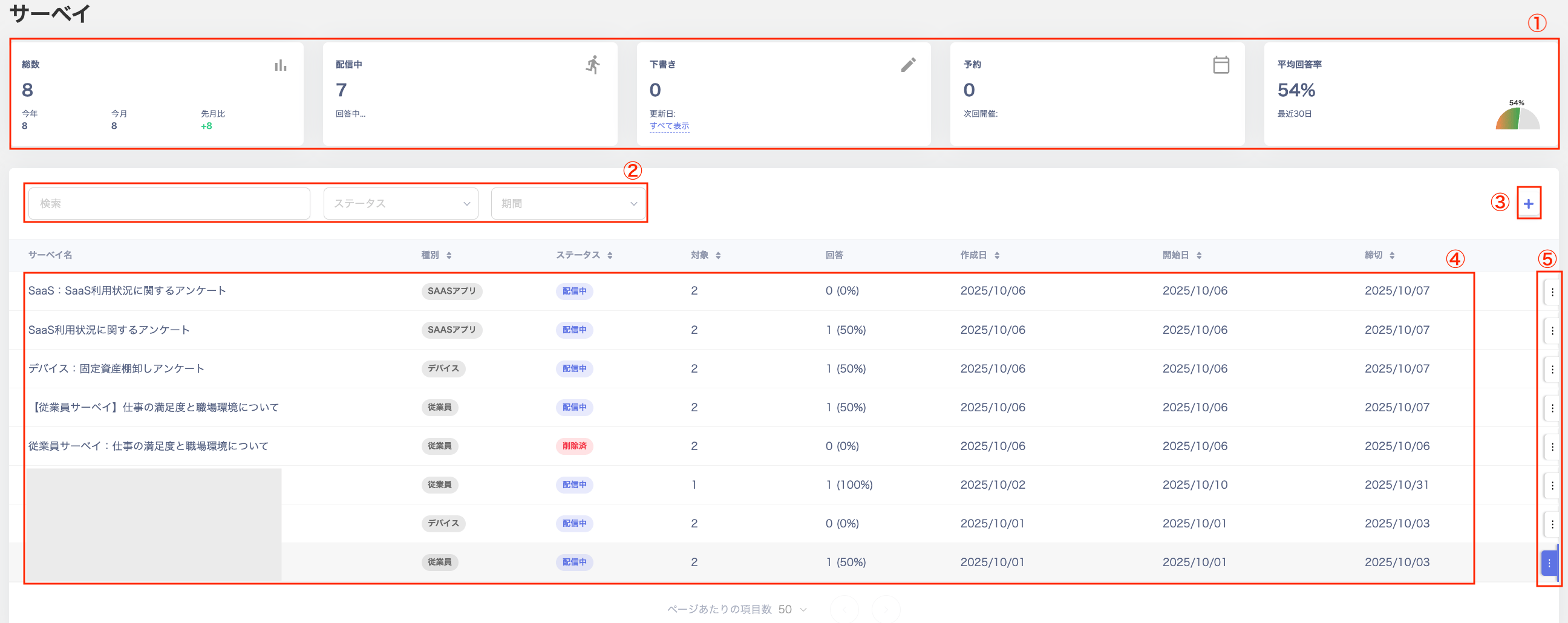
| No. | Item | Description |
|---|---|---|
| 1 | Dashboard | View “Total / Sending / Draft / Scheduled / Average Response Rate.” |
| 2 | Search and filter | Search surveys or filter by status or date range. |
| 3 | Create survey | Click [+] to create a new survey. |
| 4 | Survey list | Click a survey in the list to view its details. |
| 5 | More options | Click the three-dot menu [︙] to choose from “Edit / Duplicate / Export / Schedule / Extend Deadline or Resume and Extend Deadline / Complete / Delete / Cancel.” Drafts and completed surveys shown in the list can be deleted. |
Survey Detail Screen
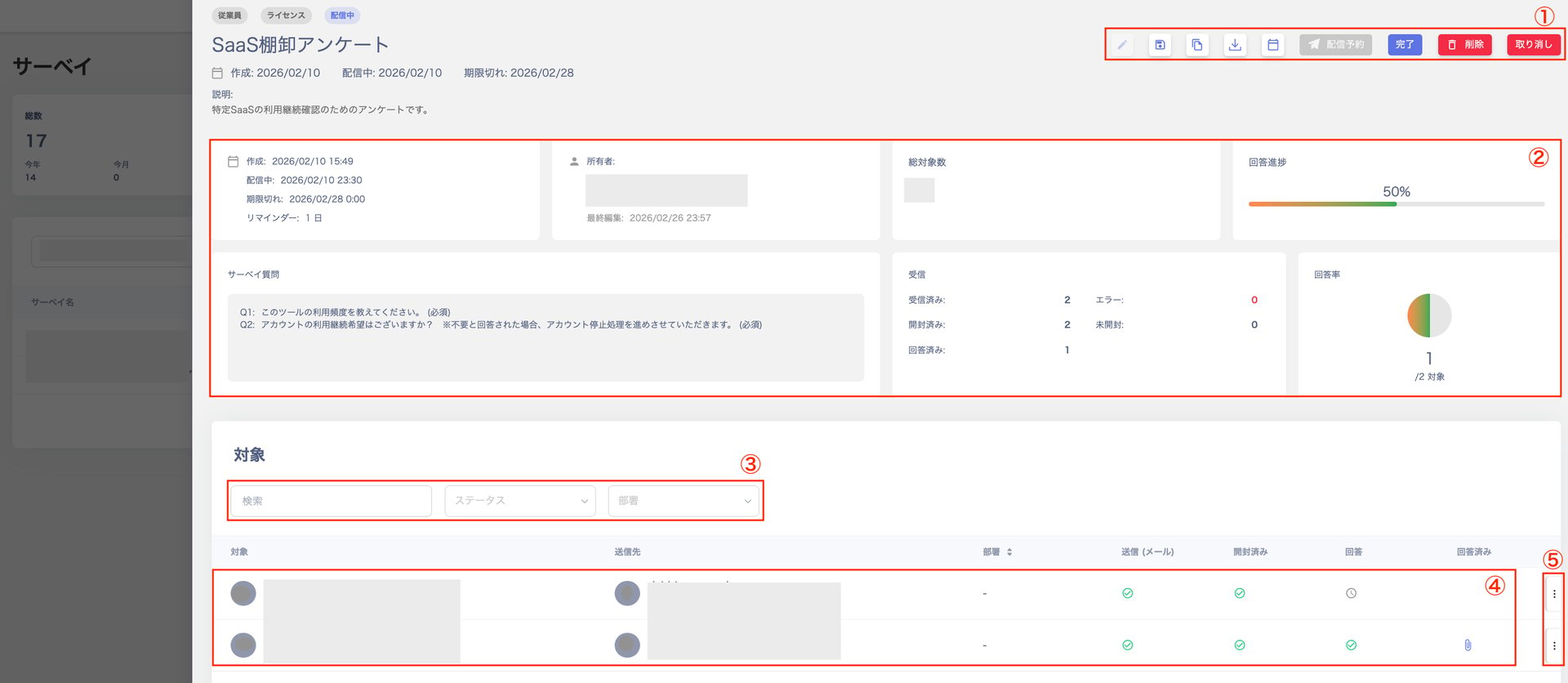
| No. | Item | Description |
|---|---|---|
| 1 | Action buttons | Buttons in the upper right — “Edit / Save as Template / Duplicate / Export / Extend Deadline or Resume and Extend Deadline / Send or Schedule / Complete / Delete / Cancel.” |
| 2 | Dashboard | View “Content / Owner / Total Targets / Response Progress / Survey Questions / Received / Response Rate.” |
| 3 | Search and filter | Search or filter by status or department. |
| 4 | Target list | View the list of targets configured in the “Target Settings” screen during survey creation. |
| 5 | More options | Click the three-dot menu [︙] to select “Resend.” |
Create New Survey Screen
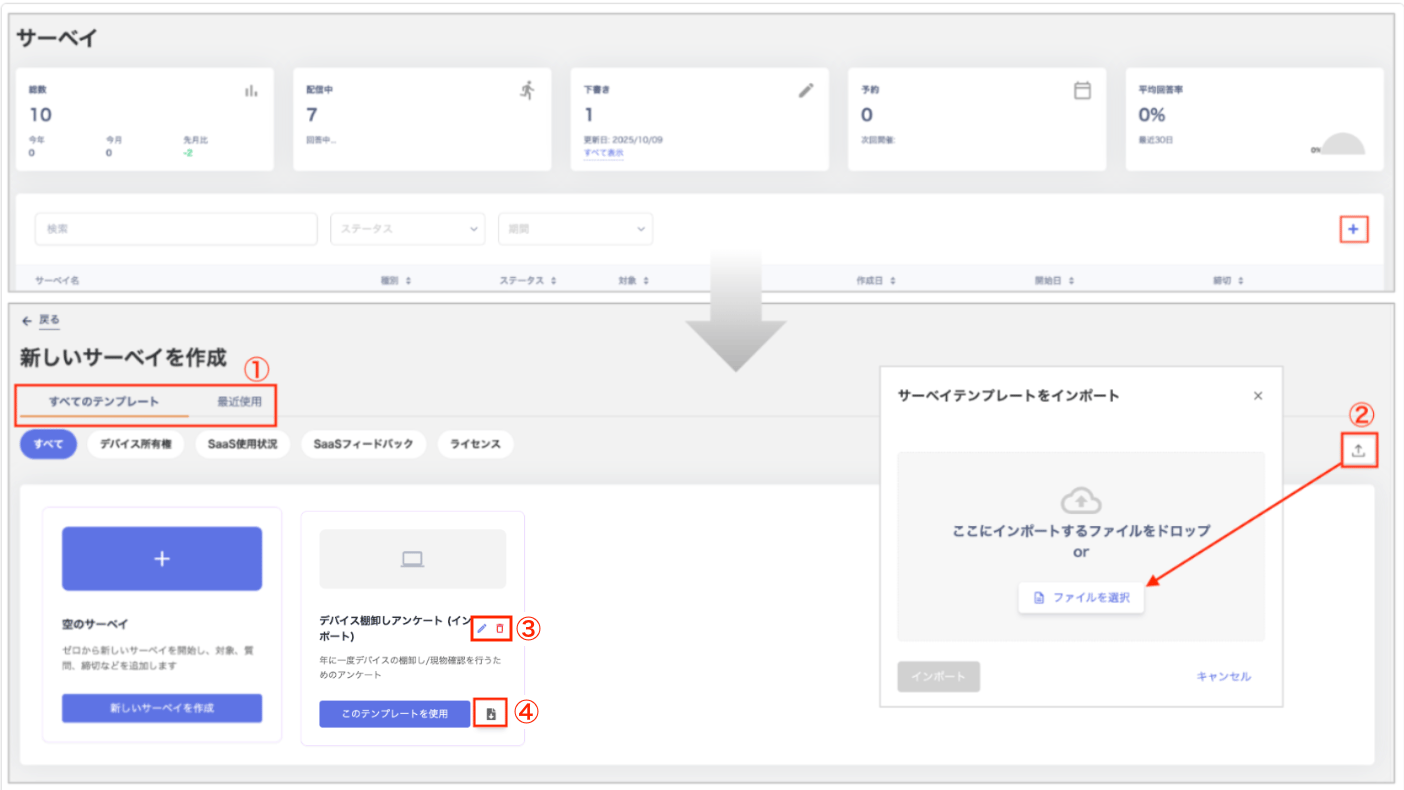
| No. | Item | Description |
|---|---|---|
| 1 | Switch templates | Toggle between “All Templates / Recently Used.” You can also filter templates by category: “All / Device Owner / SaaS Usage / SaaS Feedback / License.” |
| 2 | Import | Import a survey template from the “Import Survey Template” screen. For details, see Importing a Template. |
| 3 | Edit / Delete | Edit or delete templates you created by importing from the “Create New Survey” screen. |
| 4 | Export | Export (JSON) templates you created by importing from the “Create New Survey” screen. You can also export and save any edits you make. |