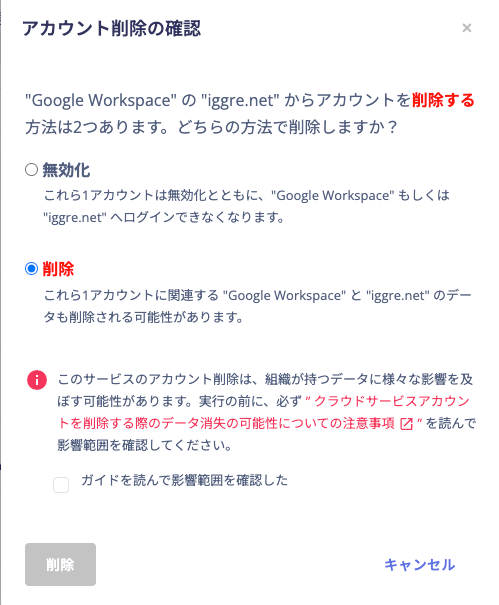
Previously, only deactivation was allowed for SaaS accounts that could cause content loss, to prevent accidental deletion of important data. To address the need to delete accounts along with their data, account and content deletion operations have been enabled since 2024, displaying a warning notice during the process.
Account deactivation and deletion
For certain SaaS, there are two ways to remove a SaaS account: deactivation and deletion. When you choose the delete operation, some SaaS services delete the account together with all content data it holds. Proceed with care.Items to verify before proceeding
See the table below for the specific target services and data. It is titled SaaS services that delete content along with account deletion. When you run this delete operation, the target account is permanently removed from the SaaS service. All content data held by that account — such as mailbox emails and My Drive files — is also permanently deleted. This data cannot be recovered. Before deleting an account, make sure you understand the risk and behavior that content will also be erased. Deleted content may be recoverable through the SaaS service’s own procedures in some cases. Be aware that this service cannot perform recovery.On-screen display (warning message and confirmation checkbox)
Running a delete operation with significant impact shows a warning message and confirmation checkbox, as shown below. Review them carefully before proceeding to the next step.