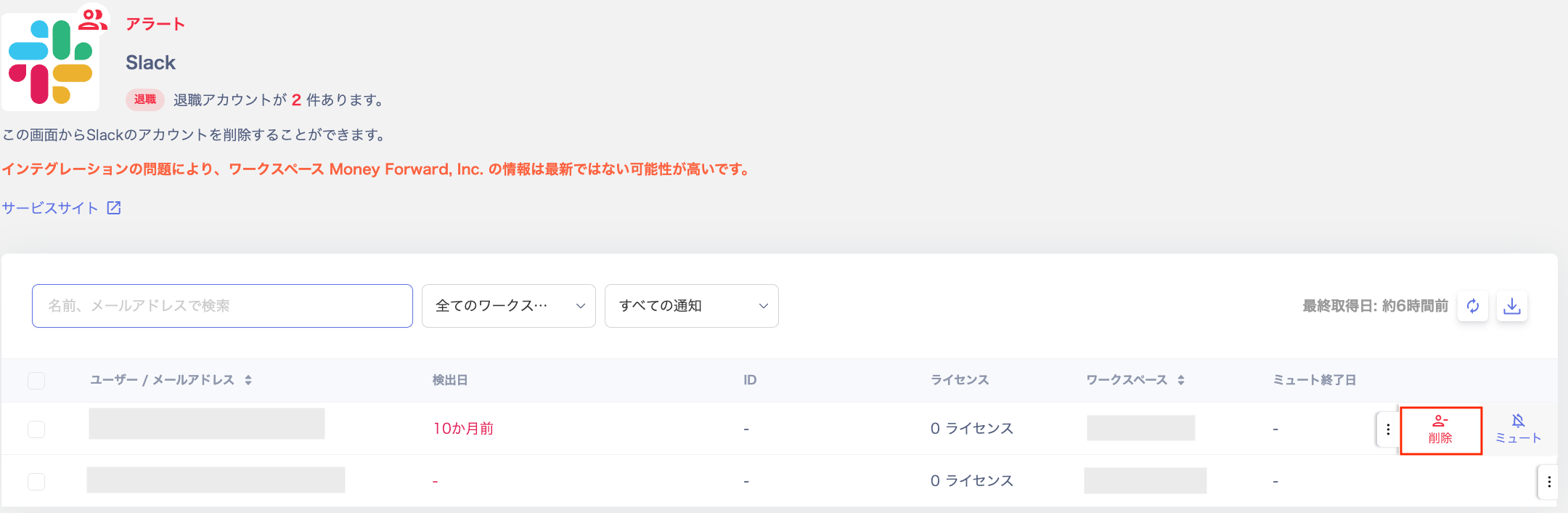
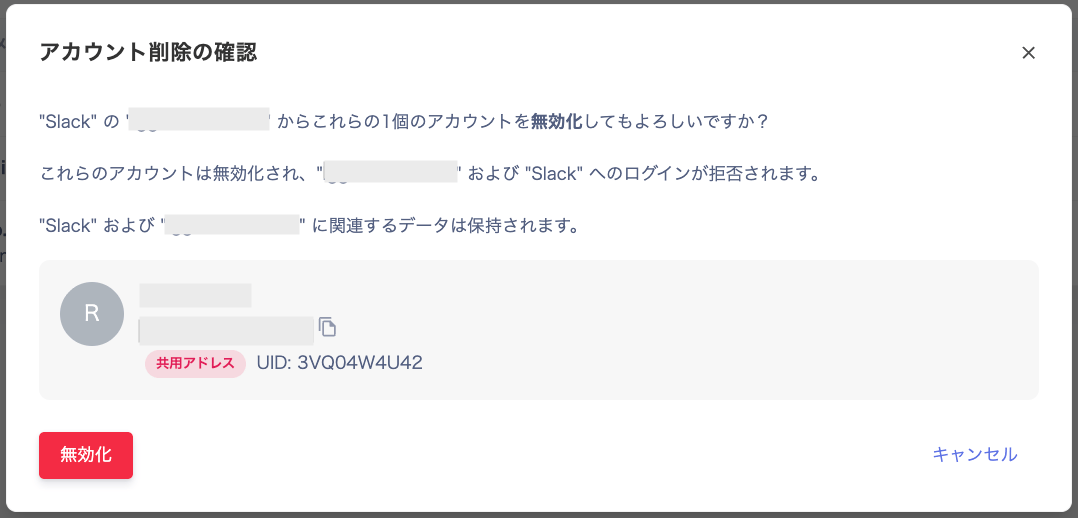
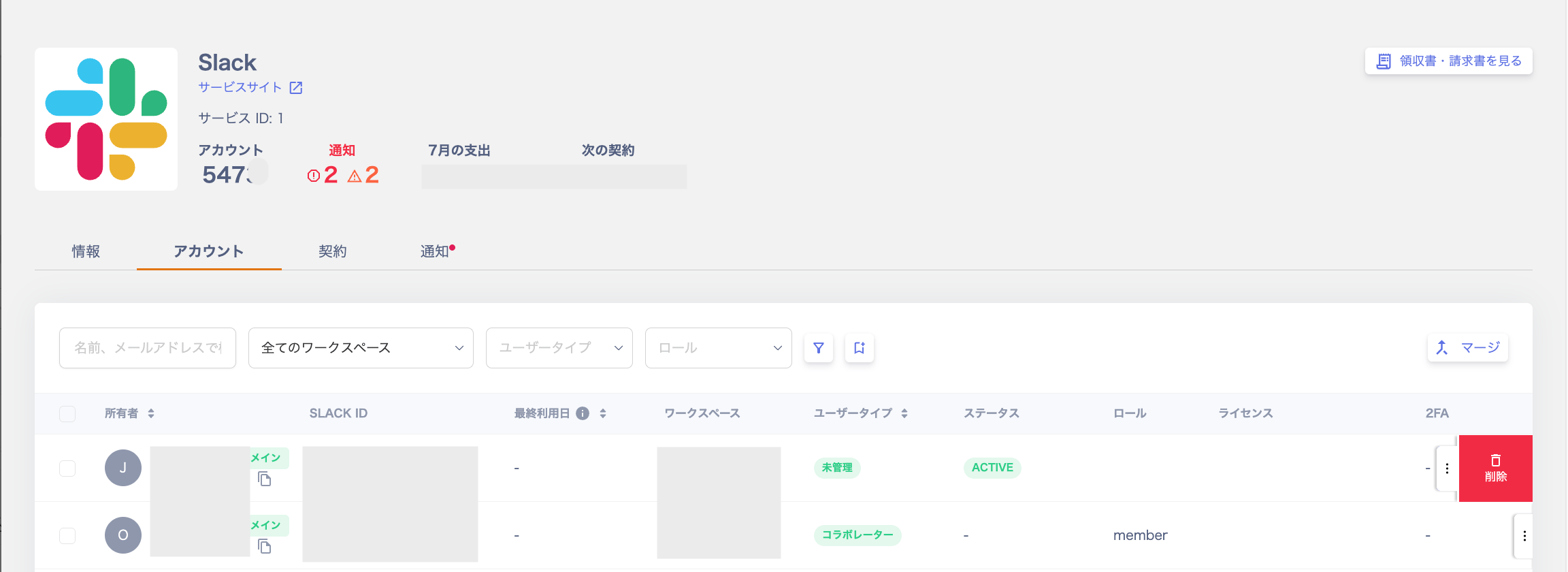
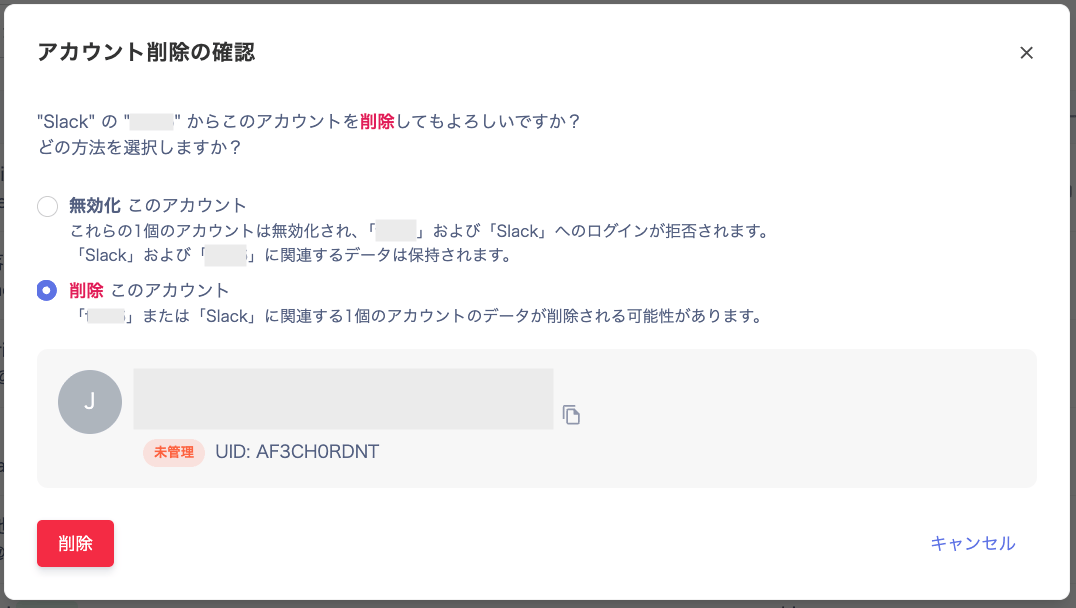
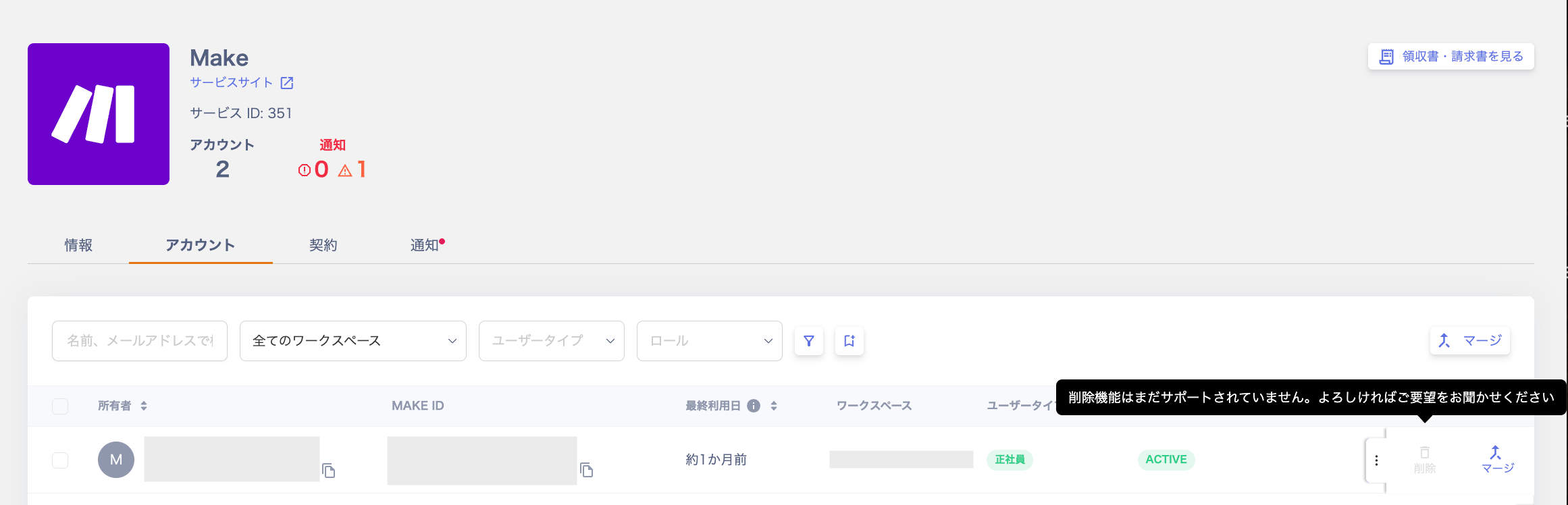
How to delete or deactivate service accounts in integrated SaaS from a Slack alert or from the account list in service details. Also covers how to check supported services and what to do when deletion fails.
The main specifications of the account deletion feature are as follows.
This feature is available for integrated services that support account deletion or deactivation.
For details, see the “Account Lifecycle” column (Delete / Deactivate) in the Supported SaaS & Features List.
Deleting a user may also delete associated content in some cases.
OAuth integrations and API keys linked to a user are often removed upon deletion. Please re-integrate after deletion. (The same applies when deleting via the UI.)
We are implementing the feature to preserve objects created by users (such as Miro boards and WordPress posts). This depends on changes in each cloud service’s specifications.
For unsupported SaaS, contact us via the chat in the lower right or through the request page. We will address requests in order.
This section explains the deletion operation. You need either Admin or Service Manager permissions.There are multiple methods. Choose one of the following.
For services that do not support deletion, the message “Account deletion is not yet supported.” is displayed.We will add support for eligible services in order. Contact us via the request page to submit a request.
The API prohibits deletion of this user. Possible reasons include: the user is connected via integration and cannot be deleted, or the user is the last Admin. Delete the account from the cloud service’s own UI.To remove a connected user, see this FAQ.
When the integration owner leaves or settings change
Cannot delete because this is the last administrator.
This user is determined to be the last person with Admin privileges. (The API has not been called.)Invite another Admin, re-sync, and retry the deletion once multiple Admins exist.To remove a connected user, see this FAQ.
When the integration owner leaves or settings change
The registered credentials are incorrect or have expired.
The service did not accept the credentials registered for the integration, such as an API token or access key. They are incorrect, or they are no longer valid (for example, because they expired).Check the credentials in the service, and reissue them if they are incorrect or no longer valid. Then refer to Troubleshoot SaaS integration errors and re-integrate with the new credentials. For services connected via OAuth, re-integrate to authenticate again.For Jira, see the Jira integration page for how to obtain an access key (API token).