What is Shadow IT Detection?
There are four methods for Shadow IT detection. This page explains method ①, detection via Google Workspace. For methods ② through ④, see their respective pages.- Detection using sign-in logs
- How Shadow IT detection works with Google Workspace
- Google account / Microsoft account sign-ins, and Microsoft Entra ID sign-in logs
- Detection using the browser extension
- Detection using Admina Tracker
- Detects services from applications running on your devices, including desktop apps that are not used through a browser.
- Connect the cost master to detect SaaS services from payment history
View Shadow IT
Detected services appear under Integrations > Shadow IT. To start detection, connect SaaS for sign-in detection, distribute the browser extension, or install Admina Tracker. Among the connectable SaaS, any not yet connected appear under Shadow IT.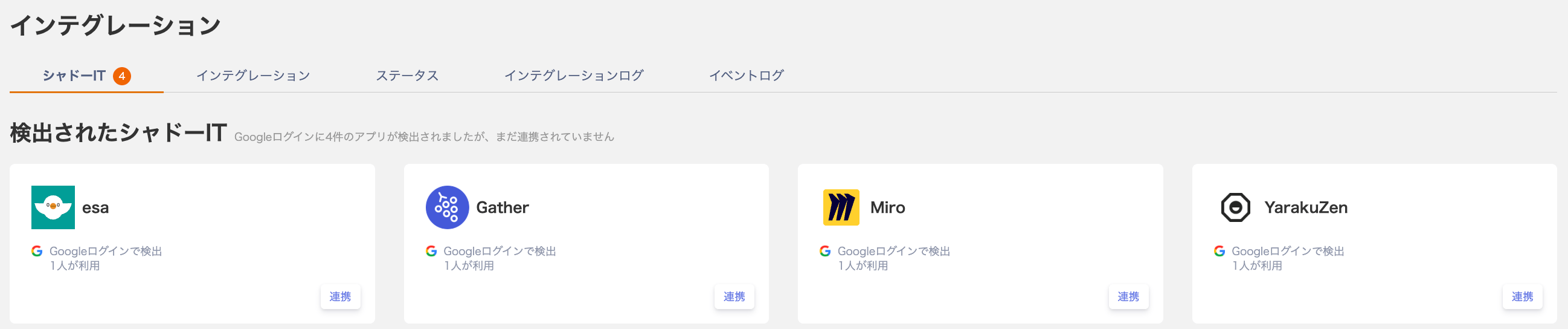
Criteria for Shadow IT Review and Management
Shadow IT displays SaaS services that are not yet connected. Use the following criteria to prioritize them, then connect them via 3. Connect your SaaS.Export as CSV
Click Export in the upper right to export the detected SaaS list.
recommended-services_<organization ID>_<date>.csv.
You can mute services that are out of scope for integration or that you want to review later. See Mute Shadow IT services for details.
FAQ
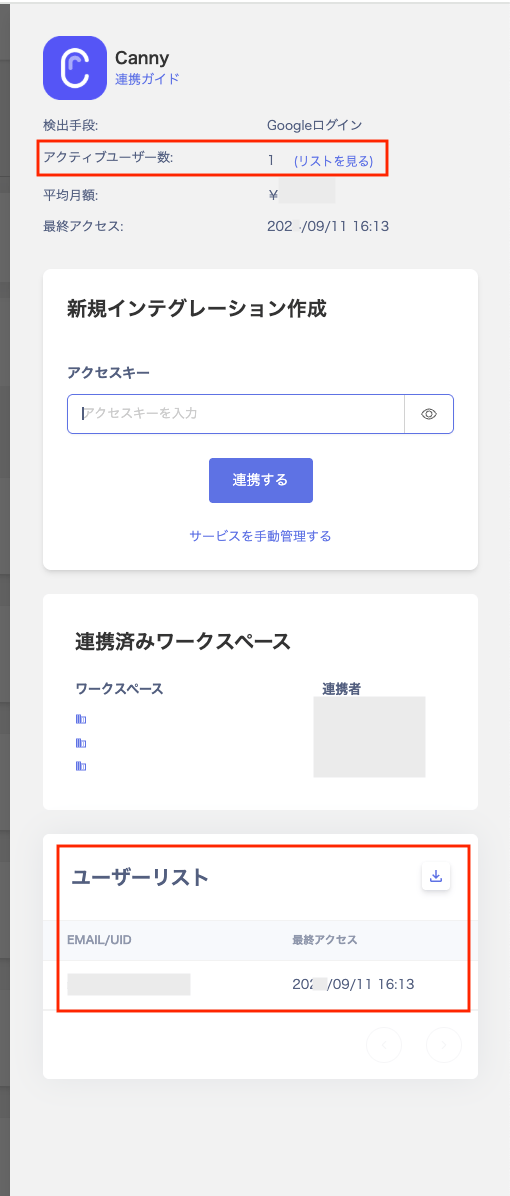
Q. The active user count shown after clicking a SaaS in Shadow IT does not match the user list. A. The active user count is retrieved from event logs for the past 3 months. Users from before that period do not appear in the list.