

The device management feature requires a Device plan (paid subscription). If you would like to try the feature, please contact support through chat.
Recommended environment and prerequisites
We recommend CSV import in the following environment and format:| Item | Description |
|---|---|
| Character encoding | UTF-8 |
| File format | CSV (comma-separated, .csv) |
| File name | Avoid environment-dependent characters (legacy Japanese characters, special symbols) and half-width katakana. |
Import your device ledger via CSV
You can import your device ledger into our service. Before importing, please refer to CSV import precautions below.-
Click Devices > Export or Import.
- Method 1 (recommended): save the CSV file from Export.
- Method 2: click “Download template” in the “Device Data Import” dialog accessible from Import and save the CSV file.

- Format the items you manage according to the template.
- Open Devices > Import. In the “Device Data Import” dialog, select the CSV file using [Choose file] to complete the import.
CSV import precautions
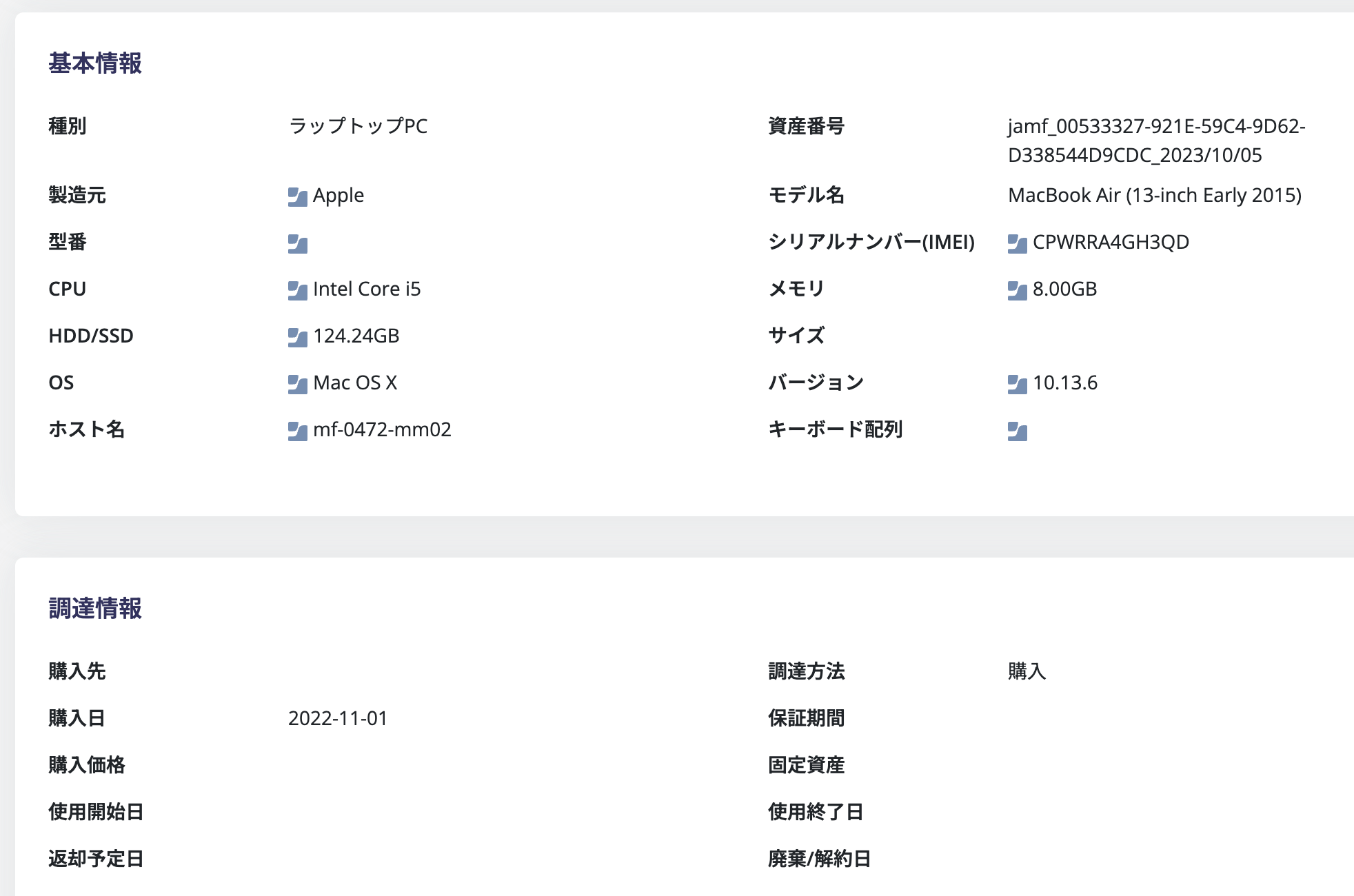
Existing data is overwritten during CSV import. Please review the following precautions carefully.| Item | Description |
|---|---|
| Backup | Always export a CSV file as a backup before performing a CSV import. Data cannot be recovered. |
| Overwriting existing data | During CSV import, you must register these required fields: Asset number, Model name, Type and Status. This process overwrites data with the CSV data. If the CSV data is blank, it will overwrite with blank data. |
| MDM integration | If you add devices manually or via CSV after MDM sync, subsequent syncs will not merge them. Add devices first, then sync via MDM. If MDM integration is already in use, items marked with the MDM logo will not be overwritten. |
| Required fields for CSV import | You must register Asset number, Model name, Type and Status. |
| Device-dependent characters | Not supported. |
| Number of records you can register | You can register up to 1,000 records in a single import. For 1,001 or more records, perform multiple imports. |

Registration template
Below are the items and specifications that can be registered using the template:| Item name | Required | Input example | Input specification |
|---|---|---|---|
| Asset number | Required | keyboard0001 | Free input (max. 100 characters). Register it as a unique IT asset. If you do not have an asset number, register it as a device name + serial number, etc. |
| Model name | Required | MacBook Air, Early 2014 | Free input (max. 100 characters) |
| Serial number (IMEI) | CN1230123101 | Free input (max. 100 characters) | |
| user@example.com | Email address format. If you specify an email address that does not exist in our service, the email address registration will be skipped. | ||
| Type | Required | Tablet PC | Select the default value from the following list. If you change it, set the type you added in Add a new device type. Desktop PC, Laptop PC, Tablet PC, Phone, Monitor, Server, Peripherals, Other During CSV import, enter a value that exactly matches the value set for the device type, including uppercase and lowercase letters, half-width and full-width characters, and spaces. |
| Status | Required | Disposal/Cancellation | Please select from the following: Used, Pending, Stock, Broken, Disposal/Cancellation, Unknown |
| Allocation date | 2023-12-21 | YYYY-MM-DD or YYYY/MM/DD | |
| Allocation end date | 2023-12-22 | YYYY-MM-DD or YYYY/MM/DD | |
| Phone number | 08012345678 | Free input (max. 100 characters) | |
| Location 1 | Shared by Tohoku Branch | Free input (max. 100 characters) | |
| Location 2 | 21F Conference Room | Free input (max. 100 characters) | |
| Purchase date | 2023-12-22 | YYYY-MM-DD or YYYY/MM/DD | |
| Memo | Memorandum. Check if Mr. Kimura was lent a security card at the time of his retirement. | Free input (max. 5,000 characters). Markdown notation is available. | |
| Manufacturer | Apple | Free input (max. 100 characters) | |
| Model No. | FMVA77DL | Free input (max. 100 characters) | |
| CPU | Core i9 13900KS | Free input (max. 100 characters) | |
| Memory | 64GB memory (DDR4, 32GB x 2) | Free input (max. 100 characters) | |
| HDD/SSD | HDD (1TB) | Free input (max. 100 characters) | |
| OS | Windows 11 Pro for Workstations | Free input (max. 100 characters) | |
| Version | 1.2.5 | Free input (max. 100 characters) | |
| Size | 13 inches | Free input (max. 100 characters) | |
| Keyboard layout | JIS | Please select from the following: US, JIS, UK, Other | |
| Host name | cf-1561-mm02 | Free input (max. 100 characters) | |
| SIM number | NN1234567898765 | Free input (max. 100 characters) | |
| Cellular phone plan | Unlimited MAX 5G | Free input (max. 100 characters) | |
| Procurement method | Purchase | Please select from the following: Purchase, Lease, Rental, Other | |
| Purchased from | Money Forward, Inc. | Free input (max. 100 characters) | |
| Purchase cost | 120000 | Numerical value | |
| Fixed assets | Subject | Please select from the following: Subject, Not subject | |
| Guarantee period | 18 months | Free input (max. 100 characters) | |
| Start date of use | 2021-12-03 | YYYY-MM-DD or YYYY/MM/DD | |
| End date of use | 2021-12-03 | YYYY-MM-DD or YYYY/MM/DD | |
| Expected return date | 2021-12-03 | YYYY-MM-DD or YYYY/MM/DD | |
| Disposal/Cancellation date | 2021-12-03 | YYYY-MM-DD or YYYY/MM/DD |

