This integration is available to customers using the device management feature. To request a trial, contact us via Ask a support representative directly in the chat.
Purpose of MDM Integration
Device ledgers (Excel, etc.) and MDM-compatible SaaS tools often manage overlapping fields. This leads to duplicate record-keeping. This feature makes the device feature the master management ledger. This resolves duplicate management and streamlines operations.Basic Operations in MDM Integration
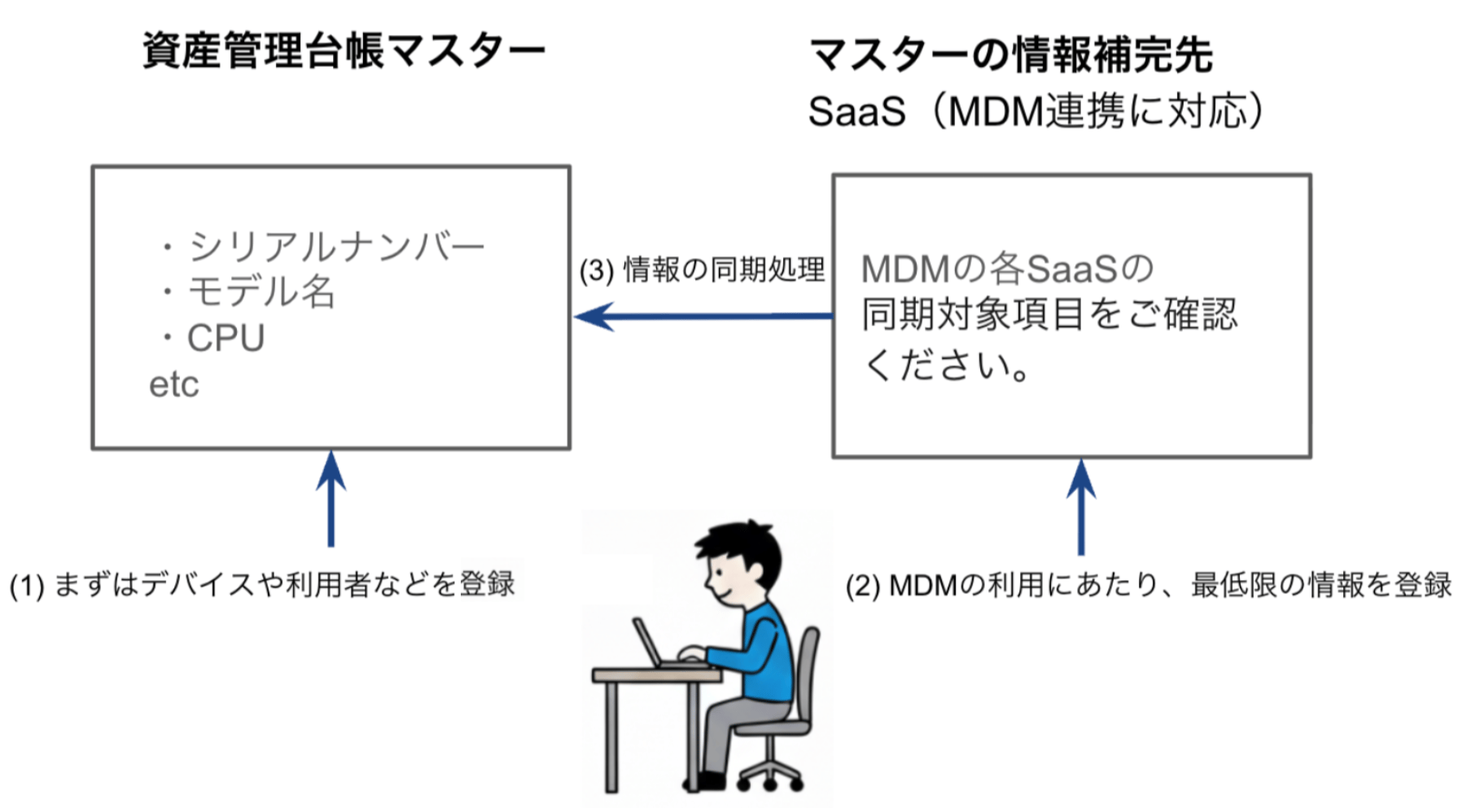
Sync Overview
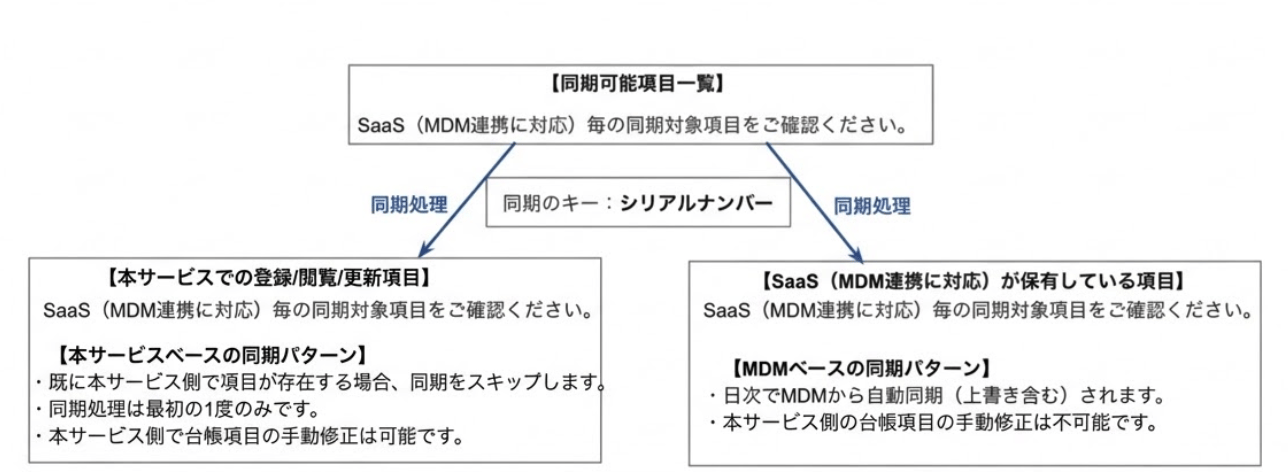
Sync Specifications
- Data flows from the MDM-compatible SaaS into this service (write direction).
- This service does not push data back to the MDM-compatible SaaS.
- Connecting to an MDM-compatible SaaS syncs the mergeable fields from the SaaS into this service.
- Sync occurs at three points: on initial connection, nightly (automatic), and on demand (manual).
- The
Serial Numberis the merge key. - When the serial number in the SaaS matches one in this service, a merge is performed.
- When no device matches the SaaS serial number, a new device is created. An asset number is assigned automatically — update it to your own asset number if needed*.
- When the SaaS device has no serial number, a new device is created. An asset number is assigned automatically — update it to your own asset number if needed*.
- When the SaaS serial number is
ToBeFilledByO.E.M.orSystemSerialNumber, a new device is created. These default values are not unique to each device, so they are not used as the merge key. An asset number is assigned automatically — update it to your own asset number if needed*. - If you add a device manually or via CSV after syncing devices with the MDM, later syncs will not merge that device. Add the device manually or via CSV first, then run the MDM sync to merge it.
- If you disconnect the MDM integration and connect it again, devices with a matching serial number are merged. MDM-based fields are overwritten with the MDM values. Service-based fields keep any existing value in this service, and only empty fields get the MDM value.
*Synced asset numbers can only be changed manually through the UI (bulk changes via CSV are not supported).
Sync Field Descriptions
Sync Target Fields
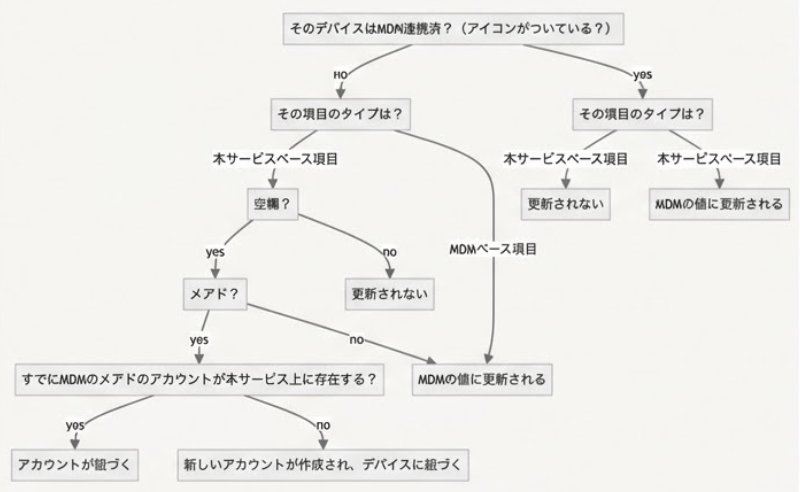
Refer to the sync fields for each MDM-compatible SaaS. Jamf (Pro) Sync Target Fields Iru (Kandji) Sync Target Fields Microsoft Intune Sync Target Fields LANSCOPE Endpoint Manager Sync Target FieldsWhether Fields Update During MDM Sync (Flowchart)