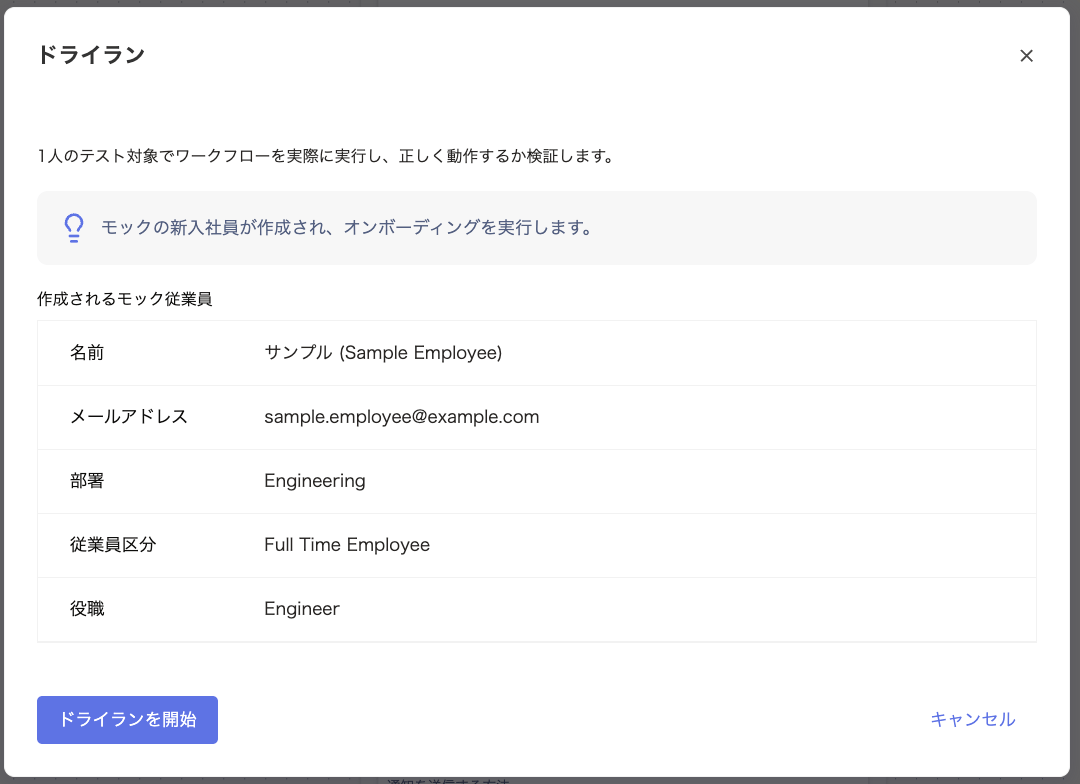
The Dry Run screen appears. Review the details, then click Start Dry Run.
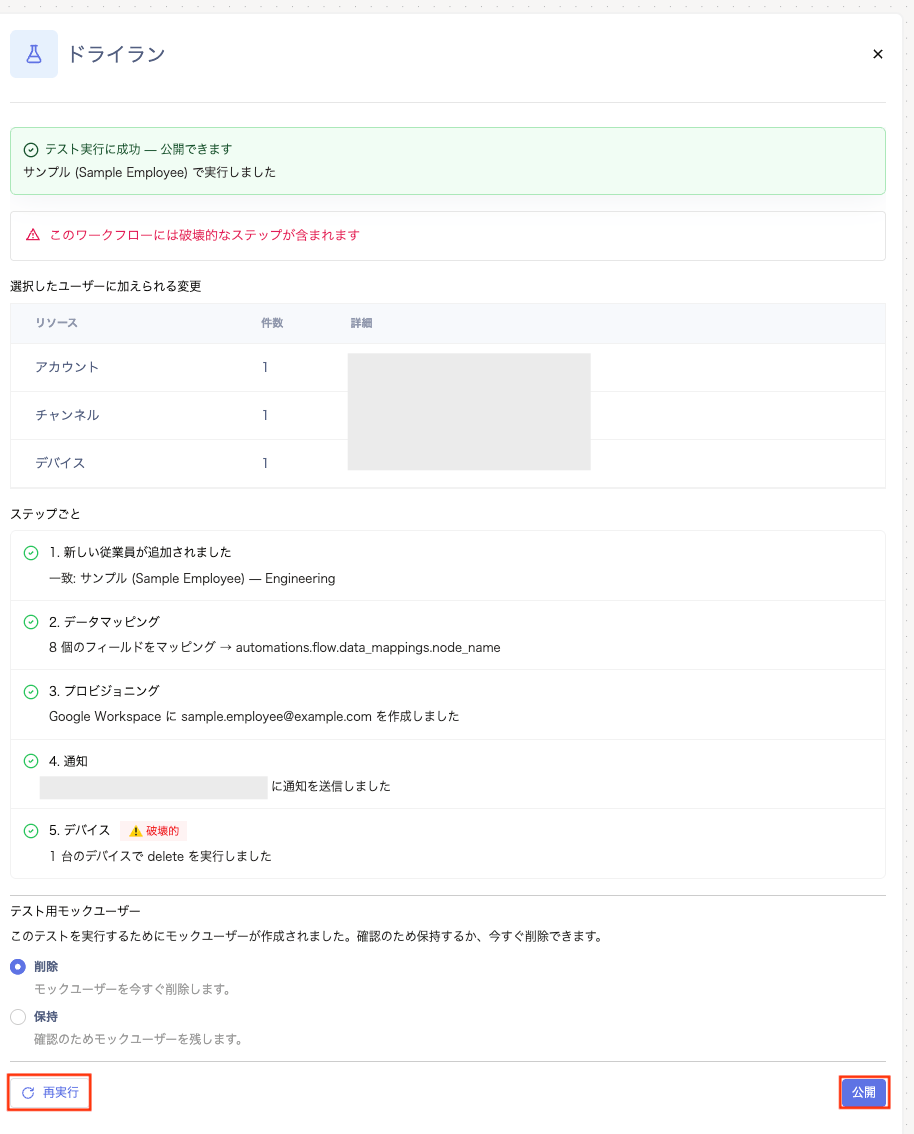
In the results list, each step lights up in real time as it runs. Review the results, then click Rerun or Publish.
If you select a real user, the dry run affects real data. In that case, the run executes against production data rather than a simulation.If you do not want to affect actual employee accounts or production data, be sure to select a mock user.
When the test finishes, the results appear in a banner at the top of the screen, along with a per-step results list.If a mock user (test account) was created, choose Delete or Keep.If the test succeeds, click Publish. If it fails, fix the issue and run the test again.
A. If you select a real user, the dry run affects real data. In that case, the run executes against production data rather than a simulation.If you do not want to affect actual employee accounts or production data, be sure to select a mock user.
Q. What happens to the mock user created for a dry run after the test?
A. After the test finishes, you can choose to Delete or Keep the mock user created for the dry run. Delete is selected by default, so the test data is removed immediately.
Q. Why doesn’t a new-hire dry run offer a choice between a real user and a mock user?
A. Testing onboarding always requires a new account, so a mock user is created automatically every time. Selecting a target user isn’t necessary in this case.
A. Yes, you can run it as often as you like before publishing. As long as every node is configured correctly and the workflow isn’t archived, you can rerun the test. Use the header’s Dry Run button or the Rerun option on the dry run screen.