

Integration Specifications
Prerequisites
Getting an API key
-
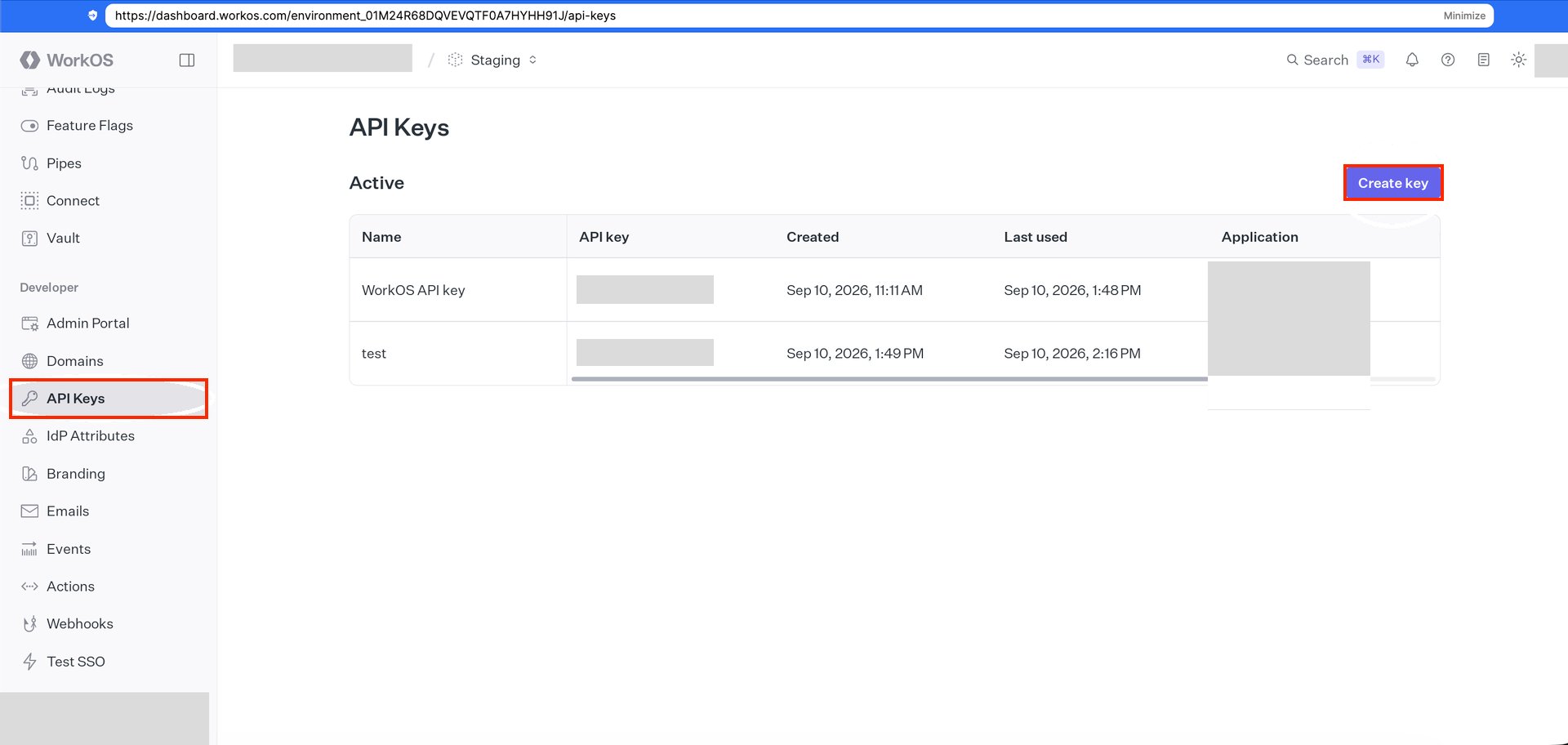
Log in to the WorkOS Dashboard (
https://dashboard.workos.com). -
Select API Keys and click Create key.
-
Enter a name for the API key and click Create key.
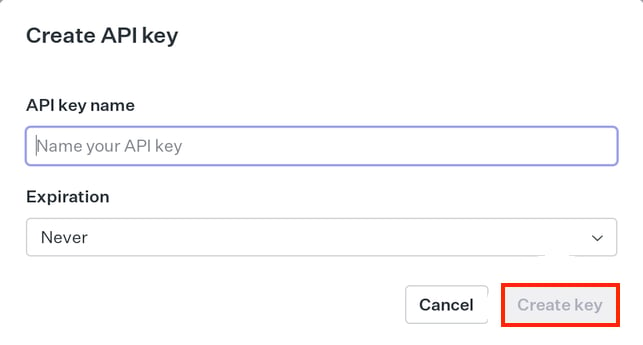
- Copy the created API key and save it.
Setting up the integration
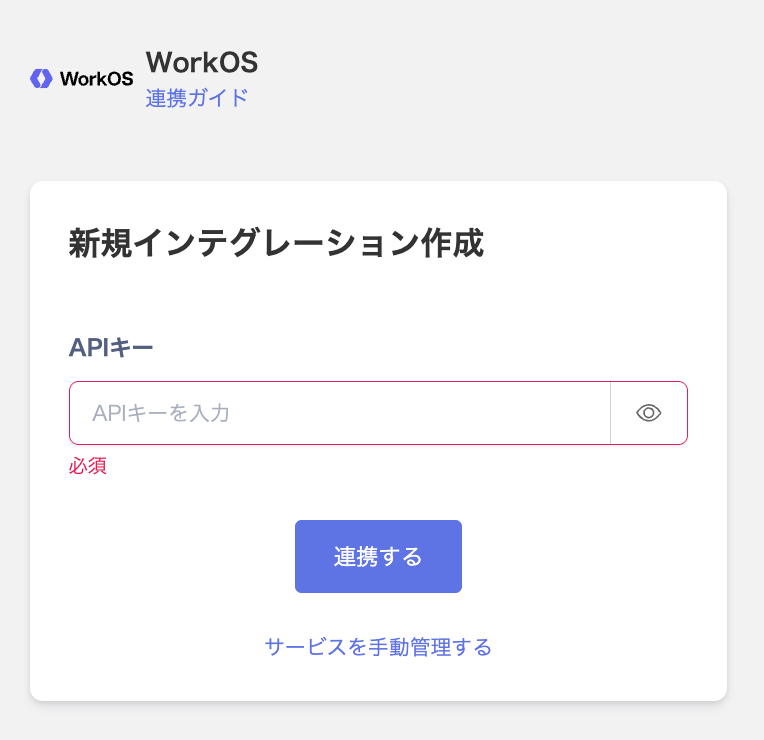
- Search for WorkOS on the integrations screen.
-
Enter the API key you obtained in the previous step, then click Integrate.
- Once the integration with WorkOS succeeds, registered user information appears in the account list. If it doesn’t complete successfully, first try the steps in Troubleshoot SaaS integration errors. If that doesn’t resolve it, check Information to provide and contact support.