

Integration Specifications
Prerequisites
How to Log in to Site24x7
Go to the Site24x7 login page, use your preferred login method or enter your email address and password, and log in.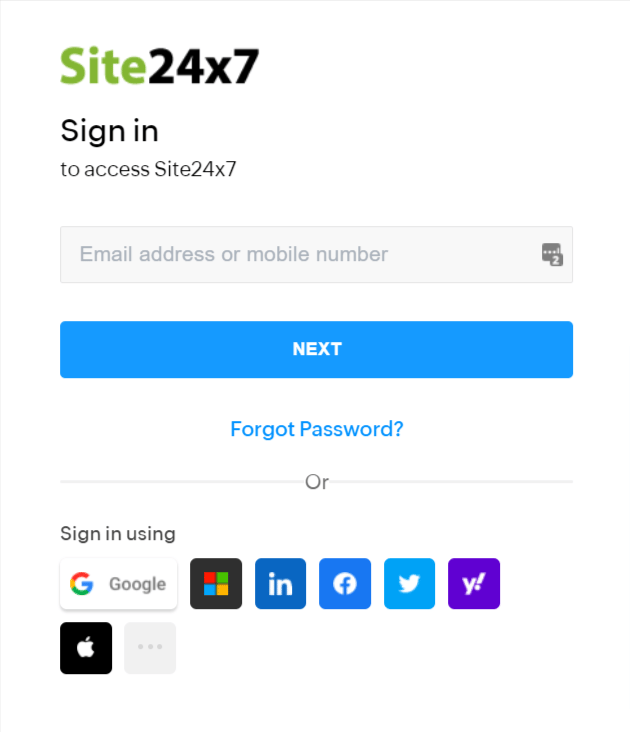
Checking OAuth Credentials
-
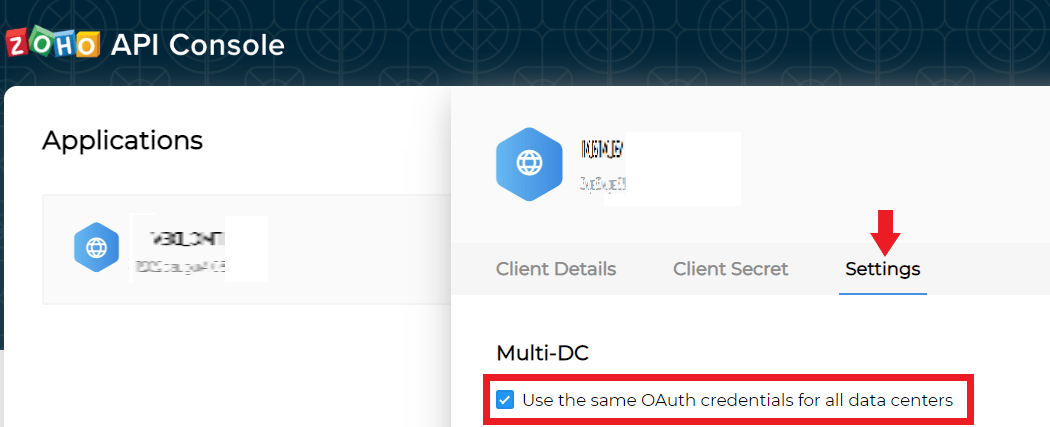
Access the ZOHO API Console and go to Select the Application you want to integrate > Settings.
Confirm that “Use the same Oauth credentials for all data centers” is checked.
If the checkbox is not checked, enable it.
-
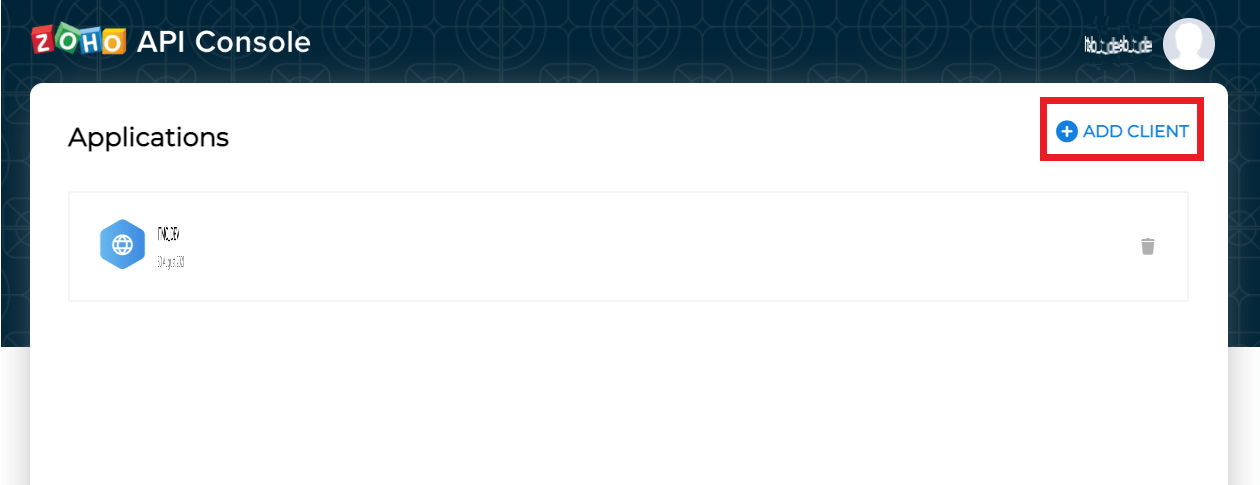
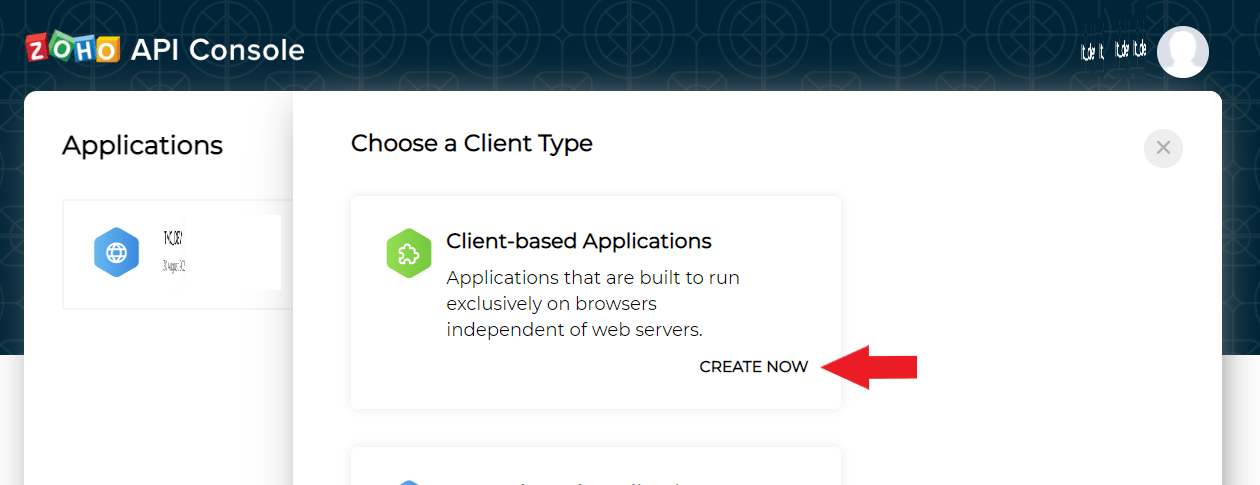
If no Application exists, create one by going to + ADD CLIENT > Client-based Applications > CREATE NOW.
After creating, confirm the Settings.
Integration Setup
- Search for Site24x7 in the integration screen.
-
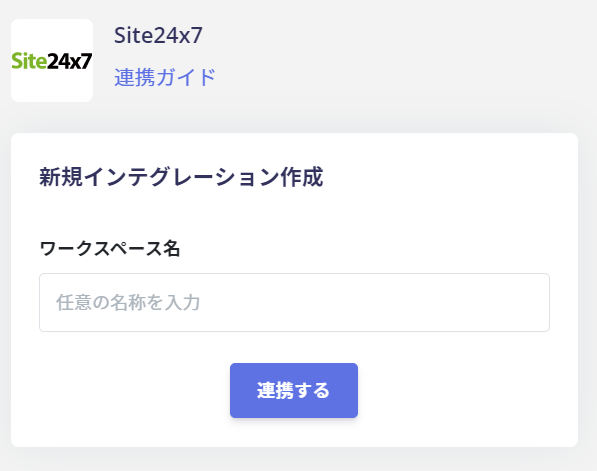
Enter a workspace name of your choice (e.g., company name) and click Connect.
-
A consent screen will appear. Review the content and click Accept.
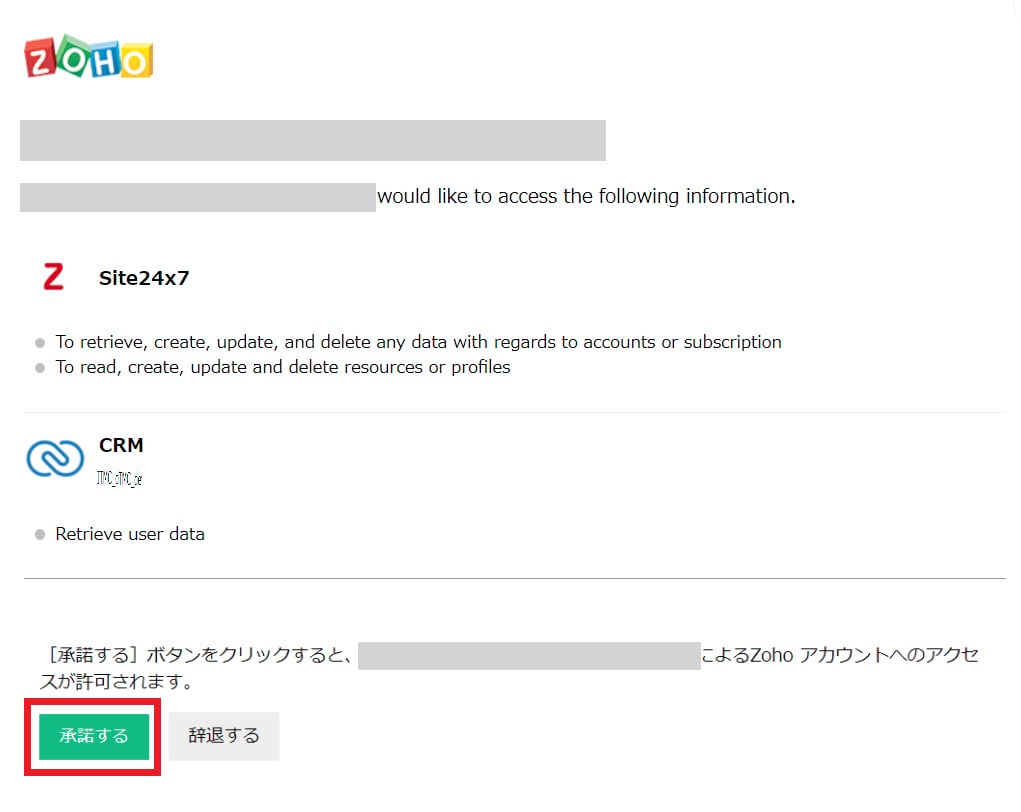
- Once the integration with Site24x7 is successful, the registered user information will appear in the account list. If the process does not complete successfully. Click Edit from the Status tab on the integration screen and try connecting again.
If the issue persists, please contact us via chat.