How to integrate Sansan with Admina using an API key. Admina retrieves user names, email addresses, and roles and supports account creation and deletion.
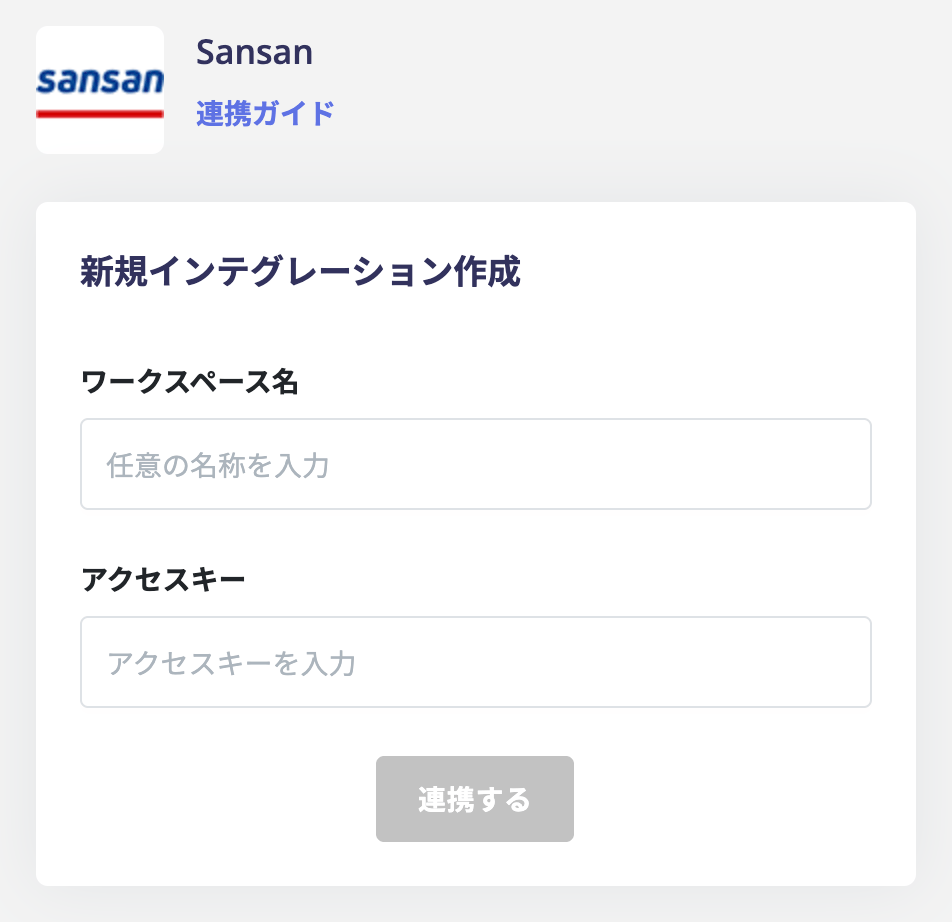
In the integrations screen, search for Sansan and click it.
Enter any name (such as your company name) in the Workspace Key field and the access key obtained in the previous step. Then click Connect.
When the Sansan integration succeeds, registered user information will appear in the account list. If the process does not complete successfully. Click Edit from the Status tab on the integrations screen and try connecting again. If the issue persists, please contact us via chat.
Q. What should I check if I see “Additional permission required to integrate app.”?
A. Admina displays this message when Sansan rejects an API request because of insufficient permissions. The request uses the access key (API key) registered in Admina. The Sansan integration uses the access key, so your role in Admina does not affect this error.Try the following steps:
In Sansan, check whether the Sansan user who issued the access key has permission to use the API
After reviewing the permissions, issue a new access key in Sansan