

Integration Specifications
Prerequisites
There is no cost to purchase the app.
Applying for the App
Purchase this service’s app from the Smaregi AppMarket.-
Go to the app page at the URL below and click Proceed to app application.
https://apps.smaregi.jp/apps/820

-
Click Purchase plan.
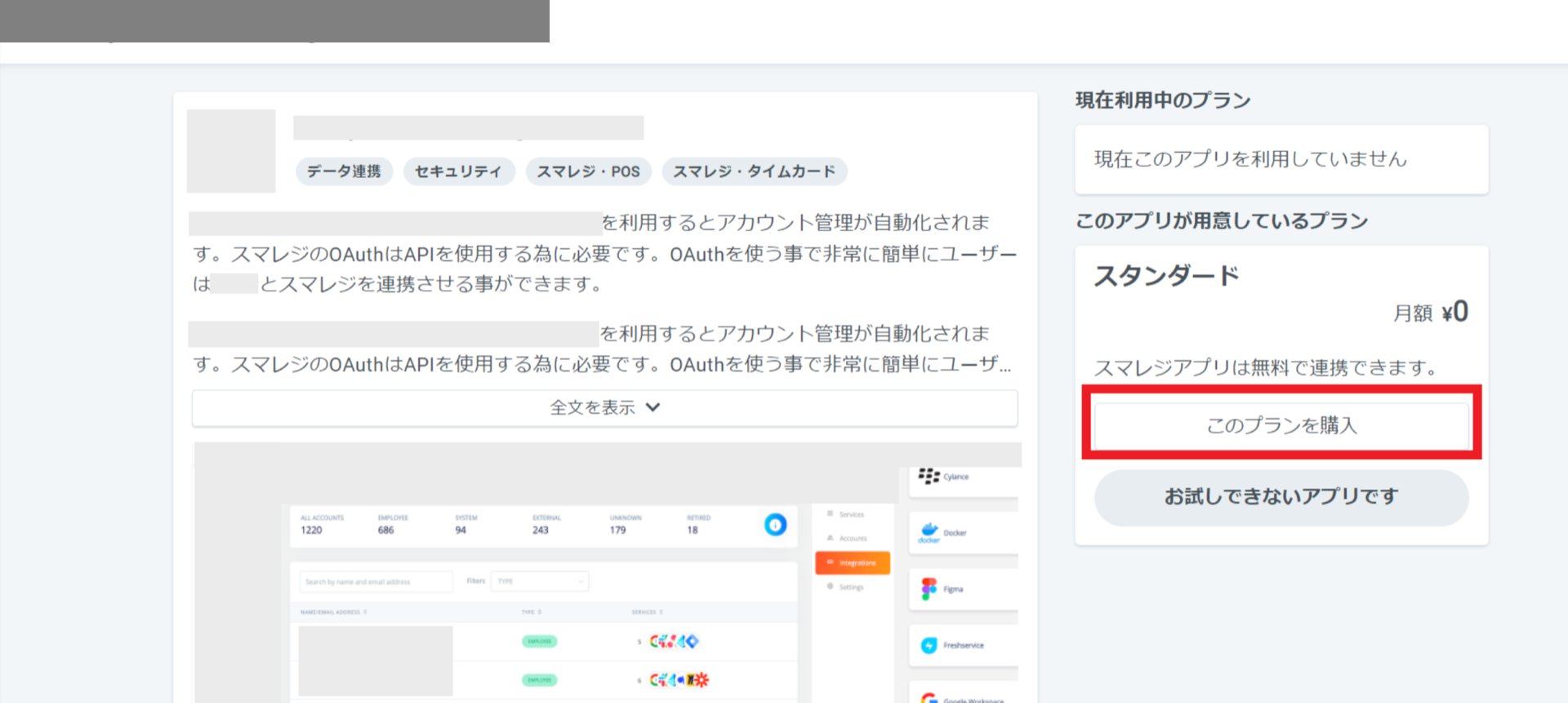
-
A screen like the one below will appear — click Allow and proceed. Once the purchase is complete, the purchased app will appear under “Apps in use” on your My Page.
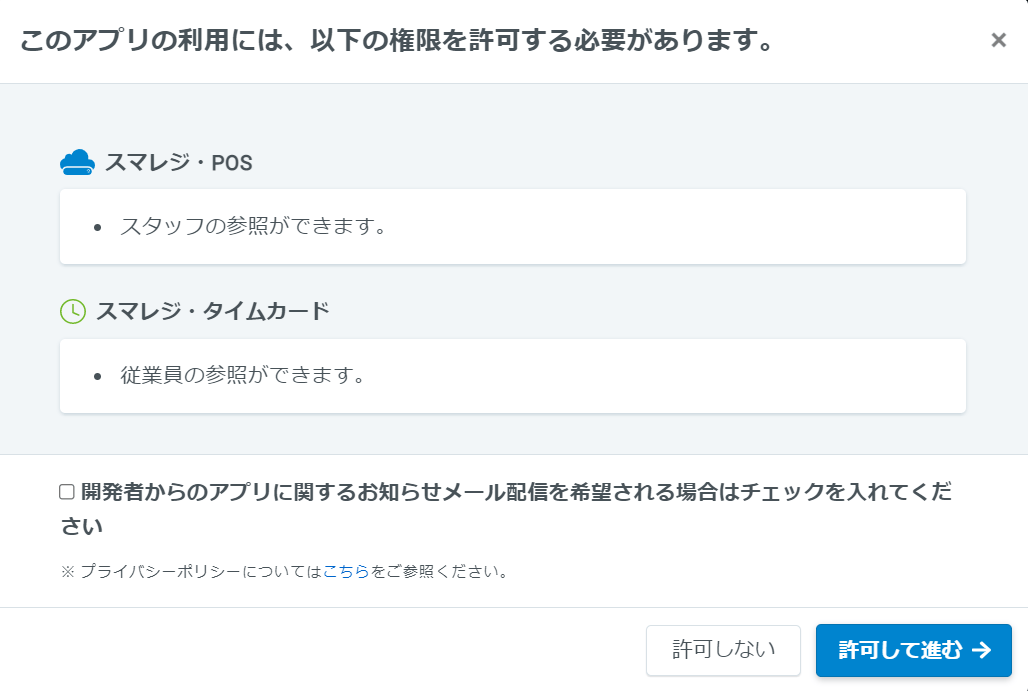
How to Log In to Smaregi
Go to the Smaregi login page, enter your email address and password, and log in.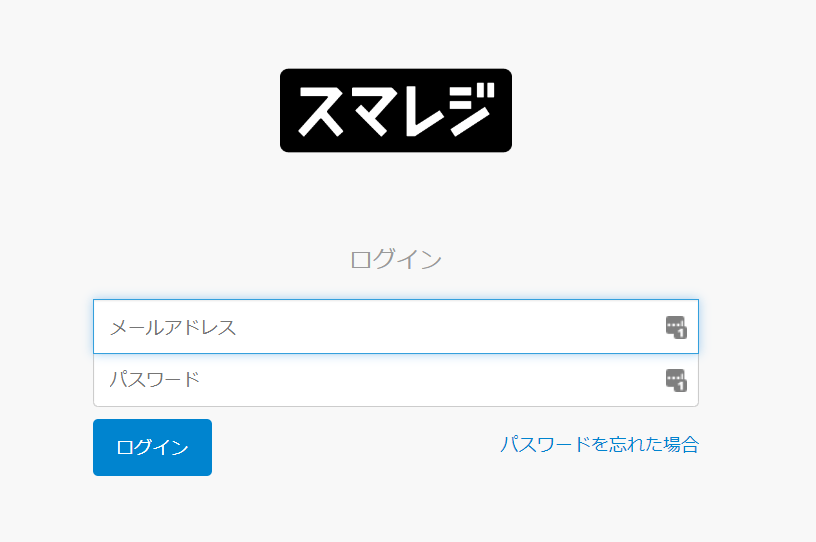
Finding Your Workspace Key
After logging in to Smaregi, select the building icon (third from the top) in the left menu bar. Then go to Basic Information. The contract ID is your workspace key — copy it.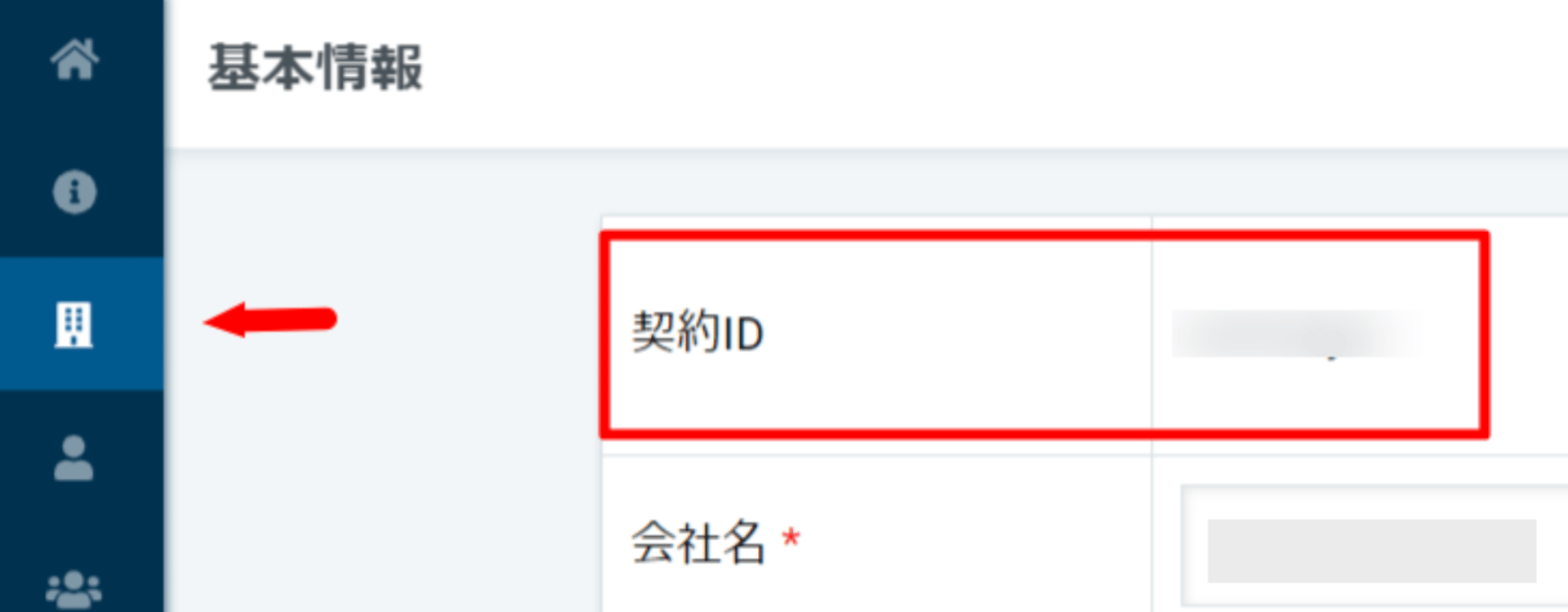
Integration Setup
- Search for Smaregi in the integrations page.
-
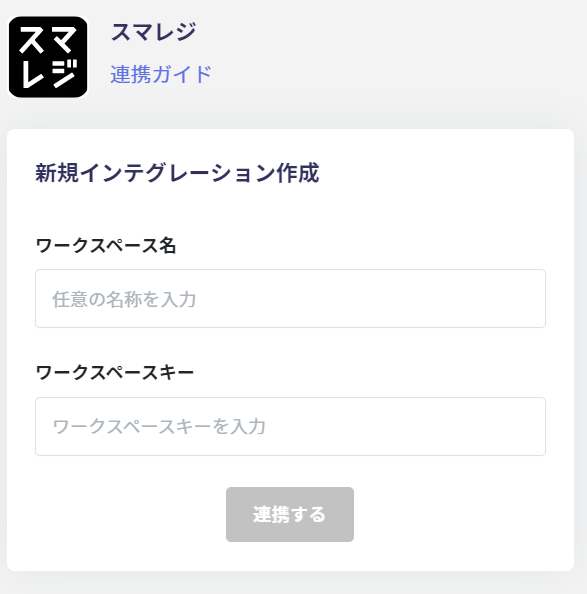
Enter any name for the workspace name (e.g., your company name) and the workspace key from the previous step. Then click Connect.
-
A permission screen like the one below will appear — click Allow.
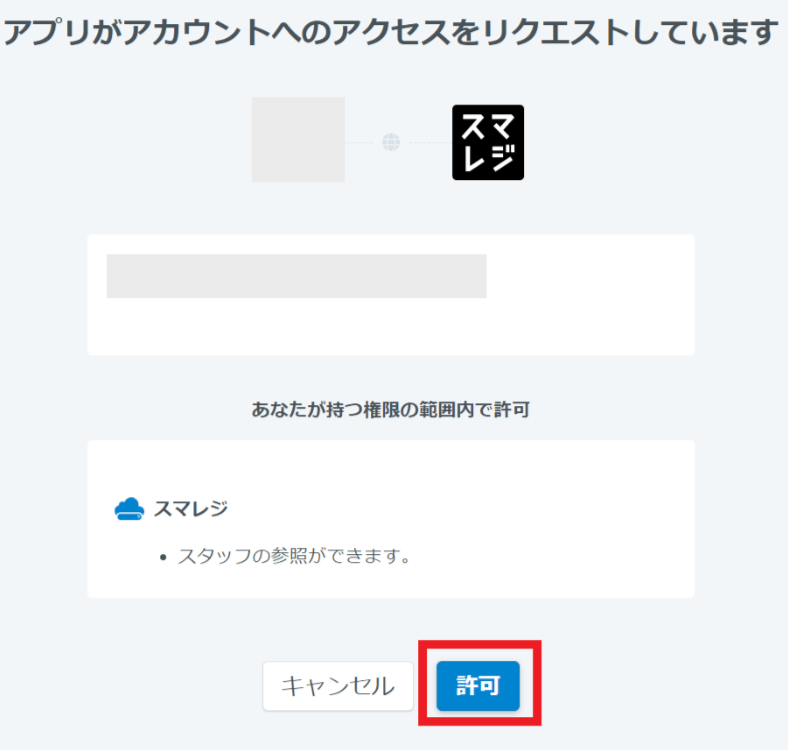
- Once the integration with Smaregi is successful, registered user information will appear in the account list. If the integration did not complete successfully. Click Edit from the Status tab on the integrations page, and try connecting again. If the issue persists, please contact us via chat.