

Integration Specifications
Integration requires an account with administrator privileges (Site Administrator Creator or Site Administrator Explorer).Integration with on-premises environments is not supported.
Prerequisites
How to Log In to Tableau
Go to the Tableau login page and sign in with your email address and password.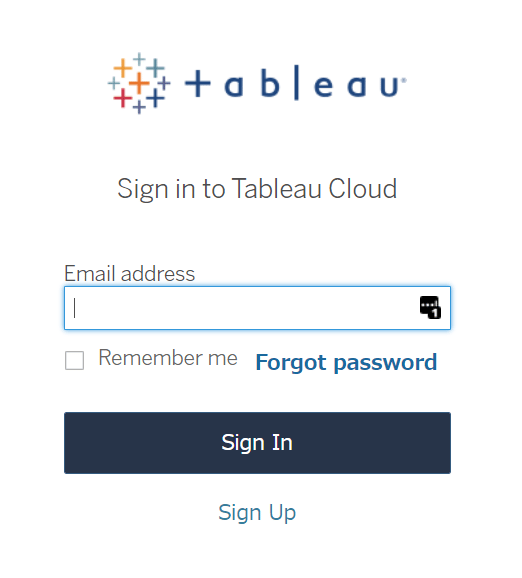
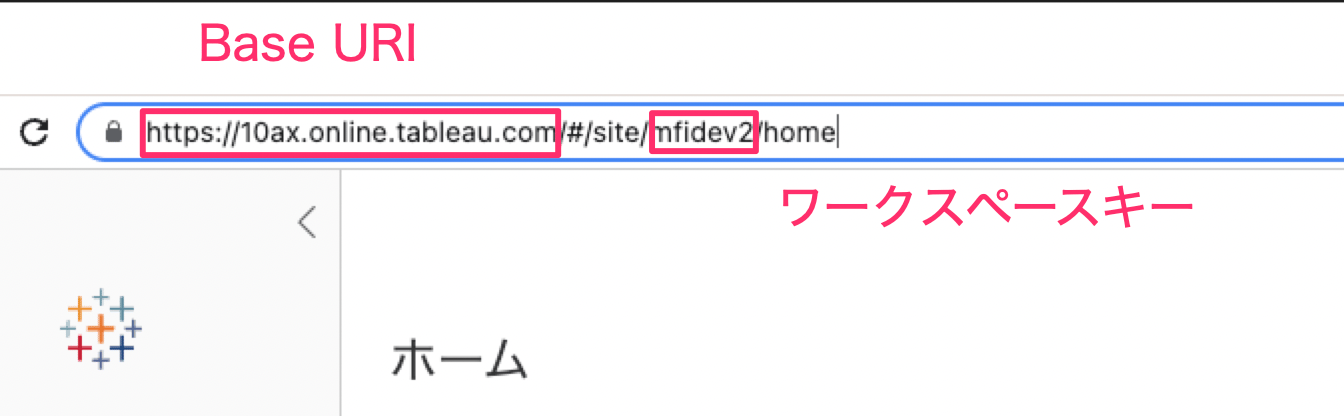
How to Obtain the Workspace Key and Base URI
After logging in to Tableau, part of the URL serves as the Workspace Key and Base URI. Save these values.Base URI (including http://) /#/site/ {Workspace Key} /home
How to Obtain the Token ID and Token Secret
-
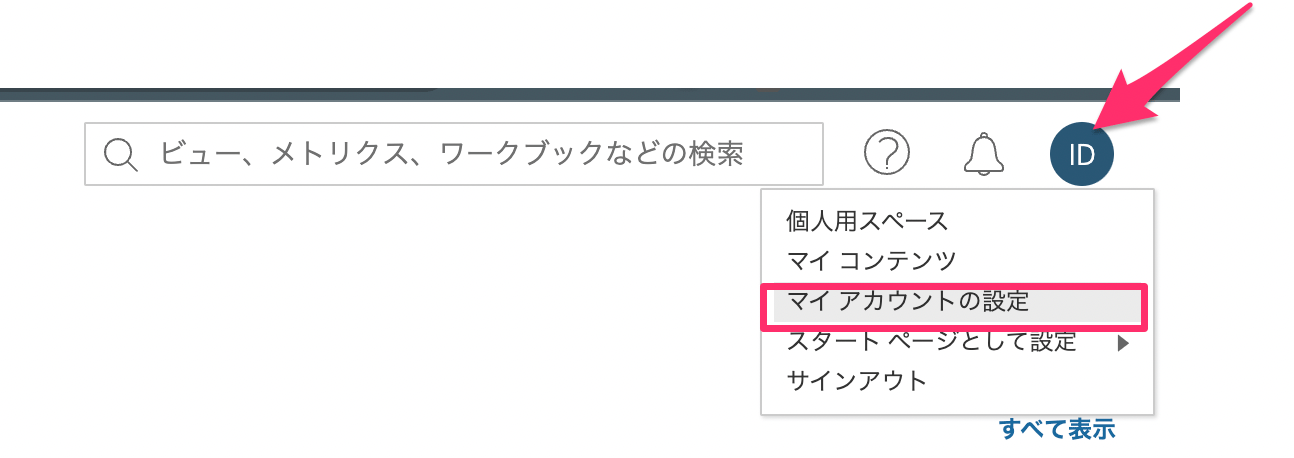
After logging in to Tableau, click your account icon in the upper right and select “My Account Settings.”
-
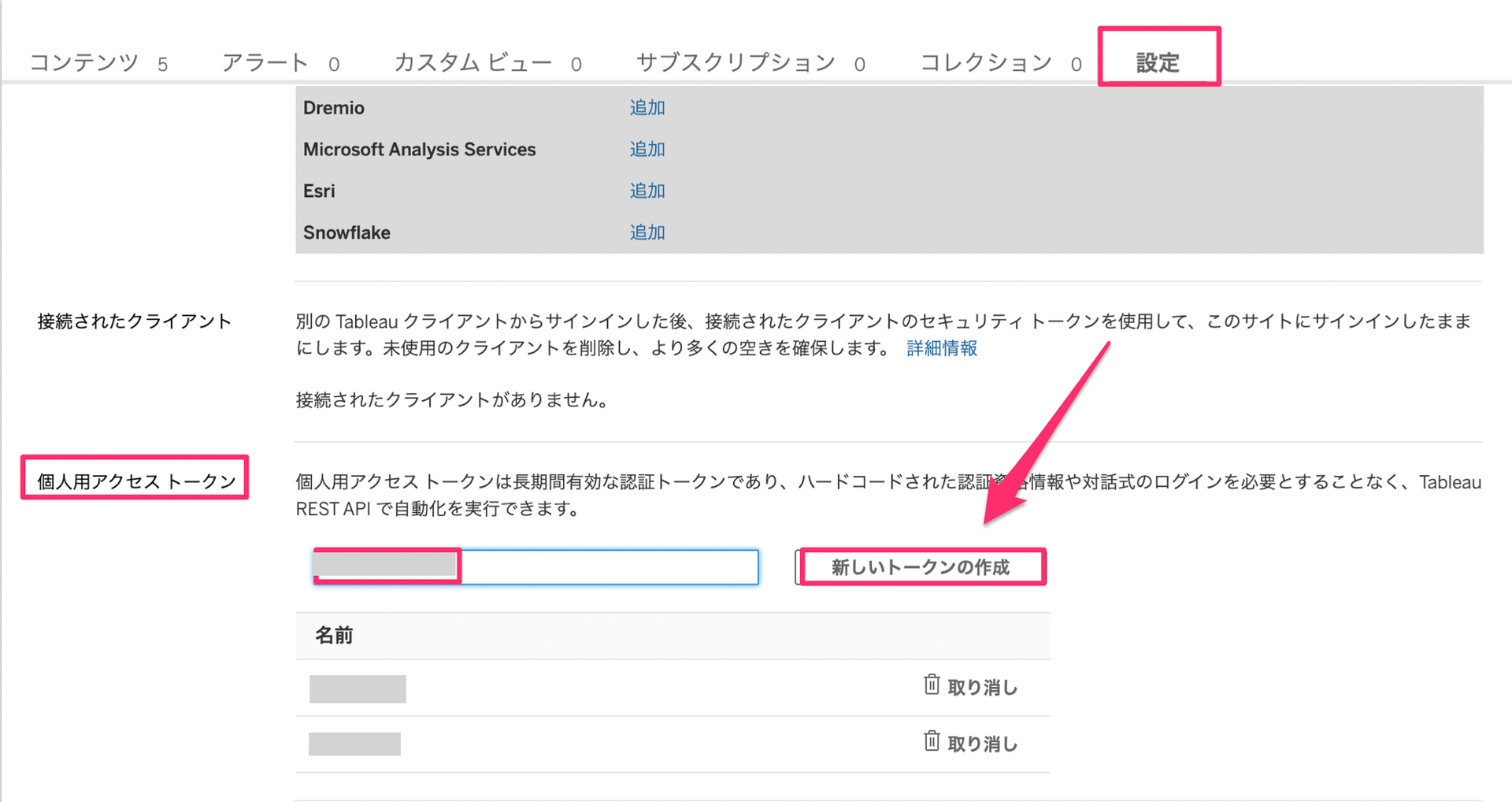
On the Settings tab, scroll down a bit to find Personal Access Tokens. Enter any name in the Token Name field, then click the Create new token button.
-
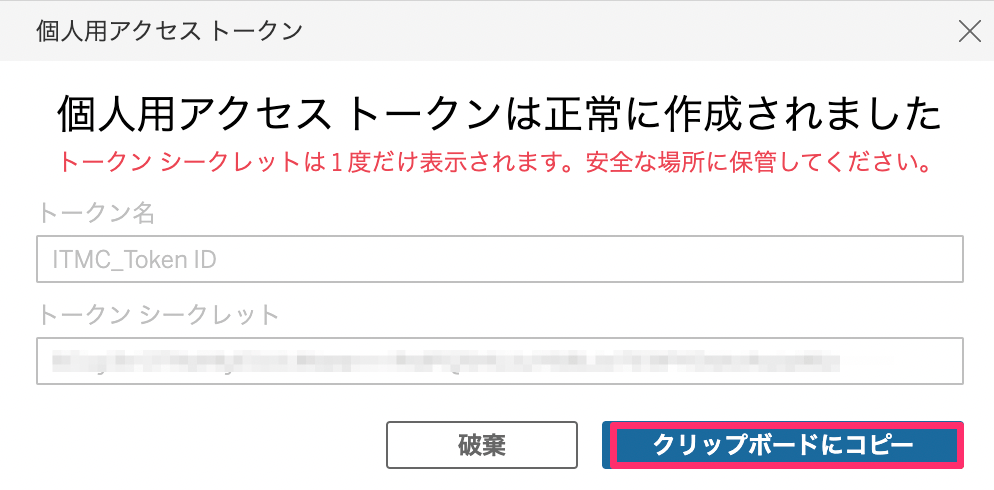
The following screen will appear. The Token Name becomes the “Token ID” and the Token Secret becomes the “Token Secret” in this service. Save both values.
Integration Setup
- In the integration screen, search for Tableau.
-
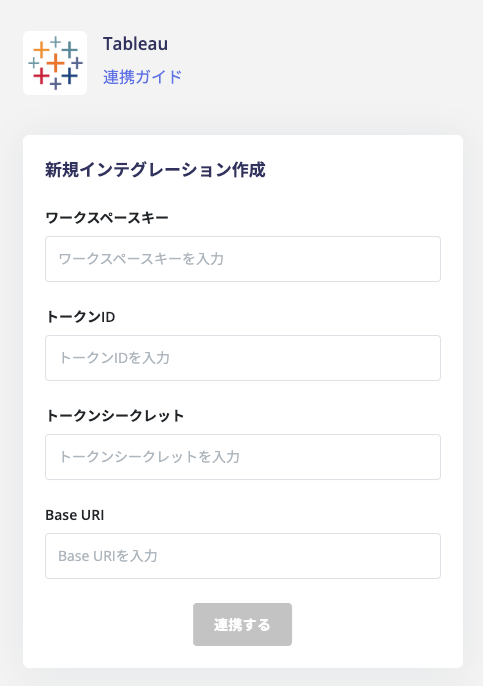
Enter the values obtained in the previous steps and click Connect.
- Workspace Key: The Workspace Key obtained earlier
- Token ID: The Token ID obtained in the previous step
- Token Secret: The Token Secret obtained in the previous step
- Base URI: The Base URI obtained earlier
- Once the integration with Tableau is successful, the registered user information will appear in the account list. If the integration does not complete successfully. Go to the Status tab on the integration screen, click Edit, and try connecting again. If the issue persists, please contact us via chat.
FAQ
Q. My Tableau integration was working, but now an authentication error occurs.
A. The authentication error is likely caused by the personal access token used for the integration. The main causes are as follows:- The personal access token expired because no one used it for a certain period, according to Tableau’s specifications.
- Someone deleted or recreated the personal access token in Tableau.
- The integrations of multiple workspaces use the same personal access token.