

Integration Specifications
Prerequisites
Issuing an API Key
Step 1. Create a Node-
API keys cannot be created at the top node. Move the accounts you want to integrate to a child node in advance by clicking Admin > [Add Node].
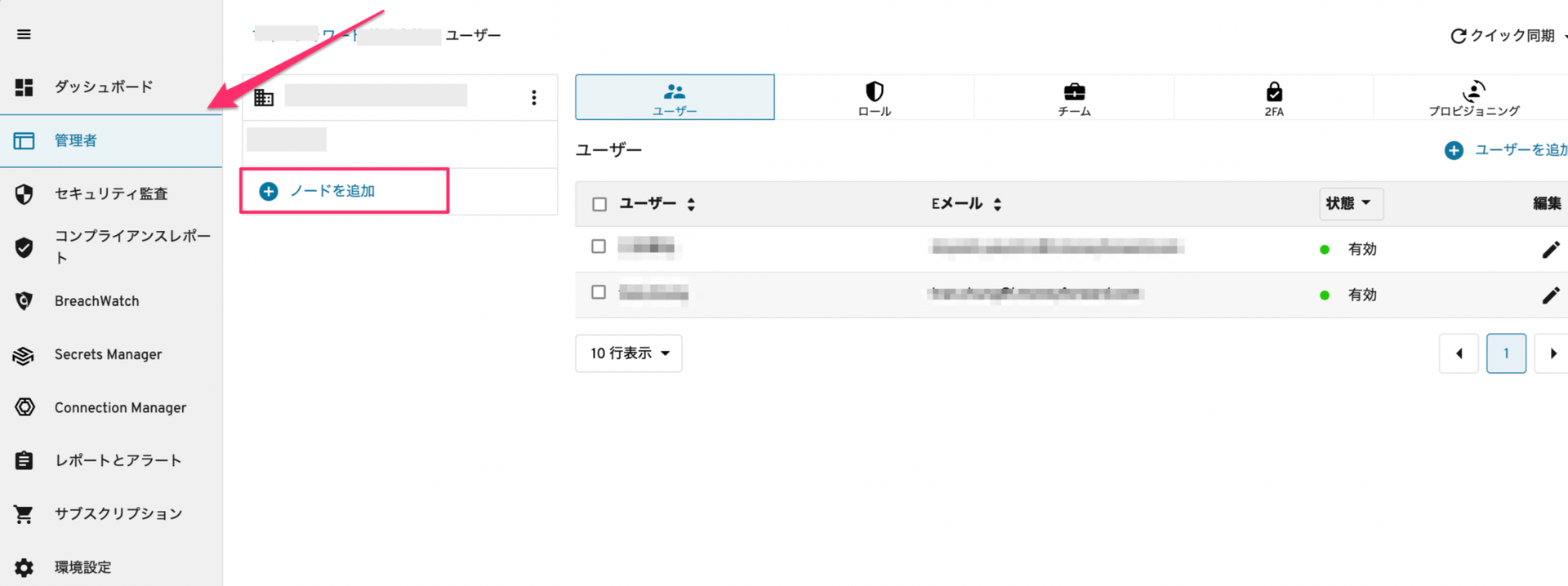
- Enter a name for the node and click [Add Node].
-
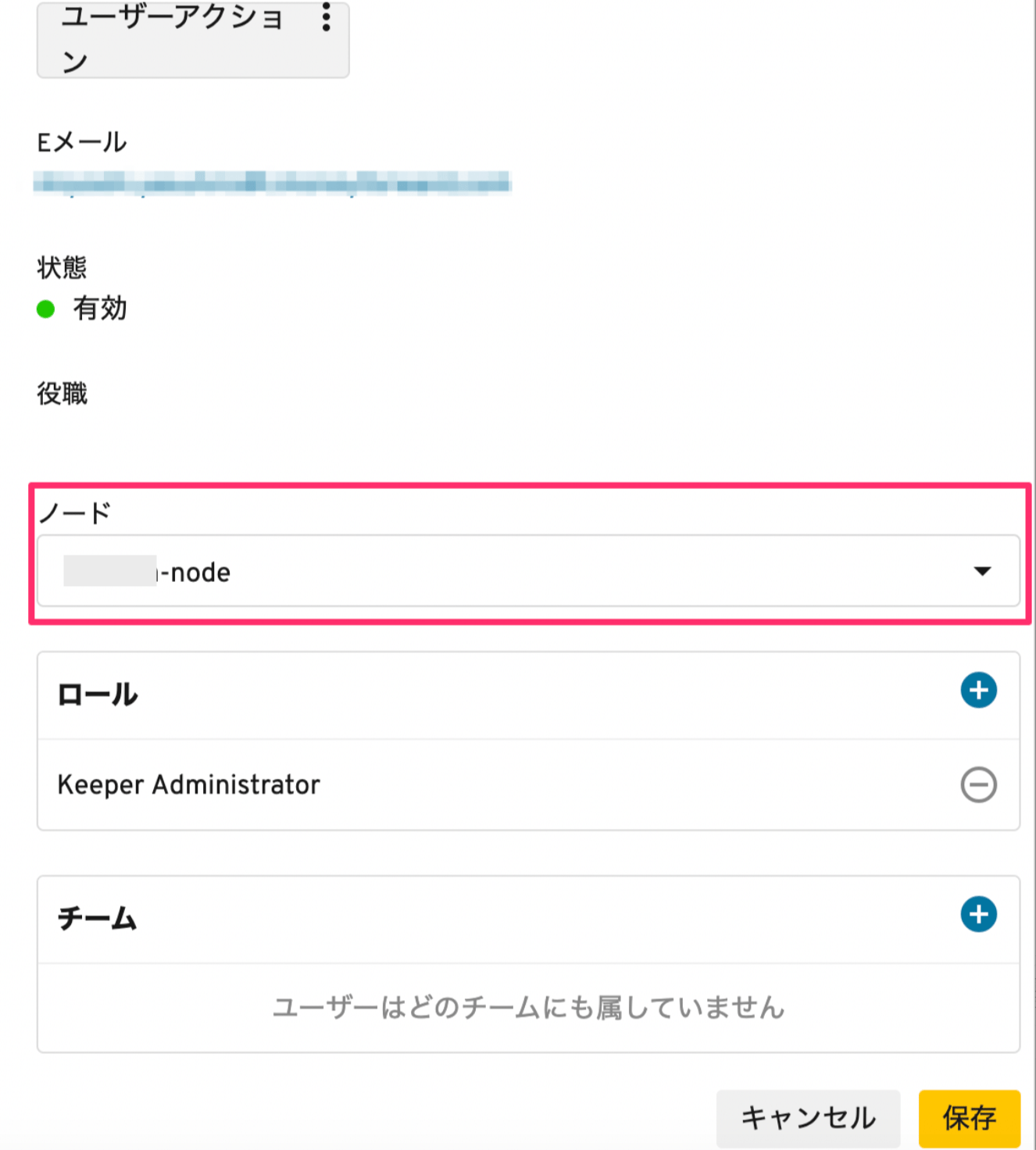
Edit the users and move them to the node you added.
-
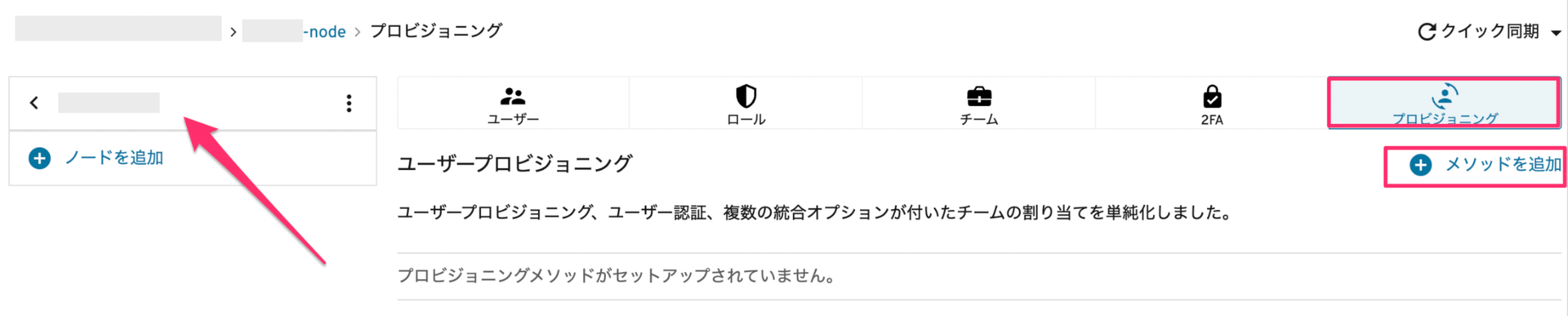
Select the node you added, then click Provisioning > [+ Add Method].
-
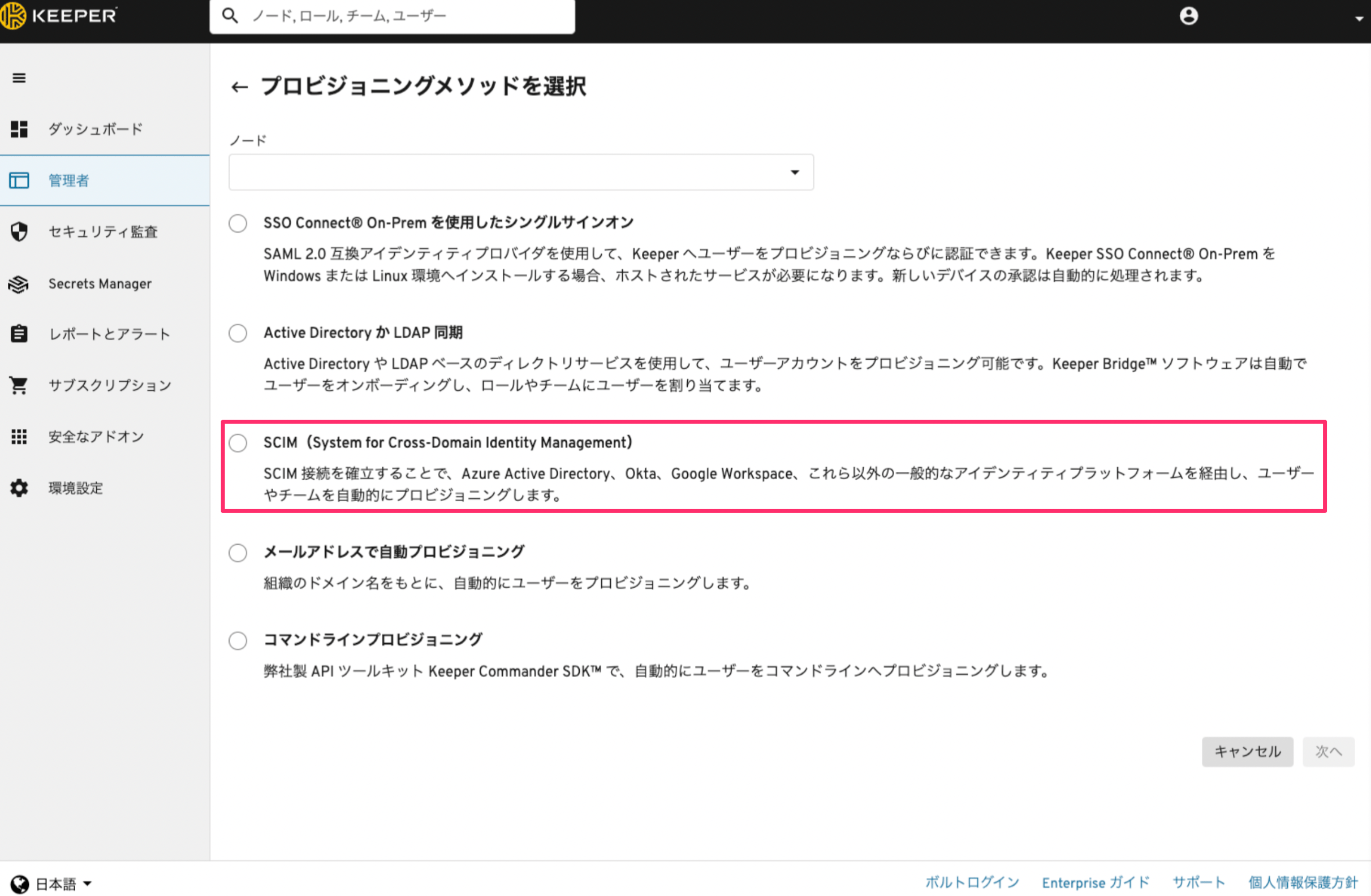
Select SCIM (System for Cross-Domain Identity Management) as the provisioning method, then click Next.
-
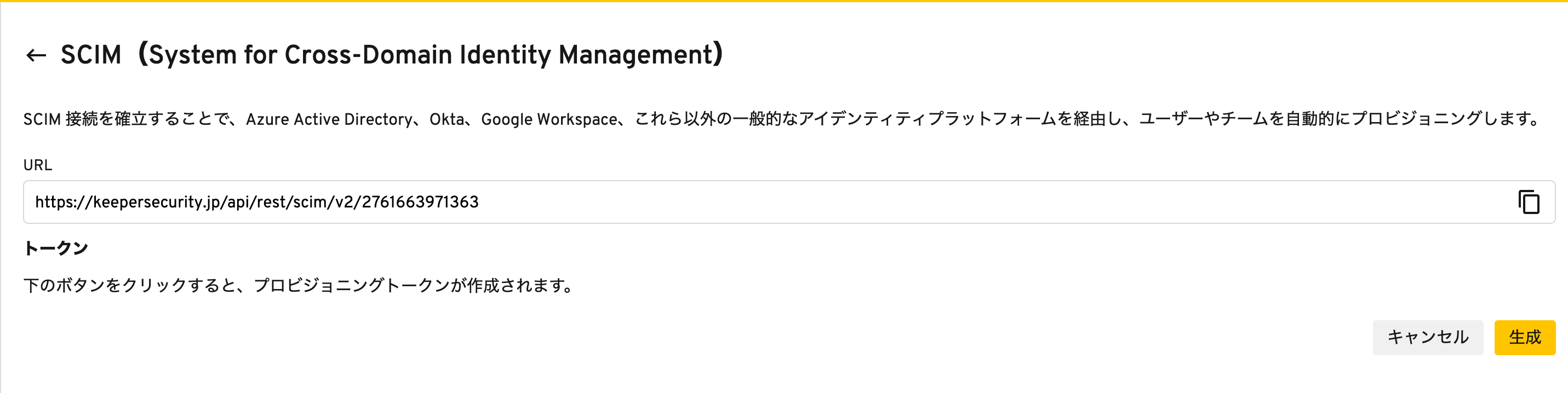
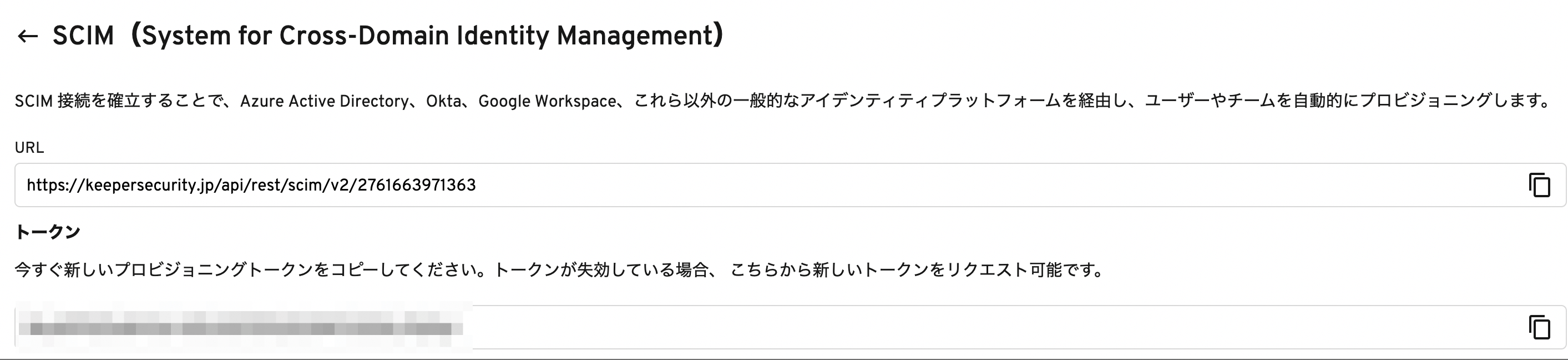
Click the Generate button to issue a token. Copy and save the URL and token.
Integration Setup
- In the integration screen, search for Keeper Enterprise.
-
Enter the URL obtained in the previous steps into
Base URLand the token intoAccess Key, then click Connect.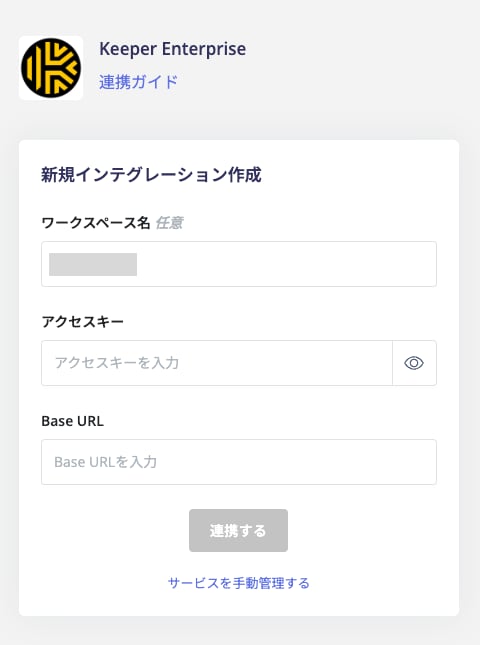
- Once the integration with Keeper Enterprise is successful, registered user information will appear in the account list. If the process does not complete successfully, go to the Status tab on the integration screen and click Edit. Try again.
Note: Account Deactivation in Keeper
You can deactivate (Disable) Keeper Enterprise accounts. Note that if an account is deactivated while in an invited state, it will be deleted. If deactivation is performed on an Active account, the account will be locked.When deleting a Keeper Enterprise account, the account will not be deleted due to Keeper’s specifications. Instead, it will be locked to prevent data loss. For details, see API Provisioning with SCIM.