

Integration Specifications
Prerequisites
How to get an API token
- Log in to Nimble, open the Settings screen, and select API Tokens from the left menu. For details, see Generate an API key to access the Nimble API (external site).
-
Enter a name in TOKEN NAME, check only Basic Scope (Read company and user data) under SCOPES, then click Generate Token.
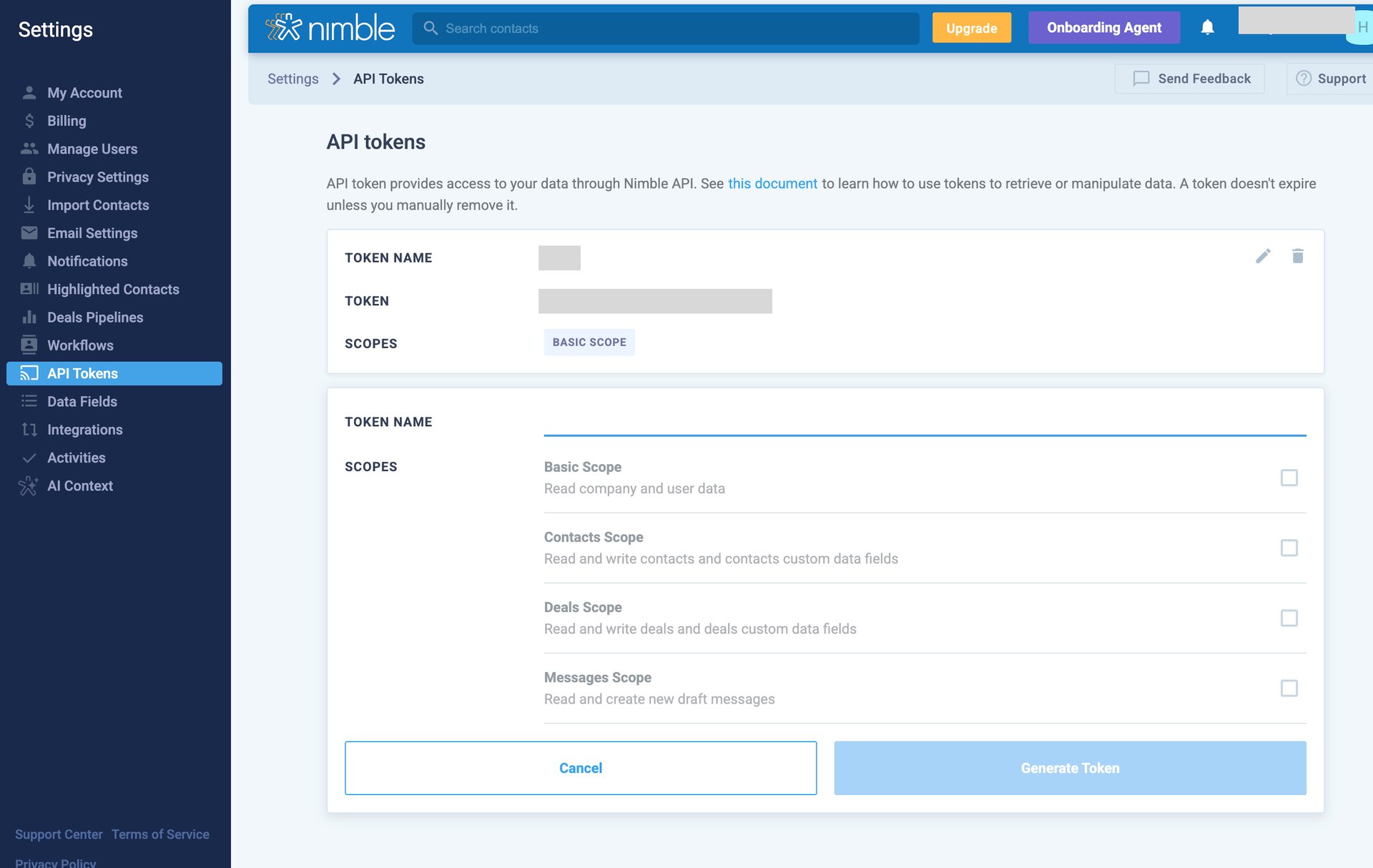
- Copy the generated token and save it.
Nimble accounts with two-factor authentication (2FA) enabled are not currently supported for this integration.
Setting up the integration
- On the integration screen, search for Nimble.
-
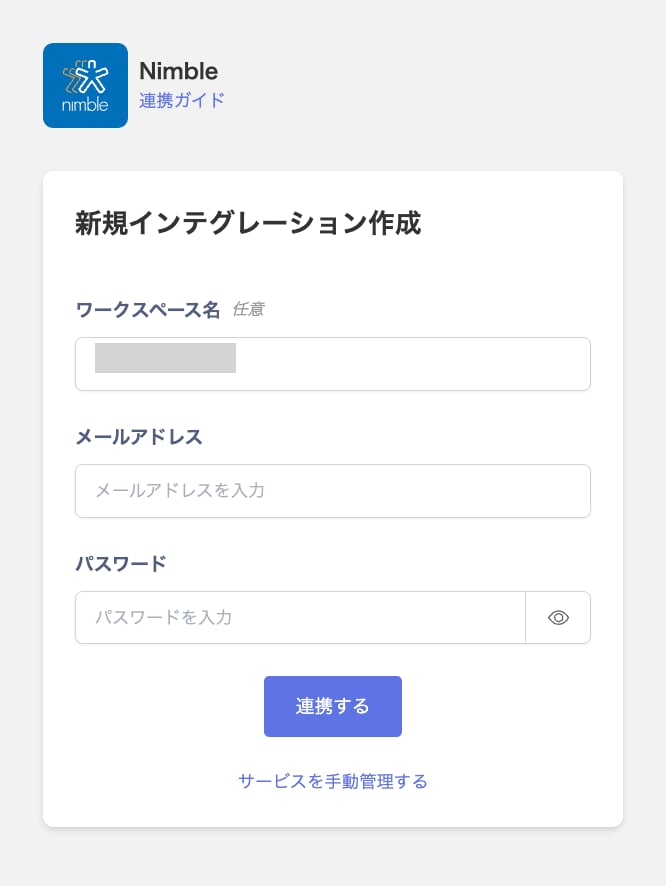
In Workspace name (optional), enter a name of your choice. In Email address, enter the email address you use to log in to Nimble. In Password, enter the token from the previous step, then click Connect.
- Once the integration with Nimble succeeds, registered user information appears in the account list. If it doesn’t complete successfully, first try the steps in Troubleshoot SaaS integration errors. If that doesn’t resolve it, check Information to provide and contact support.