

Integration Specifications
Prerequisites
Getting your access key
- Log in to Mixpanel and select the organization and project you want to integrate.
- Open Settings, then select the Project tab.
- Select Overview from the left sidebar.
- Scroll down to the Access Keys section.
- You’ll see both a Project Token and an API Secret.
- The integration uses the API Secret. Click Copy next to it.
For the difference between the Project Token and the API Secret, see Mixpanel’s official help article.
Setting up the integration
- On the integration screen, search for Mixpanel.
-
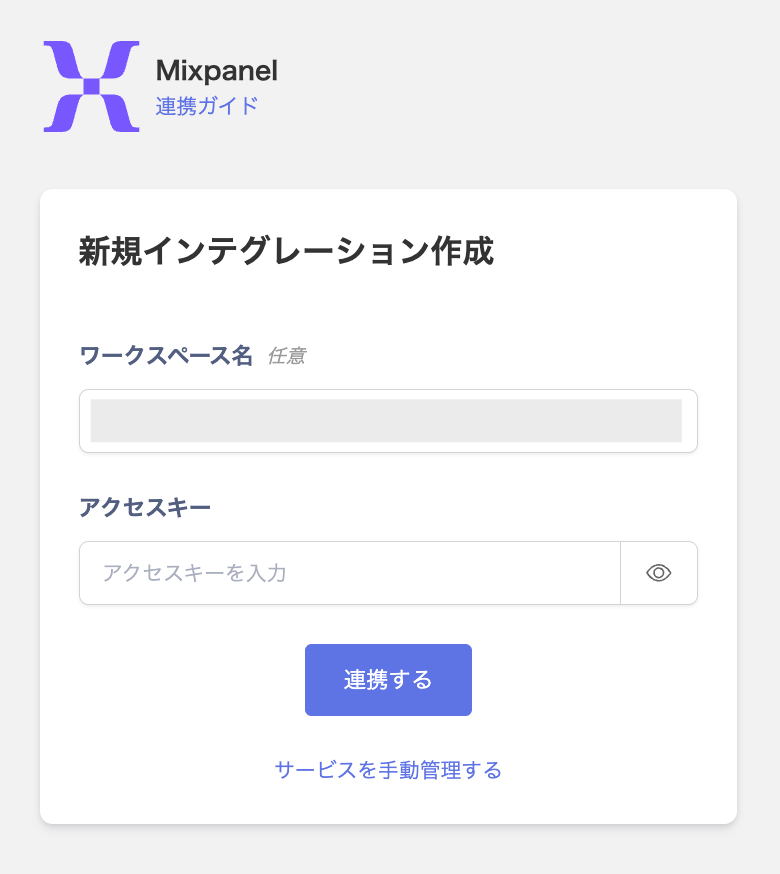
Enter a workspace name (optional), enter the API Secret from the previous step as the access key, then click Connect.
- Once the integration with Mixpanel succeeds, registered user information appears in the account list. If it doesn’t complete successfully, first try the steps in Troubleshoot SaaS integration errors. If that doesn’t resolve it, check Information to provide and contact support.