

Integration Specifications
An account with administrator privileges is required for integration.
Advance preparation
This is the same integration method as Money Forward Cloud Attendance. Please check the Money Forward Cloud Attendance Integration Guide and obtain your workspace key.Setting up the integration
- In the Integration screen, search for Money Forward Cloud Year-End Adjustment.
-
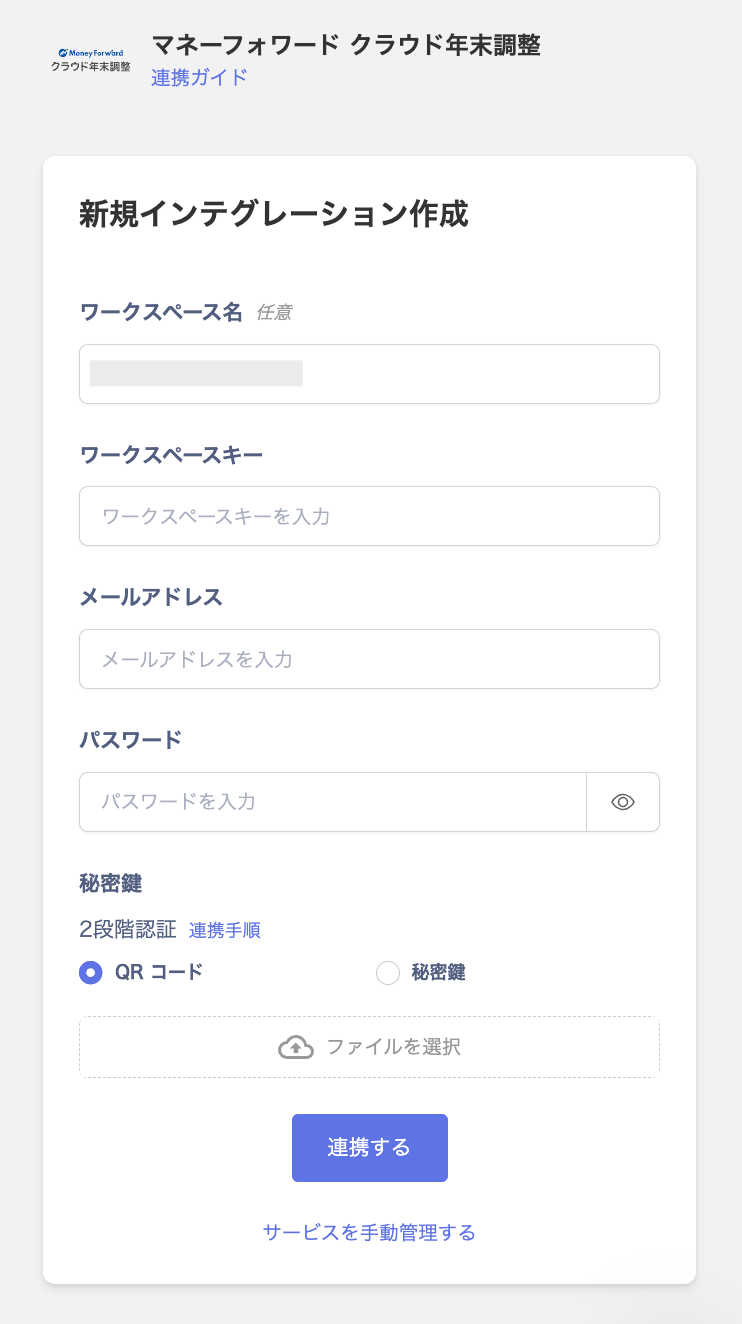
Enter a workspace name, the workspace key you obtained in the previous step, and your login email address and password.
Enter the two-factor authentication code set up in the two-factor authentication setup steps, then click Connect.
- If the connection is successful, the registered user information will be displayed in the account list. If it does not complete successfully, edit it from the Status tab on the Integration screen and try integrating again. If the problem is not resolved, please contact us via chat.