

Integration Specifications
An administrator account is required for integration.
Advance Preparation
How to login to kintone
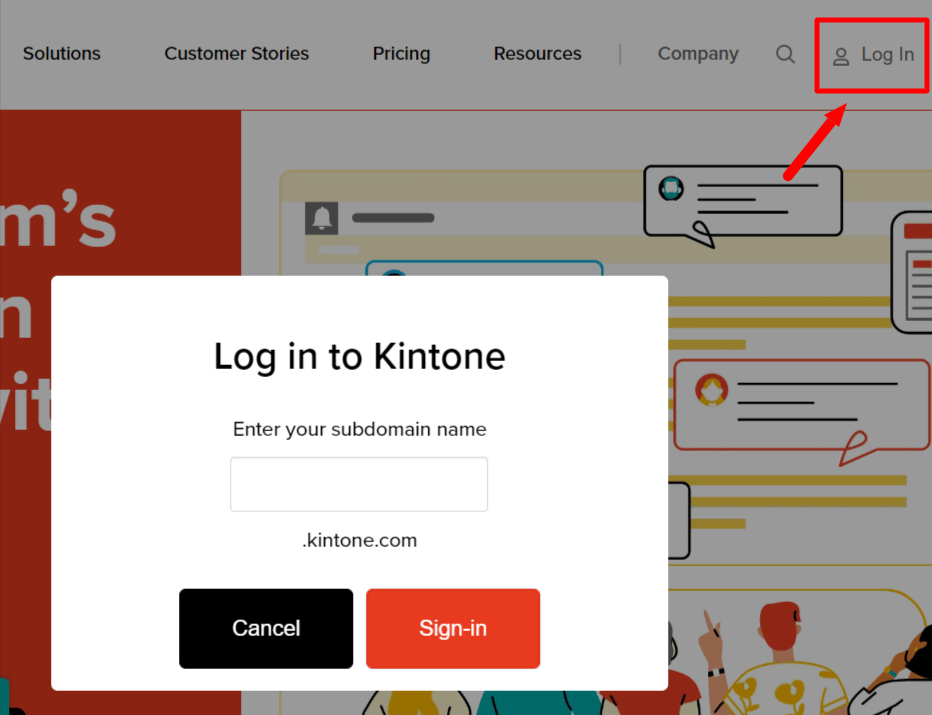
- Click “Log in” at the upper right corner of the kintone homepage, enter your subdomain, and click Sign-in.
-
Enter your email address and password to login.
If you have any questions about kintone login, please refer to the kintone help site: Problems with Logging In.
How to get Workspace key
-
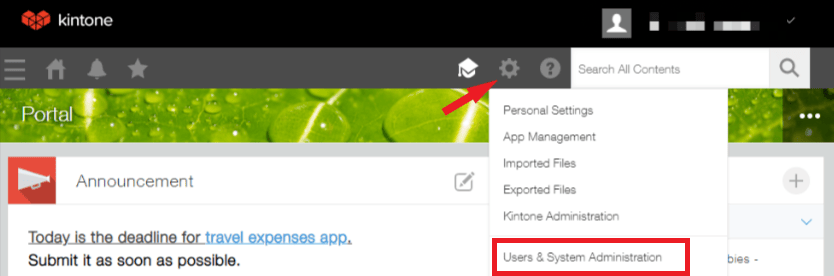
After logging into Kintone, access Kintone Common Management from the ⚙ setting icon.
-
You will see the domain at the top of the page. Part of the domain is the workspace key, so save it.
{workspace key}.kintone.com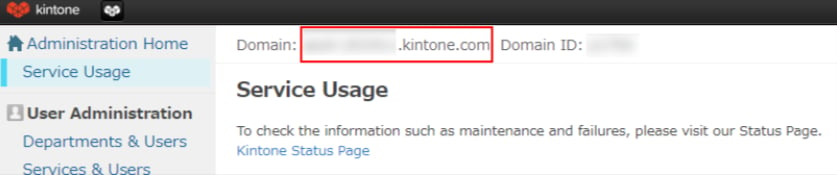
Integration Setup
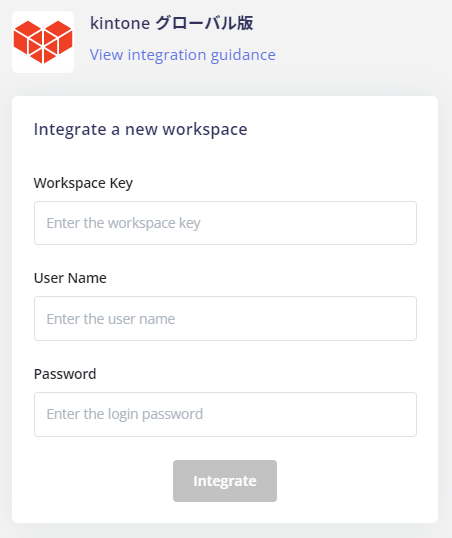
- Search for and click on the kintone global version on the integration screen.
-
Enter the workspace key, username and password obtained in the previous step, and click on Integrate.
- If the link is successful, the registered user information will be displayed in the account list. If it does not complete normally, edit it from the status tab of the integration screen and try the linkage again. If you can’t solve it, please contact us via chat.