

Integration Specifications
To integrate a Google Ads workspace, you need to add the service account as a member.“Read-only” permission is sufficient for user aggregation only. “Admin” permission is required for provisioning and deprovisioning.The Google Ads API provides no way to determine whether an account has been deleted. Mute accounts of departed employees instead.
Prerequisites
How to Add the Service Account
-
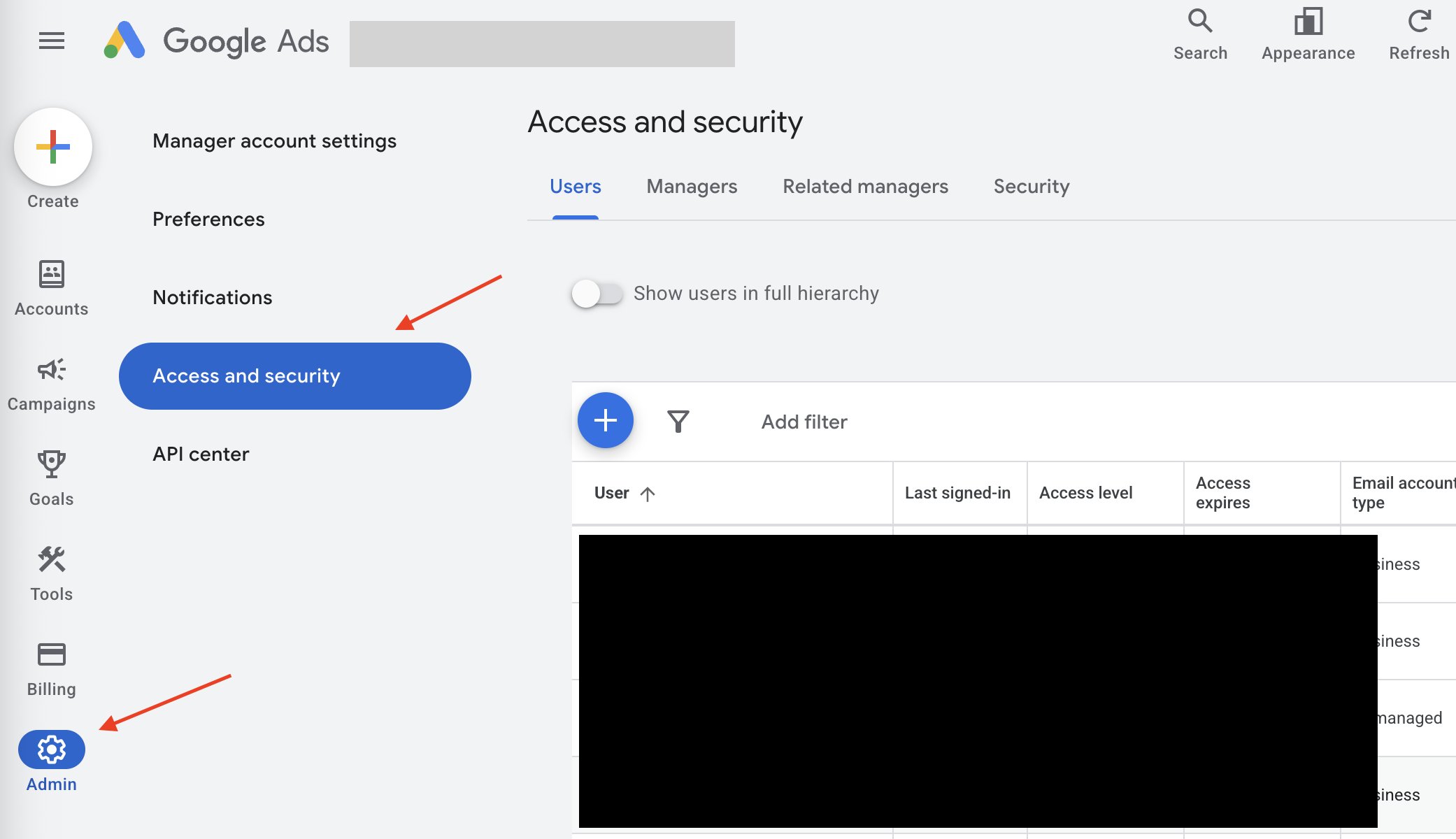
After logging in to Google Ads, click Admin > Access and security > + button in the left menu.
-
Enter the service account email address
google-ads-integration@money-forward-itmc.iam.gserviceaccount.com. Select Read only for the account access level.Admin permission cannot be selected on this screen. You will need to change it afterward. You can optionally set an expiration date, but the integration will stop when the date is reached.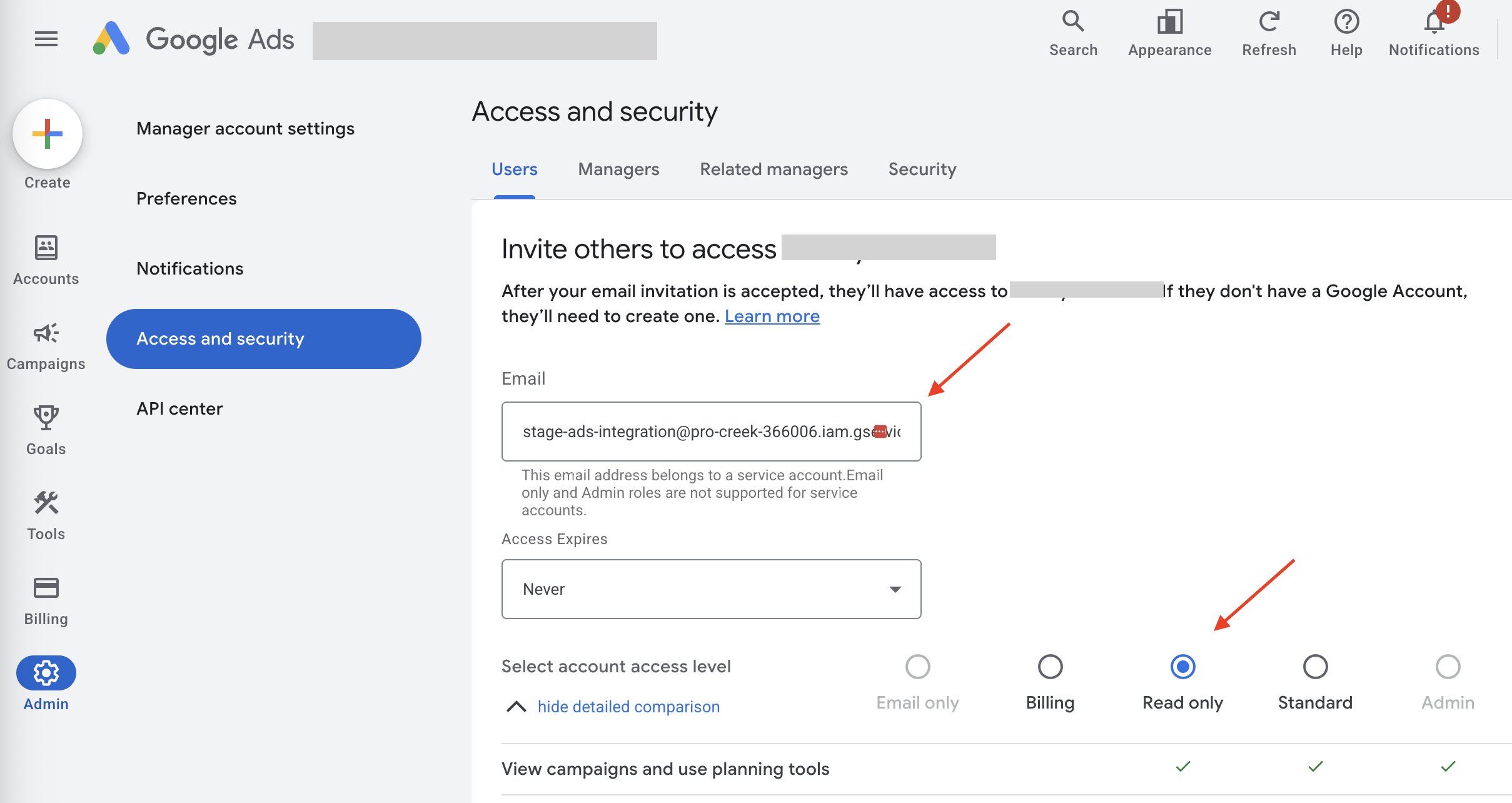
-
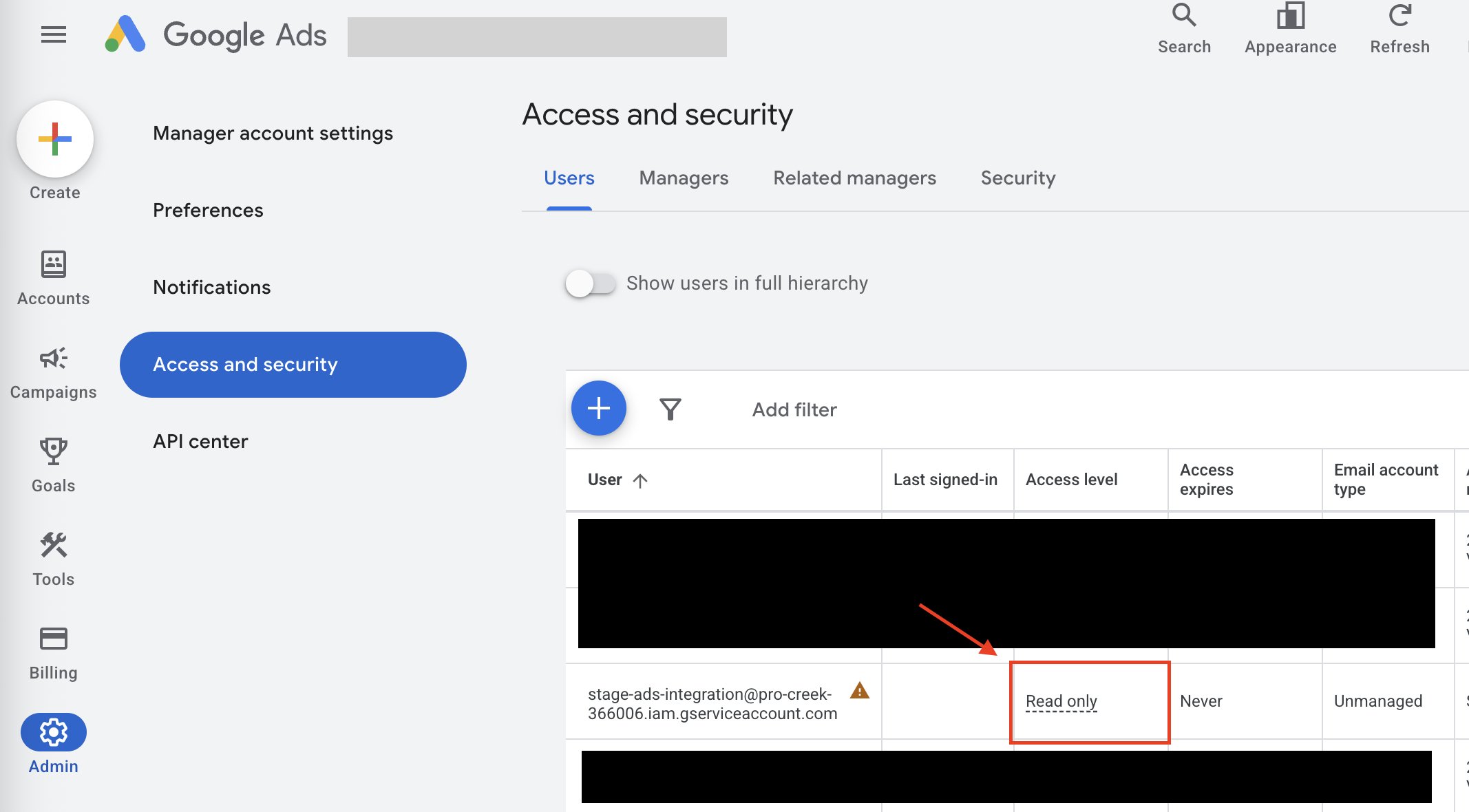
(Optional) Admin permission is required for provisioning and deprovisioning. If needed, change the access level from the user list.
If the user list does not update, you may need to refresh the page.
How to Find Your Workspace Key
After adding the service account to Google Ads, check the number displayed near the Google Ads account name. This number is your workspace key. (The workspace key is valid with or without hyphens.)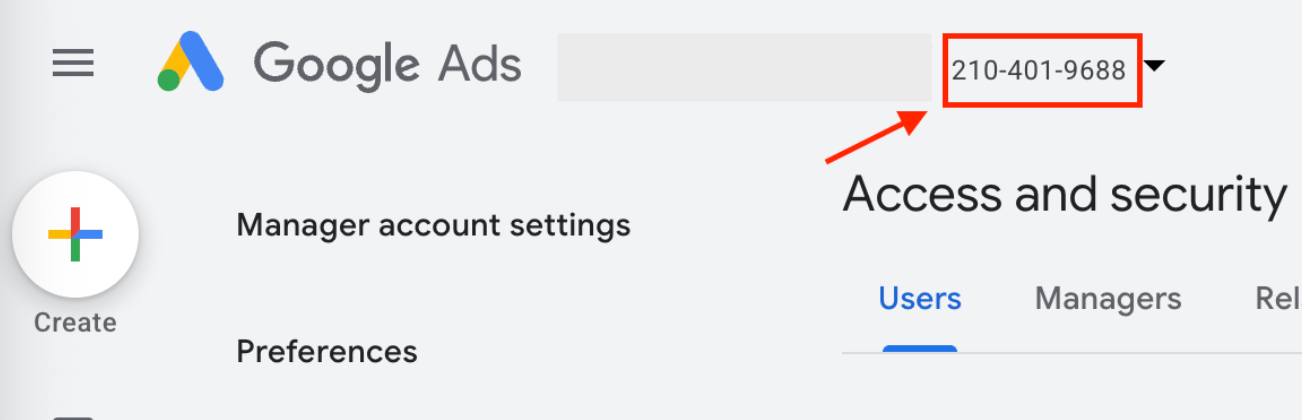
Integration Setup
- In the integrations screen, search for Google Ads.
-
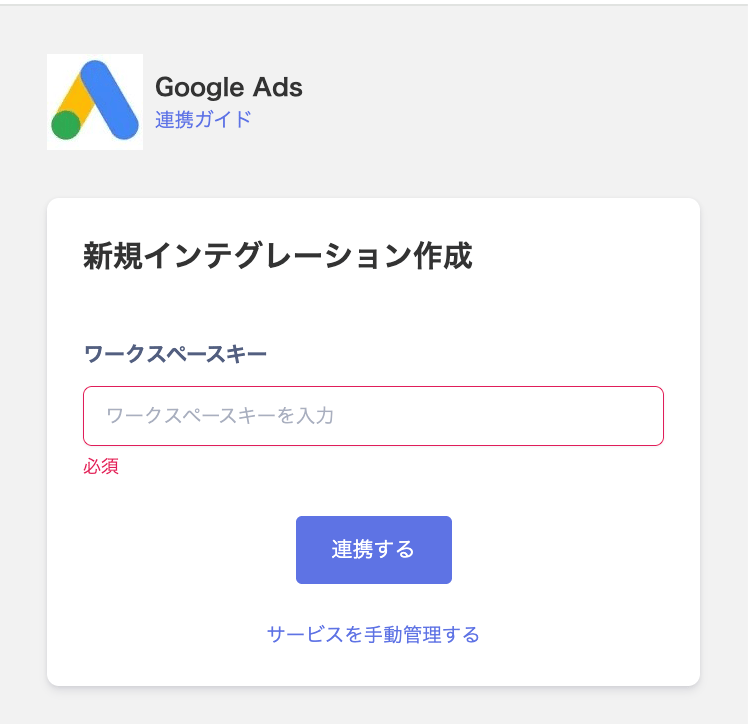
Enter the workspace key confirmed in the previous step, then click Connect.
- Once the integration is successful, the registered user information will appear in the account list. If the integration fails, click Edit on the Status tab of the integrations screen and try again. If the issue persists, please contact us via chat.