

Translation Disclaimer: The documents herein have been machine translated for your convenience. While reasonable efforts are made to provide accurate translations, portions may be incorrect. If you would like to report a translation error or inaccuracy, please contact us.
Integration Specifications
Preparation
- An account with administrator privileges is required for integration.
How to log in
On the Float login page, enter your email address and password to log in.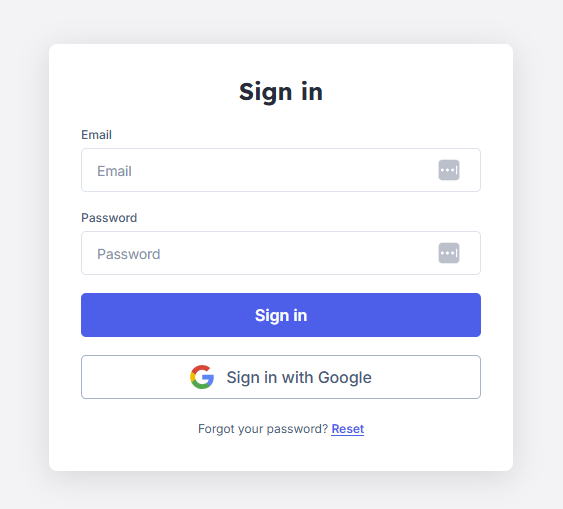
How to check your access key
-
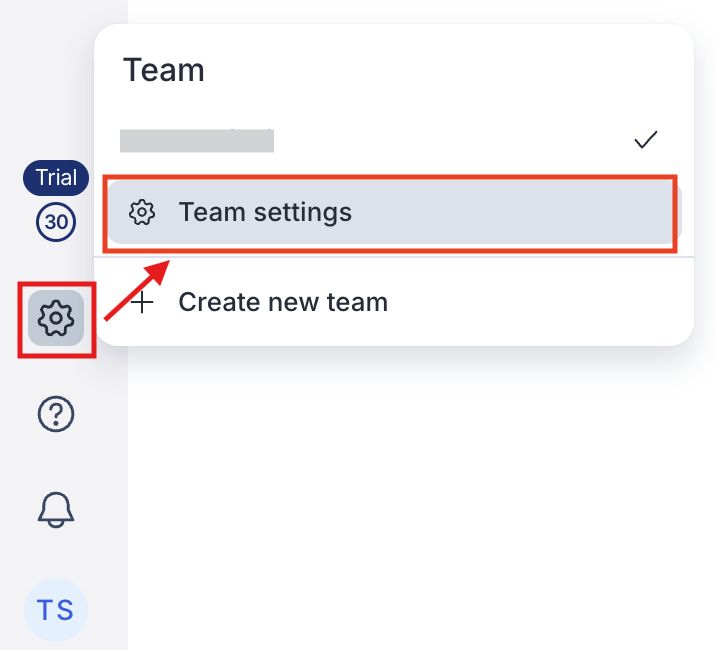
After logging in, click the settings icon > Team settings.
-
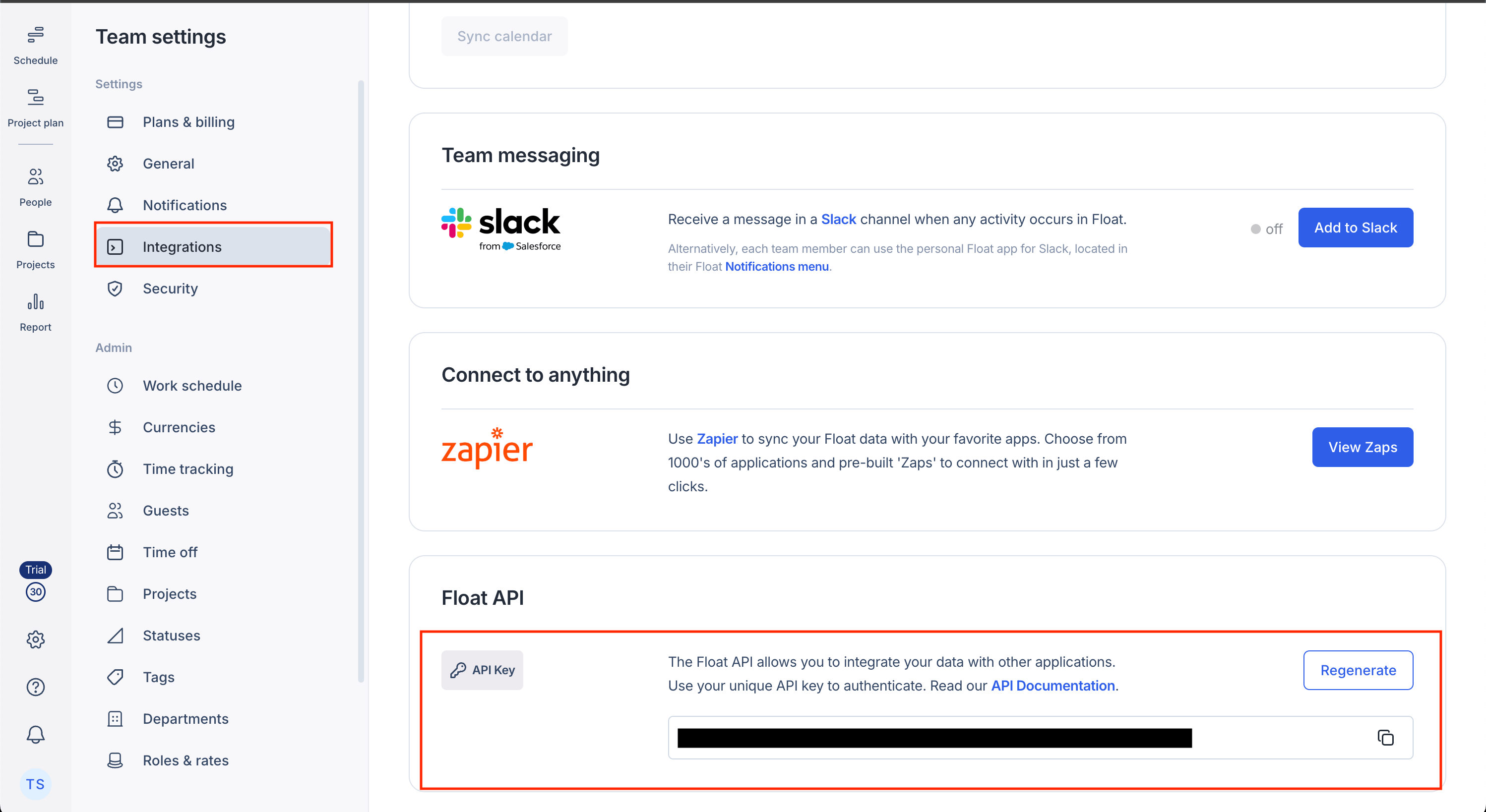
Select the Integration section, scroll down, and copy the API key.
Integration setup
- Search for Float in the integration screen.
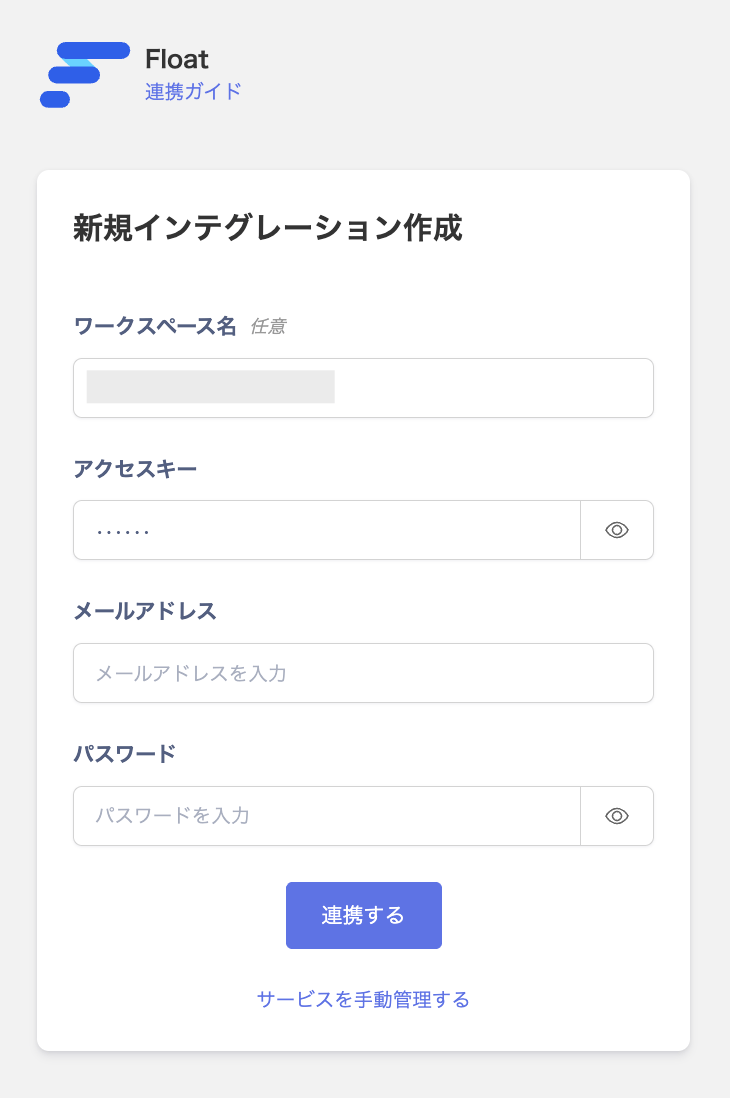
- Enter the API key you obtained in the previous step into the Access Key field.
-
Enter your desired workspace name, Float login email address, and password, then click “Connect”.
- Once the connection is successful, the registered user information will be displayed in the account list. If the process does not complete successfully. Please edit the status in the Integration screen and try the integration again. If the issue persists, please contact us via chat.