

Integration Specifications
Prerequisites
API access must be enabled for your Hex workspace to use the integration. You can enable API access from Integrations in the Hex settings.
Getting a workspace token
-
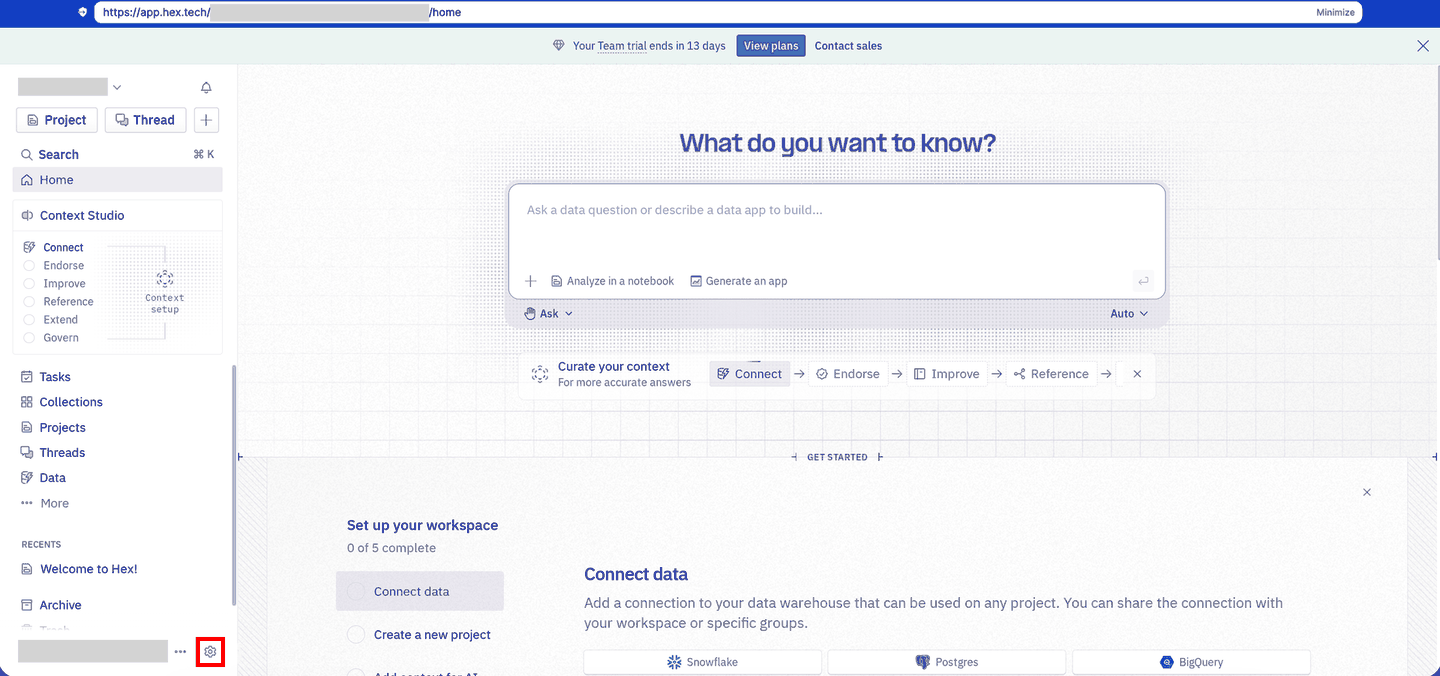
Log in to your Hex workspace and click the settings icon in the bottom-left corner.
-
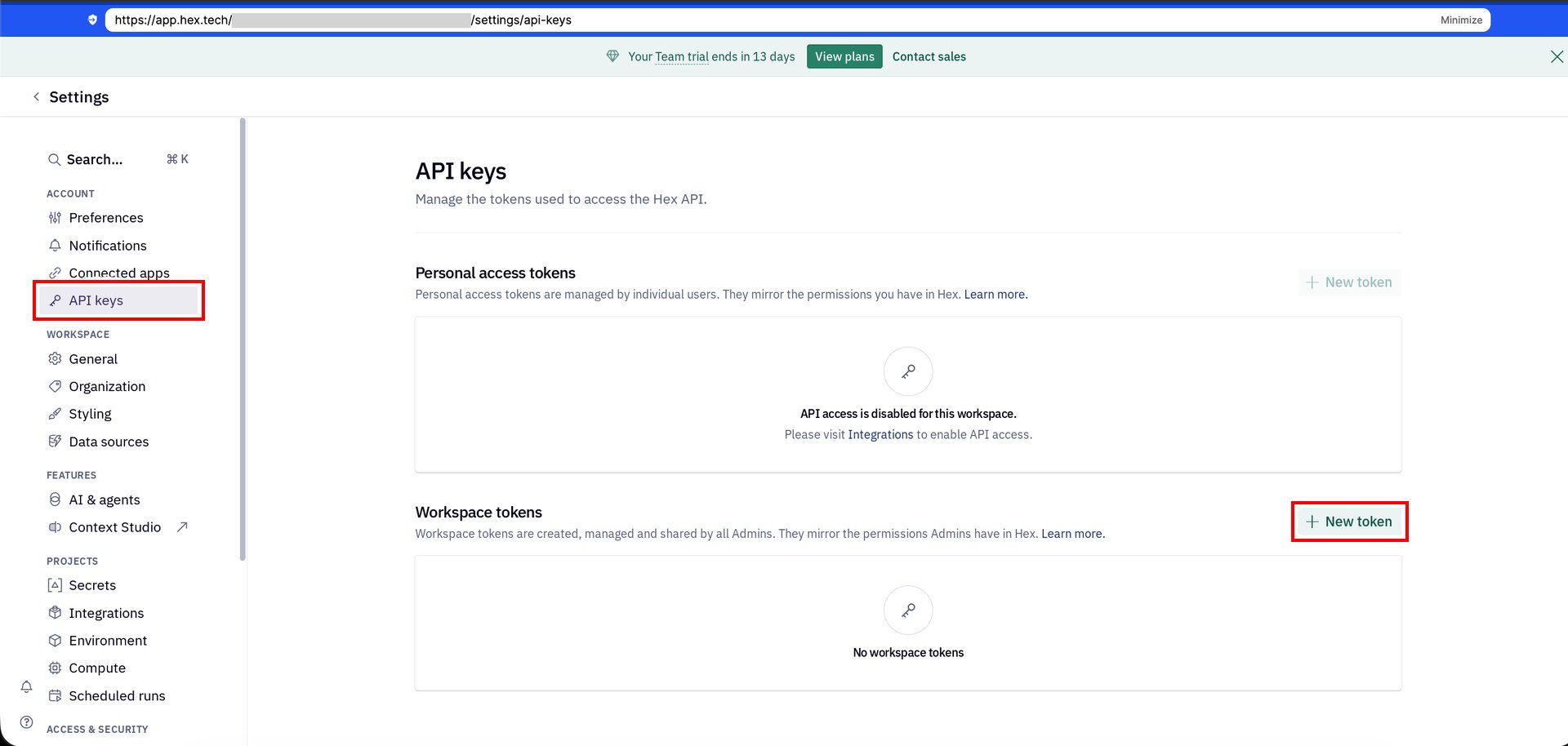
Select API keys, then click New token under Workspace tokens.
-
On the New workspace token screen, set the Description, Expiration, and API Scopes, then click Generate token.
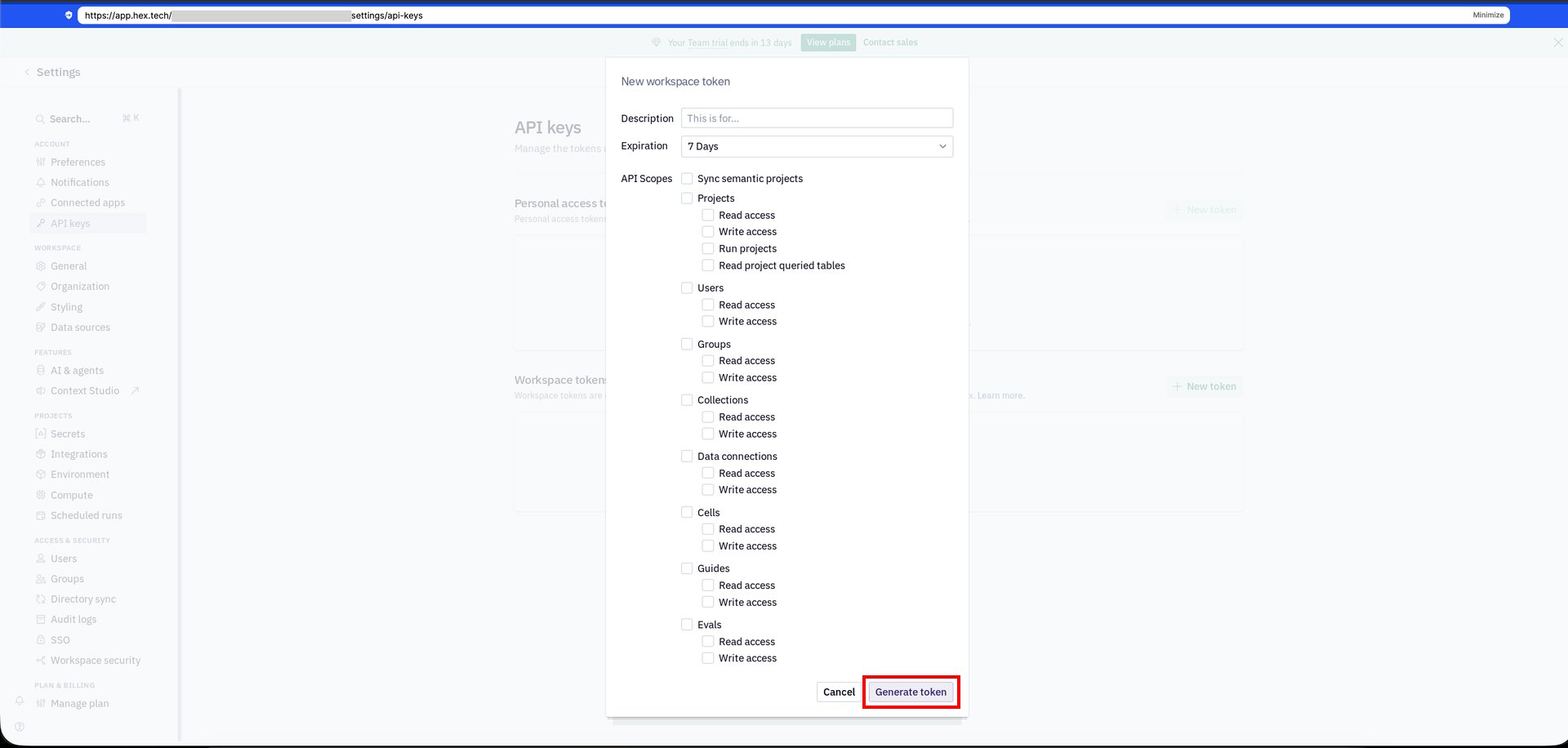
- Copy the generated token and save it.
Setting up the integration
- Search for Hex on the integrations screen.
-
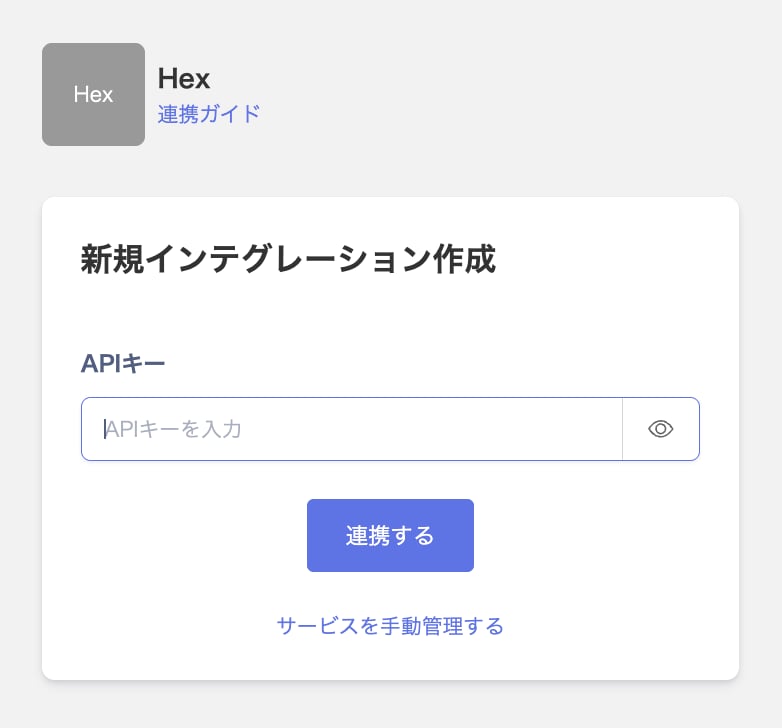
Enter the token you generated in the previous step in the API key field, then click Integrate.
- Once the integration with Hex succeeds, registered user information appears in the account list. If it doesn’t complete successfully, first try the steps in Troubleshooting failed SaaS integrations. If that doesn’t resolve it, check Information to provide and contact support.