How to integrate HRMOS Attendance with Admina using an API key. Admina retrieves user names, email addresses, and statuses and supports account creation.
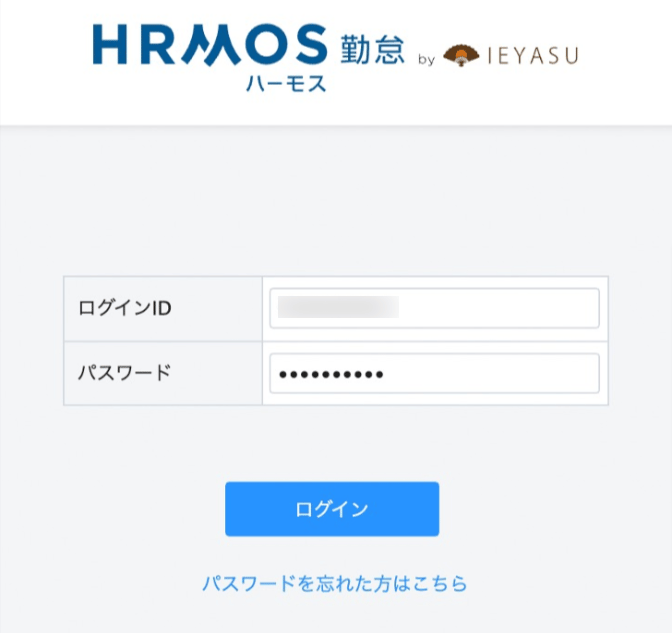
Go to the HRMOS Attendance login page, enter your email address and password, and log in.The login URL is sent to your registered email address after sign-up.
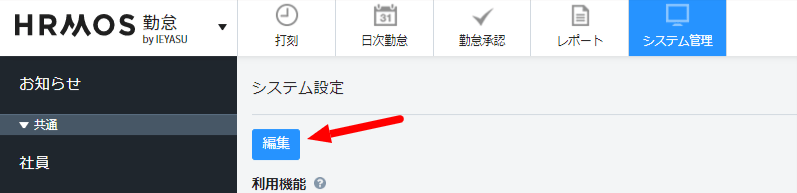
After logging in to HRMOS Attendance, go to System > System Settings from the left menu, then click Edit.
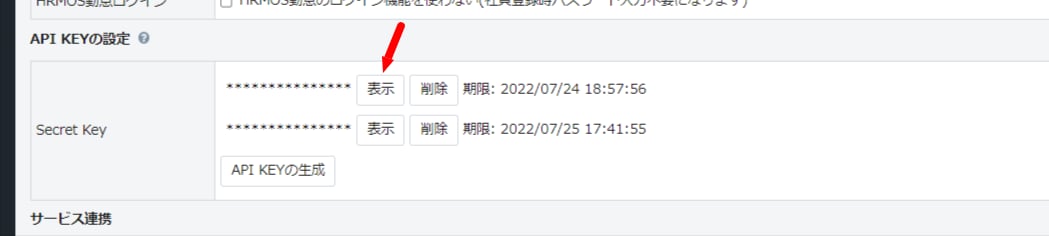
You will be taken to the System Settings edit page. Click API KEY Settings, Show Secret Key to display the API KEY, which is your access key — copy it for later. If no API KEY has been created yet, click Generate API KEY to create your access key.
In the integration screen, search for HRMOS Attendance.
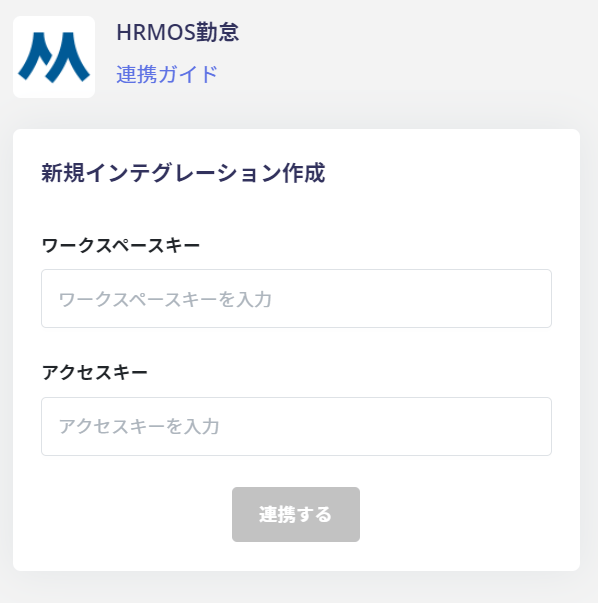
Enter the workspace key and access key obtained in the previous steps, then click Connect.
Once the integration with HRMOS Attendance is successful, registered user information will appear in the account list. If the process does not complete successfully. Go to the Status tab on the integration screen, click Edit, and try connecting again. If the issue persists, please describe the details and contact us via chat.
Q. If the HRMOS Attendance secret key has expired, is manual re-integration required?A. Due to HRMOS Attendance’s specifications, the “Secret Key (API KEY)” has a validity period of 3 months. (See reference: external site)If the secret key has expired, please manually re-integrate.