

Integration Specifications
An administrator account is required for the integration. This service is only available in Japanese.
Advance Preparation
How to Log in to Jobcan Payroll
Log in from the login page for Jobcan Common ID. Alternatively, you can enter your email address and password on the Jobcan Payroll login page to log in.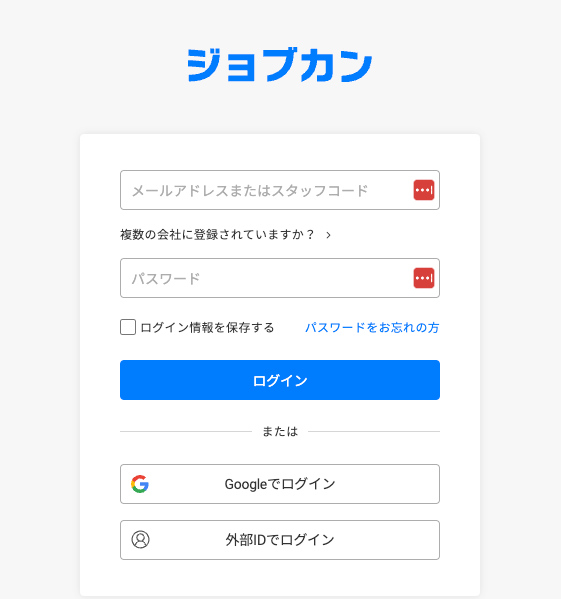
How to Get the Workspace Key
After logging in to Jobcan Payroll, switch to Jobcan from the menu tab on the upper right. Then proceed to Account Information from the left menu. The company ID displayed in the company information will be the workspace key, so save it.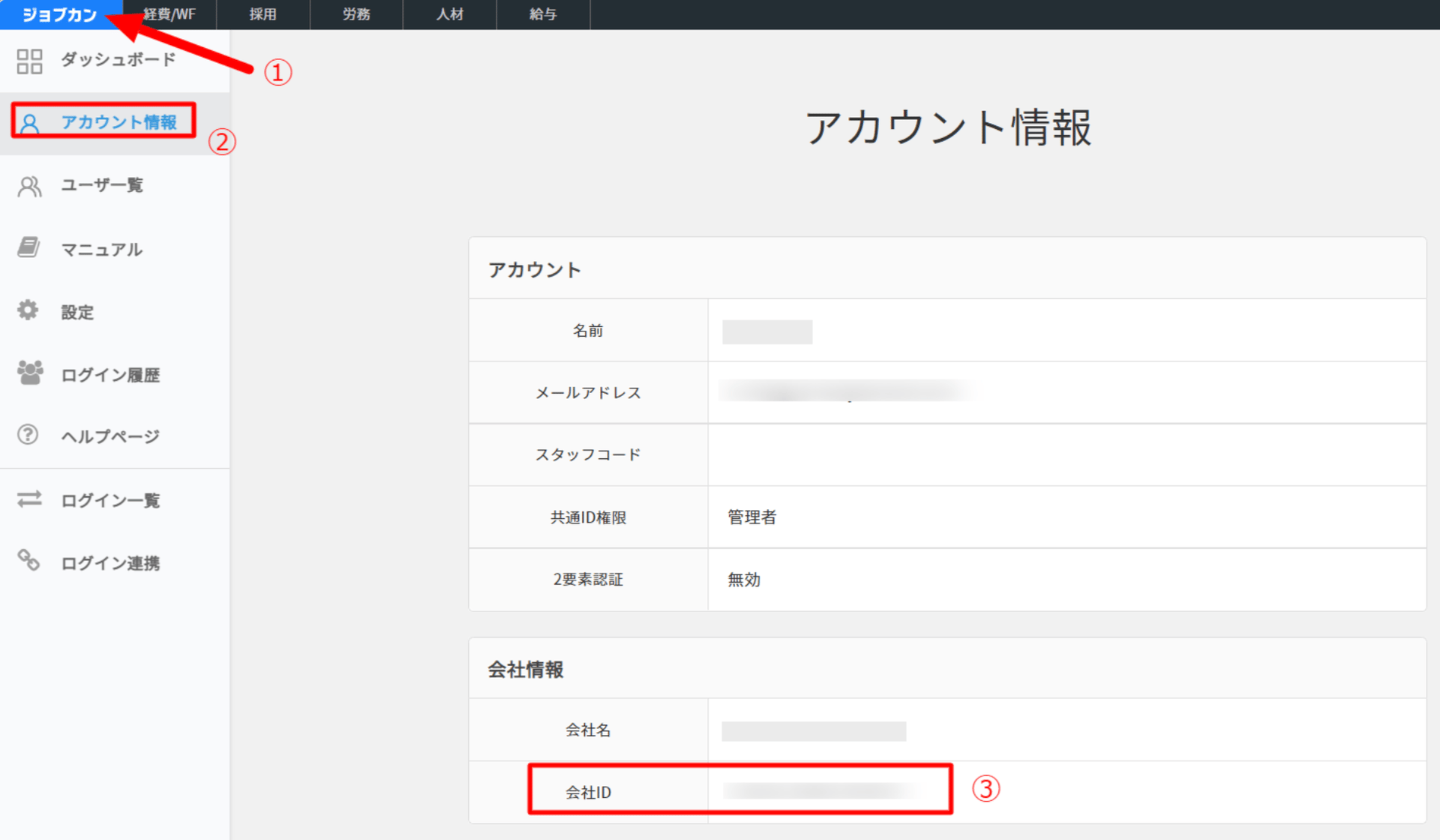
Integration Setup
- Search by Jobcan Payroll on the integration screen.
-
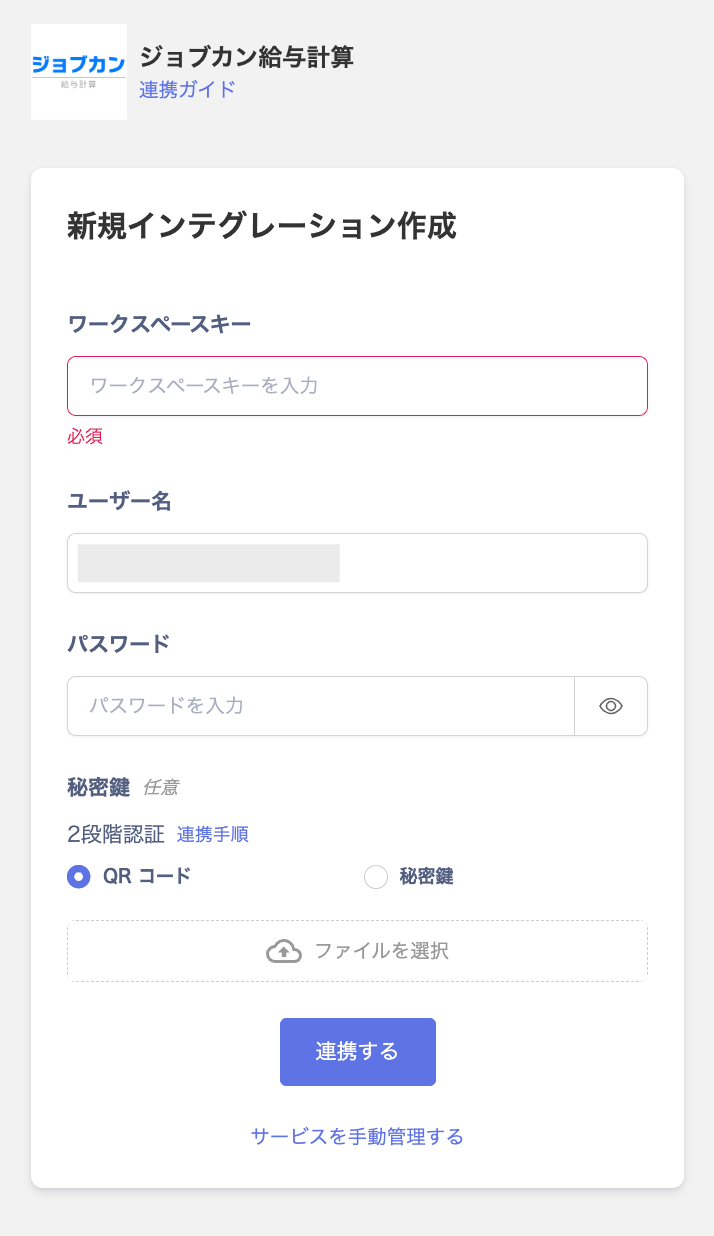
Enter the workspace key, user name and password obtained in the previous step, and click Link.
Two-factor authentication is optional.
- If the link with Jobcan Payroll is successful, registered user information will be displayed in the account list. If it does not complete successfully, click Edit from the status tab of the integration screen and try again. If you can’t solve it, please contact us by chat.