

Integration Specifications
- Integration requires the optional External System Integration (API Integration) service subscription. GMO Sign: API Integration
- GMO Sign’s API may have IP address restrictions. Please refer to Removing IP Address Restrictions for the API and allow or remove the IP addresses used by this service. For details, see Required IP addresses, URLs, and ports.
Prerequisites
How to Log In to GMO Sign
Go to the GMO Sign login page and enter your email address and password to log in.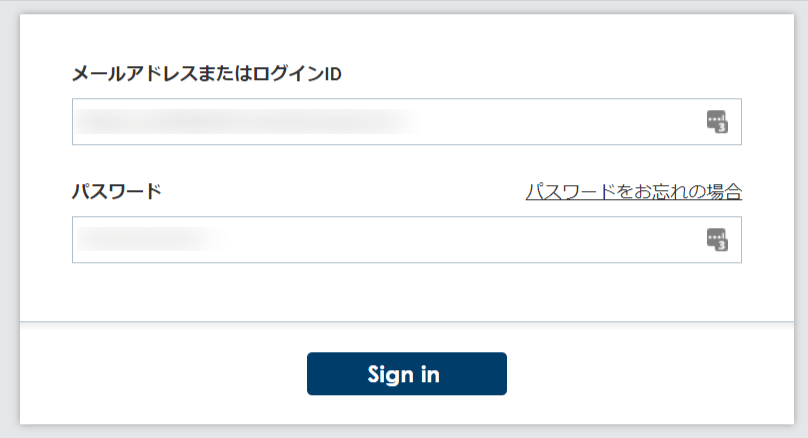
How to Obtain the Client ID and Client Secret
After logging in to GMO Sign, check Options from the Usage Panel. Submit a usage application from the contact form under. External System Integration (API Integration) to obtain your Customer ID and Secret Key. These become your Client ID and Client Secret.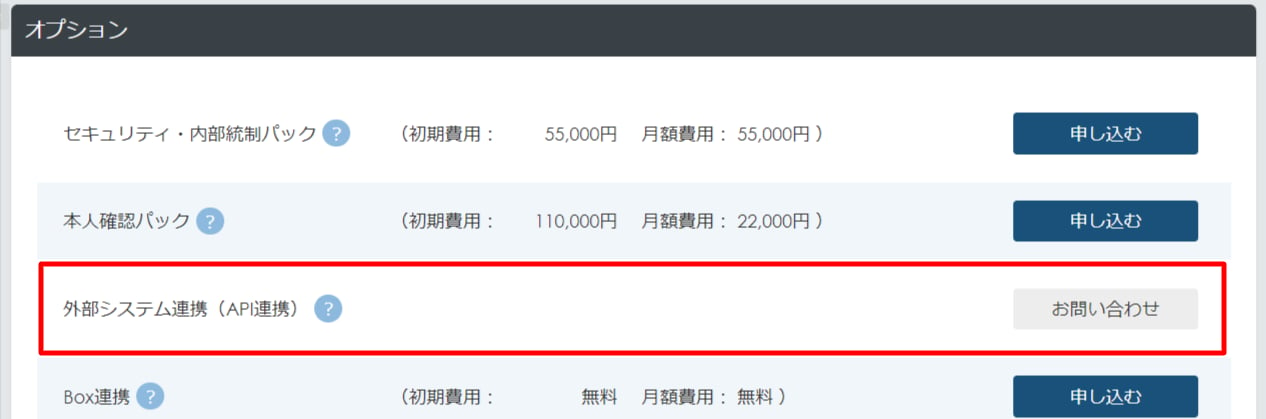
Integration Setup
- In the integrations screen, search for GMO Sign.
-
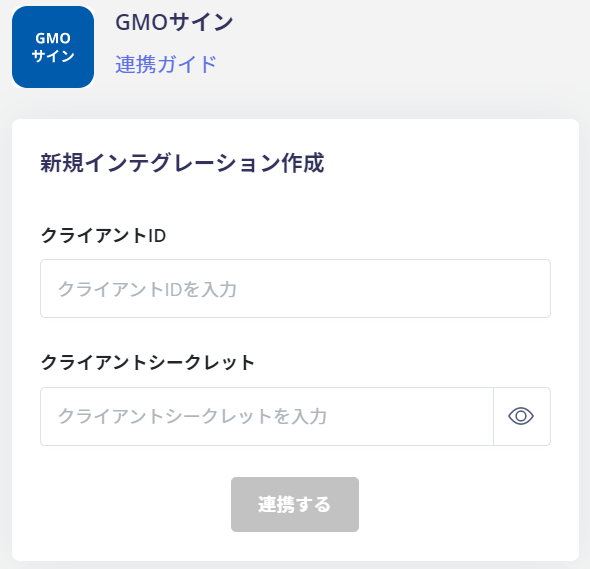
Enter the following and click Connect.
- Client ID: Customer ID
- Client Secret: Secret Key
- Once the integration with GMO Sign is successful, the registered user information will appear in the account list. If the integration does not complete successfully. Go to the Status tab on the integrations screen, click Edit, and try connecting again. If the issue persists, please contact us via chat.