

Integration Specifications
Prerequisites
How to login to AppsFlyer
Enter your email address and password at the AppsFlyer login page.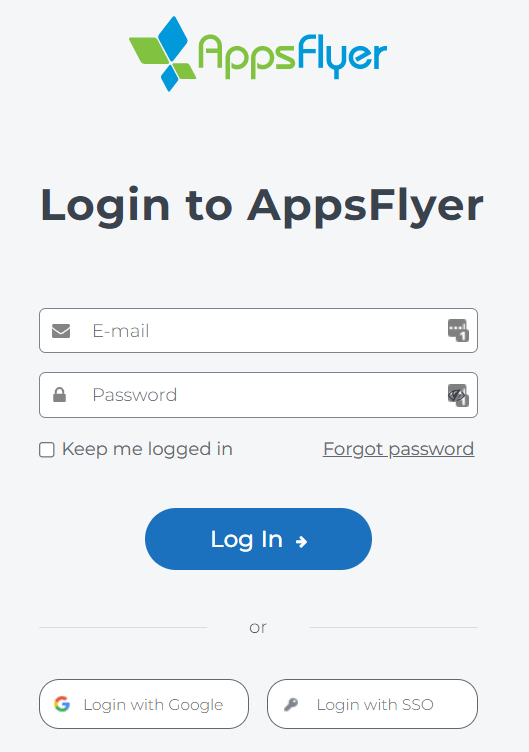
How to get Access Token
-
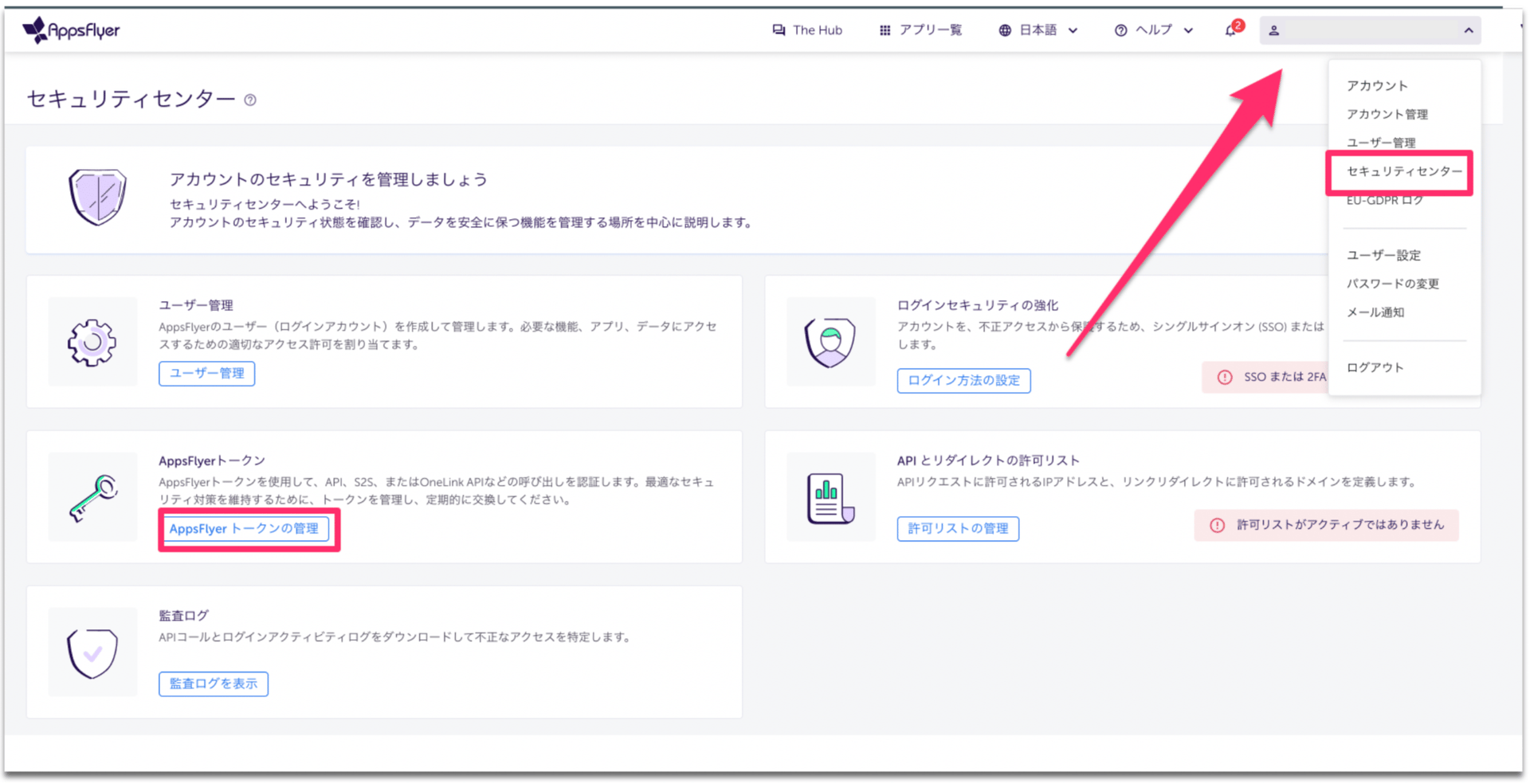
After logging into Appsflayer, click Security Center > Manage AppsFlyer Tokens.
-
After clicking +New Token, choose Name: any name (e.g., your company name), Type:
API, and click Create New Token.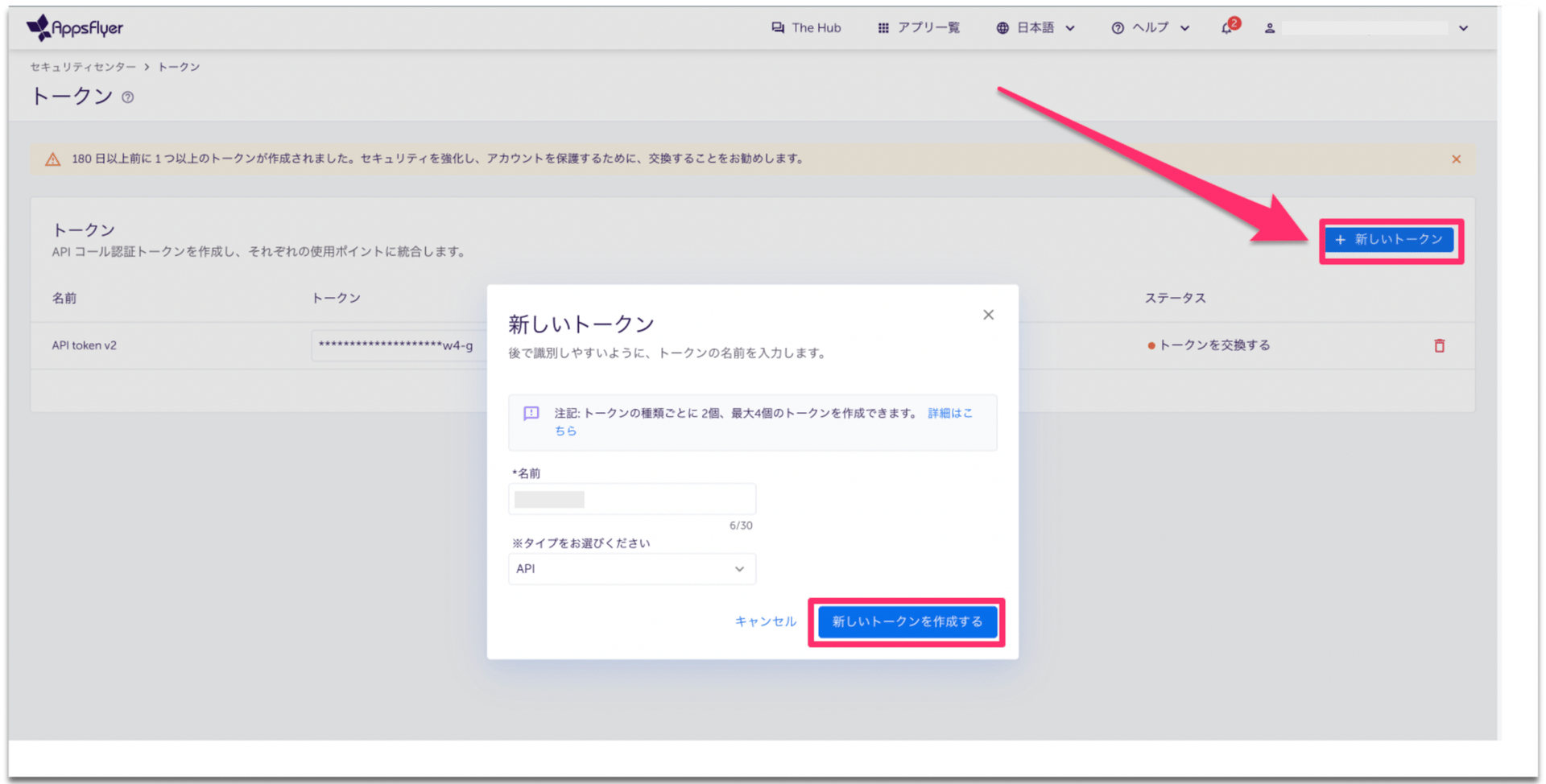
-
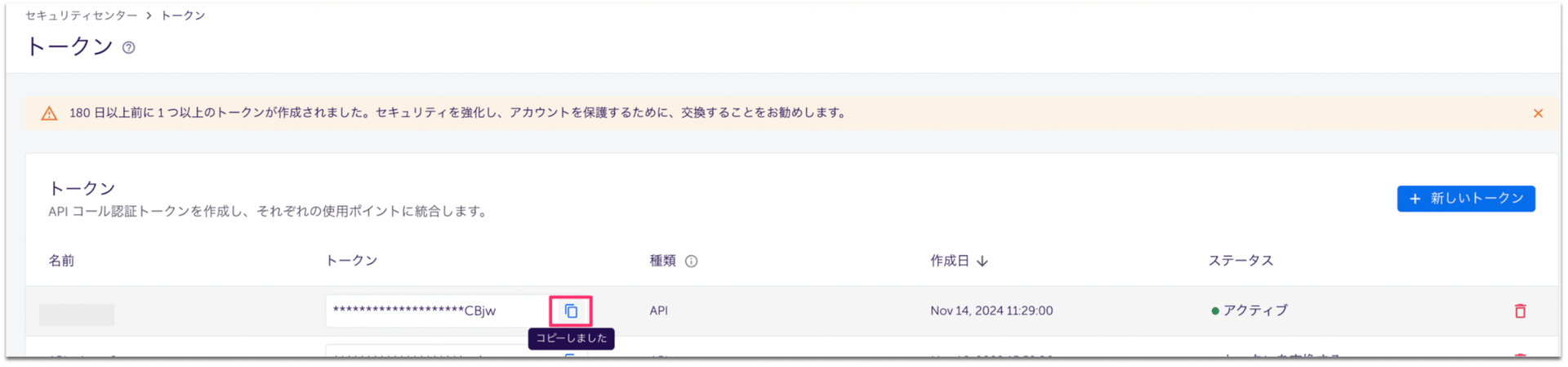
Make a copy of the created token. This completes the creation of the token.
Integration setup
- Search with AppsFlyer on the integration screen.
-
Enter Access Token and click Integrate.
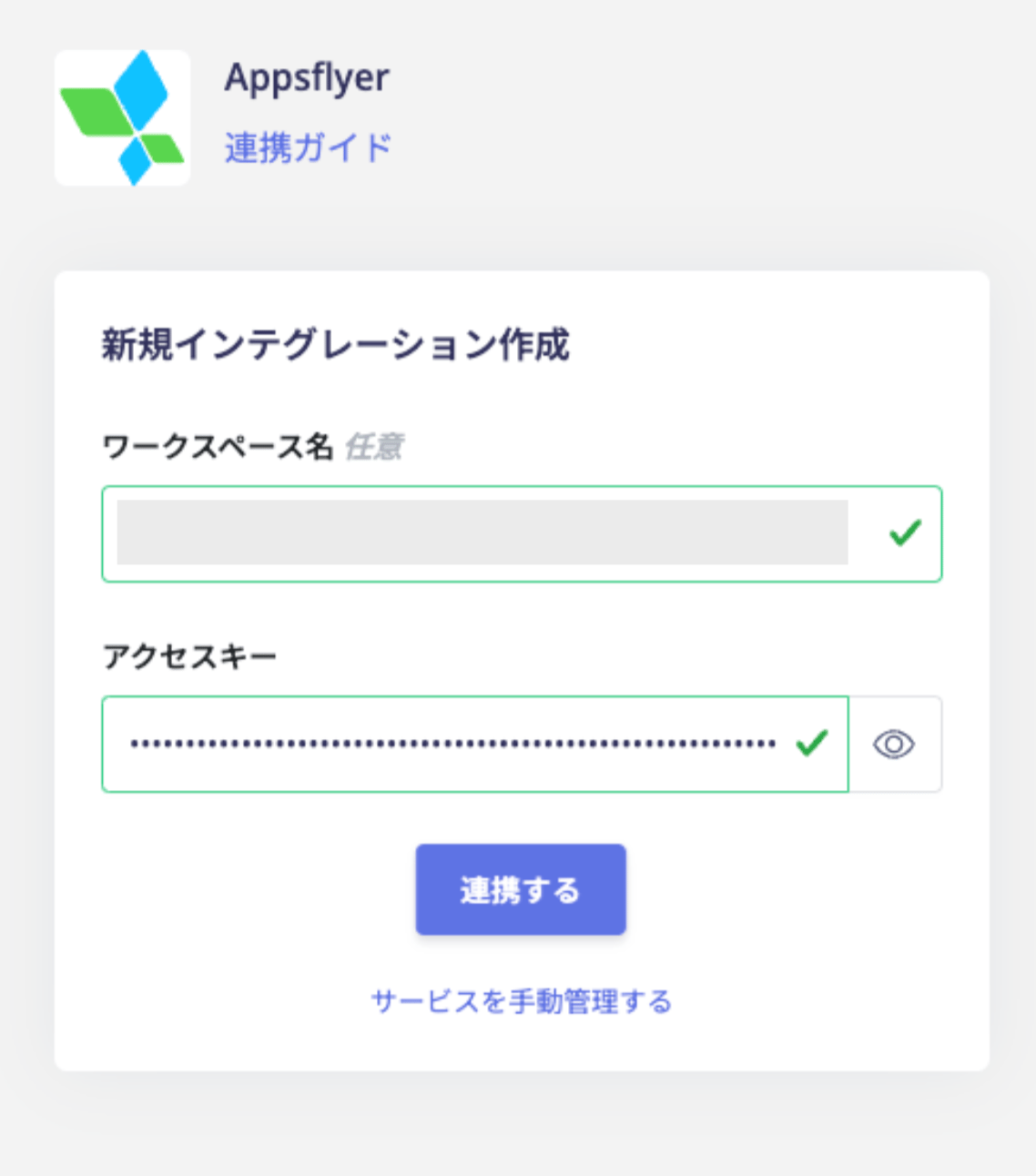
- If the integration is successful, the registered user information will be displayed in the account list. If it does not complete normally, edit it from the status tab of the integration screen and try the integration again. If you can’t solve it, please contact us via chat.