

Integration Specifications
Prerequisites
Issuing an API key for the LIVE environment requires the BoldSign Enterprise API plan. For details, see Enterprise API (external site).
How to obtain the API key
-
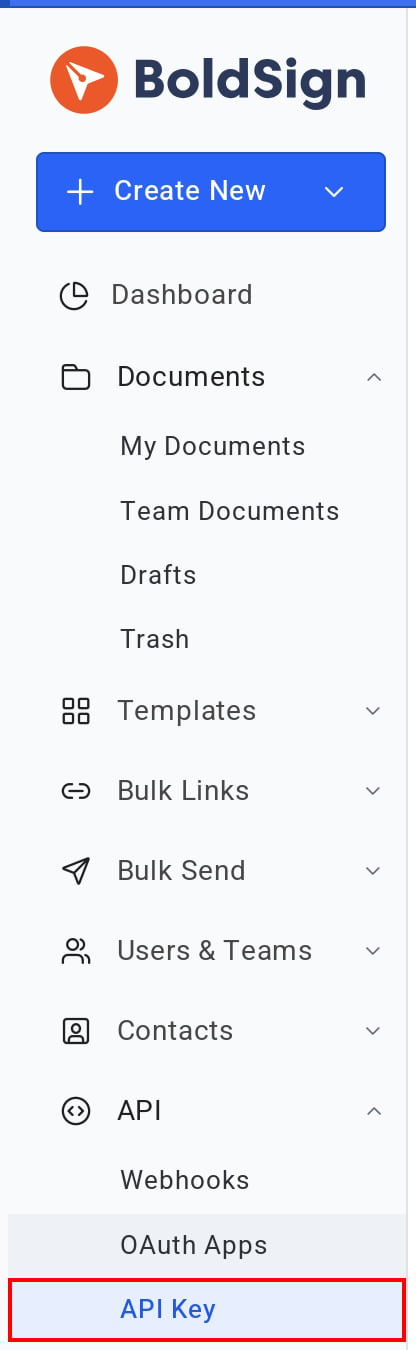
Log in to BoldSign and select API Key under API in the left menu.
-
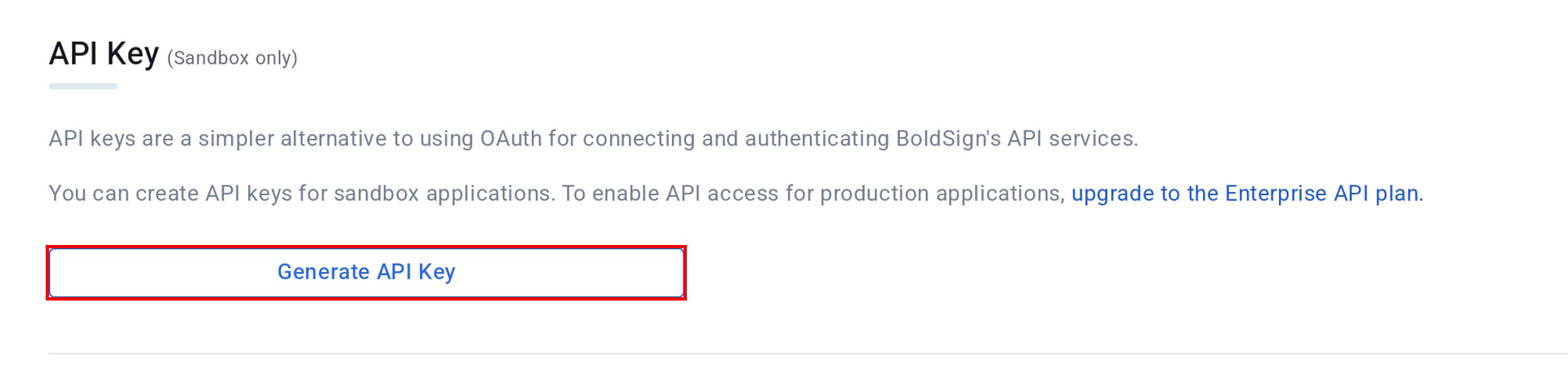
Click Generate API Key.
-
On the Generate API key screen, switch the environment to LIVE. Enter any name in API Key Name and leave Token Validity off. Then click Generate Token.
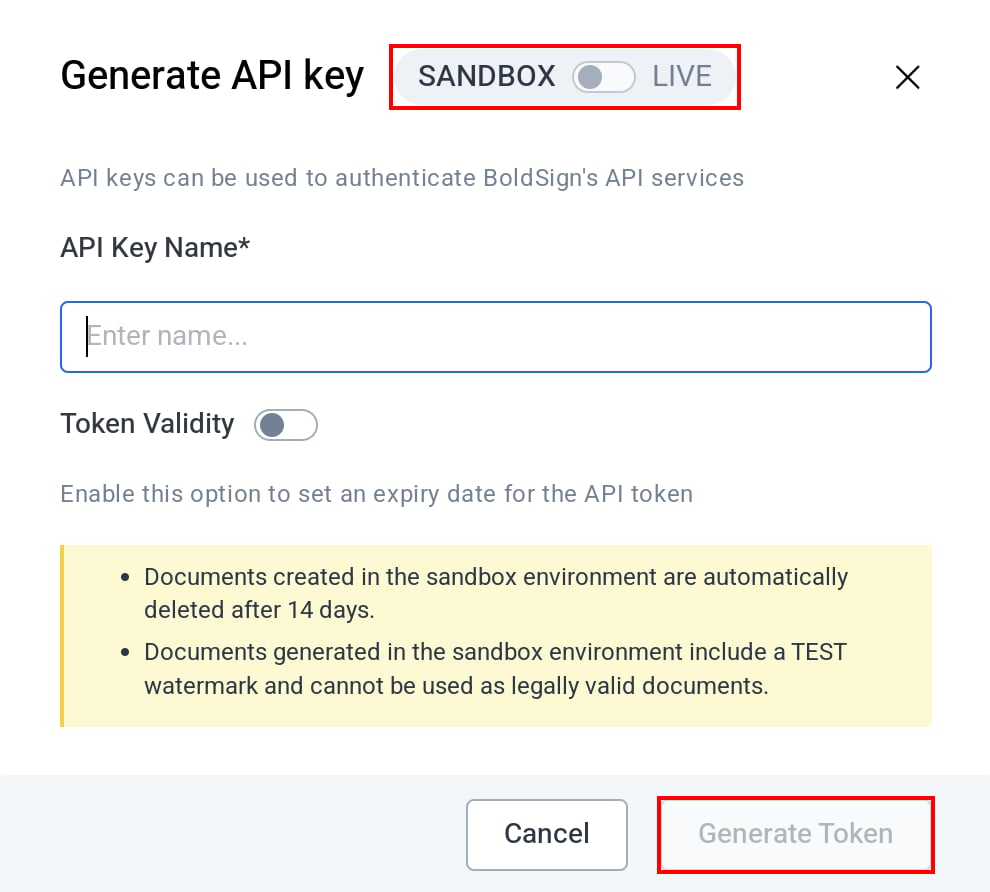
- Copy the API key that appears and save it.
Setting up the integration
- In the integration screen, search for BoldSign.
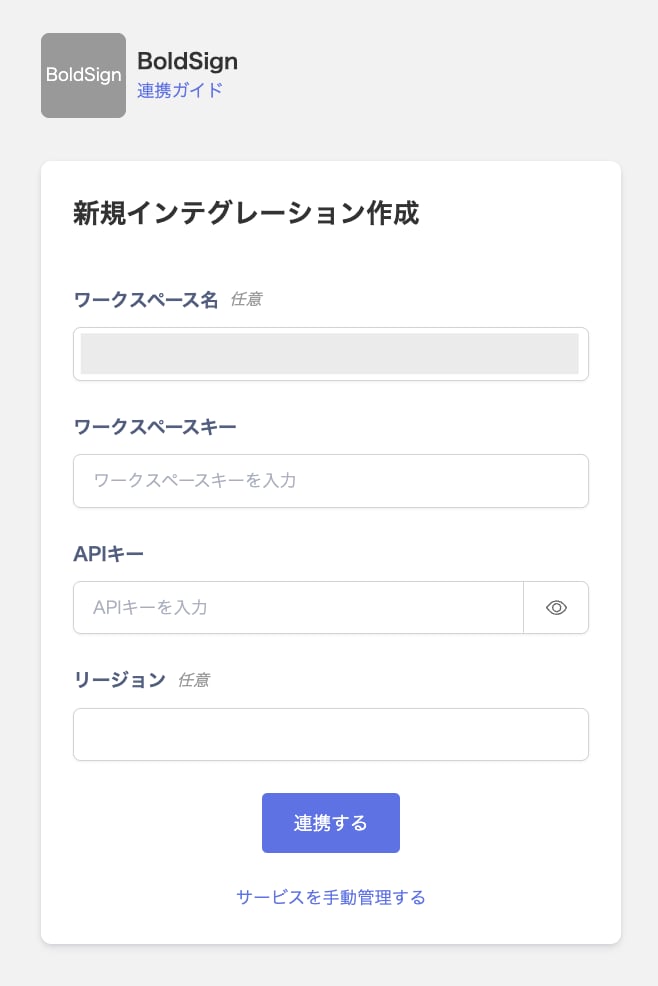
- In Workspace key, enter any string that identifies this integration, such as the organization name. If your organization integrates more than one BoldSign account, use a different value for each. Enter the API key in API Key. Workspace Name is optional. You can enter a name to tell this integration apart.
-
If your BoldSign account is in a region outside the United States, enter
EU,CA, orAUin Region. Leave it blank for a United States account. -
Click Integrate.
- When the integration with BoldSign succeeds, registered user information appears in the account list. If it does not complete successfully, first try the steps in Troubleshoot SaaS integration errors. If the issue persists, check Information to provide and contact Support.